
7 Best Lexa Fake GPS Location Alternatives [Expert Tips]
These days, location-based apps are a big part of how people play games, navigate, or connect with others. (Can I play Android games on PC?) Yet, some users find Lexa's features limited, like missing advanced route simulation or the ability to set multiple locations at once.
That's why many look for Lexa Fake GPS Location alternatives with stronger privacy protection, smoother performance, and more ways to customize their experience. Read on to get the 7 best replacements for this tool.
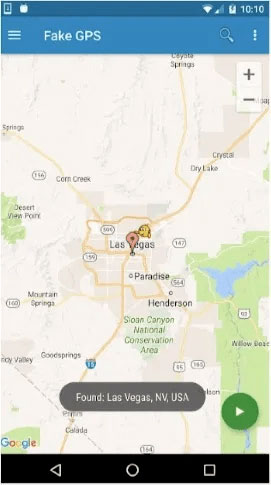
Top 1: Virtual Location Tool
For users who prefer precise control over virtual movement, Virtual Location Tool provides a flexible way to simulate locations worldwide. It supports instant teleportation as well as realistic route planning for smoother app interaction. Location changes can be applied with minimal delay, helping reduce detection risks. With its combination of accuracy and ease, it's an excellent choice for anyone needing a reliable location spoofer.
This tool serves as an excellent substitute, allowing users to fake locations on both iOS and Android with minimal detection risk. It supports route customization, location management, and the removal of previously visited spots while working smoothly across multiple devices, including Android 16 and iOS 26. With strong privacy protection and flexible control options, it offers a secure solution for advanced location simulation.


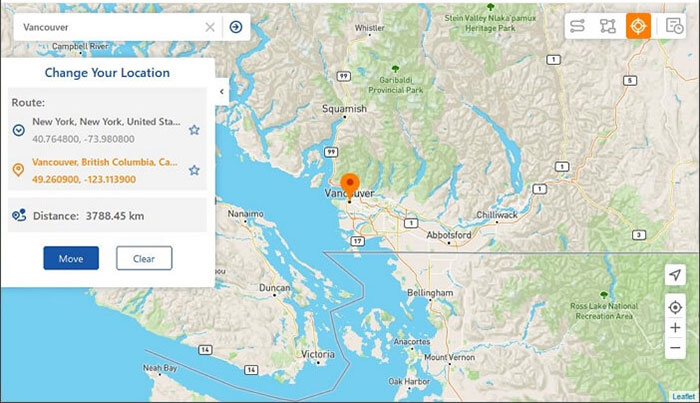
How can you fake GPS location on your phone using Virtual Location Tool?
- Start by downloading and installing the virtual location application on your computer.
- Once the program is launched, click on "Get Started" from the main menu.
- Link your Android or Apple device to the computer using a USB cable.
- Allow the software to detect your device. In the upper-right corner of the interface, choose "Teleport Mode."
- Input the desired location in the search field.
- After the pointer has been moved to your chosen location on the map, click "Move" to instantly update your location.

Where does Virtual Location Tool outperform Lexa Fake GPS Location?
- Supports instant teleportation to any location worldwide.
- Offers realistic route simulation with adjustable speed.
- Minimal lag and high accuracy in location spoofing.
- Works seamlessly with multiple apps at the same time.
Virtual Location Tool - Cons:
- Requires a computer for full functionality on some devices.
- Premium features may need a subscription.
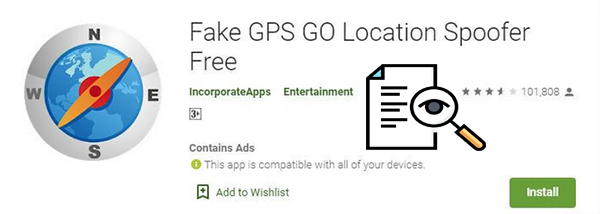
Top 2: Fake GPS Go Location Spoofer
When convenience matters most, Fake GPS Go Location Spoofer delivers quick setup and stable performance. With just a few taps, users can switch between cities or countries effortlessly. Its lightweight design helps maintain system speed while running in the background. This makes it a practical tool for those looking for a Lexa-like fake GPS experience.
Where does Fake GPS Go Location Spoofer outperform Lexa Fake GPS Location?
- Quick setup with a lightweight, smooth interface.
- Stable performance even on older Android devices.
- Allows fast switching between multiple locations.
- Low chance of triggering app security alerts.
Fake GPS Go Location Spoofer - Cons:
- May trigger warnings in some location-sensitive apps.
- Lacks advanced route simulation features.
- Ads in the free version can be intrusive.
- Occasional lag on older devices.
You Might Also Like: Fake GPS Go Location Spoofer Review: Deep-going Analysis 2026
Top 3: GPS Joystick: Location Changer
Designed for more interactive control, GPS Joystick: Location Changer introduces manual movement through on-screen navigation. This approach creates more natural travel patterns for location-based applications. Adjustable speed settings further improve realism during use. Players and explorers will appreciate its versatility compared with other spoofing apps.
Where does GPS Joystick: Location Changer outperform Lexa Fake GPS Location?
- Manual joystick control enables natural movement patterns.
- Adjustable speed and route customization for realism.
- Supports point-to-point travel without detection.
- Ideal for gaming apps requiring continuous location updates.
GPS Joystick: Location Changer - Cons:
- Interface can be confusing for beginners.
- Joystick movement may not be accepted by all apps.
- Its free version has limited features.
- Occasional instability when running multiple apps.
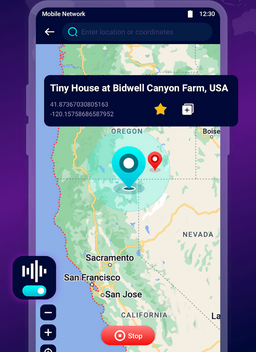
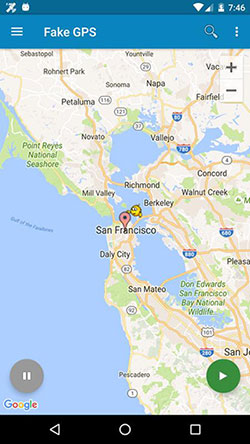
Top 4: Fake GPS
For those who value simplicity, Fake GPS offers a straightforward method to change locations without complex settings. Coordinates can be entered manually or selected from a map interface. The app remains stable across various Android versions and devices. Its ease of use makes it a strong contender for users seeking a dependable spoofing solution.
Where does Fake GPS outperform Lexa Fake GPS Location?
- Simple, beginner-friendly interface for easy spoofing.
- Supports manual coordinate input or map selection.
- Stable across a wide range of devices and Android versions.
- Lightweight app that doesn't slow down the system.
Fake GPS - Cons:
- Minimal advanced customization options.
- Some apps can detect the spoofed location.
- No built-in route simulation for movement.
- The free version contains ads.
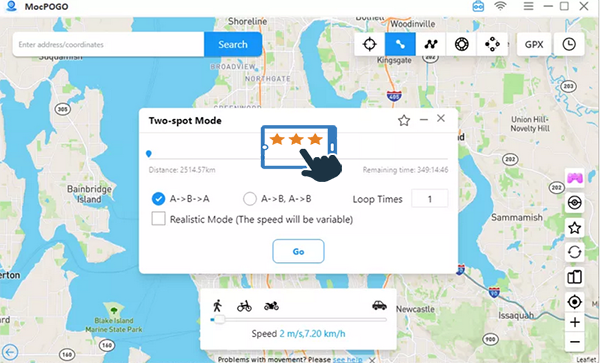
Top 5: MocPOGO: Fake GPS Location
Focused on gaming and exploration, MocPOGO: Fake GPS Location provides specialized tools for simulated movement. It allows point-to-point jumping and route walking for better in-game progression. Safety features help reduce the risk of account warnings. This combination of convenience and protection makes it especially useful for players.
Where does MocPOGO: Fake GPS Location outperform Lexa Fake GPS Location?
- Specialized for gaming, especially Pokémon GO.
- Allows simulated walking and route planning.
- Reduces risk of account flags or bans with safety features.
- Fast teleportation between points for efficiency in games.
MocPOGO: Fake GPS Location - Cons:
- Primarily designed for gaming; less useful for general spoofing.
- Safety features may not prevent all account bans.
- Limited to certain apps for optimal performance.
- Requires frequent updates to stay compatible.
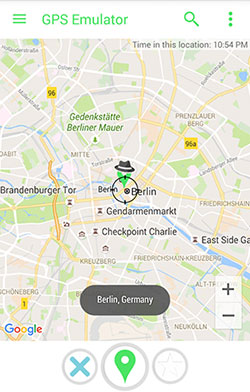
Top 6: GPS Emulator
Users seeking detailed customization may find GPS Emulator especially useful for advanced simulation. It enables precise coordinate input and continuous signal transmission. Background operation ensures location data remains consistent across apps. Its technical stability appeals to those who want a more professional-level spoofing option.
Where does GPS Emulator outperform Lexa Fake GPS Location?
- Precise input of coordinates for exact location simulation.
- Continuous signal output ensures consistent app performance.
- Background operation without interrupting other apps.
- Advanced customization for professional-level spoofing.
GPS Emulator - Cons:
- The complex interface may overwhelm casual users.
- Lacks teleportation shortcuts for quick location changes.
- Some apps may reject simulated coordinates.
- Can consume more battery due to constant GPS emulation.
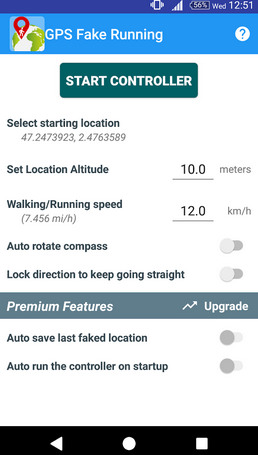
Top 7: Fake GPS Running
For smooth tracking during virtual travel, Fake GPS Running emphasizes real-time movement simulation. Speed control and path customization help match real-world walking or running patterns. The interface remains clean and easy to manage during long sessions. It's a practical choice for anyone who wants a reliable alternative to Lexa Fake GPS.
Where does Fake GPS Running outperform Lexa Fake GPS Location?
- Real-time movement simulation with speed control.
- Customizable routes that mimic walking or running patterns.
- Clean interface that's easy to use during long sessions.
- Reliable location updates for apps that track continuous movement.
Fake GPS Running - Cons:
- Focused on movement simulation, not teleportation.
- Limited map interaction compared with other tools.
- May not work properly on some Android versions.
- The free version may have restricted features.
In Conclusion
In the end, switching to an alternative opens up more options for realistic and flexible location spoofing. It's useful for gaming, app testing, or keeping your real location private. If you are looking for a tool that offers route simulation, multi-device support, and solid privacy features to get the best results, don't hesitate to try Virtual Location Tool by giving it a free download.
Related Articles:
Where Are Contacts Stored on Android? How to Export/Recover Them?
How Do I Know If Someone Is Tracking My Phone? 19 Hints & 11 Fixes
[100% Success] How to Stop Sharing Location Without Them Knowing
All You Want to Know about Find My iPhone Offline Last Known Location [2026]
