
Pokemon GO Fest Ticket Not Showing Up? 7 Quick Solutions & FAQs
TL;DR:
A Pokémon GO Fest Ticket unlocks exclusive gameplay but players may face issues like tickets not showing up or syncing delays. Fortunately, solutions like restarting the app, verifying purchases, or contacting Niantic Support usually resolve these problems quickly, ensuring access to the event's premium features.
For those seeking alternatives, Pokemon GO joysticks like Virtual Location Tool can mimic event participation, though this bypasses official restrictions.
"I bought the Go Fest Paris ticket on March 7th, and it's still not in my inventory. Is anyone else having the same problem?" -- from Reddit
* What is a Pokémon GO Fest Ticket?
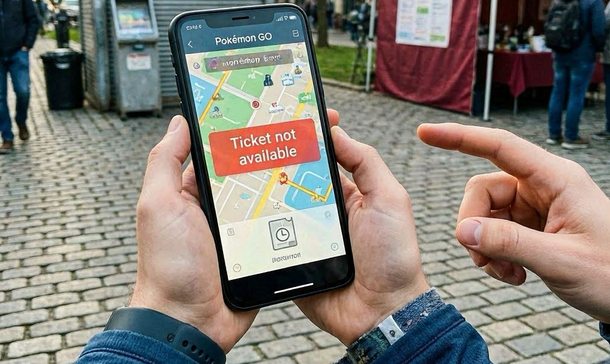
A Pokémon GO Fest Ticket is a paid in-game pass (about $14.99 globally) that unlocks exclusive event content such as special research, rare spawns, boosted shiny odds, and unique rewards during Pokémon GO Fest. However, players occasionally encounter problems like the ticket not showing up or not working when playing the game.
This passage talks about Pokémon GO Fest Ticket not showing up and provides troubleshooting methods to help players restore their purchased ticket access.
Part 1: What You Should Know before Getting a Pokémon GO Fest Ticket
Tip 1: How to purchase tickets to Pokémon GO events?
You can purchase Pokémon GO event tickets directly in the in-game shop by tapping the Poké Ball menu, selecting "Shop," and then choosing the event ticket you want. After purchase, the ticket will automatically appear in your Item Bag and grant access to the event's exclusive features.
Tip 2: What is the Pokémon GO fest in-person event ticket options in 2026
Pokémon GO Fest 2026 in-person tickets include discounted early bird options, general admission, and new add-ons like City Explorer and Premier Access. Prices vary by city - Tokyo (¥3,500–¥4,000), Chicago ($28–$33), and Copenhagen (165–200 kr)—with extra perks available for raid lovers, egg hatchers, and citywide gameplay extensions.

You May Like: Special Trade Pokemon GO: Latest Guide with Helpful Information
Part 2: Why Is Pokemon GO Fest Ticket Not Showing Up
The Pokémon GO Fest ticket may not show up due to several common issues highlighted across guides:
- Purchase not synced: Sometimes the App Store/Google Play transaction doesn't immediately sync with Niantic's servers, causing delays.
- App glitches: Cached data or outdated versions of Pokémon GO can prevent the ticket from appearing in the Events tab.
- Account login problems: Signing in with the wrong account or switching accounts may hide the purchased ticket.
- Event tab refresh: The ticket is stored under the Events tab, but sometimes requires restarting the app or re-logging to display.
- Purchase verification: If charged but not showing, restoring purchases or checking your app store receipt can confirm ownership.
Part 3: How to Fix Pokemon GO Fest Ticket Not Showing Up/Working
Most ticket issues are solved by refreshing the app, verifying purchases, or re-logging into your account. If none of these work, Niantic Support is the final step to restore your Pokémon GO Fest ticket access.
Before fixing the issue, pay attention to the considerations:
- Ensure stable internet connection before checking ticket status.
- If using multiple accounts, confirm you're logged into the correct one.
- Niantic sometimes issues hotfixes for widespread problems - watch official announcements.
For a specific guide, check out the info below:
Solution 1: Restart app & device
Fully closing Pokémon GO clears temporary cache errors, while rebooting your phone resets background processes that may block the ticket sync. This simple step often forces the game to re-check Niantic's servers and display your ticket correctly.
Further Reading: Pokemon Go Routes Not Working? Causes & 11 Workable Methods
Solution 2: Sign out & back in
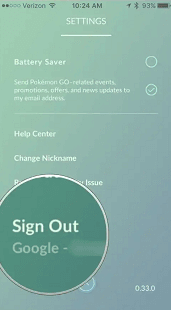
Logging out refreshes your account credentials and clears any mismatched session data. When you sign back in, the game revalidates your purchases against Niantic's servers, which can restore missing tickets tied to your account.
Solution 3: Verify purchase history
Checking your App Store or Google Play purchase records ensures the transaction was completed. If the receipt shows payment but the ticket is absent, using "Restore Purchases" in Pokémon GO's settings forces the app to re-import your ticket entitlement.
Solution 4: Check Events tab
Tickets don't appear in the Item Bag but under the Events tab. Sometimes they take a few minutes to populate after purchase, so refreshing the tab or reopening the app helps confirm whether the ticket has been activated.
Solution 5: Update the app
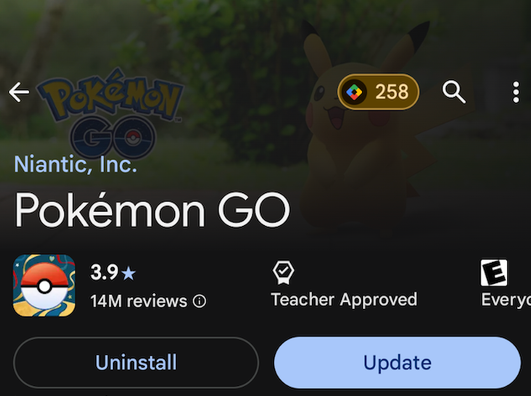
Running an outdated version of Pokémon GO can cause compatibility issues with new event systems. Updating ensures you have the latest bug fixes and ticket-handling improvements, reducing the chance of display errors.
Solution 6: Verify internet connection
Weak Wi-Fi or unstable mobile data may prevent the game from syncing your ticket. Switching to a stronger connection ensures Niantic's servers can verify your purchase and push the ticket into your account.
Solution 7: Contact Niantic Support
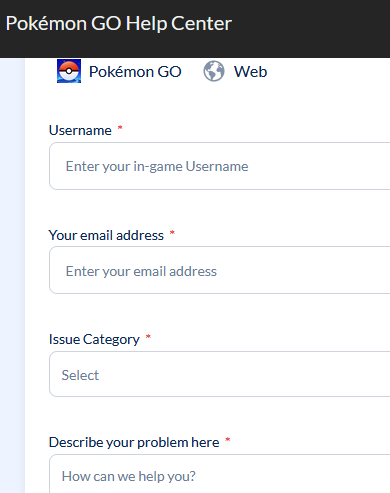
If all else fails, Niantic's support team can manually check your account. Providing screenshots of your purchase receipt speeds up the process, allowing them to confirm entitlement and restore your ticket.
Part 4: How to Play Pokemon GO Fest without Tickets [Flexible]
Attending events virtually becomes possible with a GPS spoofing tool such as Virtual Location Tool, which lets users change their location on iOS or Android devices. By simulating movement to specific coordinates, it enables players to explore different regions, hatch eggs, or join raids without physically traveling.
This same function can even be used to appear at Pokémon GO Fest locations, allowing gameplay that mimics ticketed participation though it bypasses official access.
|
Virtual Location Tool - Feature Category
|
Specific Feature & Notes
|
|
Location Spoofing |
Instantly change GPS location on 8,000+ iOS and Android devices to any place worldwide. |
|
Route Simulation |
Create custom paths and simulate movement at adjustable speeds for realistic gameplay. |
|
Multi-Device Support |
Works across different devices, allowing simultaneous location control. |
|
Privacy Protection |
Hide or mask real location to protect personal privacy when using location-based apps. |
|
Game Compatibility |
Supports location-based games like Pokémon GO, Ingress, and more. |
|
Play Pokémon GO Fest Without Tickets |
By spoofing GPS to event locations, players can mimic attending Pokémon GO Fest even without purchasing official tickets (though this bypasses Niantic's restrictions). |
|
Secure Data Handling |
Designed with encryption and safe connection protocols to reduce risks of exposing sensitive information while changing locations. |
Free Download:


How to fake GPS location on Pokemon GO without a ticket using Virtual Location Tool?
Step 1: Set Up the Tool Properly - Download and install the top-rated Pokemon GO spoofing tool on your PC. Launch the program and hit the "Get Started" button. Connect your Android/iOS phone to the computer via a USB cable, then confirm the trust prompt that pops up on your device.
Step 2: Switch to Teleport Mode - Once loaded, the software will display a map showing your real-time current location. Tap the third icon in the top right corner to activate "Teleport Mode".
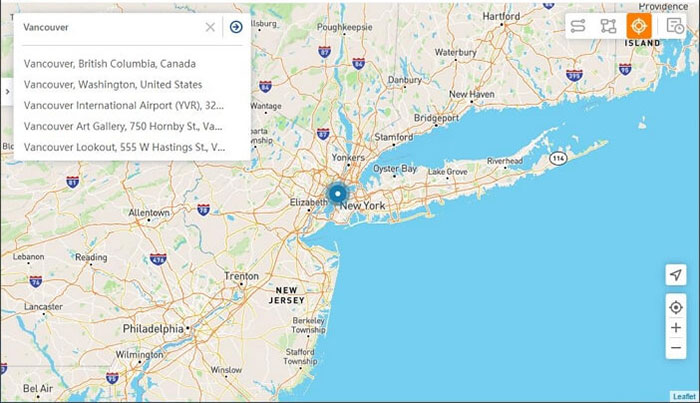
Step 3: Pick Your Target Location - Pinpoint the exact spot you want to jump to on the map. If you don't have the full address, just type in a few related keywords. You can also zoom in or out to fine-tune your chosen location.
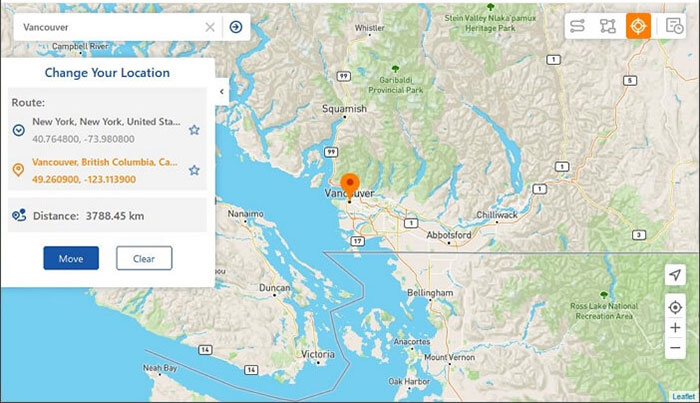
Step 4: Start Location Spoofing - Finally, click the "Move" button. The map marker will automatically shift to your selected spot, and your in-game location in Pokemon GO will update accordingly. You can now play the game freely without needing any in-game travel passes.
FAQs about Pokemon GO Fest Tickets
Q1: How to check if the Pokémon GO event is active in your region?
- Official Events Page: Lists global and local events with dates and details.
- Event Locator: Uses your location to show nearby events.
- In-game Events Tab: Tickets and active events appear here once purchased or unlocked.
Q2: What are the Pokémon GO fest ticket rewards breakdown?
- Special Research: Encounter with Zeraora and themed storyline.
- Mega Raids: Debut of Mega Mewtwo X/Y, with guaranteed Mega Level unlocks.
- Costumed Pokémon: Pikachu in team hats, plus visor-wearing Bulbasaur, Charmander, and Squirtle.
- Hourly Habitats: Rotating elemental themes (Fire, Ice, Dragon, etc.) with boosted spawns.
Q3: What are the Pokémon GO fest ticket shiny odds?
- Wild & Incense Encounters: ~1/64 odds, compared to normal 1/500.
- Field Research Tasks: ~1/64–1/128 odds.
- Tier 1–4 Raids: ~1/64–1/125 odds depending on the boss.
- Mega Raids (Mewtwo X/Y): ~1/64 odds.
- Legendary & Shadow Raids: ~1/20 odds, making them the best shiny hunting opportunities.
- New Debuts: Shiny Wash Rotom and Paldean Tauros forms (Blaze, Aqua, Combat) available for the first time.
Q4: Can I buy add-on packs after I finish purchasing my base event ticket?
Yes. You can add optional paid packs (such as Raid Lover, Egg-thusiast) to your order at any time after your initial ticket purchase, no need to complete all payments in one go.
Q5: Is the global Pokémon GO Fest 2026 event free for all players?
Yes. The 2026 GO Fest Global (held July 11-12) is a free-to-participate event for every trainer, no paid ticket is required to access its special research, boosted Shiny rates and Mega Mewtwo gameplay.
Q6: Can I enter the event park zones if I only hold a City Explorer Pass?
No. The City Explorer Pass only unlocks citywide gameplay content, it does NOT grant access to the F?lledparken (Copenhagen), Tokyo Waterfront City or Chicago designated park experience zones.
Q7: Are Pokémon GO Fest 2026 tickets refundable?
In most cases, event tickets are non-refundable, with the only exceptions specified in local applicable laws and Niantic's official service terms.
Q8: What happens if I buy a City Explorer Pass first? Can I upgrade to a park experience ticket later?
No. Once you complete the purchase of a City Explorer Pass, you will no longer be eligible to buy any park experience tickets (neither early-bird nor general admission) for that event.
Q9: What exclusive perks do paid ticket holders get for in-person events?
Ticket holders can access two exclusive special research stories (one for park gameplay, one for city gameplay), extra daily Raid Passes, boosted Shiny encounter chances, and a chance to get special postcard backgrounds after defeating raids.
Q10: Do I need a ticket to participate in the 2026 GO Fest Tokyo event remotely from other locations?
No. To unlock the full Tokyo in-person event gameplay, you must physically visit the designated Tokyo event zones (excluding remote islands) even with a valid live event ticket.
Related Articles:
How to Download & Play Android Games on PC in 7 Ways [Fluent]
How to Get Jirachi/385 in Pokémon GO? Full Analysis 2026
