
iDevice is one of the most popular portable device on the market. People like to use it for passing time while they're boring. And sometimes they also like to store something important on the phone. However, the storage space on your device is becoming more and more smaller. And you have no choices but to backup these vital data on other security places. So in this center, you can get all kinds of tips about backup, copy or transfer data between iPad, iPhone, iPod and Windows or Mac computer.

Have trouble in transferring contacts from iPhone 15/14/13/12/11/X/9/8/7/6 to computer for backup? There are 4 simple yet efficient methods to transfer contacts from iPhone to PC/computer.
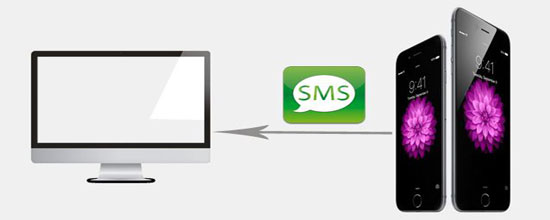
Can you export text messages from iPhone to computer? The article walks you through how to save text messages from iPhone to computer for backup or future use. Five simple and efficients methods are for your choice.
Want to use VLC on iPhone? This guide covers VLC features, video transfer methods, and tips to back up and organize your iPhone videos easily.
What is TouchCopy? This TouchCopy review offers an unbiased assessment of this software, including its main features, pricing, safety, pros, cons, and 1 reliable alternative.
Want to pair iPhone with iPad 11/10/9/8/Pro/Air/mini to transfer data between the two? Go through this passage to learn how to connect iPhone to iPad in 6 reliable ways.
Want to upload videos to iCloud? This guide explains how to upload videos from iPhone, iPad, Mac, and Windows PC, plus a simple iCloud alternative.
This article introduces effective ways for you to transfer ringtones from iPhone to computer in few clicks, so that you can share or enjoy your iPhone ringtones on PC/Mac freely.
Transferring music with iTunes may overwrite your existing songs and data. This guide shows you how to transfer music from computer to iPhone without iTunes easily.
Want to transfer videos from PC to iPad? Learn 6 simple ways to move videos from PC to iPad Pro/Air/mini using iTunes, iCloud, Google Drive, VLC, email, and a professional tool.
Want to add a calendar on your iPhone? This guide covers creating, syncing, and transferring calendars, including an easy way to import calendars from computer to iPhone.
Want to know how to connect iPhone to iTunes? This guide covers USB, Wi-Fi, and iTunes alternatives, plus fixes for iPhone not connecting to iTunes.
Want to sync Outlook Calendar with iPhone? This guide shows 4 simple methods to sync, transfer, and access Outlook events on your iPhone.
This post introduces top 5 ways to transfer videos from Mac to iPhone 17/16/15/14/13/12/11/X with ease. You can feel free to try out those methods one by one.
What is the best Leawo iTransfer alternatives? Go through this review to find the top 8 best replacements for Leawo iTransfer to help you back up or manage your iOS content with ease.
What is 4Easysoft iOS Data Backup and Restore? Go through this article to learn this detailed 4Easysoft iOS Data Backup and Restore review, overall performance, and its best alternative.
Trying to back up your iPhone 14/13/12/11/X/8/7 to iCloud, iTunes or computer, but find your iPhone won't back up? This article will tell you why this issue occurs and how to fix it easily.
What is iTunes File Sharing and how does it work? Learn a simple step-by-step guide and discover better alternatives for easier file transfer.