
Best 4 HEIC to PNG Converters to Convert HEIC Photos Easily
HEIC has become the default image format for Apple devices due to its efficient compression and high-quality output. However, its limited compatibility across different platforms often creates inconvenience for users, especially when sharing or editing photos. As a result, converting HEIC to a more widely supported format like PNG has become increasingly important. PNG not only ensures better compatibility but also preserves image quality with lossless compression. In this guide, we will explore the best HEIC to PNG converters and help you choose the right tool for your needs.
Part 1: Why Convert HEIC to PNG?
HEIC is a modern image format developed by Apple to save storage space while maintaining high image quality. However, due to its limited compatibility outside the Apple ecosystem, many users choose to convert HEIC files into PNG for easier access and use.
- Better Compatibility: HEIC is not fully supported on Windows, older devices, or many websites, while PNG works almost everywhere.
- Lossless Image Quality: PNG uses lossless compression, ensuring no quality loss during conversion.
- Easier Editing: Most image editing tools support PNG more reliably than HEIC.
- Smooth Online Sharing: PNG files can be uploaded to websites and social platforms without compatibility issues.
- Future-Proof Format: PNG is a long-established format with stable, long-term support across platforms.
Part 2: Top 4 HEIC to PNG Converters
1. MobiKin HEIC Converter
MobiKin HEIC Converter is a professional and user-friendly desktop tool designed to help users easily convert HEIC images into widely supported formats like PNG and JPG/JPEG. With its clean interface and powerful performance, it is suitable for both beginners and advanced users who need fast, high-quality image conversion.
Key Features of MobiKin HEIC Converter:
- Best HEIC Converter to convert HEIC to PNG/JPG/JPEG on Windows and Mac without quality loss.
- Be able to keep Exif data after the conversion.
- Allows users to convert multiple HEIC images at once, saving time and effort.
- Let you adjust output quality before initiating the conversion.
- Safeguard your privacy.


How to convert HEIC to PNG via MobiKin HEIC Converter?
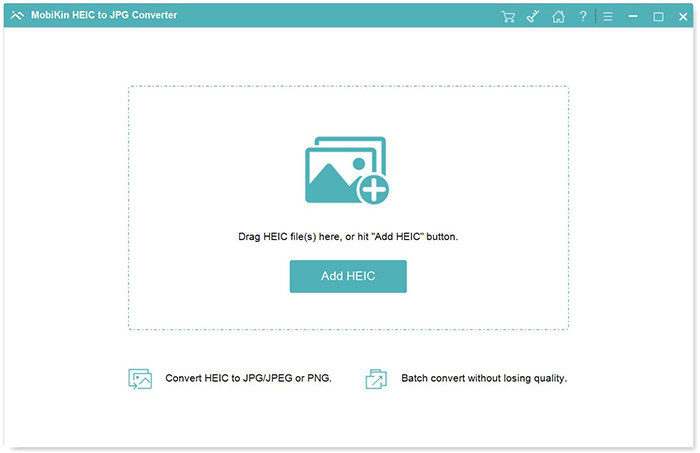
Step 1. Import HEIC images from your computer
Download and install MobiKin HEIC Converter on your computer. Launch the program and click "Add HEIC" or drag and drop your HEIC files into the interface.
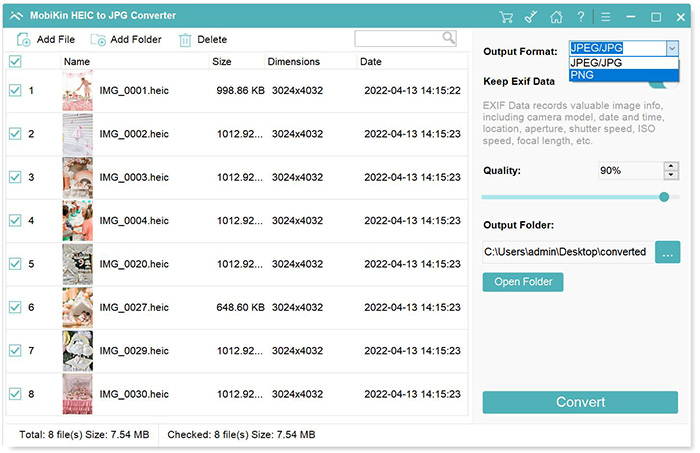
Step 2. Set PNG as your output format
After loading your photos, go to the settings panel, select "PNG" as the output format, and choose an output folder by clicking the three-dot icon. If needed, enable "Keep Exif Data" to preserve metadata.
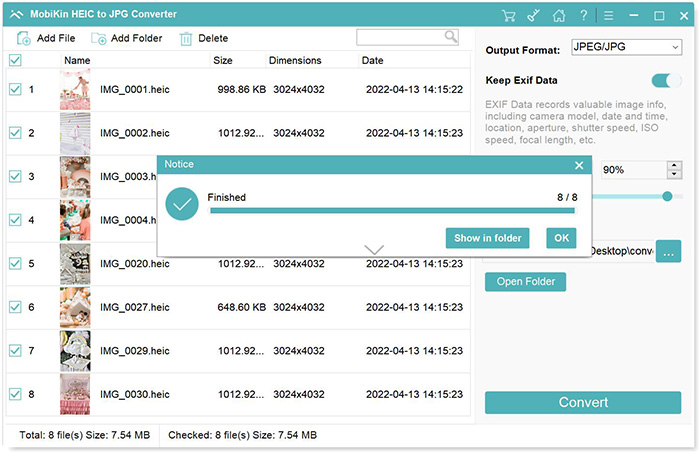
Step 3. Convert HEIC to PNG instantly
Click the "Convert" button to start the process. Once finished, open the folder to access your converted PNG images.
Video Guide:
2. iMazing HEIC Converter
iMazing HEIC Converter is a free and lightweight desktop tool designed for quick and easy HEIC file conversion. It offers a simple drag-and-drop interface, making it ideal for users who want a straightforward solution without installing complex software.
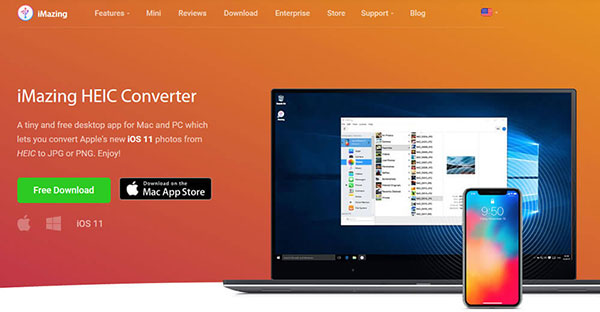
Steps to convert HEIC to PNG with iMazing HEIC Converter:
- Download and install iMazing HEIC Converter.
- Open the program and drag your HEIC files into the interface.
- Select "PNG" as the output format.
- Adjust quality or metadata settings if needed.
- Click "Convert" and choose a folder to save the files.
Pros:
- Free to use.
- Simple and intuitive interface.
- Supports batch conversion.
- Lightweight and fast.
Cons:
- Limited advanced features.
- No editing tools.
- Fewer customization options compared to professional software.
3. CopyTrans HEIC for Windows
CopyTrans HEIC for Windows is a useful plugin that enables Windows users to open and convert HEIC files directly on their PC. Once installed, it integrates with the Windows system, allowing you to view HEIC images and convert them to PNG or JPG using simple right-click options.
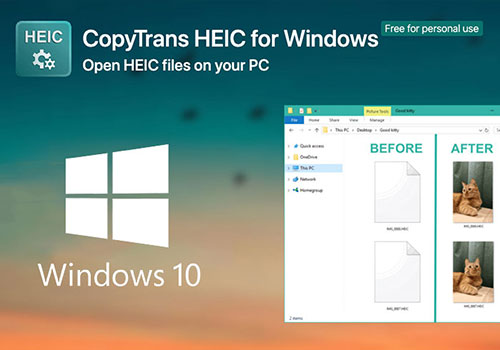
Steps to Convert HEIC to PNG with CopyTrans:
- Download and install CopyTrans HEIC for Windows.
- Locate your HEIC file in File Explorer.
- Right-click the image and select the conversion option (e.g., "Convert to PNG").
- Wait for the process to complete and access the converted file in the same folder.
Pros
- Seamless integration with Windows.
- Easy right-click conversion.
- Enables HEIC preview in Windows Photo Viewer.
- Lightweight and quick to install.
Cons
- Only available for Windows.
- Limited to basic conversion features.
- No batch conversion in free version.
4. CloudConvert
CloudConvert is a popular online file conversion tool that supports a wide range of formats, including HEIC to PNG (How to Convert HEIC to JPG Online for Free?). It works directly in your browser, so there is no need to install any software, making it a convenient option for quick, occasional conversions.
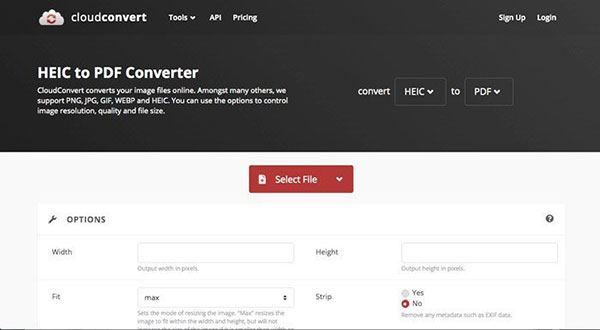
Steps to convert HEIC to PNG using CloudConvert:
- Go to the CloudConvert website.
- Click "Select File" to upload your HEIC image.
- Choose "PNG" as the output format.
- Adjust settings if needed (e.g., quality or size).
- Click "Convert", then download the converted PNG file.
Pros:
- No installation required.
- Supports many file formats.
- Accessible on any device with internet.
- Optional customization settings.
Cons
- Requires internet connection.
- File size limits for free users.
- Potential privacy concerns when uploading files.
FAQs on HEIC to PNG Conversion
Q1. Does converting HEIC to PNG reduce image quality?
No, converting HEIC to PNG does not reduce image quality because PNG uses lossless compression. This means all original image data is preserved during the conversion process, making PNG an excellent choice for editing, archiving, and maintaining visual clarity.
Q2. Can Windows open HEIC files without conversion?
By default, Windows cannot open HEIC files unless additional extensions are installed from the Microsoft Store. Without these codecs, you'll need to convert HEIC images to a compatible format like PNG or JPG to view them properly on your PC.
Q3. What is the fastest way to convert HEIC to PNG?
The fastest method is using desktop software that supports batch conversion, allowing multiple files to be processed simultaneously. Tools like MobiKin HEIC Converter can quickly convert large numbers of images with minimal effort and high efficiency.
Q4. Why should I choose PNG over JPG?
PNG is ideal when image quality is a priority, as it uses lossless compression and preserves all details. It is especially useful for editing, graphics, and images with transparency, while JPG is better suited for smaller file sizes and web use.
Q5. Can I convert HEIC to PNG without using extra tools?
Yes, you can use built-in features on devices. For example, iPhones can automatically convert HEIC to compatible formats when transferring photos, and Mac users can use Preview to export images as PNG without installing additional software. (How to turn off HEIC on iPhone?)
Concluding Thoughts
Converting HEIC to PNG is a practical solution for improving compatibility, preserving image quality, and ensuring smoother editing and sharing experiences. Whether you choose a professional desktop tool or a quick online converter, the right option depends on your needs. For the best balance of speed, quality, and ease of use, MobiKin HEIC Converter stands out as a reliable choice.
Related Articles:
How to Share HEIC Photos from iPhone in 3 Simple Ways
Quick Steps: How to Print HEIC Photos on Windows & Mac
