Top 8 Leawo iTransfer Alternatives for Data Backup & Management
TL;DR:
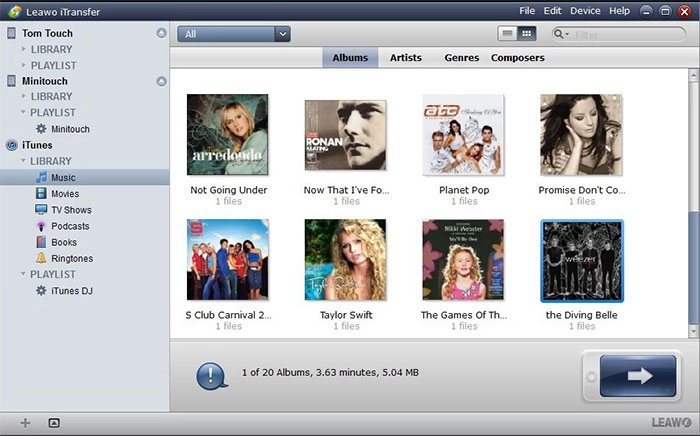
The best Leawo iTransfer alternative depends on your transfer needs, such as moving media files, managing personal data, creating backups, or organizing iPhone content. Among the listed options, MobiKin Assistant for iOS is a suitable choice.
Why Recommend MobiKin Assistant for iOS?
- Supports more data types, including contacts, messages, photos, videos, music, apps, and backups.
- Provides selective transfer, iTunes-free backup, and direct iPhone file management features beyond Leawo iTransfer.
Leawo iTransfer is a popular iOS transfer tool, but some users may look for other options because of compatibility, pricing, supported data types, or extra management functions.
This article will introduce the top 8 best Leawo iTransfer alternatives. These choices can help you find a suitable tool based on your personal needs. A 30% discount from www.colormango.com may also be available for some related software offers, so checking current promotions can help reduce costs.
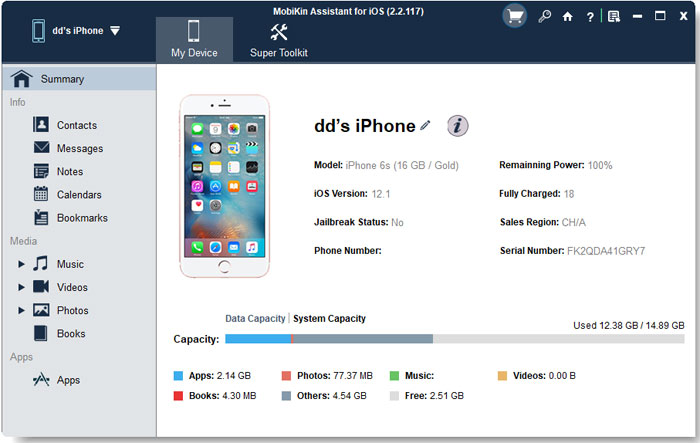
Top 1 Leawo iTransfer Alternative: MobiKin Assistant for iOS
When looking for a Leawo iTransfer replacement, MobiKin Assistant for iOS (Windows/Mac) offers a desktop-based solution for moving and managing iPhone data without relying on iTunes. It supports transferring contacts, messages, photos, videos, music, and other files between iOS devices and computers.
The software also allows users to preview and select specific items before transfer, giving more control over data management. Compared with Leawo iTransfer, it provides similar file transfer functions with additional options for organizing iPhone content.
Key Characteristics:
- Full iOS Data Management: Transfers and manages music, videos, photos, contacts, messages, and more.
- Selective Transfer: Previews and moves specific files instead of all data.
- iTunes-Free Backup: Backs up iPhone data directly to a computer.
- Easy Import: Transfers files from a computer to an iPhone.
- Contact Management: Edits, exports, and organizes iPhone contacts.
- SMS Backup: Saves iPhone messages to a computer.
- Media Organization: Manages photos, music, videos, and playlists easily.
- App Management: Views and removes iPhone apps from a computer.
- Wide Device Support: Works with iPhone, iPad, and iPod touch, including the latest iPhone 17 series with iOS 27.
- Leawo iTransfer Alternative: Offers broader transfer, backup, restore, and management features.
Free & Secure Download:


How to Use? Video Guide:
What are its advantages over Leawo iTransfer?
- Supports more data types, including contacts, SMS, call logs, photos, videos, music, apps, and backups.
- Allows users to preview and select specific files before transferring.
- Provides direct iPhone content management through a computer without relying mainly on iTunes.
- Offers more complete device management features than Leawo iTransfer.
Pricing plans:
- 1-Year License: $29.95 (1 PC)
- Lifetime License: Available (price varies depending on current offers)
- Free Version: Available with limited functions.
- Supports Windows and Mac versions with separate purchase options.
You Might Also Like: Leawo iOS Data Recovery Review: Recover Lost Files on iPhone & iPad
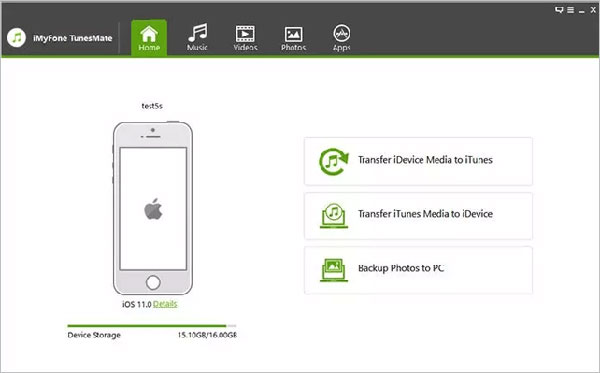
Top 2: TunesMate
For users who need an alternative to Leawo iTransfer for handling media files, TunesMate provides tools to move music, videos, playlists, and other iTunes-related content. It can transfer files between iPhones, iPads, and computers while keeping existing data on the device.
The program also helps rebuild iTunes libraries by copying media from an iOS device back to a computer. Its focus on media transfer makes it a suitable choice for users mainly managing entertainment files.
What are its advantages over Leawo iTransfer?
- Focuses on flexible iTunes and media management with music, videos, and playlists.
- Transfers files between iOS devices, computers, and iTunes libraries without deleting existing content.
- Helps rebuild iTunes libraries by moving media from iPhones back to computers.
- Handles iTunes-related restrictions better than Leawo iTransfer for media users.
Pricing plans:
- Free Trial: Available with limited transfer functions.
- 1-Year License: Around $39.95 (1 PC)
- Lifetime License: Around $59.95 (1 PC)
- Family License: Around $79.95 (up to 5 PCs)
- Pricing may vary based on promotions and platform.
More to Explore: 4Easysoft iOS Data Backup and Restore Review: Is It Worth Using?
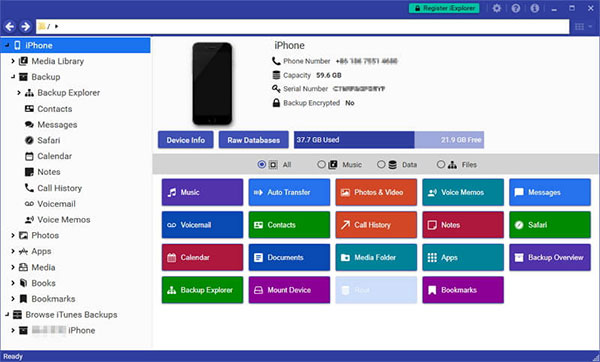
Top 3: iExplorer
A replacement option for Leawo iTransfer that focuses on accessing iPhone data from a computer is iExplorer, which allows users to browse and export different types of content. It can handle music, photos, messages, contacts, and selected app data from Apple devices. The software lets users save files from an iPhone to a computer in various formats. Like Leawo iTransfer, it provides more direct control over iOS files compared with standard iTunes syncing.
What are its advantages over Leawo iTransfer?
- Provides deeper access to iPhone files, including messages, contacts, voicemail, and app data.
- Allows users to browse and export specific content from iOS devices.
- Offers more detailed file extraction options than Leawo iTransfer.
- Works well for users who need selective data recovery or saving.
Pricing plans:
- Free Trial: Available with limited data access.
- Basic License: Around $39.99 (1 Mac/PC)
- Universal License: Around $69.99 (multiple computers)
- Family Pack: Around $99.99 (multiple users/devices)
- Prices may change depending on discounts and bundles.
Top 4: TunesGo
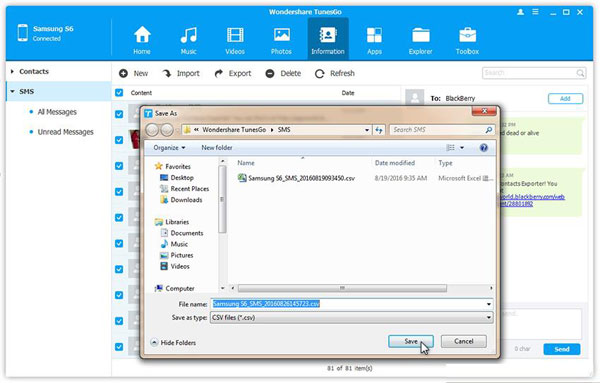
Offering functions similar to Leawo iTransfer, TunesGo helps users transfer and organize data across iOS devices and computers. The program supports moving photos, music, videos, contacts, and messages while also providing backup options. It can manage media libraries without requiring users to work only through iTunes. With support for multiple mobile platforms, it can also be useful for users who switch between different devices.
What are its advantages over Leawo iTransfer?
- Supports more device management features, including media organization, backups, and contact management.
- Works with both iOS and Android devices for cross-platform transfers.
- Provides more tools beyond simple file transfer compared with Leawo iTransfer
- Helps manage different types of smartphone content from one desktop program.
Pricing plans:
- Lifetime License: About $49.95.
- Provides Leawo iTransfer-like functions, such as phone data transfer, backup, restore, media management, and device organization.
Top 5: AnyTrans
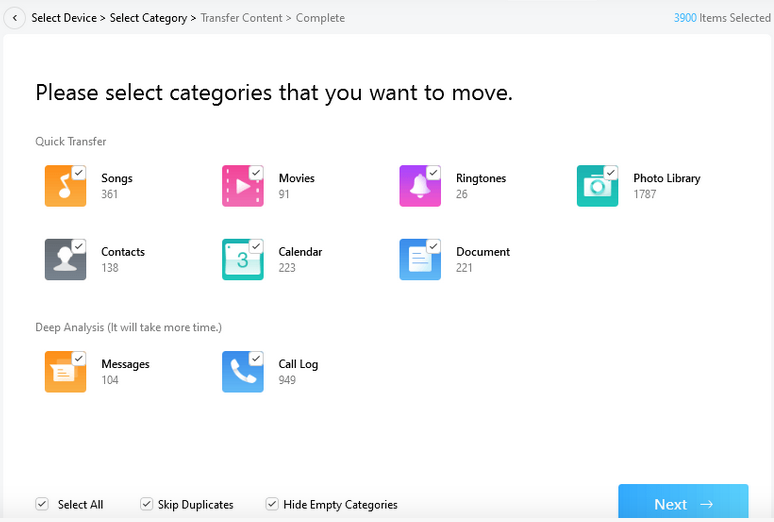
A broader iPhone management alternative to Leawo iTransfer is AnyTrans, which combines file transfer, backup, and device migration features. It can move photos, videos, messages, contacts, apps, and other data between Apple devices and computers.
The software also supports transferring content from an old iPhone to a new one during device upgrades. Its wide data support makes it comparable to Leawo iTransfer for users who need more than simple media copying.
What are its advantages over Leawo iTransfer?
- Supports a wider range of transfer tasks, including iPhone-to-iPhone migration and backup management.
- Handles more data categories, such as apps, messages, photos, videos, contacts, and iCloud content.
- Provides more options for upgrading to a new iPhone.
- Offers broader iOS management functions than Leawo iTransfer.
Pricing plans:
- 1-Year License: About $39.99 (1 PC)
- Lifetime License: About $59.99 (1 PC)
- Lifetime Family License: About $79.99 (5 PCs)
- Offers both subscription-style and one-time purchase options depending on region and promotions.
Top 6: TouchCopy
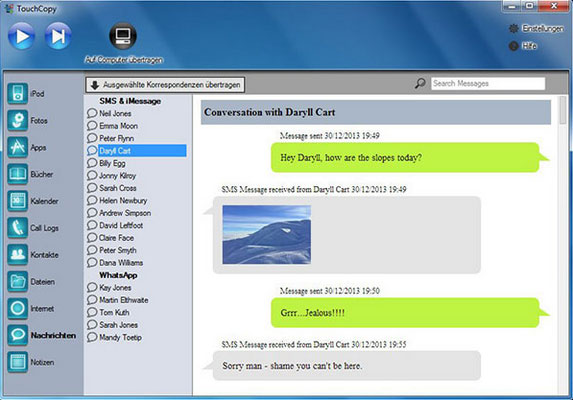
Helping users replace Leawo iTransfer for extracting and saving iPhone files, TouchCopy focuses on transferring personal content from iOS devices to computers. It can copy music, messages, photos, contacts, and other important information while preserving file details.
The tool is useful for creating local backups or recovering stored data from older Apple devices. Its content extraction features provide another way to manage iPhone files outside of iTunes.
What are its advantages over Leawo iTransfer?
- Extracts and saves more personal data, including music, messages, photos, contacts, and call history.
- Creates readable copies of certain iPhone data for storage or review.
- Focuses more on data extraction and preservation than Leawo iTransfer.
- Helps users save content from older iOS devices more easily.
Pricing plans:
- Free Trial: Available with limited file copying.
- 6-Month License: $28.50 (1 computer)
- 12-Month License: $40.00 (1 computer)
- Lifetime License: $70.00 (2 computers)
- The license supports unlimited iPhones, iPads, and iPods.
Top 7: WALTR Pro
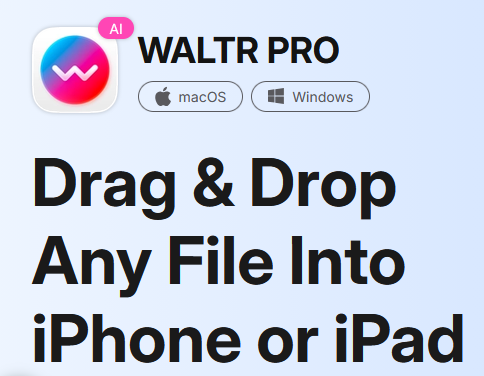
As a media-focused alternative to Leawo iTransfer, WALTR Pro allows users to move videos, music, and documents directly from a computer to an iPhone or iPad. The software supports drag-and-drop transfers and can convert some unsupported formats automatically.
It removes the need for complicated syncing steps when adding media files to Apple devices. However, it is more suitable for media transfer rather than managing contacts, messages, or full device backups.
What are its advantages over Leawo iTransfer?
- Provides a simple drag-and-drop method for transferring media files.
- Automatically converts some unsupported video and audio formats for iOS playback.
- Makes adding movies, music, and documents to Apple devices faster.
- Offers a more straightforward media transfer experience than Leawo iTransfer.
Pricing plans:
- Free Trial: Available with limited transfers.
- Lifetime License: Around $39.95 (1 Mac/PC)
- Family License: Around $59.95 (multiple devices)
- Business License: Available with customized pricing.
- Mainly focuses on media transfer rather than full iPhone backup management.
Top 8: DearMob
Providing another choice similar to Leawo iTransfer, DearMob helps users transfer, back up, and organize iPhone data through a computer. It supports photos, videos, music, contacts, and encrypted backups while allowing selective file management.
The program also includes features for converting HEIC images and managing media collections. For users who want more control over iOS backups and file transfers, it can serve as a practical replacement for Leawo iTransfer.
What are its advantages over Leawo iTransfer?
- Provides encrypted backup options and selective data transfer features.
- Supports photos, videos, music, contacts, and other iPhone files.
- Includes extra tools such as HEIC photo conversion and media management.
- Gives users more control over iOS backup and file organization than Leawo iTransfer.
Pricing plans:
- 1-Year License: $29.95 (1 PC/Mac)
- Lifetime License: $39.95 (up to 2 computers)
- Family License: $69.95 (3–5 computers)
- Includes lifetime updates with lifetime plans.

In Conclusion
A good Leawo iTransfer alternative depends on what you need most from an iPhone management tool. Some users may prefer wider data support, while others may focus on faster media transfer, easier backups, or better control over personal files.
Before purchasing any iPhone transfer software, try the free version or trial edition first whenever available. Check whether it supports your iOS version, the exact data types you want to move, and the devices you plan to connect.
NOTE: Prices can change frequently due to discounts, regional pricing, and promotional campaigns. The listed prices represent commonly available plans rather than guaranteed current checkout prices.
Related Articles:
Apeaksoft iPhone Eraser Review: Does It Deliver Consistent Results?
How to Fix Wrong Apple ID When Updating Apps? 12 Workable Solutions
iPhone Shows Unread Messages But There Are None? Reasons & 15 Solutions