Best 3uTools Alternatives in 2026: Latest & Comprehensive List
When it comes to organizing iPhone data, changing your device's location, or fixing system issues, many people turn to 3uTools. It offers a wide range of functions in a single free program, from file management to system repair and even location simulation, making it useful for most iPhone and iPad tasks.
However, the tool is not without flaws. Attempting actions such as removing MDM profiles can put your device at risk, and some users also report performance and security concerns. For these reasons, many people prefer to look for safer and more stable options. This article highlights three alternative tools to 3uTools that may better suit your needs.

Part 1: 3uTools Features Overview
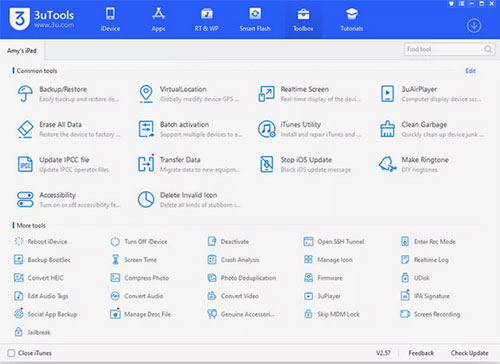
Many users want to know what makes 3uTools stand out before downloading it. Below is an overview of its key functions.
1. iOS Data Management
3uTools provides a convenient way to organize and manage the data on your iPhone or iPad. You can view, import, export, and delete files such as photos, music, videos, apps, and contacts directly from your computer.
It also supports full and selective backups, giving users more control over their data. Whether you want to clean up storage, transfer files, or keep important content safe, its data management tools make everyday tasks easier and more efficient.
2. iOS System Repair
3uTools includes several system repair options designed to fix common iOS issues. It allows users to flash firmware, restore the system, or downgrade to earlier iOS versions when supported. These features can help resolve problems like boot loops, crashes, or failed updates.
While not as advanced as professional repair tools, it still offers a practical way to troubleshoot your device at home. For users who need simple system recovery solutions, its repair features can be surprisingly useful.
3. 3uTools Location Spoof
One of the most popular functions in 3uTools is its ability to simulate your device's location. With its built-in virtual location tool, you can set your iPhone to appear anywhere in the world. This feature is often used for privacy protection, app testing, or exploring location-based apps without physically moving.
It allows you to choose specific coordinates, create movement routes, and customize how your device reports its location. Although convenient, users should still be cautious to avoid triggering app restrictions or security warnings.
Part 2: Best 3uTools Alternatives
Now that you understand the main features, it is time to introduce the best 3uTools alternative for both Windows and Mac.
1. Best 3uTools iOS Data Management Alternative: MobiKin Assistant for iOS
If you were considering 3uTools for managing your iPhone data, MobiKin Assistant for iOS is an excellent substitute that often performs even better. Many aspects of this program surpass what 3uTools offers. Here are some of the key advantages.
- Assistant for iOS provides a cleaner, more modern interface. It is easier to navigate and friendly to users of all skill levels. In comparison, 3uTools already feels outdated for 2023.
- MobiKin Assistant for iOS is available for Mac, while 3uTools is limited to Windows.
- Assistant for iOS has stronger file indexing, which helps it display all the data on your device accurately. In some cases, 3uTools may fail to show certain items, including specific apps.
- Assistant for iOS supports a wide range of data categories, including contacts, messages, photos, videos, notes, apps, and more.


In short, Assistant for iOS is a remarkable replacement for 3uTools, especially for Mac users. Here is how you can use Assistant for iOS on your computer.
Step 1: Download and install Assistant for iOS. Launch the program and connect your device. Unlock your iPhone and choose to trust the computer. You will then see the main interface of Assistant for iOS.
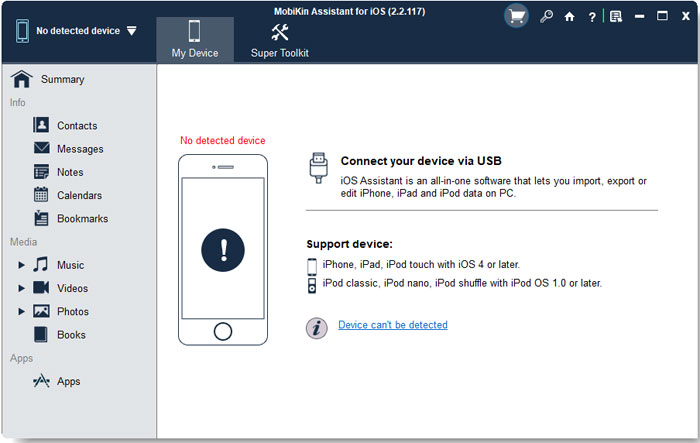
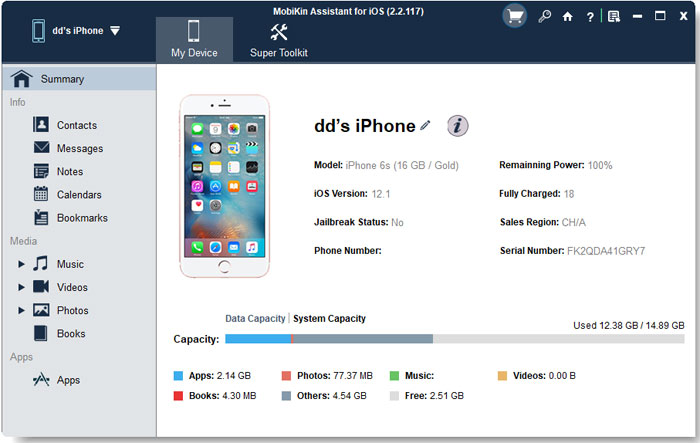
Step 2: If you want to manage your device data, look at the panel on the left, where all data types are organized into categories. Select the category you want to work with.
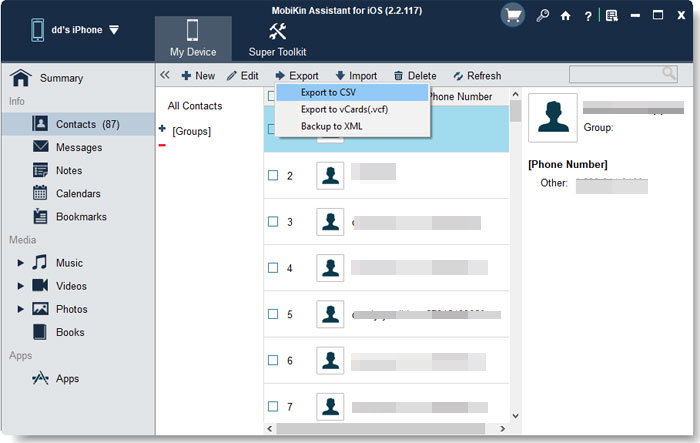
Step 3: Next, choose the management tool you need from the top menu. You can select options such as "Import", "Export", "Edit", or "Delete".
Step 4: If you want to back up or restore data, open the "Super Toolkit" and go to the "iTunes Backup and Restore" section.
Video Guide:
2. The Best 3uTools System Repair Alternative: iOS System Recovery
If you are looking for a reliable replacement for 3uTools to fix system issues, iOS System Recovery is an excellent choice. It offers several advantages that make it more convenient and user friendly than 3uTools.
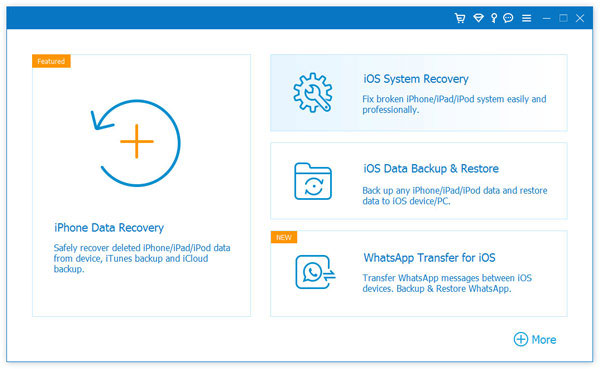
- iOS System Recovery works on macOS, so Mac users can use it easily. 3uTools is limited to Windows.
- iOS System Recovery provides a clean and modern interface, making it simple to navigate even for beginners.
- iOS System Recovery includes dedicated options for repairing, upgrading, and downgrading your iPhone. You can choose to update your iOS version, roll it back, or perform a system repair. In comparison, 3uTools only offers system repair.
iOS System Recovery Download:
3. Best 3uTools Location Spoof Alternative: Virtual Location Tool
If you need software similar to 3uTools for changing your location, Virtual Location Tool is an excellent choice. Like the other options mentioned above, it provides more features and stronger support than 3uTools.

- it supports Mac, which is great news for Mac users.
- Its interface is also much cleaner, making it easier to navigate.
- You can choose any spot on the map through a visual interface, which makes location spoofing simple and intuitive.
- Another major advantage is that Virtual Location Tool allows virtual movement. Your location can travel along a route from point A to point B, something 3uTools does not offer.
Virtual Location Tool Download:
Part 3: FAQs about 3uTools
Q1: Is 3uTools free?
Yes. You can download and use 3uTools without paying. All basic features, such as backup, restore, flashing, and data management, are free. There are no hidden fees.
Q2: Can 3uTools jailbreak my iPhone?
Yes. 3uTools includes tools that help you jailbreak certain iPhone models. However, jailbreaking may void your warranty and can cause your device to become unstable or less secure. If you are not familiar with jailbreaking, it is better to avoid it.
Q3: Does 3uTools work on Mac?
No. 3uTools is designed only for Windows systems. If you want to use similar features on a Mac, you need to look for alternatives that support macOS, such as Virtual Location Tool or other iOS management software.
Q4: Is 3uTools safe to use?
3uTools is generally considered safe as long as you download it from its official website. The normal features like backups and data management are safe to use. However, advanced functions such as jailbreaking or flashing firmware can be risky if you do not understand what you are doing. Always back up your iPhone before using these features.
Words in the End
3uTools is a reliable iPhone management tool, but it is not the top choice for many users because the interface can be hard to navigate, it sometimes behaves unpredictably due to bugs, and it does not work on macOS.
In this article, you discovered several strong alternatives to 3uTools that deliver an even better experience. Explore them now and find the one that suits you best.
Do you have more questions? You are welcome to comment on this article below.
Related Articles
Top 4 Ways to Bypass Remote Management on iPhone/iPad
Top 8 iPhone/iPad MDM Removal Tools [2026 Latest]