Top 7 TunesKit iOS System Recovery Alternatives [Must-read]
TL;DR:
Although TunesKit iOS System Recovery can resolve common iOS glitches, it frequently falls short for many users due to concerns over cost, limited repair scenarios, and a lack of supplementary management features.
To address this, the guide above thoroughly benchmarks the 7 best alternatives, breaking down their unique advantages, limitations, and pricing so you can choose the ideal system repair tool like iOS System Recovery for your specific device situation and budget.
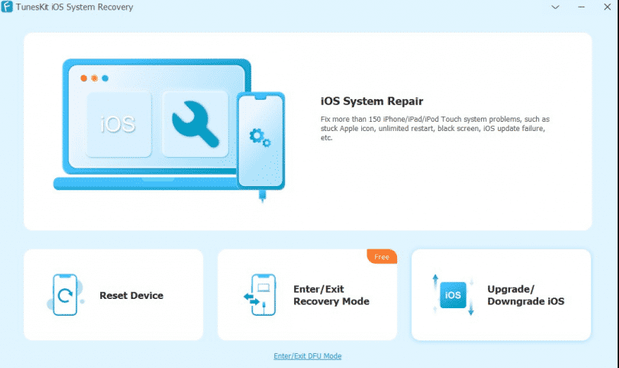
When iPhone users encounter problems like being stuck on the Apple logo, boot loops, black screens, or failed iOS updates, TunesKit iOS System Recovery can be a helpful option, but it may not satisfy everyone's needs due to pricing, repair limitations, or feature preferences.
This article introduces the top 7 best TunesKit iOS System Recovery alternatives, comparing their key features, advantages, drawbacks, and pricing plans to help you choose a suitable tool for repairing iPhone and iPad system problems.
#1: Top TunesKit iOS System Recovery Alternative - iOS System Recovery
Many users dealing with frozen screens or boot loop problems often turn to iOS System Recovery. This tool provides both standard and advanced repair modes, allowing recovery without data loss in most cases. It can address issues like devices stuck on the Apple logo, recovery mode, or black screens effectively. Its interface is straightforward, making it accessible even for those unfamiliar with technical troubleshooting.
Overview of iOS System Recovery
|
Feature
|
Description
|
|
Standard & Advanced Repair Modes |
Offers Standard Mode to fix common iOS issues without data loss (when possible) and Advanced Mode for more severe system problems. |
|
Fix 50+ iOS System Issues |
Repairs problems such as restore & update errors, Apple logo loop, boot loop, black screen, white screen, frozen screen, Recovery Mode, DFU Mode, and update failures. |
|
One-Click Recovery Mode |
Allows users to enter or exit Recovery Mode with a single click, eliminating the need for manual button combinations. |
|
Firmware Download & Installation |
Automatically detects the appropriate firmware package for the connected device and downloads it for system repair. |
|
Supports Latest iOS & Devices |
Compatible with the latest iOS/iPadOS versions and a wide range of iPhone, iPad, and iPod touch models. |
|
Device Detection |
Automatically identifies the connected Apple device and displays its model, iOS version, and repair options. |
|
Safe Standard Repair |
Standard Mode is designed to repair common system problems while preserving existing user data whenever possible. |
Free and Safe Download:


How to fix 50+ iPhone/iPad issues with the specialized iOS System Recovery?
- Begin by downloading and installing the iOS System Recovery software onto your computer.
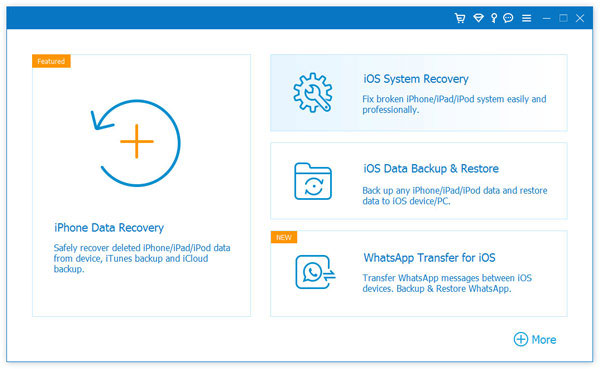
- Once launched, navigate to More Tools > iOS System Recovery.
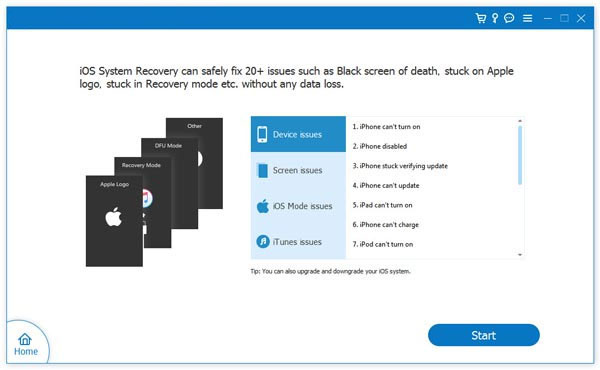
- Connect your iPhone to the computer using a USB cable and click "Start" to initiate the repair.
- The tool will automatically detect your device's information.
- Review the displayed details - if everything is correct, simply tap "Repair."
- If the information is inaccurate, manually select the correct one and tap "Repair" again.
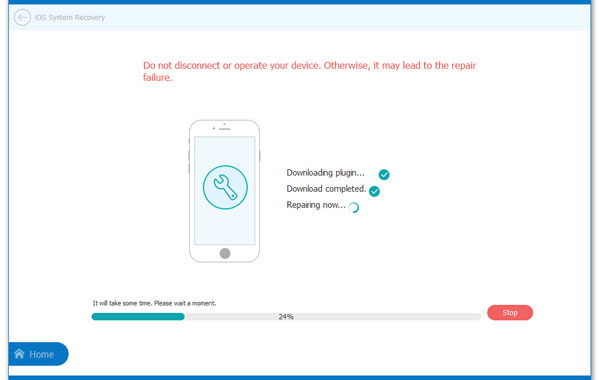
- Wait for the system repair to complete, then restart your iPhone.
Where Does It Actually Beat TunesKit iOS System Recovery?
- Offering a broader iOS toolkit when used alongside other FoneLab products.
- Providing a cleaner and more beginner-friendly interface.
- Supporting a wider range of iOS system issues in some versions.
- Delivering frequent compatibility updates for new iOS releases.
- Including more comprehensive troubleshooting guidance.
The Bad
- The free version offers limited repair functionality.
- Full features require a paid license.
- Advanced Repair mode may erase device data.
- Firmware downloads can be large and time-consuming.
- Some features overlap with other FoneLab products, which may be unnecessary for users seeking only system repair.
Pricing Plan
- 1-Month License (1 PC / 6 iOS Devices): US$19.90
- Lifetime License (1 PC / 6 iOS Devices): US$55.96
- Multi-User Lifetime (3 PCs / 6 iOS Devices): US$89.00
You Could Potentially Like: TunesKit iPhone Data Recovery Review: The Best Solution for iPhone Data Recovery
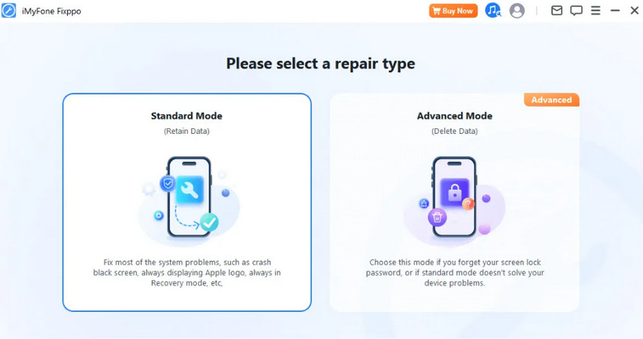
#2: iMyFone Fixppo
A popular choice among repair tools, iMyFone Fixppo is known for its ability to handle stubborn iOS problems. It can fix devices stuck in boot loops, update errors, or those that fail to restore via iTunes. The software also provides one-click entry and exit from recovery mode, which is convenient for quick fixes. Its compatibility with the latest iOS versions makes it a dependable option for modern devices.
Where Does It Actually Beat TunesKit iOS System Recovery?
- Supporting more specialized iOS repair scenarios.
- Offering a more comprehensive firmware library.
- Providing faster support for the latest iPhone, iPad, and iOS versions.
- Delivering extensive online tutorials and documentation.
- Offering stronger customer support resources.
The Bad
- Generally more expensive than many competing iOS repair tools.
- Advanced Mode can erase all data on the device.
- Some repair features require downloading large firmware files.
- The free version has limited practical repair capabilities.
- Certain advanced functions may be unnecessary for users with simple repair needs.
Pricing Plan
- 1-Month Plan: ~US$29.99
- 1-Year Plan: ~US$39.99
- Lifetime Plan: ~US$49.99
Click to See: TunesKit WhatsApp Transfer Review 2026: Is It Worth a Go?
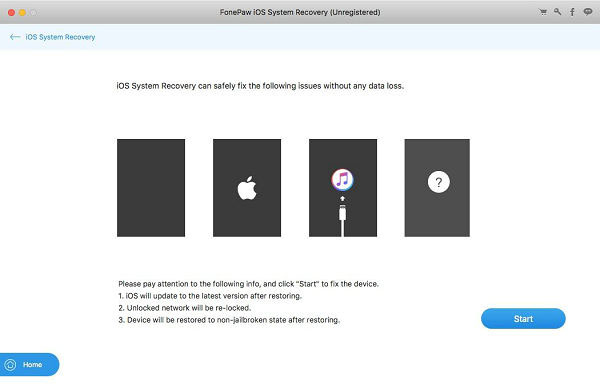
#3: FonePaw iOS System Recovery
For those who want a balance between usability and functionality, FonePaw iOS System Recovery delivers a reliable approach. It can resolve common issues such as devices frozen on a loading screen or those unable to exit recovery mode. The program offers clear instructions during the repair process, reducing confusion for users. Its dual repair modes ensure flexibility depending on the severity of the malfunction.
Where Does It Actually Beat TunesKit iOS System Recovery?
- Providing clearer firmware download and management options.
- Offering more detailed repair instructions throughout the process.
- Delivering faster compatibility updates for newly released iOS versions.
- Integrating well with FonePaw's broader iOS utility suite.
- Presenting a beginner-friendly user experience.
The Bad
- Most repair functions are locked behind the paid version.
- Advanced Mode may result in data loss.
- Firmware packages require significant storage space.
- Fewer specialized repair features than some higher-end alternatives.
- Repair speed may vary depending on firmware download performance.
Pricing Plan
- 1-Month License: ~US$29.95
- 1-Year License: ~US$39.95
- Lifetime License: ~US$59.95
#4: MagFone iOS System Recovery
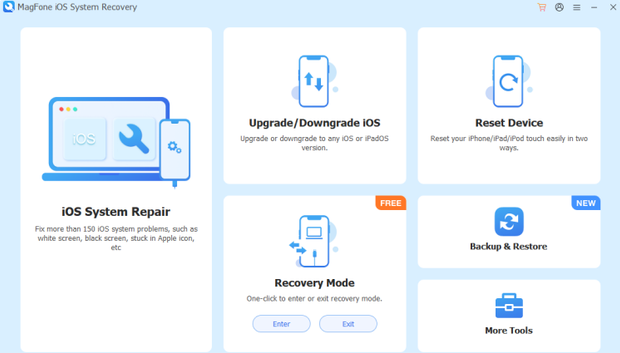
When iPhones or iPads encounter abnormal system behavior, MagFone iOS System Recovery is another option worth considering. It supports fixing over 150 different iOS glitches, ranging from update failures to devices stuck in headphone mode. The software emphasizes a high success rate while maintaining user data integrity. With its compatibility across multiple iOS versions, it serves as a versatile repair solution.
Where Does It Actually Beat TunesKit iOS System Recovery?
- Offering a more affordable lifetime license.
- Providing a simpler and more streamlined repair process.
- Delivering good value with similar core repair capabilities.
- Featuring an intuitive interface suitable for first-time users.
- Keeping installation lightweight and easy to use.
The Bad
- Fewer advanced repair options than some premium competitors.
- Limited additional iOS management tools beyond system repair.
- Free version mainly allows device detection and scanning.
- Customer support resources are less extensive than those of larger brands.
- Firmware downloads rely on a stable internet connection.
Pricing Plan
- 1-Month License: ~US$24.95
- 1-Year License: ~US$39.95
- Lifetime License: ~US$49.95
#5: Joyoshare UltFix
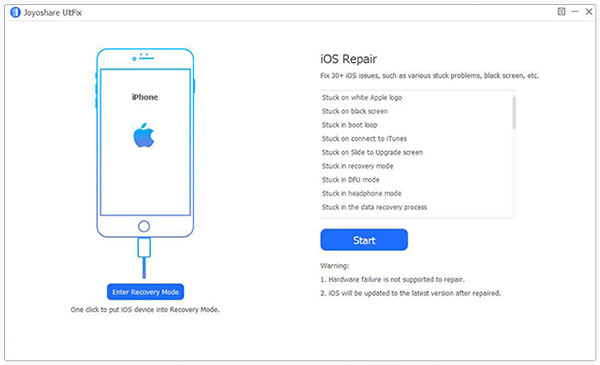
Another solution that stands out is Joyoshare UltFix, which supports repairing more than 30 types of iOS system issues. It can help with devices frozen on the Apple logo, stuck in recovery mode, or experiencing repeated restarts. The tool offers a free feature to enter and exit recovery mode instantly. Its user-friendly design ensures that even beginners can navigate the repair process smoothly.
Where Does It Actually Beat TunesKit iOS System Recovery?
- Providing a free one-click Recovery Mode entry and exit feature.
- Featuring a simpler and more straightforward interface.
- Supporting numerous common iOS system problems.
- Delivering a quick repair workflow with minimal setup.
- Being easy for beginners to operate.
The Bad
- Free version mainly supports Recovery Mode entry and exit.
- Advanced repairs require a paid license.
- Advanced Repair mode may wipe device data.
- Lacks additional iPhone management features such as backup or data transfer
- Firmware downloads can be slow on unstable networks.
Pricing Plan
- 1-Month License: ~US$23.95
- 1-Year License: ~US$39.95
- Lifetime License: ~US$59.95
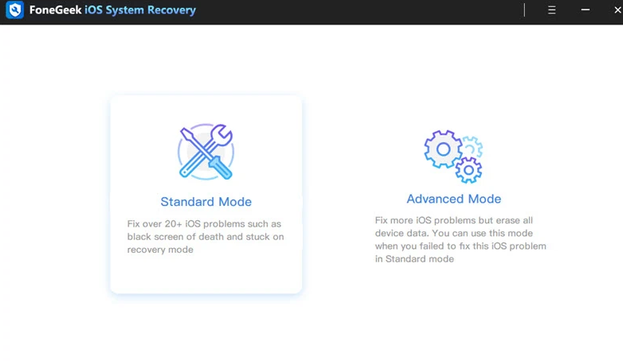
#6: FoneGeek iOS System Recovery
When facing persistent glitches, FoneGeek iOS System Recovery provides a practical way to restore functionality. It can fix problems such as black screens, frozen devices, or failed updates without erasing data. The program supports multiple repair scenarios, giving users flexibility depending on the situation. Its straightforward interface makes troubleshooting less intimidating for non-technical individuals.
Where Does It Actually Beat TunesKit iOS System Recovery?
- Covering a larger number of advertised iOS repair scenarios.
- Providing Apple TV system repair support in some editions.
- Offering flexible firmware selection options.
- Delivering competitive lifetime licensing prices.
- Updating compatibility regularly for new Apple devices and iOS versions.
The Bad
- Most repair functions require purchasing a license.
- Advanced Repair mode may erase user data.
- Large firmware downloads consume bandwidth and storage.
- The interface is less polished than some competitors.
- Fewer supplementary iOS utilities outside system repair.
Pricing Plan
- 1-Month License: ~US$24.95
- 1-Year License: ~US$39.95
- Lifetime License: ~US$49.95
#7: AimerLab FixMate
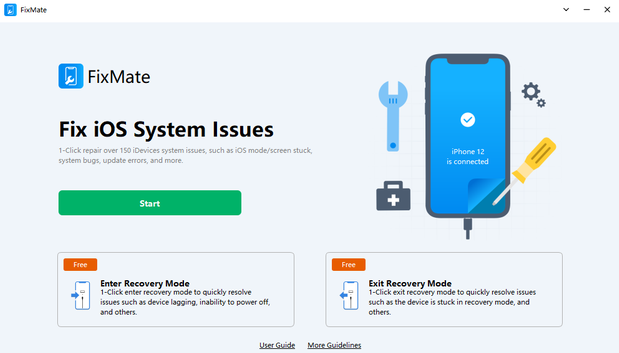
Lastly, AimerLab FixMate is designed to tackle a wide range of iOS system errors efficiently. It can repair devices stuck in recovery mode, boot loops, or those that fail to update properly. The software offers both quick fixes and deeper repair options, depending on the severity of the issue. With broad iOS version support, it ensures compatibility across older and newer Apple devices.
Where Does It Actually Beat TunesKit iOS System Recovery?
- Offering a free Recovery Mode enter/exit utility without requiring payment.
- Having a lightweight installation with low system resource usage.
- Providing a lower-cost solution for basic iOS repairs.
- Completing simple recovery tasks quickly
- Being well suited for occasional users who don't require advanced repair features.
The Bad
- The free version is mainly limited to entering and exiting Recovery Mode.
- Advanced system repairs require upgrading to the paid version.
- Offers fewer advanced repair features than some competitors.
- Does not include broader iPhone management tools such as backup or data recovery
- May not resolve severe system corruption as effectively as more feature-rich repair software.
Pricing Plan
- 1-Month License: ~US$19.95
- 1-Year License: ~US$35.95
- Lifetime License: ~US$49.95
- Free Plan: Available for entering and exiting Recovery Mode only.
Words in the End
Choosing a proper iOS system repair tool depends on your device condition, repair expectations, and budget. While TunesKit iOS System Recovery remains a practical choice for many users, the alternatives mentioned above provide different strengths, from broader repair functions and faster updates to simpler operation and more flexible pricing.
Before making a decision, consider whether you need basic system fixes, advanced repair modes, or additional iOS management features.
Related Articles:
10 Best Android Phone Repair Tools You Should Never Miss
2 Awesome Ways to Recover Data from Broken iPhone without Backup
How to Restore iPhone from iTunes Backup: Complete Guide
How to Recover Deleted WhatsApp Messages from iPhone with/without Backup?