
8 Best iToolab AnyGo Alternatives That Are Worthy of Attention
Location-changing software is widely used for testing apps, accessing location-restricted services, or exploring map-based games. However, some users begin searching for an iToolab AnyGo alternative when they realize the program may not fully support certain iOS/Android versions. Others simply want software that emphasizes stronger privacy protection when changing GPS locations.
For these reasons, this article will introduce 8 of the best iToolab AnyGo alternatives that can help users change virtual locations with more flexibility and compatibility.
Top 1: Best iToolab AnyGo Alternative - Virtual Location Tool
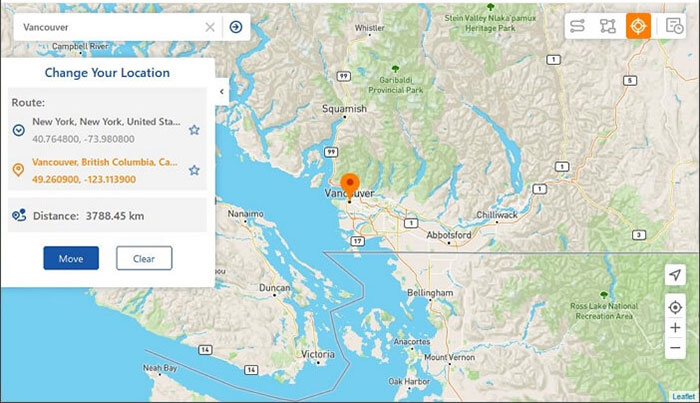
Changing a device's GPS position can be useful for location-based apps and games. Virtual Location Tool allows users to modify the virtual location of an iPhone or Android phone through a computer. It supports teleport mode, multi-spot routes, and adjustable movement speed to simulate travel. Many people use it to test location-dependent services or explore map-based apps from different regions.
As a reliable alternative to iToolab AnyGo for spoofing GPS locations on both Android and iOS devices, Virtual Location Tool lets you set any virtual location quickly, manage saved places, and create or simulate customized routes while remaining hard to detect. The tool is cost-effective, compatible with multiple platforms - including Android 16 and iOS 26 - and maintains user privacy with minimal issues.


How to use the best iToolab AnyGo alternative?
- Download and install the Virtual Location Tool on your computer.
- Open the application and select "Get Started" from the main interface.
- Connect your Android or iPhone to the computer using a USB cable.
- Allow a few moments for the software to recognize your device.
- Select "Teleport Mode" from the upper-right corner of the display.
- Next, input your desired location in the search bar.
- You may also enter GPS coordinates to pinpoint a specific address.
- The pointer will adjust to the precise location on the map according to the location you specified.
- Finally, click on "Move" to simulate the new location on your mobile device.

Pros:
- Easy interface and simple one-click GPS location change.
- Supports route simulation and adjustable speed.
- Works with many location-based apps and games without jailbreak/root.
- Almost the most stable tool for location spoofing.
Cons:
- Requires a computer connection for many functions.
- Subscription-based software.
Pricing:
- Around $14.99/month starting price depending on plan.
My Personal Take:
- From my experience, the interface feels very easy to understand, especially when selecting a location directly on the map. Teleporting to a new place usually works instantly, and route simulation is fairly smooth.
You May Also Like:
5 Means to Share Location on Android Devices with Friends/Family
11 Best Location Changers for Android and iOS [2026 Updated]
Top 2: UnicTool TailorGo
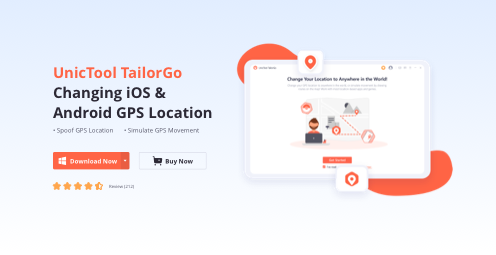
A flexible solution for altering mobile GPS information is UnicTool TailorGo. Through a desktop interface, it enables location changes and route simulation for iOS and Android devices. Users can select a destination on the map and create customized movement paths with varying speeds. This option is often chosen when testing applications that rely on geographic positioning.
Pros:
- Supports both iOS and Android devices.
- Allows route simulation and joystick control.
- Multiple device support with customizable GPS paths.
Cons:
- Requires a PC/Mac to operate.
- Some advanced features only available in paid plans.
Pricing:
- $14.99/month,
- $25.99/quarter,
- $79.99 lifetime plan.
My Personal Take:
- When trying it, I noticed the controls were fairly straightforward and the map interface made it easy to pick destinations. The route simulation and speed adjustment helped mimic realistic movement between points. It generally felt stable for testing location-based apps, though a computer connection is still required to operate it.
Learn More: 4 Widely-used Ways to Send Fake Live Location on WhatsApp for Android/iOS
Top 3: MockGo
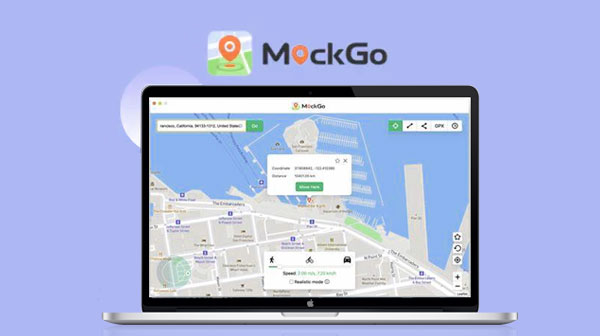
Some people prefer a simple interface for GPS simulation, and MockGo provides that experience. After connecting the phone to a computer, the software allows instant teleportation to another location. The tool can also simulate movement between multiple points to imitate real travel. It is commonly applied in location-based game scenarios or testing map functions.
Pros:
- Easy interface for location spoofing.
- Supports route simulation and GPX import.
- Compatible with location-based apps like Pokémon GO.
Cons:
- Limited customization in free version.
- Requires installing software and connecting to a computer.
- Potential privacy concerns with location spoofing tools.
Pricing:
- Starts at about $9.95/month depending on the plan.
My Personal Take:
- Using this tool felt relatively simple because most functions are placed clearly on the map panel. I could teleport to different locations quickly without dealing with complicated setup. The downside is that the feature set feels a bit basic compared with some newer GPS-changer tools.
Top 4: MocPoGo Location Changer
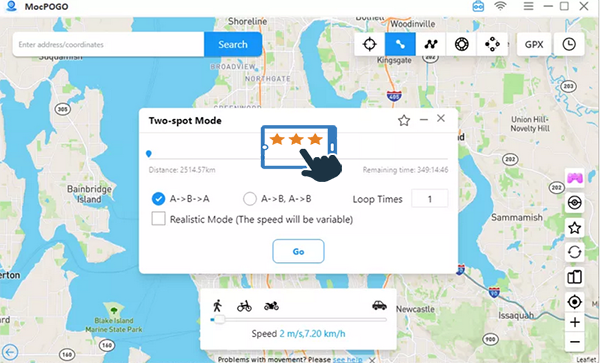
Another tool used for virtual location adjustment is MocPoGo Location Changer. The program lets users shift their device's GPS coordinates without requiring complex setup. Several movement modes are available, including single-spot and route simulation. This approach helps create a controlled environment for applications that depend on geographic data.
Pros:
- Supports multiple devices simultaneously.
- Includes gaming-oriented features like cooldown timers.
- Allows customizable walking routes.
Cons:
- Mainly focused on gaming use cases.
- Mobile and desktop versions may be sold separately.
Pricing:
- $9.95/month.
- $19.95/quarter.
- $39.95/year.
- $79.95 lifetime.
My Personal Take:
- During testing, this program seemed particularly oriented toward location-based games. The movement modes and route simulation make it easy to simulate walking between multiple points. In daily use it works smoothly, although the interface can take a little time to learn at first.
Top 5: WooTechy iMoveGo
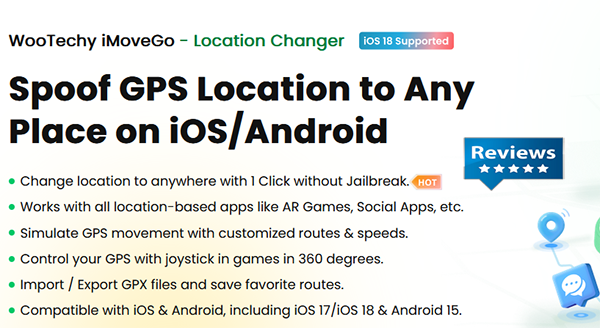
For those who want to manage location changes with flexible controls, WooTechy iMoveGo offers multiple navigation options. The software enables teleporting to any place on the map while also supporting simulated walking routes. Speed adjustments allow users to imitate natural movement between points. It is often used with apps that require a consistent change of position.
Pros:
- Works on iOS and Android without jailbreak.
- Allows teleport, route simulation, and joystick movement.
- Supports multiple devices and adjustable speeds.
Cons:
- Paid tool with limited free trial.
- Some compatibility issues reported after system updates.
Pricing:
- About $19.99/month
- $29.99/quarter
- $119.99 lifetime plan.
My Personal Take:
- From what I observed, the joystick control and movement simulation add flexibility when exploring different virtual locations. It can change GPS coordinates quickly and works without rooting or jailbreaking the phone. However, some users report occasional stability issues like loading problems or crashes.
Top 6: iWhere iPhone Location Changer
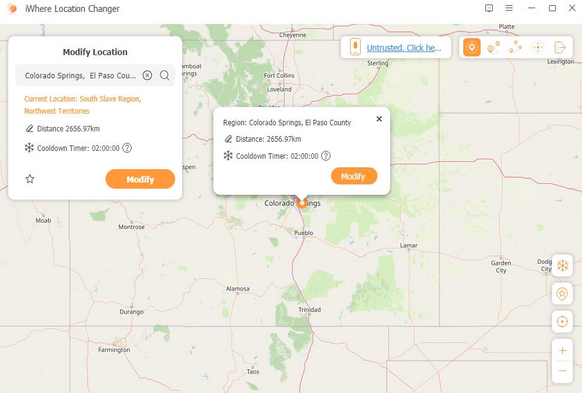
Location modification can also be handled through iWhere iPhone Location Changer. By connecting the device to a computer, users can select destinations and apply virtual GPS movement. The program includes different route modes that replicate walking, cycling, or driving. Such features make it helpful for testing mobile apps that rely on location services.
Pros:
- Multiple location-changing modes (single-spot, multi-spot, joystick).
- Adjustable movement speed simulation.
- Designed specifically for iOS location modification.
Cons:
- Mainly focused on iPhone devices.
- Some features require paid plans.
Pricing:
- Starts around $9.99/month.
My Personal Take:
- While using it, I found the process of selecting a location fairly simple, especially for iPhone users who only need a quick GPS change. The multiple route modes are useful when simulating travel across several points. Overall the experience feels straightforward and suitable for basic location-changing tasks.
Top 7: FonesGo Location Changer
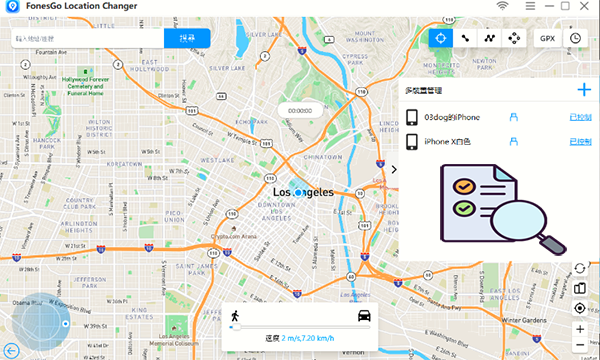
Some users turn to FonesGo Location Changer when they want to manage GPS movement with a straightforward process. The tool enables instant location switching on a connected smartphone. It also supports route creation so the device appears to move across selected paths. These functions allow location-based applications to respond as if the device were traveling.
Pros:
- One-click GPS location change for iOS and Android.
- Supports Bluetooth connection for location spoofing.
- Includes route simulation and map-based control.
Cons:
- Full functionality requires subscription.
- Advanced features only available in premium versions.
Pricing:
- $9.95/month for desktop version.
- $14.95–$19.95/month depending on device version.
My Personal Take:
- After trying this tool, I noticed it focuses on a quick GPS modification process rather than complex features. Teleporting to another place on the map works smoothly and the route creation option is easy to configure. It feels practical for occasional use with map-based apps.
Top 8: AimerLab MobiGo
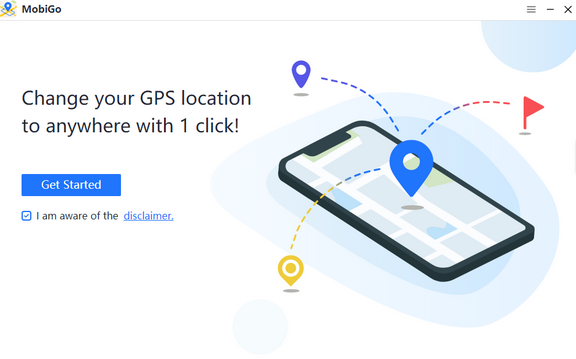
Testing geographic features in mobile apps can also be achieved through AimerLab MobiGo. After linking a phone to the computer, the software allows users to choose any place on the map and change the device’s coordinates. Several navigation modes help simulate movement between multiple spots. This method can be useful when experimenting with services that rely on GPS information.
Pros:
- Supports multiple devices with one license.
- Includes teleport mode and route simulation.
- Compatible with both iOS and Android devices.
Cons:
- Requires a computer connection.
- Premium features require paid subscription.
Pricing:
- $9.95/month.
- $19.95/quarter.
- $59.95 lifetime license.
My Personal Take:
- In my testing, this software offered a balanced mix of features such as teleport mode and multi-spot movement. The interface is clear enough that setting a virtual route takes only a few steps. It works reliably for most location-based scenarios, though it still depends on connecting the phone to a computer.
Final Thoughts
Exploring different tools can help users find a GPS changer that fits their needs in terms of compatibility, privacy, and usability. If you are still deciding which tool to use, Virtual Location Tool is often considered a practical iToolab AnyGo alternative thanks to its flexible route simulation, quick location switching, and broad device support. So, try it out now after a free download.
Related Articles:
iToolab RecoverGo Review 2026: Is It Worth Considering?
iToolab AnyGo Review: Overall Performance & the Best Alternative
8 Best iToolab WatsGo Alternatives & Competitors [Tested]
iToolab UnlockGo (Android) Review: In-depth & Pertinent Analysis
