
Top 9 Best FonesGo Location Changer Alternatives [Must-read]
Location spoofing tools have become essential for users who rely on GPS-based apps for gaming, social networking, and testing purposes. However, many people have noticed that FonesGo Location Changer may not work smoothly on certain iOS or Android versions.
These issues often encourage users to search for a reliable FonesGo Location Changer alternative that can offer better compatibility and more stable performance. By exploring different tools and comparing their functions, users can better understand which options truly meet their daily needs.
#1: Top FonesGo Location Changer Alternatives - Virtual Location Tool
Often recommended for smooth GPS simulation, Virtual Location Tool offers reliable virtual location control for both mobile gaming and social apps. It allows users to switch locations instantly, plan custom routes, and simulate movement at adjustable speeds.
With support for iOS and Android, it fits different usage habits without a complicated setup. For users seeking a practical tool for GPS faking, it delivers stable performance and flexible options.
|
Virtual Location Tool - Key Feature
|
Detailed Description
|
|
Cross-Platform Support |
Works with both iOS and Android devices when connected to Windows/Mac. |
|
Teleport Mode |
Instantly changes your GPS location to anywhere in the world. |
|
Route Simulation |
Lets you plan movement paths between multiple spots. |
|
Speed Adjustment |
Customize movement speed for a more realistic simulation. |
|
Joystick Control |
Offers manual navigation to simulate walking or driving. |
|
No Jailbreak/Root Required |
Helps avoid complex system modifications on supported devices. |
|
App Compatibility |
Functions with many location-based apps and games. |
|
Safe Usage |
Reduces detection risk with more natural route and movement options. |
How to use the best FonesGo Location Changer alternative?
- First, download and install the software on your Windows or macOS computer.
- Open the program and select "Get Started" from the main interface.
- Connect your smartphone to the computer using a USB cable, then wait for the software to detect your device.
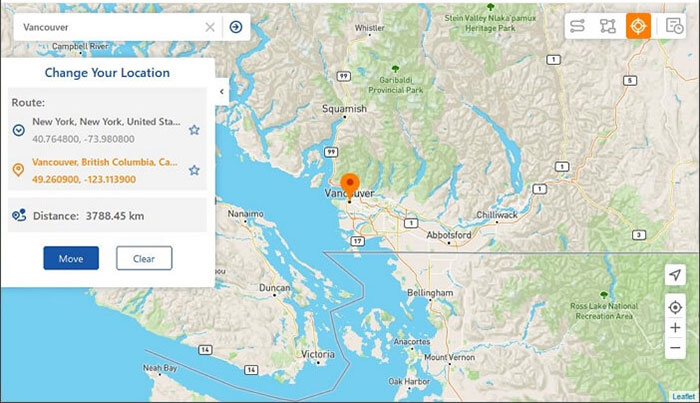
- Next, choose "Teleport Mode" from the top-right corner of the screen.
- Enter your desired location in the search bar or input exact GPS coordinates for accurate positioning.
- When the marker moves to the selected spot on the map, click "Move" to change your location instantly.


The Good:
- Offers multi-mode spoofing, including teleport, route simulation, and joystick.
- Works on both iOS and Android and supports PC/Mac tethering.
- Doesn't require jailbreaking/rooting.
- Provides a free trial with some limited uses.
The Bad:
- Full features require a paid subscription.
- Some users find it complex to set up initially.
- The free trial is limited in number of uses.
- Potential account risk if misused in games.
Pricing:
- Multiple plans including Quarterly, Annual, and Lifetime subscriptions available (PC/Mac + multi-device) - exact pricing varies by region and promotions.
You May Also Like: GPS Joystick vs. MagFone Location Changer: Which Tool Is Optimal?
#2: MagFone Location Changer
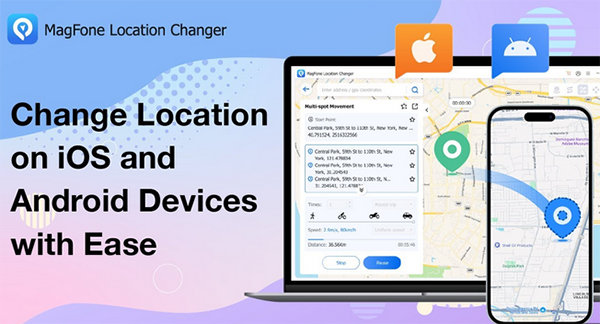
Known for its clean interface and steady output, MagFone Location Changer focuses on simple yet effective location modification. Instead of requiring jailbreaking or rooting, it works through a desktop connection and guided steps. Multiple movement modes make it suitable for both casual browsing and location-based games. As a FonesGo Location Changer substitute, it balances usability with dependable results.
The Good:
- One-click teleport or route simulation.
- Works on both Android and iOS without jailbreak/root.
- Customizable movement speeds and joystick controls.
The Bad:
- Not as widely reviewed as some alternatives.
- Pricing information isn't prominently available on the official site (often bundled regionally).
Pricing:
- Typically starts around $9.95/month according to comparison listings.
#3: AimerLab MobiGo
Designed with map accuracy in mind, AimerLab MobiGo helps users create realistic virtual travel routes. It supports teleport mode, multi-stop paths, and joystick control for precise movement. The software runs smoothly on most modern devices without noticeable lag. This makes it a solid FonesGo Location Changer replacement for users who value detailed route planning.
The Good:
- One-click location change with route and speed control.
- Supports multi-device spoofing & GPX file route import.
- Works with most AR games and social apps.
The Bad:
- Monthly subscription required.
- Limited free trial availability.
Pricing:
- Around $9.95/month per user based on industry comparisons.
#4: EaseUS MobiAnyGo
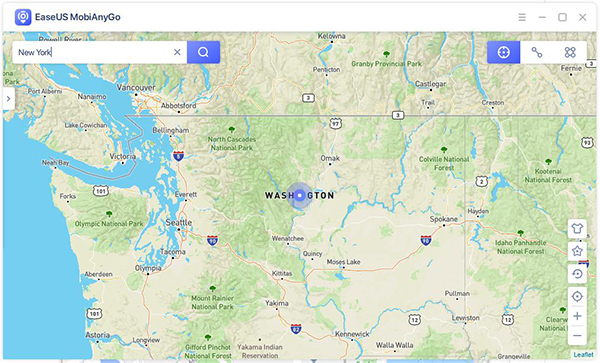
For those who prefer a familiar desktop workflow, EaseUS MobiAnyGo integrates location spoofing into a well-organized system. Step-by-step guidance reduces the learning curve, even for beginners. It also supports popular apps that rely on real-time GPS signals. As an alternative to FonesGo Location Changer, it emphasizes stability and ease of use.
The Good:
- Easy interface with basic teleport and route functions.
- Works well for simple iOS spoofing.
- Supports spoofing multiple devices at once.
The Bad:
- Only supports Windows PC (no Mac).
- Doesn't support Android spoofing.
- Some reports of instability or crashes.
- Lacks advanced joystick features.
Pricing:
- Around $9.95/month, with 3-month and yearly options potentially cheaper overall.
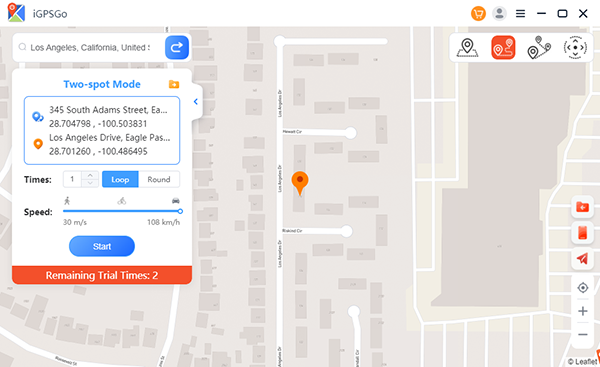
#5: iToolPaw iGPSGo
With an emphasis on flexible navigation, iToolPaw iGPSGo allows users to simulate walking, cycling, or driving speeds. Route customization helps reduce the risk of detection in location-based platforms. The interface is straightforward, avoiding unnecessary complexity. Compared with FonesGo Location Changer, it offers similar core functions with a slightly lighter setup process.
The Good:
- Desktop tool with single/multi-spot spoofing plus joystick control.
- Supports both iOS and Android, with many apps including social and games.
- Import/export GPX route files and adjustable movement speed.
The Bad:
- Monthly subscription model (no free tier for full features).
- Feature set varies by plan and requires PC tethering.
Pricing:
- Often starts at around $9.95/month based on comparisons.
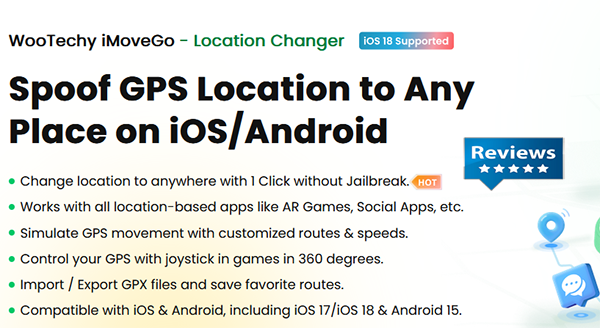
#6: WooTechy iMoveGo
Built for users who want both control and realism, WooTechy iMoveGo provides multiple location simulation modes. One-click teleporting and joystick features make navigation more intuitive. It supports frequent updates to keep up with system changes. As a program similar to FonesGo Location Changer, it stands out for its balance between precision and convenience.
The Good:
- Multiple subscription options, including monthly, quarterly, and lifetime.
- High device support (e.g., up to 10 devices).
- Virtual joystick and global location spoofing.
- 30-day refund guarantee.
The Bad:
- Monthly and lifetime plans can be pricier.
- Some community reports about authentication issues.
Pricing:
- Monthly, quarterly, and permanent lifetime plans available - prices vary by locale.
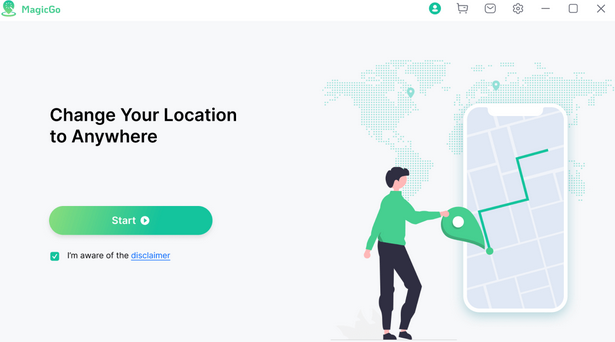
#7: Mobitrix MagicGo
Focusing on cross-platform compatibility, Mobitrix MagicGo works with a wide range of iOS and Android devices. It enables quick location switching while maintaining stable connections. The tool also supports GPX file import for advanced route planning. This makes it a competitive FonesGo Location Changer alternative for long-term use.
The Good:
- One-click GPS spoofing with cooldown and joystick features.
- Saves location history and zoomable map planning.
- Easy interface for social platform spoofing.
The Bad:
- Exact pricing may need account purchase or inquiry - not always clearly listed.
- Feature depth less than some desktop tools.
Pricing:
- Often compared at around $10 or $11/month in market listings.
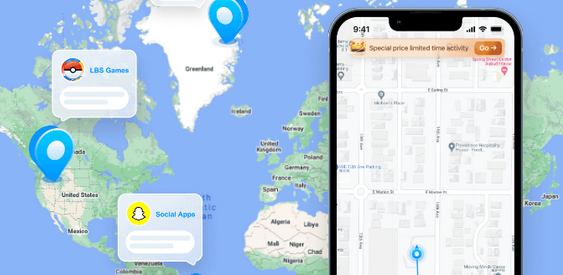
#8: iFoneTool MapGo (iOS Only)
Targeted mainly at Apple users, iFoneTool MapGo (iOS Only) delivers location spoofing without requiring a jailbreak. The software emphasizes security and minimal system interference. Its map-based controls allow precise placement and movement simulation. As an iOS-focused replacement for FonesGo Location Changer, it suits users who prefer a dedicated Apple solution.
The Good:
- Focuses on iOS GPS spoofing without jailbreak.
- Simple UI with basic location changes.
- Affordable compared to larger suites.
The Bad:
- iOS-only support.
- Fewer advanced features (no multi-spot routes/joystick in some plans).
Pricing:
- Typically seen in listings around $5 or $6/month per user.
#9: Fly GPS (Android Only)
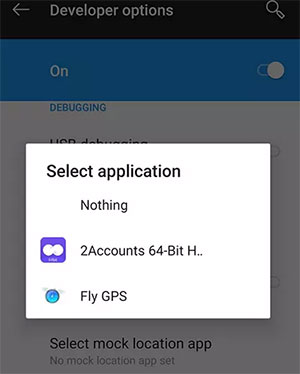
Popular among Android users, Fly GPS (Android Only) operates directly on the device through mock location settings. It offers joystick control and basic route simulation without needing a computer. Although its interface is simpler than desktop tools, it remains functional for everyday use. For Android users, it serves as a lightweight GPS location simulator.
The Good:
- Free Android spoofing tool in mock-location mode.
- Joystick control for manual movement.
- No subscription or payment required.
The Bad:
- Less secure and potentially riskier for accounts.
- Requires Android "Mock Location" developer setting.
- Limited features compared to paid tools.
Pricing:
- Free (open-source/stand-alone app with no subscription).
Summing Up
Technology moves quickly, and location-changing software must keep up with system updates and user expectations. Instead of remaining stuck with repeated errors or limited features, it is often wiser to explore tools that offer smoother operation and clearer controls.
Among the available choices, Virtual Location Tool has proven to be a practical alternative to FonesGo Location Changer, especially for users who value stability and flexible movement options. So, try this software after obtaining it below.
Related Articles:
[Full Guide] How to Share Location between iPhone and Android in 2026?
5 Methods to Stop Parents from Tracking Your Phone [Updated]
6 Easy Ways to Download/Install Apps on Android from Different Sources
