
8 Best iToolab WatsGo Alternatives & Competitors [Tested]
WhatsApp has become a central hub for personal and professional communication. While iToolab WatsGo helps transfer chats between devices, many users seek a tool that goes beyond simple migration. Besides transferring WhatsApp data, some want to back up, restore, or export chats to PC/Cloud in different formats.
Exploring an iToolab WatsGo alternative can open doors to broader features, better compatibility with different devices, and more flexible options for managing valuable conversations. For those navigating this need, just find the right tool in this article.
Top 1: Best iToolab WatsGo Alternative - Social App Transfer
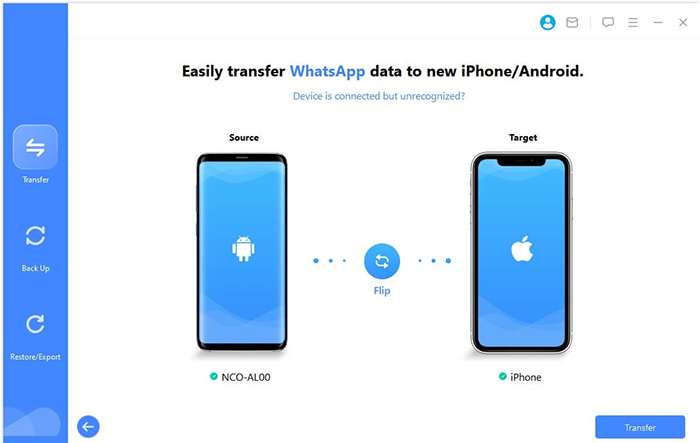
Transferring WhatsApp data between devices can be smooth with Social App Transfer, which allows direct WhatsApp transfer from Android to iPhone and vice versa. The tool also supports backing up chats to a computer for safekeeping. It keeps media files, attachments, and chat history intact during the process. Users can preview messages before restoring them to ensure accuracy.
Social App Transfer - Key Features:
- Cross-Platform: Transfer between Android & iPhone without limitations.
- Selective Restore: Restore specific chats or media.
- Fast & Reliable: Quick, error-free transfers.
- Backup & Export: Save data in multiple formats.
- User-Friendly: Easy for all users.
- Secure: Encrypted transfers.
- WhatsApp & LINE: Transfer and backup chats and media.
- Google Drive: Restore messages from Google Drive.
- Preview: View and export data selectively.
How can I use the best iToolab WatsGo alternative? (Take WhatsApp transfer from an old phone to a new phone as an example):
- Start by downloading and installing Social App Transfer on your computer, then launch the program.
- From the left-hand menu, select the WhatsApp sign.
- Next, connect both your Android and iOS devices to the computer using USB cables.
- Follow the on-screen prompts to make sure the devices are recognized properly.
- The software will quickly detect and display the devices, marking one as the source and the other as the destination.
- If the assignment is incorrect, simply click the Flip button to switch them.
- Finally, click Transfer in the lower-right corner to begin moving your WhatsApp data.


Advantages:
- Can move WhatsApp data between Android and iOS without leaving chats behind.
- Offers options to back up and export chats to formats like HTML or CSV.
- Works on many device types via a computer connection.
- Preserves media files while transferring.
Disadvantages:
- No truly free full-feature version; trial limits are restrictive.
- Requires a computer to perform transfers or backups.
My Personal Take:
- My experience with Social App Transfer has been smooth for transferring WhatsApp between my Android and iPhone. The backup feature is reliable, and media files stay intact. It's straightforward, though having to use a computer every time can feel a bit limiting.
You Might Also Need: How to Restore WhatsApp Business Backup on iPhone/Android? 5 Options
Top 2: Wondershare MobileTrans
Seamless migration of WhatsApp chats is possible using Wondershare MobileTrans, which enables phone-to-phone transfer in just a few steps. Backup and restore options are available to protect important messages. It preserves the original format and content of conversations. The interface guides users through transfers without technical confusion.

Advantages:
- Supports moving WhatsApp chats as well as broader phone data between Android and iOS.
- Offers restore and backup tools in addition to transfer.
- Works with thousands of devices and many data types.
- Encrypts personal data for secure handling.
Disadvantages:
- The free version has limited capabilities, pushing users to pay.
- Occasional performance issues or crashes have been reported.
- Requires a wired connection for best results.
- Cost may feel high if only WhatsApp transfer is needed occasionally.
My Personal Take:
- MobileTrans handled my phone-to-phone WhatsApp transfer without any data loss, which was reassuring. The extra backup options are a nice touch if you want to be safe. I did notice the process is slightly slower than expected for larger chats.
Top 3: Tenorshare iCareFone Transfer
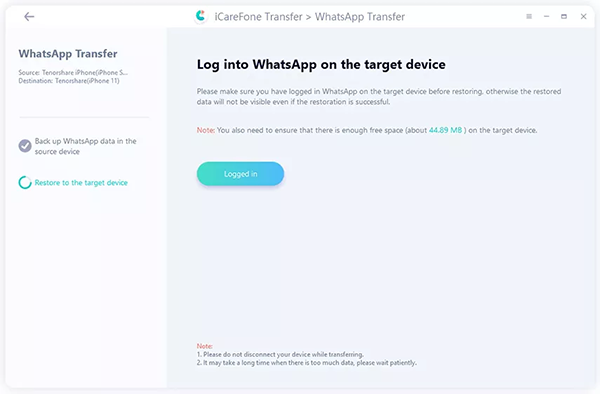
WhatsApp migration is simplified with Tenorshare iCareFone Transfer, which supports both cross-platform and same-platform transfers. Local backups can be made before any migration for extra security. Chats, photos, and videos remain unaltered during the process. Users can restore selected conversations or entire chat histories as needed.
Advantages:
- Strong compatibility across WhatsApp versions and devices.
- Lets you select specific chats or media to move or back up.
- Offers backup, transfer, and restore all in one place.
- Generally praised for stable performance in real-world use.
Disadvantages:
- Paid product; trial versions are limited.
- Occasional glitches or confusing steps for beginners.
- Transfer may take longer with very large datasets.
- Third-party tools carry inherent risks if not used carefully.
My Personal Take:
- iCareFone Transfer impressed me with its ability to selectively transfer specific chats instead of everything at once. The interface is clean and stable, making the process stress-free. Large chat histories can take a bit longer, but it's worth it for accuracy.
Top 4: Aiseesoft WhatsSync
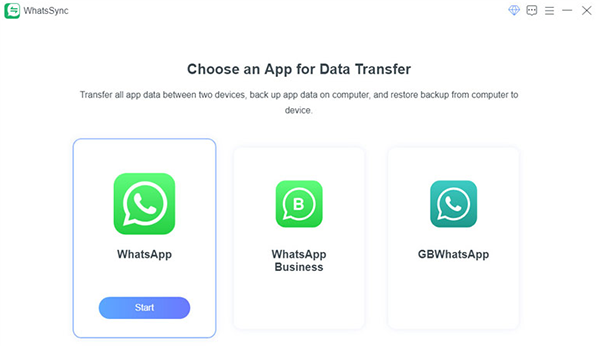
Managing WhatsApp transfers is easier with Aiseesoft WhatsSync, which handles direct transfers between phones efficiently. It also provides backup to a computer to prevent accidental data loss. Media files, emojis, and text messages are retained during migration. The tool ensures that restored messages appear exactly as they were on the original device.
Advantages:
- Lets you transfer WhatsApp between Android and iOS devices.
- Includes backup and restore capabilities for safe data management. (Want to manage WhatsApp accounts without hassle?)
- Offers wireless transfer in addition to USB connections.
- Broad device compatibility and decent transfer speeds.
Disadvantages:
- Newer tool with fewer independent reviews.
- Advanced features require purchase.
- Wireless transfers may be slower than wired.
- Interface may feel unfamiliar to new users.
My Personal Take:
- WhatsSync made moving WhatsApp between my devices easy, and I liked the wireless transfer option. Backups to my computer added extra peace of mind. The layout took a moment to get used to, but overall it worked well.
Top 5: Mobitrix WhatsApp Transfer
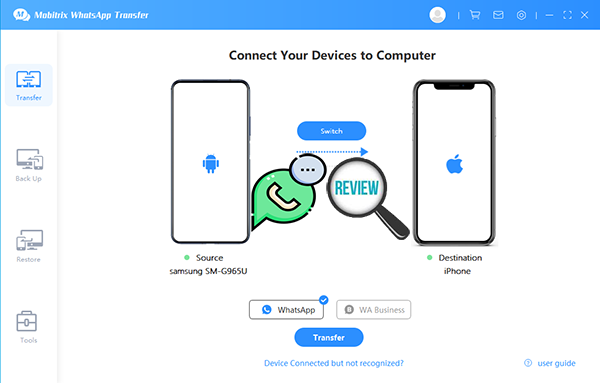
WhatsApp chat migration is straightforward with Mobitrix WhatsApp Transfer, which allows fast phone-to-phone transfers without affecting existing data. Backup options let users secure chats before switching devices. It supports both Android and iOS, including cross-platform transfers. Users can selectively move conversations or perform a complete transfer.
Advantages:
- Can transfer WhatsApp chats between Android and iPhone or iOS > Android.
- Backs up WhatsApp data to PC without cloud storage limits.
- Supports WhatsApp Business as well as standard WhatsApp.
- Strong local data security, avoiding server storage.
Disadvantages:
- Some users find transfer speed slower than alternatives.
- Compatibility issues reported with certain devices.
- Backup/transfer steps may feel complex to beginners.
- Interface and design can appear dated compared to competitors.
My Personal Take:
- Mobitrix WhatsApp Transfer is fast and supports both Android and iPhone, which I appreciated. Backing up to PC is convenient and avoids relying on cloud storage. I did find the interface slightly old-fashioned, but it does the job reliably.
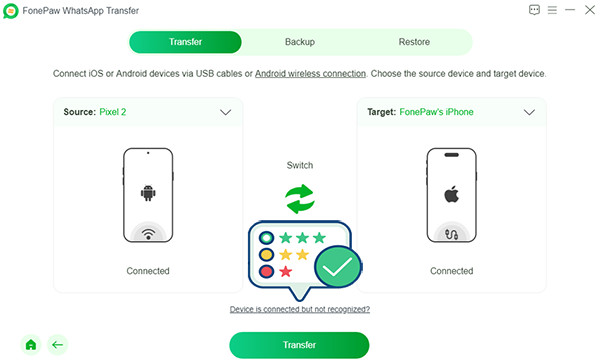
Top 6: FonePaw WhatsApp Transfer
Keeping WhatsApp data safe is simple with FonePaw WhatsApp Transfer, which enables both backup and phone-to-phone transfer. Media attachments and chat history are preserved without any modifications. The program supports multiple devices at the same time for convenience. Restored chats maintain the original timestamp and order.
Advantages:
- Transfers WhatsApp fully, including text, media, groups, and stickers.
- Offers direct backup and restore tools.
- Works via USB or Wi-Fi for Android transfers.
- Does not require rooting or jailbreaking for normal use.
Disadvantages:
- Paid software; full features require purchase.
- Occasional hiccups with very large backups.
- Backup sizes can take longer without high-speed connections.
- Not as widely reviewed as older competitors.
My Personal Take:
- Using FonePaw, I could move my entire chat history, including media, without worrying about missing content. The ability to restore backups selectively was a big plus. Transfers were smooth, though very large backups did take some time.
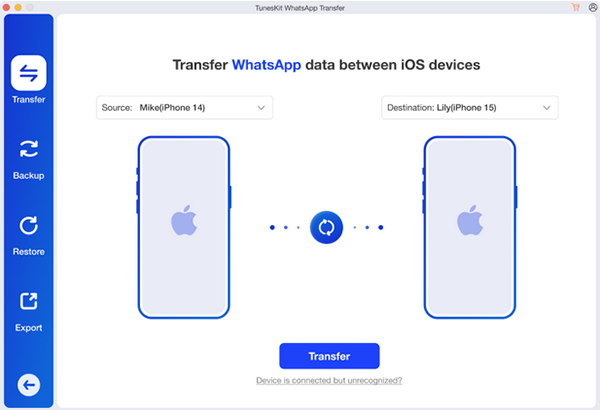
Top 7: TunesKit WhatsApp Transfer
For reliable WhatsApp migration, TunesKit WhatsApp Transfer provides cross-platform transfer between Android and iPhone. Backups can be created before moving data to safeguard important chats. Messages, images, and videos remain complete and uncorrupted. Users can restore chats either entirely or selectively according to their needs.
Advantages:
- Provides basic WhatsApp transfer between devices.
- Keeps WhatsApp data intact during migration.
- Simple workflow for standard transfers.
- Supports both Android and iOS platforms.
Disadvantages:
- Limited public reviews and detailed comparisons.
- Less known for backup/restore compared to full-suite tools.
- May not include advanced selective restore features.
- Users might encounter compatibility gaps with latest OS updates.
My Personal Take:
- TunesKit made the transfer process easy for standard WhatsApp chats. It's simple enough for anyone not very tech-savvy. I wish it had more advanced restore features, but it's solid for basic transfers.
Top 8: Syncios WhatsApp Transfer
Switching devices while keeping WhatsApp data intact is possible with Syncios WhatsApp Transfer, which handles transfers efficiently between phones. The software also allows secure backup to a computer for later restoration. All chat records and media files are preserved during the process. Users can move entire chat histories or just selected conversations without losing content.

Advantages:
- Supports basic transfer and backup of WhatsApp chats.
- Often cheaper than large all-in-one suites.
- Allows exporting chats to computer.
- Simple interface for straightforward tasks.
Disadvantages:
- Can lag behind the latest WhatsApp or OS updates.
- Transfer speed and completeness may be inconsistent.
- Limited support options compared with bigger brands.
- Free trial versions are very restricted.
My Personal Take:
- Syncios offered a straightforward way to move WhatsApp chats and back them up to my computer. The tool is affordable and works well for basic needs. I noticed it's a bit slower with large files, but it gets the job done.
In Closing
A reliable alternative to iToolab WatsGo provides more than basic transfer capabilities. Users gain the ability to preserve chat histories, export important files in multiple formats, and restore messages whenever needed, all without unnecessary limitations. Among the options available, Social App Transfer delivers a complete and dependable approach for transferring, backing up, restoring, and exporting WhatsApp chats efficiently.
Related Articles:
4 Widely-used Ways to Send Fake Live Location on WhatsApp for Android/iOS
iToolab RecoverGo Review 2026: Is It Worth Considering?
iToolab AnyGo Review: Overall Performance & the Best Alternative
iToolab UnlockGo (Android) Review: In-depth & Pertinent Analysis
