
Top 9 Tenorshare iAnyGo Alternatives [For Better Experience]
FAQs about Tenorshare iAnyGo:
Q1. What are the main disadvantages of using iAnyGo?
iAnyGo may trigger detection in some apps, and advanced features need a relatively higher-priced license.
Q2. How much does iAnyGo cost?
Costs: ~$12.95/month, ~$99.95/year, or ~$129.95 for lifetime access.
Q3. Is Tenorshare iAnyGo safe to use?
Safe with SSL, no jailbreak/root needed, but risks remain with apps banning GPS spoofing.
Here are the top 9 best Tenorshare iAnyGo alternatives, offering reliable GPS spoofing, route simulation, and cross-platform compatibility for both iOS and Android users.
1. Best Tenorshare iAnyGo Alternative - Virtual Location Tool [Consistent]
Flexible GPS simulation and route planning are core functions of Virtual Location Tool, making it suitable for daily use and gaming. It supports most iOS and Android devices without requiring jailbreak or root access. Features such as speed adjustment, route pausing, and location saving improve overall control. In many cases, it is considered a good replacement for Tenorshare iAnyGo.
Supported Platforms: Virtual Location Tool is compatible with both Windows and macOS computers and supports GPS spoofing on iOS and Android devices.
Pros:
- Instant Teleport - Changes location worldwide in seconds.
- Route Simulation - Simulates walking, cycling, and driving.
- Multi-Point Routes - Creates natural movement paths.
- Anti-Detection Safety - Reduces game ban risks.
- Easy Interface - Simple map and drag-and-drop control.
- App Compatibility - Supports most GPS-based apps.
- User-Controlled Changes - Modifies location with permission.
User Guide:
- Install & Connect - Download and install the program, launch it, click "Start," and connect your unlocked Android/iOS device to the computer.
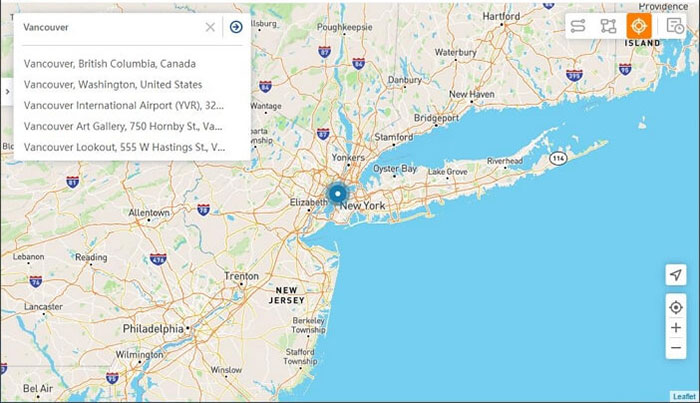
- Choose Teleport Mode - Wait for the map to load, then click the "Teleport" icon in the top-right corner.
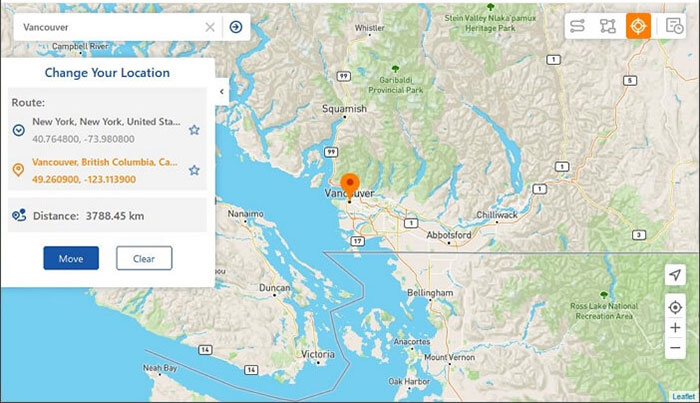
- Set Location - Enter a location or select one directly on the map.
- Apply Change - Click "Move" to update your GPS instantly.


2. Aiseesoft AnyCoord
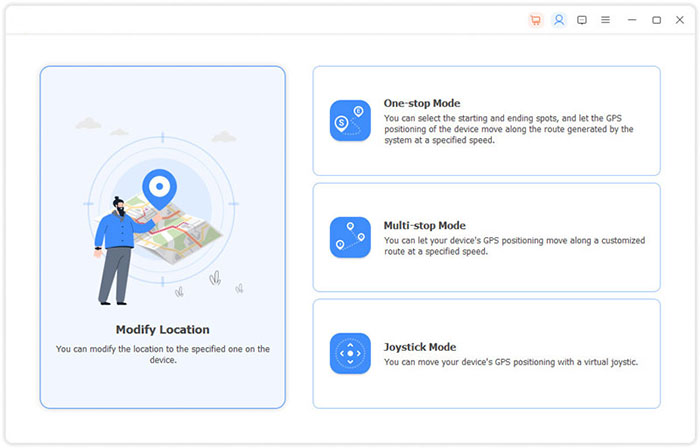
With a focus on precise positioning and stable performance, Aiseesoft AnyCoord allows users to change their virtual location with just a few clicks. Both single-point teleporting and multi-point navigation are available for daily use and gaming needs. The interface remains simple, making it easy for beginners to operate without technical knowledge.
Supported Platforms: Aiseesoft AnyCoord runs on Windows and macOS systems and works with iPhones, iPads, and Android phones.
Pros:
- User-friendly interface that's easy for beginners to operate.
- Provides precise GPS targeting and smooth virtual movement.
- Supports saving and reusing favorite locations.
- Compatible with many mainstream apps on mobile devices.
User Guide:
- Initially, connect your Apple or Android device to your computer using a USB cable, ensuring that you have downloaded and installed the necessary software.
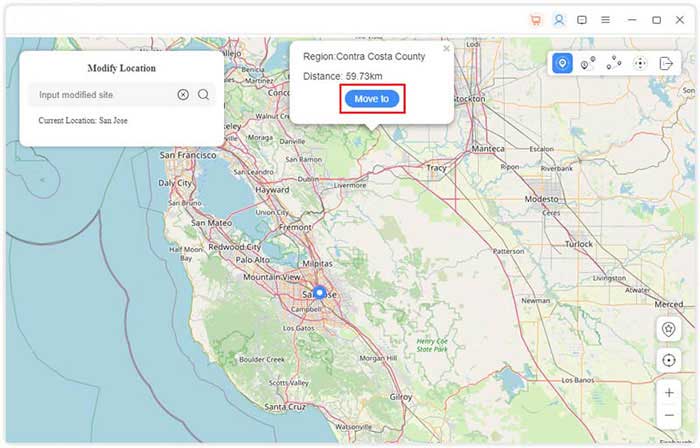
- Launch the software and select "Start." Proceed to the "Modify Location" section, where you can either zoom in or drag the map to examine various areas.
- In the upper-left corner of the interface, there is a search bar where you can input the desired location or conduct a search.
- Once you have identified your preferred destination, click on "Confirm Modify."
- Select the map and choose "Move to" in order to alter your device's location without the need for jailbreaking or rooting.
3. iToolab AnyGo
For people who prefer advanced route customization, iToolab AnyGo provides multiple movement modes and speed controls. It supports joystick navigation, which helps simulate real walking behavior more naturally. Compatibility with popular location-based apps adds to its overall usefulness. As a result, it is frequently seen as a dependable Tenorshare iAnyGo alternative.
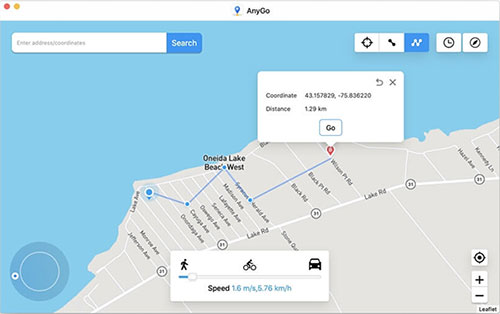
Supported Platforms: iToolab AnyGo is available for Windows and macOS and supports location simulation on iOS and Android devices.
Pros:
- Includes joystick control for flexible simulated movement.
- Offers detailed route planning with multiple spots.
- Adjustable speed settings lend realism to location changes.
- Works without rooting or jailbreaking devices.
User Guide:
- Download and open iToolab AnyGo on your PC or Mac.
- Connect your mobile device and complete the setup process.
- Select Teleport, Joystick, or Multi-Spot mode.
- Adjust movement speed if needed.
- Start the simulation to change your GPS location.
4. PoKeep Location Changer
Aimed at users who value convenience and efficiency, PoKeep Location Changer offers fast teleportation and stable virtual movement. Location history and favorite spots can be saved for future access. The software runs smoothly on both Windows and macOS systems. Because of its balanced features, many users treat it as a solid Tenorshare iAnyGo substitute.
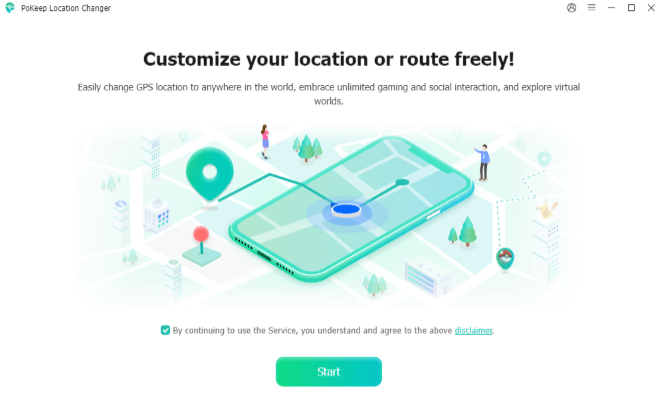
Supported Platforms: PoKeep Location Changer can be installed on Windows and macOS and is mainly used with iOS and Android smartphones.
Pros:
- Fast and responsive location switching.
- Allows storage of location history for quick reuse.
- Smooth performance with minimal crashes or errors.
- Simple setup and operation on both Windows and macOS.
User Guide:
- Download and open iToolab AnyGo on your PC or Mac.
- Connect your mobile device and complete the setup process.
- Select Teleport, Joystick, or Multi-Spot mode.
- Adjust movement speed if needed.
- Start simulation to change your GPS location.
5. FonesGo Location Changer
For those who need flexible control over GPS data, FonesGo Location Changer provides teleport, two-point, and multi-point movement options. It allows users to customize routes based on personal habits and app requirements. Device connection and setup are usually completed within minutes. In many situations, it performs well as a practical Tenorshare iAnyGo alternative.
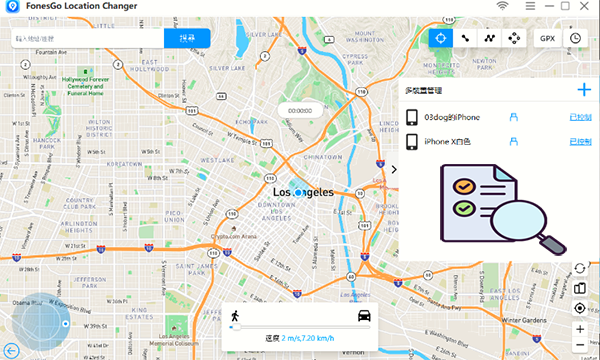
Supported Platforms: FonesGo Location Changer works on Windows and macOS and supports both iOS and Android platforms.
Pros:
- Supports multiple movement types (teleport, two-point, multi-point).
- Customizable routes enhance user flexibility.
- Quick device connection and easy setup process.
- Works well with common apps requiring GPS simulation.
User Guide:
- Download and install FonesGo on your computer.
- Connect your phone and enable location access.
- Select Teleport, Two-Point, or Multi-Point mode.
- Customize your route or destination.
- Apply the settings to begin spoofing.
6. MagFone Location Changer
Built for users who expect reliable spoofing in location-based games, MagFone Location Changer supports realistic movement and adjustable speed. It reduces the risk of abnormal jumps by simulating natural travel paths. The software also includes pause and resume functions for better control. These features make it a useful alternative to Tenorshare iAnyGo for regular use.
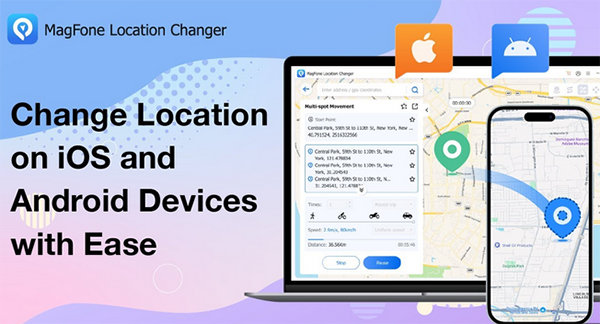
Supported Platforms: MagFone Location Changer is compatible with Windows and macOS and is designed for use with iOS and Android devices.
Pros:
- Smooth route transitions help reduce risk of abnormal location jumps.
- Adjustable speed makes the simulation feel more natural.
- Includes pause/resume features for better control.
- Good compatibility with various games and apps.
User Guide:
- Open MagFone after installation on your system.
- Connect your device and follow the on-screen instructions.
- Choose a movement mode and set speed.
- Select your target location or route.
- Click "Start" to begin virtual movement.
7. WooTechy iMoveGo
Focusing on smooth navigation and simple operation, WooTechy iMoveGo enables users to modify GPS positions with minimal effort. Both keyboard and joystick controls are available for flexible movement. Saved routes and locations help improve efficiency during repeated sessions. Because of its stability and compatibility, it is often viewed as a good Tenorshare iAnyGo alternative.
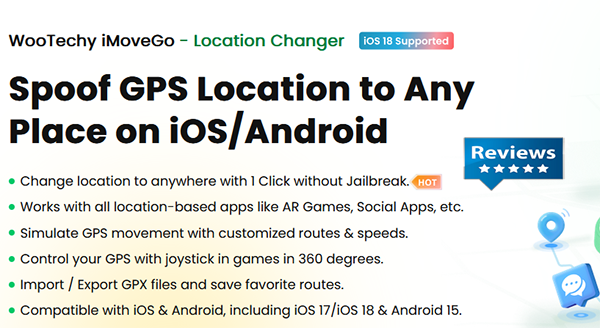
Supported Platforms: WooTechy iMoveGo supports Windows and macOS computers and works with iPhone, iPad, and Android devices.
Pros:
- Offers both keyboard and joystick control for intuitive movement.
- Allows saving routes and favorite spots for repeated tasks.
- Stable performance with a clean interface.
- Supports a wide range of devices and apps.
User Guide:
- Install WooTechy iMoveGo on Windows or macOS.
- Connect your phone and enable permissions.
- Select Teleport, Joystick, or Route mode.
- Choose a location or create a path.
- Confirm to update your GPS position.
8. PGSharp
Popular among mobile gamers, PGSharp is designed exclusively for Android users who need in-app GPS modification. It integrates directly with certain games like Pokemon GO, reducing the need for external software. Additional features such as joystick control and enhanced maps improve the overall experience. For Android devices who need a Pokemon GO hacker, it serves as a strong Tenorshare iAnyGo alternative.

Supported Platforms: PGSharp is developed specifically for Android devices and does not support iOS.
Pros:
- Direct integration with supported Android games for easier spoofing.
- Built-in joystick control enhances movement realism.
- Map enhancements make navigation clearer.
- No need for external tools once properly installed.
User Guide:
- Download and install the PGSharp APK on your Android device.
- Open the supported game or app through PGSharp.
- Log in to your account if required.
- Enable joystick and location features in settings.
- Use the map or joystick to move your virtual location.
9. Foneazy MockGo
Developed mainly for Apple device users, Foneazy MockGo supports location simulation on iPhone and iPad without system modification. It offers teleportation, route planning, and adjustable movement speed. The clean interface helps users complete tasks quickly and efficiently. Thanks to its stable performance, it is widely regarded as a reliable Tenorshare iAnyGo alternative for iOS and iPadOS.
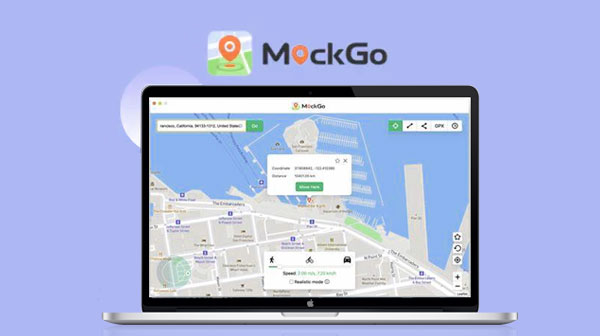
Supported Platforms: Foneazy MockGo runs on Windows and macOS and is intended only for iPhone and iPad users.
Pros:
- No need for jailbreak to simulate GPS locations.
- Supports route planning and speed adjustment.
- Clean and easy-to-navigate interface.
- Reliable performance with minimal lag.
User Guide:
- Download and launch Foneazy MockGo on your computer.
- Connect your iPhone or iPad using a USB cable.
- Select Teleport or Route mode.
- Enter or pick a location on the map.
- Click "Move" to apply the new GPS data.
Words in the End
In summary, while Tenorshare iAnyGo works well for GPS spoofing, its limitations and subscription costs may be inconvenient for some users. Virtual Location Tool is the best alternative, providing reliable location control, easy-to-use features, and broad compatibility with various apps and devices. So, give this tool a free download before a pleasant trial now.
Related Articles:
Tenorshare Phone Mirror Review: Does It Offer a Good Experience?
Top 6 Tenorshare 4uKey for Android Alternatives & Competitors
Top 7 Tenorshare UltData for Android Alternatives & Competitors
[Full Guide] How to Share Location between iPhone and Android in 2026?
