
Top 7 Best Neo Backup Alternatives You Should Never Miss
TL;DR:
Neo Backup's open-source nature is appealing, yet, its reliance on root access for complete backups and potential restore incompatibilities make it less reliable for many users. Fortunately, the seven alternatives we've explored - especially the desktop-based MobiKin Backup Manager for Android - offer more versatile, user-friendly, and root-free solutions tailored to various backup needs.
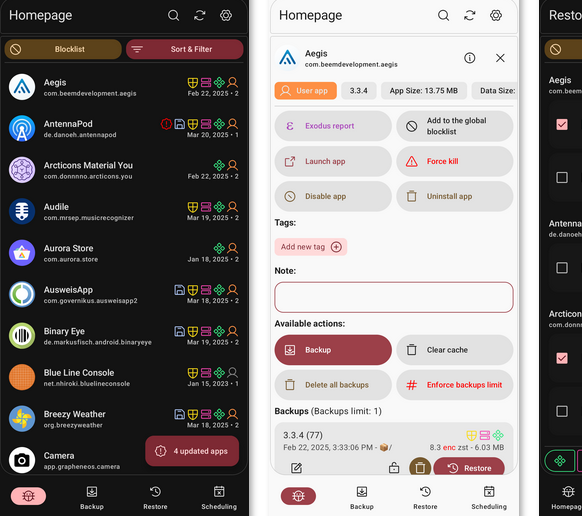
While Neo Backup is widely appreciated as an open-source and free solution for Android backups, it comes with certain limitations that drive users to search for a better fit. Without root access, Neo Backup can't fully access app data or system-level files, which restricts the completeness of its backups. Additionally, it may break compatibility with older backups, making restores unreliable in some cases.
Worry not! We will discuss seven noteworthy Neo Backup alternatives that cater to different needs - from casual users who want simplicity to power users who need full control over their device data. (Want to control your phone remotely?)
For a step-by-step visual guide, play the video below.
Top 1: Best Neo Backup Alternative - MobiKin Android Backup & Restore
Effortlessly safeguarding your entire Android device, including apps, data, and multimedia files, is a streamlined process with MobiKin Backup Manager for Android (Windows/Mac). Its clear interface allows for one-click backups directly to a computer, ensuring a complete snapshot is captured without complication.
Restoring information to the same or a new device is equally straightforward, making transitions remarkably smooth. This approach minimizes the effort required for comprehensive data protection.
Why Choose MobiKin Android Backup & Restore?
|
Main Features
|
Key Details
|
|
One-click full or selective backup |
Lets you back up the entire device or choose specific categories like contacts, messages, photos, videos, apps, and more. |
|
Selective or full restore |
Allows restoring various or only selected data types without overwriting all existing data on the device. |
|
Local backup storage on PC |
Saves backups directly to your computer or external storage, giving full control over where data is stored. |
|
Wide device compatibility |
Works with a broad range of Android phones and versions from multiple brands. |
|
USB & Wi-Fi connection options |
Lets you connect via USB cable or Wi-Fi for flexible backup and restore methods. |
|
Multiple backup versions |
New backups do not overwrite old ones, allowing you to keep several versions safely. |
|
Beginner-friendly UI |
Simple, intuitive interface suitable for all users without technical knowledge. |


After installing and launching the software, connect your Android phone via USB and enable USB debugging if prompted. Once detected, choose "Backup" on the main interface from the Backup and Restore window to begin a smooth, worry-free data backup.
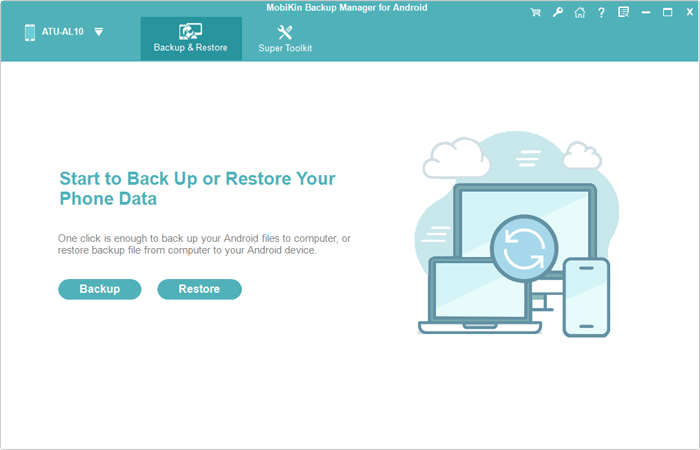
How to use this software visually? Here's the video guide:
What makes MobiKin Android Backup & Restore better than Neo Backup?
- Offers a full desktop client (Windows/macOS) for easy, one-click backups.
- Allows selective backup/restore of contacts, messages, photos, videos, and more.
- Works smoothly without root access.
- Designed for beginners with a guided interface.
- Supports cross-device transfer through PC/Mac.
- Provides official technical support.
Cons:
- Its free version is limited; most advanced features require payment.
- No built-in cloud backup - everything is stored locally on a PC.
- Large media backups may be slow or unstable.
Top 2: Migrate - Data Backup
A flexible backup solution, Migrate - Data Backup secures apps, settings, and files with precision, ensuring smooth restoration when needed. Its design makes it a reliable Neo Backup alternative, especially for users seeking consistent performance without complications. By combining simplicity with dependable functionality, it offers a trustworthy safeguard for mobile data.
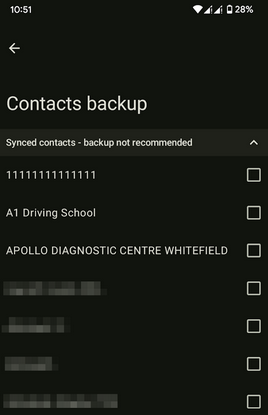
What makes Migrate - Data Backup better than Neo Backup?
- Faster backup - Quicker transfers than Neo Backup.
- Wider support - Works across more Android versions.
- Stable restore - Fewer errors in data recovery.
- Easy interface - Simpler design for all users.
- Frequent updates - More active development cycle.
Cons:
- Limited SMS/WiFi restore - Struggles with restoring certain data types like SMS, WiFi, or Bluetooth settings.
- Complex setup - Requires more technical steps compared to simpler backup apps.
- No cloud sync - Lacks direct integration with cloud services for remote backups.
- Update dependency - Some features may break if Android versions change and updates lag.
- Smaller community - Fewer troubleshooting resources compared to larger backup tools.
Top 3: Seedvault
As a built-in solution for newer Android versions, Seedvault provides a seamless, system-level option for backing up app data and settings. Configuration is minimal, often working quietly in the background to secure your information.
While its scope can be limited compared to third-party tools, its integration means it operates with notable efficiency. Relying on Seedvault means enjoying a no-fuss safety net that requires almost no ongoing attention from the user.
What makes Seedvault better than Neo Backup?
- Integrated into many privacy-focused Android ROMs. (Can I flash a ROM on my phone?)
- Designed as a non-Google, encrypted backup solution using USB/Nextcloud.
- Supports automatic scheduled backups.
- Provides secure encryption and mnemonic recovery phrases.
- Easier for average users who want privacy without manual management.
Cons:
- Doesn't back up everything; some data types and media are excluded depending on settings.
- Setting up storage (USB, Nextcloud, or self-hosted server) can be confusing for beginners.
- Lacks advanced root-level features like freezing apps or deep system restore.
- Backup success depends heavily on the chosen storage method and user configuration.
- Restores may fail for apps that handle data in non-standard ways.
- Losing the encryption key makes the backup unrecoverable.
Top 4: MoboPlay
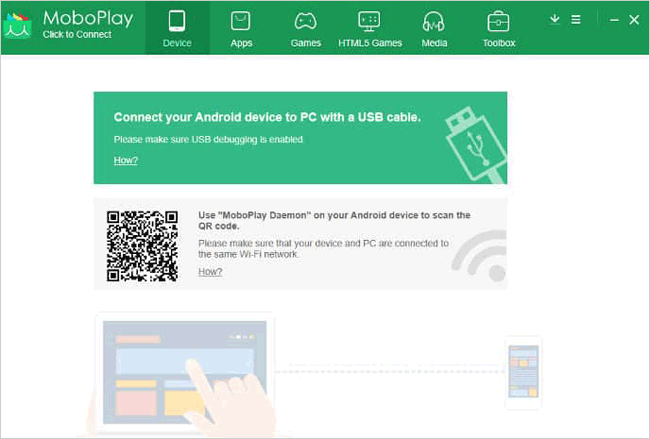
Focusing on media management, MoboPlay excels at transferring and backing up photos, videos, and music between your device and computer. The process is drag-and-drop simple, creating mirrored folders without requiring technical knowledge.
It also provides basic app backup functionality, wrapping everything into a user-friendly package. Organizing your multimedia library becomes a surprisingly effortless task with MoboPlay.
What makes MoboPlay better than Neo Backup?
- Full PC suite combining backup, device management, media transfer, and cleanup tools.
- Better for managing large volumes of photos, videos, and files.
- Provides a simple GUI suitable for non-technical users.
- Works without root and focuses on overall device management, not just app data.
- Good for phone-to-PC archival and migration tasks.
Cons:
- Requires a PC connection; no wireless or cloud-based backup options.
- Doesn't offer deep app-data backup for all apps - mainly focuses on media and basic data.
- The suite can feel bloated if you only need simple backups.
- Some operations may be unstable or inconsistent across different device models.
- Not suitable for system-level backups or advanced restores.
- Large media transfers can be slow or error-prone.
Top 5: Swift Backup
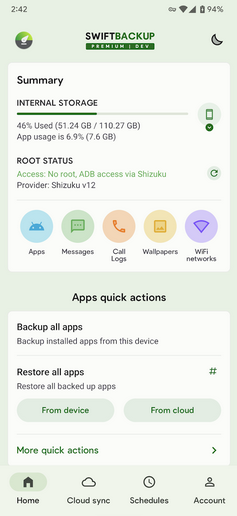
Combining robust functionality with a modern design, Swift Backup supports both rooted and non-rooted devices for broad appeal. Backups can be automated and sent to cloud services or local storage, offering flexible and reliable protection.
Its ability to freeze apps and manage permissions adds valuable device control layers. For many, Swift Backup strikes an ideal balance between advanced features and effortless operation.
What makes Swift Backup better than Neo Backup?
- Modern UI with cloud backup options (e.g., Google Drive).
- Supports app data backup via root or Shizuku, and APK backup without root.
- Backs up SMS, call logs, wallpapers, and more - broader scope.
- Offers encryption, scheduling, and batch backup/restore.
- Balances user-friendliness with power features.
Cons:
- Some features require in-app purchases or subscription.
- Full app-data backup often needs root or Shizuku setup.
- Cloud backups depend on internet quality and cloud storage limits.
- Backup versioning isn't always perfect; older backup states may not be preserved.
- Very large apps may back up or restore slowly.
- Cloud-based restores can fail if the account or permissions change.
- Long-term compatibility with future Android versions may vary.
You May Also Like: 7 Most Reliable Swift Backup Alternatives You'd Better Know
Top 6: DataBackup
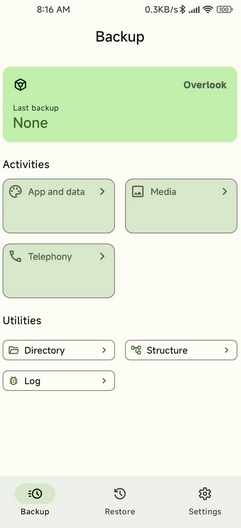
Specializing in simplicity, DataBackup focuses on backing up contacts, messages, call logs, and calendar events with minimal steps. Its lightweight design ensures the process is quick and unobtrusive, preserving essential personal data.
A straightforward restore function gets your information back onto a device instantly. When effortlessness is the priority for core data, DataBackup is a commendable choice.
What makes DataBackup better than Neo Backup?
- Open-source tool focused on fast, reliable root-based backups.
- Supports multiple storage protocols such as WebDAV, SMB, and FTP.
- Maintains strong data integrity during backup/restore.
- Offers multi-user backups and flexible storage targets.
- Great for privacy-conscious users who want full control.
Cons:
- Setup for remote storage (WebDAV/SMB/FTP) can be difficult for non-technical users.
- UI is more basic than commercial tools and less beginner-friendly.
- Configuration mistakes can lead to failed or incomplete backups.
- Backing up many apps or large amounts of data can be slower.
- Depends on community development; long-term support isn't guaranteed.
- May have compatibility issues with newer Android storage restrictions.
- Often needs to be paired with other apps to create a full-device backup solution.
Top 7: SyncDroid
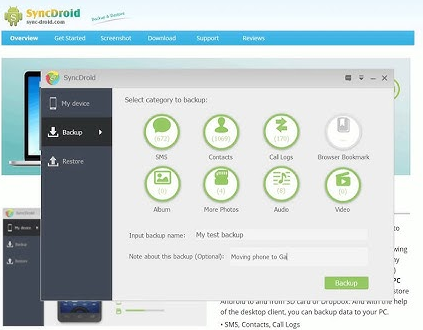
Acting as a versatile bridge between your Android device and computer, SyncDroid manages not only backups but also installations and file transfers. Scheduled tasks can handle your data automatically, ensuring consistency without manual intervention.
The interface is designed for clarity, making all its features readily accessible. SyncDroid effectively reduces the active management of your phone or tablet to a simple, set-and-forget process.
What makes SyncDroid better than Neo Backup?
- PC-based Android manager with easy media, SMS, and contacts backup.
- Strong for phone-to-PC syncing and bulk exports.
- User-friendly interface for beginners.
- Simple restore workflow when switching or upgrading devices.
- Focuses on general phone content backup rather than only app data.
Cons:
- Windows-only; no macOS or Linux support.
- Requires USB cable connection - no wireless or cloud backup.
- Limited backup types (mainly SMS, contacts, call logs, and media).
- No scheduled backups or automation.
- Some users experience driver or device recognition issues.
- Not suitable for full system or complex app-data backups.
Words in the End
Among the many alternatives available, MobiKin Backup Manager for Android could undoubtedly be the best replacement for Neo Backup. Unlike the former, this tool works seamlessly without root, offers full and selective backups of contacts, messages, media, and apps, and ensures reliable restores without compatibility issues.
Its intuitive interface, flexible connection options, and desktop support make it ideal for users seeking a worry-free and comprehensive Android backup solution.
Related Articles:
iCloud Backup for Android: 4 Ways to Restore iCloud Backup to Android
How to Recover Text Messages after Factory Reset Android? 5 Tactics
Google Backup Not Working? 8 Troubleshooting Tips [Tested]
How to Clone an Android Phone to Another with 7 Popular Options?
