
Top 7 Best Vysor Alternatives That Grab Your Attention [Tested]
"Vysor is very temperamental and inconsistent. I need to show my phone screen on a Windows Laptop and it constantly crashes and interrupts the connection. Alternatives to Vysor?" -- from Reddit
For many users, Vysor is a convenient tool for mirroring Android devices to a PC, but it is far from perfect. People often experience lag, low frame rates, or unstable connections with Vysor.
Because of these limitations, many are searching for a reliable Vysor alternative that offers smoother performance and more features. This article offers 7 powerful replacements that can provide a better mirroring experience, from faster connections to enhanced control and multi-device support.
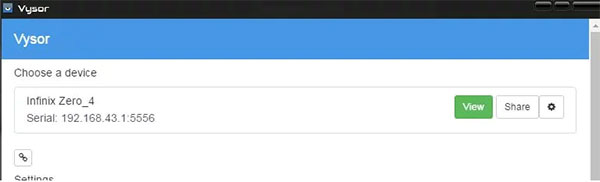
Top 1: Best Vysor Alternative - Screen Mirror
When it comes to mirroring your Android or iOS device to a PC, Screen Mirror offers a smooth and reliable experience. Users can control their phones directly from the computer without noticeable lag. It supports both Windows and Mac platforms, making it versatile for different setups. The interface is intuitive, allowing even beginners to connect and start mirroring quickly.
What makes Screen Mirror stand out against Vysor?
- Offers full control of Android/iOS devices directly from PC.
- Supports high-quality, low-latency mirroring for gaming or streaming.
- Works on both Windows and Mac platforms.
- Provides anintuitive interface for beginners.
- More secure to use compared with Vysor.
More features of Screen Mirror:
- High-quality mirroring: Mirror iOS/Android to PC in 1080p, 60FPS.
- Full device control: Operate your phone using a keyboard and a mouse.
- Customizable key mapping: Set up keys for gaming or app control.
- Live streaming: Broadcast your screen to YouTube, Twitch, Zoom, etc.
- Screen recording & screenshots: Capture video and take screenshots easily.
- Flexible connections: Connect via USB, Wi-Fi, QR code, or AirPlay.
- File transfer support: Move files between phone and PC during mirroring.
- App notifications on PC: View phone notifications directly on your computer.
Best Vyor replacement free and secure download:


How to use the best alternative to Vysor?
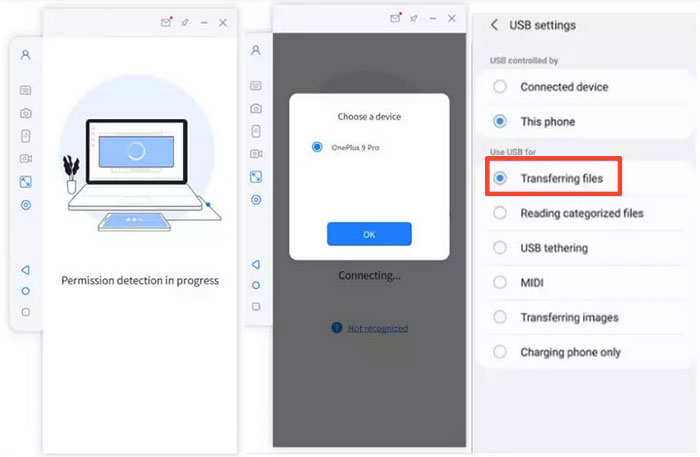
Step 1: Install the Screen Mirror software on your computer and launch it. Connect your device, such as an Android phone, to the Windows PC using a USB cable. When prompted, select your device and choose "Transfer files" to establish the connection.
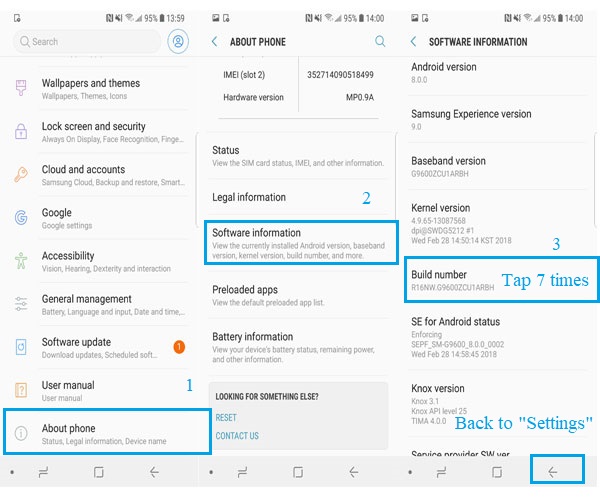
Step 2: On your Android phone, go to Settings > About phone > Software information and tap Build number multiple times to activate Developer options. Then, enable USB debugging on your device. If the "Always allow USB debugging from this computer" prompt appears, tap OK to make future connections easier.
Step 3: Grant the necessary permissions to the software so it can access your device. Then, click Turn on to allow your Android phone to automatically install the Android Screen Mirror APK. The software will list all available items once permissions are granted.
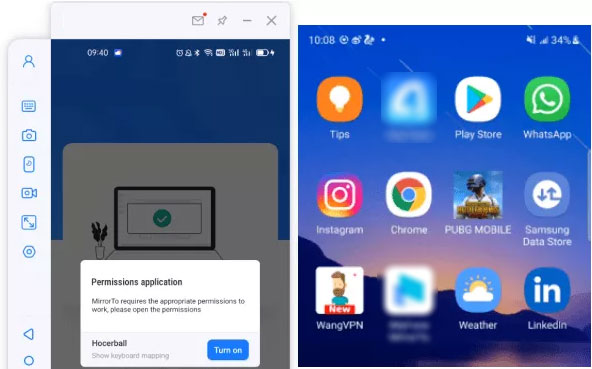
Step 4: After installation, your device screen will be mirrored on the Windows PC successfully. You can now use your computer's keyboard and mouse to navigate your Android device and enjoy apps or social activities on a larger screen.
Screen Mirror - Pricing:
- $9.99/month or $59.99 one-time license.
Top 2: AnyDesk
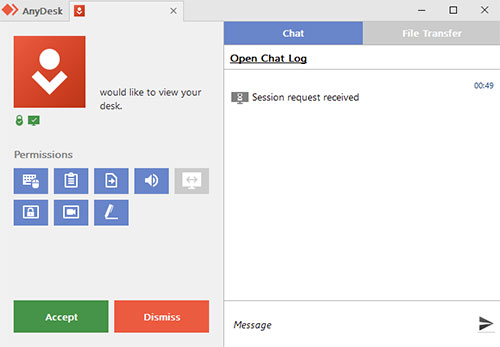
Remote access and control are made easy with AnyDesk, which prioritizes low-latency connections. Its lightweight design ensures fast performance, even on slower networks. Collaboration is enhanced through its file transfer and screen recording features. Security is robust, with end-to-end encryption protecting every connection.
What makes AnyDesk stand out against Vysor?
- Focuses on ultra-fast remote connections with minimal lag.
- Includes secure file transfer and session recording.
- Lightweight, runs efficiently on low-spec devices.
- Strong end-to-end encryption for security.
AnyDesk - Pricing:
- $26/month (Solo plan, billed annually).
You May Also Like: AnyDesk Review: Everything You Want to Know about AnyDesk [Updated]
Top 3: TeamViewer
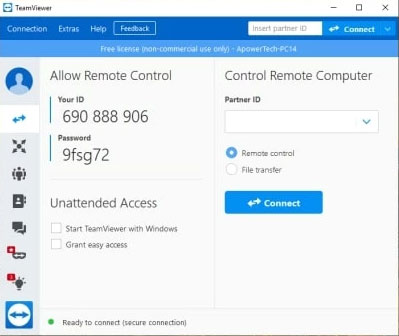
For those who need cross-platform connectivity, TeamViewer provides a comprehensive solution. Devices can be connected across Windows, Mac, Linux, and even mobile platforms. It includes advanced tools like screen sharing, remote control, and file transfer. The service is reliable, making it a preferred choice for professional use.
What makes TeamViewer stand out against Vysor?
- Supports cross-platform connections across Windows, Mac, Linux, and mobile.
- Offers advanced remote tools like screen sharing, remote control, and file transfer.
- Reliable for professional or business use.
- Allows multi-device management from a single account.
TeamViewer - Pricing:
- Around $6.95/month (lowest tier, annual billing).
Top 4: Supremo
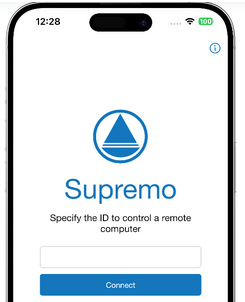
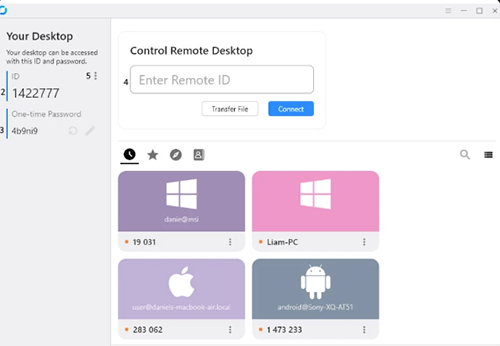
Offering simplicity without compromising functionality, Supremo delivers a stable remote desktop and mirroring experience. Users can access devices quickly using an ID and password system. Sessions are encrypted for security, ensuring private data stays protected. The program is lightweight and does not require installation, which is ideal for quick access.
What makes Supremo stand out against Vysor?
- No installation required, works with just an ID and password.
- Encrypted sessions for safe remote access
- Lightweight and quick setup for instant access.
- Affordable subscription plans with flexible options.
Supremo - Pricing:
- ~$9–$10/month (Solo plan, annual billing).
Top 5: Mirroring360
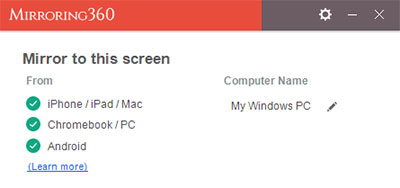
Screen sharing and educational purposes are enhanced with Mirroring360, which allows multiple devices to connect simultaneously. Presentations, lessons, or app demonstrations become effortless with real-time mirroring. Both Windows and Mac systems are supported, increasing their accessibility. The software is particularly favored in classrooms and business environments for its collaborative features.
What makes Mirroring360 stand out against Vysor?
- Allows multiple devices to connect simultaneously.
- Great for presentations, teaching, and collaborative work.
- Supports both Windows and Mac.
- Real-time mirroring without significant lag.
Mirroring360 - Pricing:
- $11.99 one-time (Standard) or $29.99/year (Pro).
Top 6: Castto
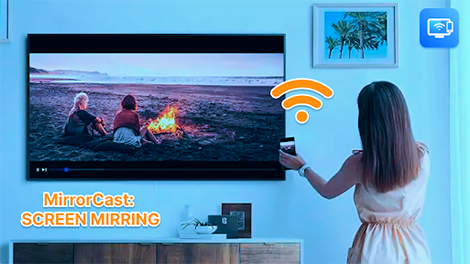
Wireless casting becomes simple and effective using Castto, which mirrors smartphones to computers with minimal delay. It supports high-quality resolution, making it suitable for streaming videos or gameplay. Setup is straightforward, requiring only a local network connection. Users enjoy the freedom to control their devices without cumbersome cables.
What makes Castto stand out against Vysor?
- Wireless casting with minimal delay.
- High-quality video and gameplay streaming.
- Simple setup via local network.
- Lets users control devices without cables.
Castto - Pricing:
- Free and paid options (exact pricing not publicly listed).
Top 7: RustDesk
An open-source option, RustDesk, focuses on secure and private remote connections. Users can self-host servers for complete control over data. Its cross-platform design allows connections between Windows, Mac, Linux, Android, and iOS. Despite being free, it offers features comparable to commercial mirroring solutions.
What makes RustDesk stand out against Vysor?
- Open-source and free, with optional paid Pro self-hosting.
- Users can self-host servers for full privacy and control
- Cross-platform support for Windows, Mac, Linux, Android, and iOS.
- Offers features comparable to commercial mirroring tools.
RustDesk - Pricing:
- Free basic version; Pro self-hosted from $9.90/month.
In the End
Among the alternatives discussed, one solution stands out not just for performance but also for versatility. Screen Mirror delivers high-quality mirroring, low-latency control, file transfer, and live streaming, all in a simple, intuitive interface. Its combination of speed, features, and ease of use makes it the ideal pick for anyone frustrated with Vysor's shortcomings. So, try this software now after the free download.
Related Articles:
How to Mirror Android to Mac without Obstacle? 8 Desirable Ways
How to Fix the Bottom Half of iPhone Screen Not Working? [Practical Guide]
Fix "Android Touch Screen Not Working - Can't Unlock" Issues in 12 Methods
12 Easy Ways to Fix a Frozen Android Phone You'd Better Know
