
Files by Google Alternatives: 8 Best File Managers for Android
TL;DR:
Files by Google works well for casual use, but it isn't the final word in file management. These 8 alternatives unlock features like cloud integration, dual-pane browsing, and enhanced privacy that the default app lacks. Choose the one that solves your biggest pain point and streamline your workflow today.
"HELP! Alternative to Files by Google - I would like a minimally pretty alternative, please don't come with those ugly square file explorers." -- from Reddit
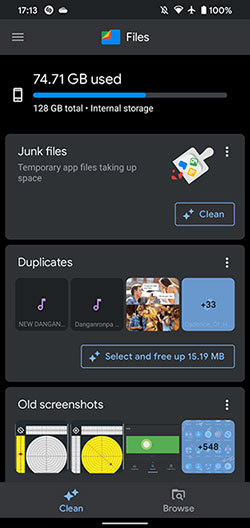
Today, many users rely on Files by Google for basic file management, but some often look for apps that allow deeper customization or advanced features beyond what the standard app offers. Whether it's better cloud integration, dual-pane browsing, or enhanced storage analysis, there's a growing demand for a Files by Google alternative that meets specific user needs.
This article explores 8 substitutes that provide unique advantages, catering to beginners, power users, and privacy-conscious individuals alike.
The video below provides a visual summary of this topic.
1. MobiKin Assistant for Android [Skillful]
Many users like how smoothly files can be transferred and organized between computers and phones, which makes daily device management easier. The interface feels approachable, even for people who aren't tech-savvy. Backup and restore features also add peace of mind when switching devices or protecting data.
So for anyone who wants smoother device management without complications, MobiKin Assistant for Android (Windows/Mac)really helps simplify the whole process.
The top Files by Google replacement free download:


After installing the software, open it and connect your Android phone or tablet to the computer. Then, follow the simple on-screen instructions to make sure your device is detected. Once connected, you can start managing your Android files with ease using the software.
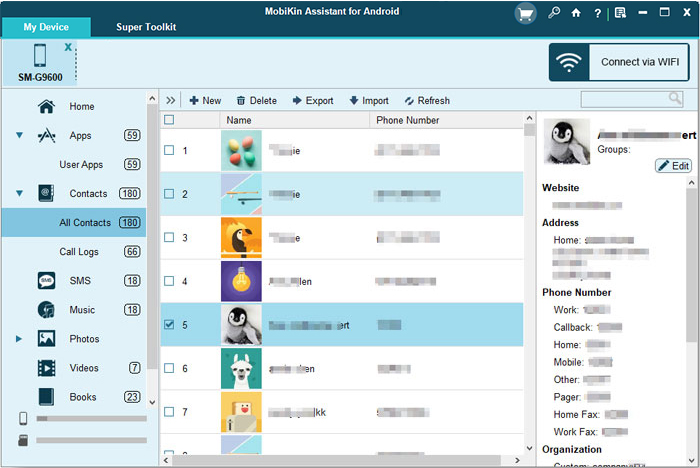
Plus Points
- Media Management - Browse, organize, transfer, etc.
- Contact Management - View, edit, export, import, delete, etc.
- Message Management - Read, export, import, delete, text, back up, etc.
- Media Handling - Transfer photos, videos, and music in batches.
- App Management - Install, uninstall, or back up apps.
- Backup & Restore - One-click backup and easy restore.
- Device Compatibility - Supports most Android phones and tablets.
- User-Friendly Interface - Intuitive design for easy navigation.
Why It's a Decent Files by Google Alternative?
- Provides full device management with great security.
- Supports selective file transfers between Android and computers.
- Lets you organize contacts, messages, and media easily.
- Works well for backup/restore and file organization tasks.
- 8,000+ Android devices are supported.
Video Guide - Use MobiKin Assistant for Android Visually:
2. Solid Explorer
Power users appreciate the dual-pane layout because it speeds up moving and comparing files. There is also strong cloud integration, allowing access to online storage in the same place as local files. Security tools like encryption give extra confidence when storing sensitive content.
Because it balances security, design, and control so effectively, Solid Explorer feels like a file manager built for serious productivity.
Download Solid Explorer here.
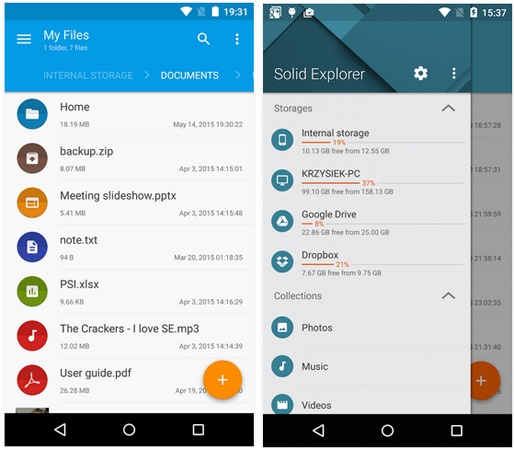
Plus Points
- Dual-pane view for efficient multitasking.
- Strong support for cloud storage.
- Built-in encryption and password protection.
- Visually polished with themes and icons.
- Easy file compression and extraction.
Why It's a Decent Files by Google Alternative?
- Built-in cloud support (Drive, Dropbox, OneDrive, etc.).
- Adds encryption and password protection for privacy.
- Offers themes and customization options.
3. MiXplorer Silver
Customization lovers enjoy how deeply they can tailor layouts, themes, and workflows to suit their habits. Advanced tools like tabbed browsing and network access support complex file operations. It's especially good for users who want full control without sacrificing reliability.
With such depth and flexibility packed into one app, MiXplorer Silver is ideal for users who enjoy fine-tuning every detail of their workflow.
Download MiXplorer Silver here.
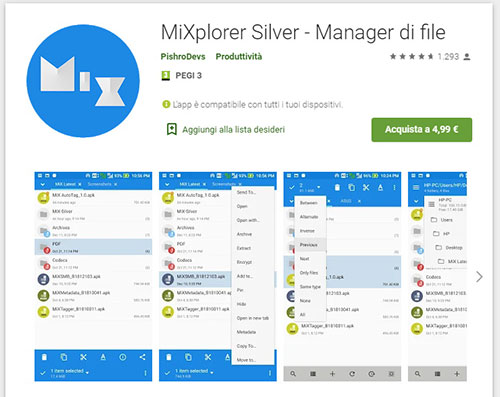
Plus Points
- Extremely powerful and customizable.
- Supports a wide range of archive formats.
- Cloud, FTP, SMB, and network access built-in.
- Tabs and multi-window support.
- Advanced file operations and plugins.
Why It's a Decent Files by Google Alternative?
- Includes extensive cloud and network file support.
- Advanced file tools like tabs and multi-windows.
- Great for power users who want more control.
You Might Also Need: MiXplorer Silver vs Solid Explorer: A Fair Comparison Here
4. Material Files
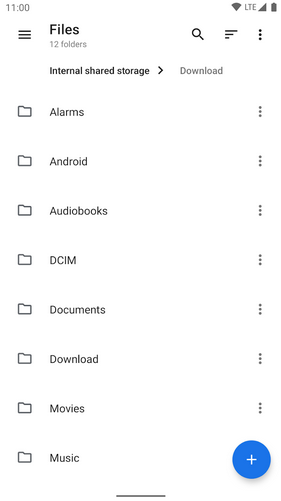
Minimalists tend to appreciate the clean design and clear navigation that keeps everything easy to find. The app runs smoothly even on modest devices, which helps reduce frustration. Frequent folders and key storage areas are simple to access without digging through menus.
That clean, distraction-free approach means Material Files is perfect for people who prefer tools that simply stay out of the way.
Download Material Files here.
Plus Points
- Clean, modern Material You design.
- Simple and beginner-friendly.
- Quick access to frequently used folders.
- Smart file sorting and search.
Why It's a Decent Files by Google Alternative?
- Features a modern, Material You-style interface.
- Focuses on simplicity and ease of use.
- Lightweight app that runs smoothly.
- Makes file organization intuitive for beginners.
5. Cx File Explorer
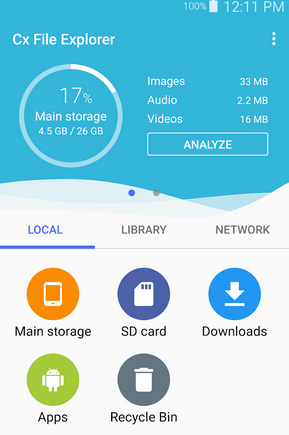
Storage management becomes easier when visual charts show exactly what is using space on the device. Built-in previews for media files make browsing more convenient. Cloud support also means users aren't limited to local storage alone.
By turning storage management into something visual and understandable, Cx File Explorer gives users real insight into how their device is being used.
Download Cx File Explorer here.
Plus Points
- Visual storage analysis tools.
- Built-in media preview and playback.
- Simple and easy to navigate.
- Useful space management tools.
Why It's a Decent Files by Google Alternative?
- Built-in previews for images, videos, and documents.
- Supports cloud storage connections.
- Useful tools to manage space and files effectively.
6. X-plore File Manager
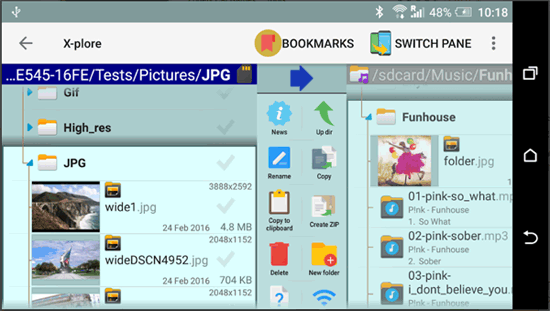
Advanced users enjoy having a tree-view structure and dual-panel layout to manage multiple folders at once. Different file types can be viewed internally without needing separate apps.
Network and cloud tools add even more flexibility for complex workflows. With features normally found in desktop file tools, X-plore File Manager delivers a level of control that power users truly appreciate.
Download X-plore File Manager here.
Plus Points
- Dual-pane tree view explorer for advanced users.
- Built-in viewers for many file types.
- Supports cloud, network, FTP, and SMB.
- Root access for rooted devices.
- Multiple file operation modes.
Why It's a Decent Files by Google Alternative?
- Supports network and cloud protocols like FTP and SMB.
- Offers root access features (if available).
- Powerful tools for advanced file operations.
7. Amaze File Manager
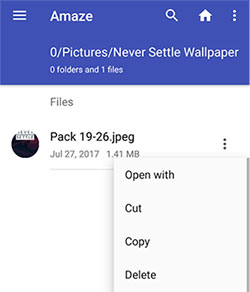
People who prefer open-source tools like having transparency and no ads interrupting their work. The interface remains light and responsive, even on older phones. Essential file actions are handled cleanly without unnecessary extras.
Because it focuses on openness and usability rather than gimmicks, Amaze File Manager appeals to those who value straightforward, honest software.
Download Amaze File Manager here.
Plus Points
- Clean, lightweight user interface.
- Basic yet reliable feature set.
- Optional root support.
Why It's a Decent Files by Google Alternative?
- Open-source and free of ads for a clean experience.
- Covers all essential file tasks without clutter.
- Built-in app manager adds extra utility.
- Root support available for advanced users.
8. Fossify File Manager
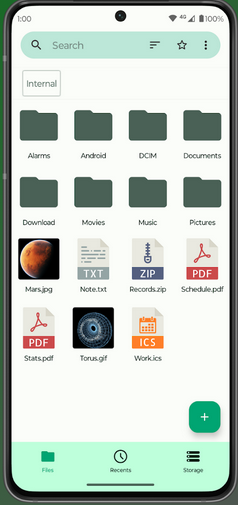
Privacy-focused users appreciate knowing their data isn't tied to analytics or tracking. The layout keeps things simple while still offering useful tools like folder security. Lightweight performance also makes it suitable for a wide range of Android devices.
This commitment to privacy and minimalism ensures Fossify File Manager suits users who want control over their files without unnecessary intrusion.
Download Fossify File Manager here.
Plus Points
- Open-source and privacy-focused.
- Folder locking and file security options.
- Clean and simple interface.
- Supports local file browsing.
Why It's a Decent Files by Google Alternative?
- Offers folder locking and security options.
- Simple, clutter-free user interface.
- Low storage footprint and lightweight performance.
- Good choice for users who want a minimal but capable manager.
Roundup
While Files by Google remains a solid choice for managing Android devices, its alternatives bring additional value in various areas, such as advanced file control, customization, media handling, and storage insights. Each of the 8 replacements highlighted offers something different, making them worthwhile considerations for users seeking more than the default experience.
By exploring these alternatives, you can find tools that better match their needs and improve overall file management efficiency.
Related Articles:
Google Drive vs Google Photos: Which One to Pick in 2026?
3 Ways to Restore Android from Google Backup after Setup [2026]
How to Recover Permanently Deleted Files from Google Drive? 7 Options
10 Best iPhone Manager Software to Transfer and Manage iOS Files
