
6 Aiseesoft FoneLab Android Data Recovery Alternatives [Rewarding]
Many individuals turn to Aiseesoft FoneLab Android Data Recovery for help when it comes to recovering lost data from an Android phone, but sometimes they seek an Aiseesoft FoneLab Android Data Recovery alternative that offers higher recovery success rates or better performance for certain data types or devices. (Know more about FoneLab Android Data Recovery?)
This post will introduce 6 greater alternatives that aim to deliver efficient and dependable Android data recovery for a variety of needs.
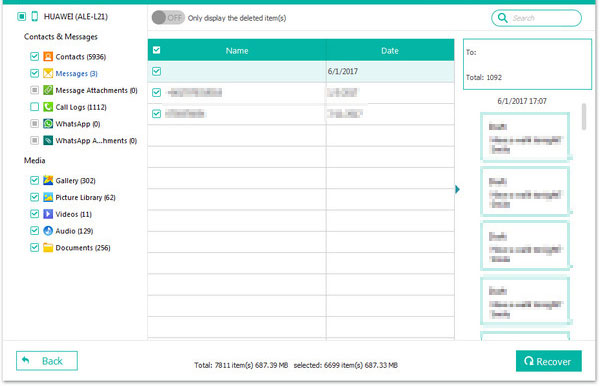
Top 1: Aiseesoft FoneLab Android Data Recovery Alternative - Doctor for Android [Expert]
Among trusted utilities, MobiKin Doctor for Android (Windows/Mac) is often highlighted as a strong Aiseesoft FoneLab Android Data Recovery substitute due to its wide data-type support and reliable scanning engines. It works to rescue deleted contacts, messages, photos, and more from internal memory and SD cards.
Many users like that it keeps the original file quality and structure intact after recovery. Clear on-screen steps make the entire process comfortable even for beginners.
So, how can I use the best alternative to Aiseesoft FoneLab Android Data Recovery?
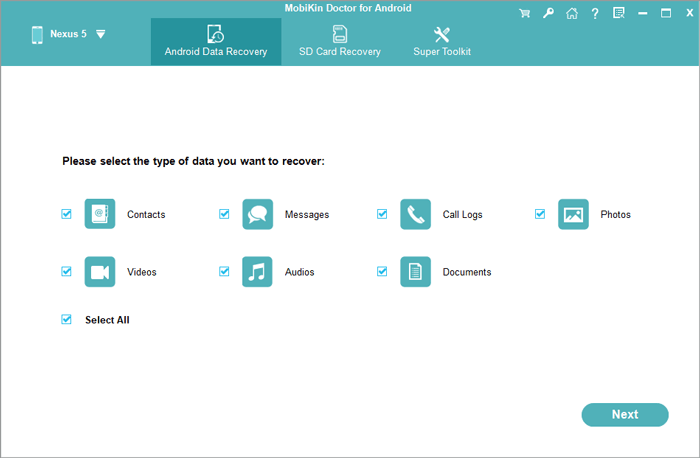
- Download, install, and launch MobiKin Doctor for Android on your computer.
- Connect your Android phone to the computer via USB and enable USB debugging when prompted.
- Select the data types you want to recover (such as photos, messages, contacts, videos, etc.).
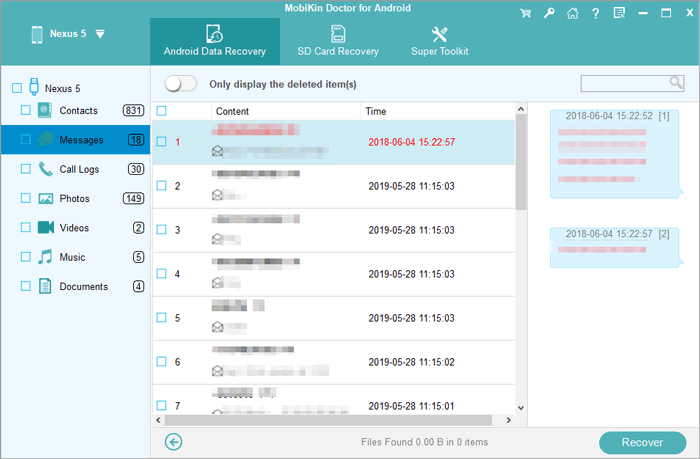
- Follow the screen-prompt to run a scan so the program can detect deleted and existing files on your device.
- Preview the scanned files and choose the items you want to restore.
- Click Recover and save the selected files to your computer.


Video Guide:
Where does it have an advantage over Aiseesoft FoneLab Android Data Recovery?
- Often provides highly detailed previews before secure recovery.
- Supports a wide range of file types across both phone storage and SD cards.
- Designed to keep original file quality and organization intact.
- Interface is straightforward enough for beginners to navigate easily.
Are there any other shortcomings it comes with?
- Deep scanning may take longer on older devices.
- Some advanced recovery features may require a paid license.
Top 2: FonePaw Android Data Recovery
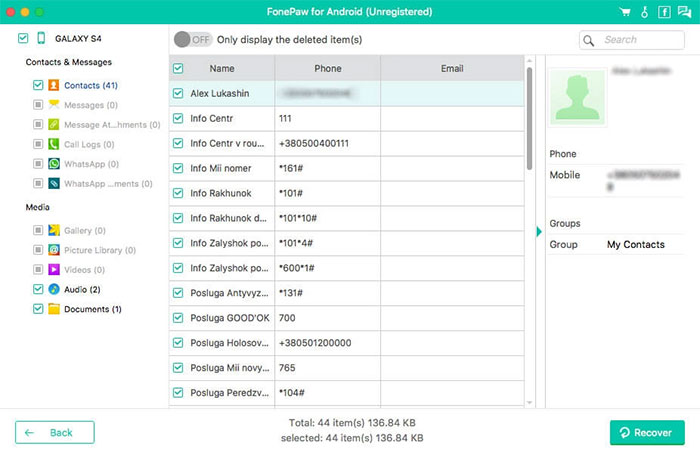
For people who prefer an intuitive layout, FonePaw Android Data Recovery consistently shows up as a user-friendly Aiseesoft FoneLab Android Data Recovery alternative. It supports recovering call logs, contacts, photos, and documents from a variety of Android devices.
Preview windows help users select exactly what they want to restore. The balance between ease of use and effectiveness makes it appealing to everyday users.
Where does it have an advantage over Aiseesoft FoneLab Android Data Recovery?
- Includes clear, step-by-step prompts that simplify the process.
- Works smoothly with many different Android brands and OS versions.
- Offers flexible recovery from both internal and external storage.
- Previewing recoverable data is intuitive and visually organized.
Are there any other shortcomings it comes with?
- Not all deleted files are guaranteed to be recoverable.
- Full functionality is only available in the paid version.
- Scanning large storage spaces can feel time-consuming.
- Root access may be necessary to retrieve some data types.
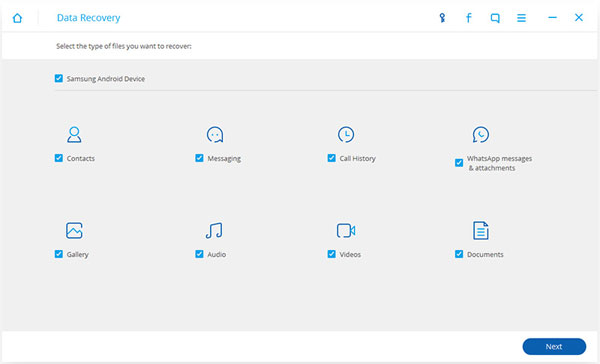
Top 3: Dr.Fone Data Recovery (Android)
Within multi-tool software suites, Dr.Fone Data Recovery (Android) frequently functions as a practical Aiseesoft FoneLab Android Data Recovery replacement for those who want extra utilities in the same package. It attempts to retrieve data lost through accidental deletion, OS failures, or device damage. (Can I retrieve data from a broken phone?)
Advanced modes may dig deeper into storage to improve success rates. Tech-savvy users often enjoy the added flexibility this toolkit approach provides.
Where does it have an advantage over Aiseesoft FoneLab Android Data Recovery?
- Part of a larger toolkit that offers multiple device management functions.
- Advanced scanning modes can help retrieve deeply hidden files.
- Supports a wide variety of data-loss scenarios.
- Appeals to users who want more features beyond just recovery.
Are there any other shortcomings it comes with?
- The software suite can feel heavier and more complex than simpler tools.
- Pricing is often higher compared to similar recovery programs.
- Some users may find the interface slightly overwhelming at first.
- Device compatibility and success rates can still vary.
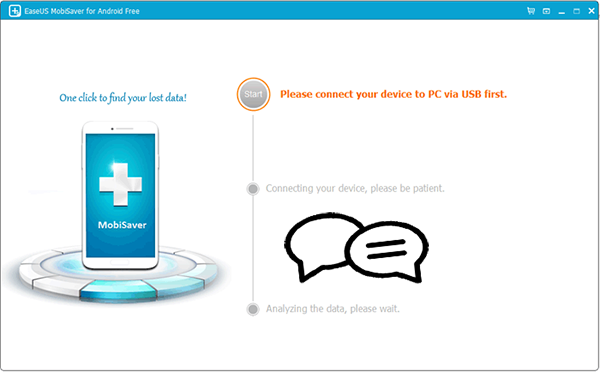
Top 4: EaseUS MobiSaver for Android
Those who prefer lighter applications often choose EaseUS MobiSaver for Android as a streamlined alternative to Aiseesoft FoneLab Android Data Recovery focused on essential file recovery. Fast scans search for lost messages, pictures, and contacts without consuming heavy system resources.
Compatibility with both rooted and unrooted devices widens its usefulness. Easy previews make deciding what to restore far less complicated.
Where does it have an advantage over Aiseesoft FoneLab Android Data Recovery?
- Lightweight installation and operation require minimal system resources.
- Quick scanning options reduce waiting time.
- Works with both rooted and unrooted devices.
- Simple interface helps new users feel comfortable quickly.
Are there any other shortcomings it comes with?
- Functions may feel limited compared with more advanced tools.
- Recovery success may be lower with severely damaged devices.
- Rooting may still be needed for deeper scans.
- The free version typically restricts how much data can be recovered.
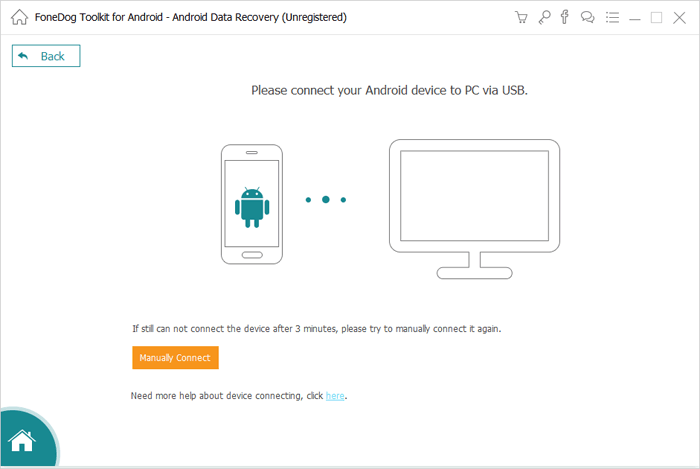
Top 5: FoneDog Android Data Recovery
People looking for simple guidance frequently rely on FoneDog Android Data Recovery as a straightforward Aiseesoft FoneLab Android Data Recovery alternative. A step-by-step interface walks users through connecting, scanning, and restoring data. Support for virus attacks, accidental deletion, and formatting errors gives it versatility. Even non-technical users generally find the workflow approachable.
Where does it have an advantage over Aiseesoft FoneLab Android Data Recovery?
- Highly beginner-friendly with clear guidance during each step.
- Handles virus attacks, accidental deletion, and formatting issues.
- Designed to minimize the technical steps required from users.
- Offers broad compatibility across phone models and brands.
Are there any other shortcomings it comes with?
- Deep scans may take noticeable time on large-capacity devices.
- Root requirements may discourage less technical users.
- Recovery results can depend heavily on the phone’s condition.
- Some features are locked behind the premium license.
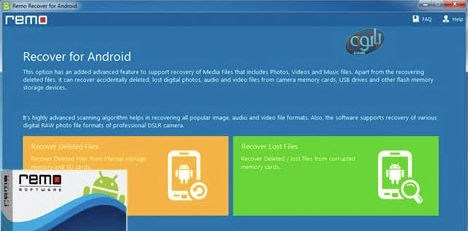
Top 6: Remo Recover for Android
When corrupted storage or SD card failures occur, Remo Recover for Android can operate as a dependable mobile phone data recovery program. Deep-scan technology works to identify missing or inaccessible files from damaged partitions. Organized reports make reviewing recoverable content more efficient. This versatility allows it to handle both routine and complex data-loss situations.
Where does it have an advantage over Aiseesoft FoneLab Android Data Recovery?
- Strong performance in recovering data from damaged or corrupted storage.
- Deep scanning helps detect lost partitions and inaccessible files.
- Recovery results are organized into clear reports.
- Suitable for both everyday and complex recovery situations
Are there any other shortcomings it comes with?
- Performance may vary when dealing with heavily corrupted storage.
- The interface may feel less modern compared to some competitors.
- Advanced functionality usually requires a paid upgrade
- Beginners may need time to understand all available scan options.
Round Off
Choosing the right recovery tool is more than just a matter of convenience - it can be the difference between retrieving cherished memories and losing them forever. Each of these six alternatives provides unique strengths, making it easier to find a solution tailored to your device and situation.
While Aiseesoft FoneLab Android Data Recovery remains a popular choice, these substitutes ensure that users have multiple avenues to secure their data without compromise. All in all, the best tool is the one that turns your digital "oops" into a seamless recovery triumph.
Related Articles:
Aiseesoft MobieSync Review: Overall Performance & Alternative
Aiseesoft FoneLab iPhone Data Recovery Review: Recover Lost iPhone Data Easily
10 Tested Android Backup Software/Apps You Should Never Miss
10 Most Desirable Screen Mirroring Apps for Android [No-hassle]
