
7 Best Remo Recover for Android Alternatives & Competitors
TL;DR:
The seven tools outlined above each address specific compatibility and recovery challenges, with MobiKin Doctor for Android offering a particularly practical balance of broad device support and flexible recovery options.
- This product effectively recovers deleted contacts, messages, photos, and more from both internal storage and SD cards, even without root access. Its straightforward interface and separate recovery modes for internal and external memory make it a versatile choice for non-technical users across a wide range of Android models and versions.
Many Android users look for Remo Recover for Android alternatives because certain newer Android models or OS versions may not be fully supported. This limitation often drives the search for tools that offer broader compatibility, faster scanning, and more flexible recovery options. The 7 most practical Remo Recover for Android alternatives in this article have gained attention for addressing these gaps in different ways.
Top 1: Best Remo Recover For Android Alternative - Doctor for Android
Recovering deleted files on Android devices can be handled effectively with MobiKin Doctor for Android (Windows/Mac). This program scans both internal memory and SD cards to restore lost contacts, messages, photos, and more.
Its ability to retrieve data even without root access makes it a practical substitute for Remo Recover for Android. The user-friendly design ensures that even non-technical individuals can complete recovery tasks smoothly.
Key Functions of MobiKin Doctor for Android:
+ Internal Memory Recovery - Restores deleted contacts, messages, photos, call logs, etc.
+ SD Card Recovery - Recovers multimedia and files from external memory cards.
+ Preview Feature - Lets users check files before restoring them.
+ Selective Recovery - Allows choosing specific files instead of all data.
+ Device Compatibility - Works with a wide range of Android models.
+ Root & Non-Root Support - Offers recovery for both rooted and non-rooted devices.
+ Simple Interface - Easy navigation for non-technical users.


Now, free download this smart tool to recover lost/deleted data from your phone:
Step 1. Connect your Android device to your computer using a USB cable. Upon launching the program, it will automatically recognize the device and present the main interface.
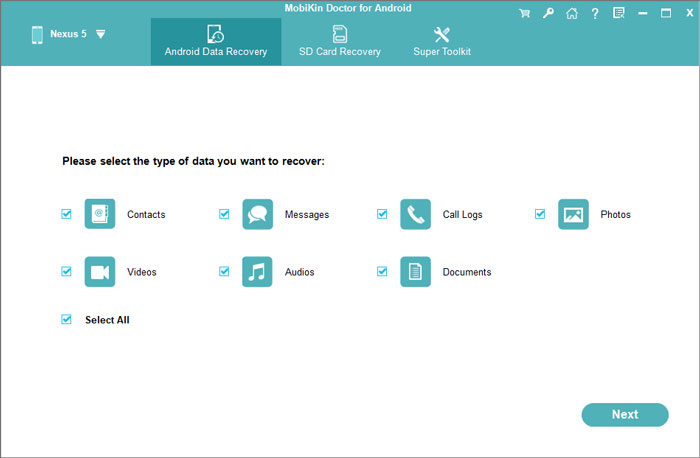
Step 2. Select the appropriate option to recover deleted data and click "Next." The program will promptly initiate a scan of your files. If the lost data is not located, please adhere to the on-screen instructions to root your device for a more comprehensive scan.
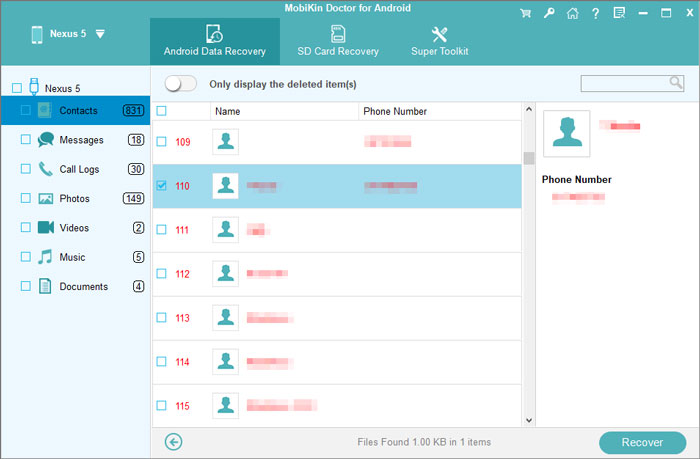
Step 3. Once the scan is complete, your files will be displayed in thumbnail format. Choose the items you wish to recover and click "Recover" to restore them to their original size.
Video Guide:
The Good
- Recovers contacts, SMS, call logs, photos, videos, music, and documents from Android devices and SD cards.
- Offers a straightforward interface that is easy for beginners to navigate.
- Supports a wide range of Android brands and versions.
Advantage over Stellar Data Recovery for Android: Provides separate recovery modes for internal storage and SD cards, making the recovery process more flexible for different scenarios.
The Bad
- Deep recovery from internal storage often requires root access.
- The free trial restricts recovery, allowing users to preview files but not fully restore them.
Pricing
- $49.95 (discounted from $69.95) for a 1-year license.
- Lifetime license also available.
- Auto-renewal unless canceled.
You Might Also Like: Remo Recover for Android vs iMyFone D-Back: Which Offers Greater Value?
Top 2: Disk Drill for Android
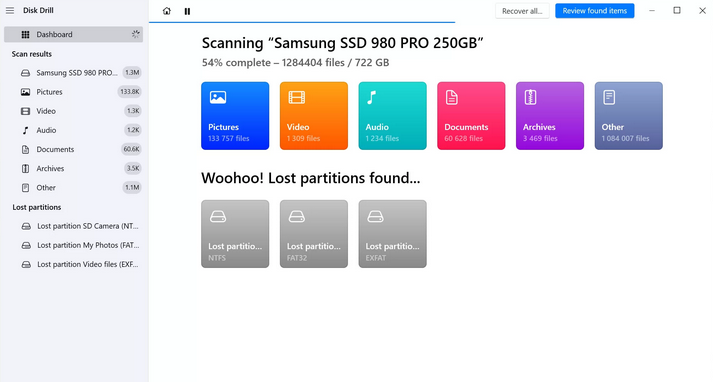
A trusted alternative to Remo Recover is Disk Drill for Android, which is recognized for its deep scanning capabilities. It can locate hidden or fragmented files across different storage types. The tool supports recovery of multimedia, documents, and call logs, offering flexibility for varied data loss scenarios. With its preview function, users can confirm files before restoring them, reducing unnecessary clutter.
The Good
- Recovers deleted photos, videos, documents, and other files from Android devices connected to a computer.
- Includes additional data protection features for supported storage devices.
- Supports many file systems and storage media beyond Android.
Advantage over Stellar Data Recovery for Android: Works as a more versatile recovery solution for Android devices, PCs, external drives, memory cards, and USB drives in a single application.
The Bad
- Android recovery is not its primary focus, as the software is mainly designed for computer storage devices.
- Supports fewer Android-specific data types, such as SMS and call logs.
- Recovery from Android internal memory is more limited than Stellar's dedicated Android recovery.
Pricing
- $89/year subscription.
- $149 lifetime license (one-time purchase).
- Free Basic edition allows preview but limited recovery.
Top 3: Stellar Data Recovery for Android
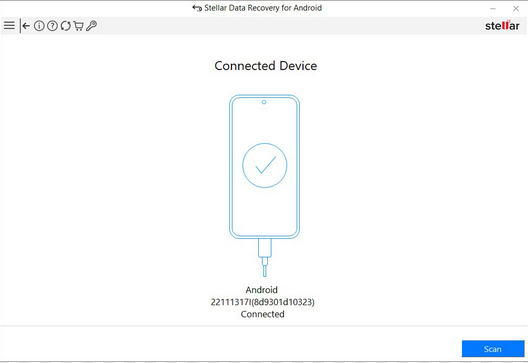
When facing complex recovery cases, Stellar Data Recovery for Android provides a strong solution. It can handle formatted drives, corrupted partitions, and inaccessible storage with precision. The software allows selective recovery, enabling users to choose specific files instead of restoring everything. Its broad compatibility across Android devices makes it a reliable counterpart to Remo Recover.
The Good
- Recovers deleted contacts, messages, photos, videos, and audio files.
- Lets users preview recoverable files before restoration.
- Supports recovery from many Android brands.
Advantage over Stellar Data Recovery for Android: Offers a simple recovery workflow for common data loss situations.
The Bad
- No major inferiority in this comparison since it is the reference product.
- It is primarily available for Windows only.
Pricing
- Stellar Data Recovery for Android.
- $29.99/year (3 devices).
- $39.99/year (5 devices).
- Bundle with iPhone recovery: $49.99/year.
Top 4: Dr.Fone - Data Recovery (Android)
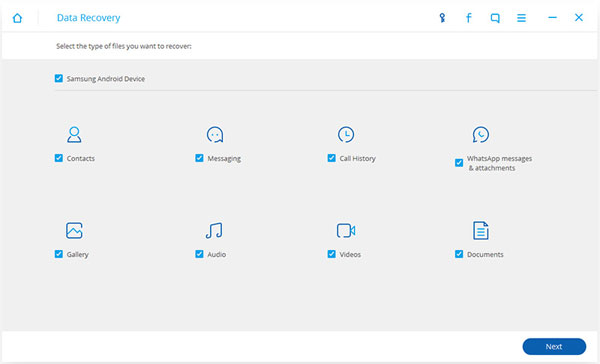
For those who prioritize app data recovery, Dr.Fone - Data Recovery (Android) is a popular choice. It specializes in retrieving deleted WhatsApp messages, photos, and other app-related files. The program offers multiple recovery modes, including direct device scanning and extraction from backups. Its consistent performance in accidental deletion scenarios makes it a dependable replacement for Remo Recover.
The Good
- Retrieves contacts, messages, WhatsApp data, photos, videos, and documents.
- Supports recovery from accidental deletion, system crashes, and some damaged devices.
- Works with numerous Android manufacturers.
Advantage over Stellar Data Recovery for Android: Includes additional mobile utilities such as system repair, screen unlocking, backup, and device management within the same software suite.
The Bad
- Costs significantly more than Stellar in many licensing plans.
- The software package can feel bulky because it includes many modules unrelated to data recovery.
- Some recovery features are restricted depending on the Android model.
Pricing
- Dr.Fone - Data Recovery (Android).
- $34.95/month.
- $39.95/year.
- $49.95 lifetime license.
Top 5: FonePaw Android Data Recovery
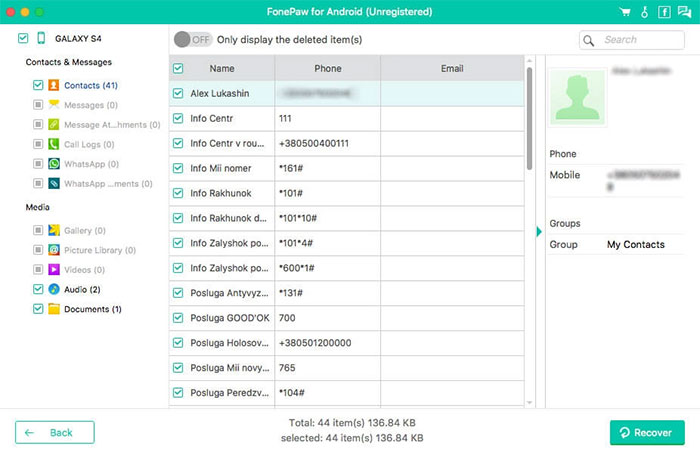
Quick scanning and preview features are the highlights of FonePaw Android Data Recovery. This tool is designed to recover photos, videos, and contacts with minimal effort. It provides a clear interface that guides users through the recovery process step by step. Its efficiency in handling everyday data loss situations makes it a worthy alternative to Remo Recover.
The Good
- Recovers contacts, call logs, SMS, photos, videos, WhatsApp attachments, and documents.
- Allows previewing files before recovery.
- Compatible with many Android phones and tablets.
Advantage over Stellar Data Recovery for Android: Places greater emphasis on recovering messaging apps and their attachments, making it useful for users who mainly want to restore communication data.
The Bad
- Device compatibility is generally narrower than Stellar's.
- Scans may take longer on large-capacity devices.
- Some advanced recovery functions require root access.
Pricing
- Approx. $54.56/month.
- $66.47/year.
- $76.97 lifetime license (1 PC).
Top 6: EaseUS MobiSaver for Android
Another option that emphasizes simplicity is EaseUS MobiSaver for Android. It supports recovery of contacts, messages, and multimedia files from both internal memory and SD cards. The program’s straightforward design ensures that users can complete recovery without confusion. Its balance of functionality and ease of use positions it as a good data recovery program for Android.
The Good
- Restores photos, videos, contacts, SMS, call logs, and WhatsApp data.
- Offers a simple interface suitable for first-time users.
- Supports recovery after accidental deletion, factory reset, or system errors.
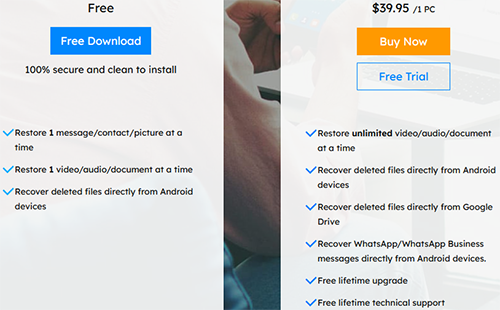
Advantage over Stellar Data Recovery for Android: Provides a free edition that lets users scan their devices and preview recoverable files before deciding whether to upgrade.
The Bad
- The free version has stricter recovery limits than Stellar's trial.
- Recovery success for deleted files from internal storage is relatively limited on non-rooted devices.
- Supports fewer recoverable file categories than Stellar on certain Android models.
Pricing
- $39.95/year (1 PC, 1 device).
- $59.95 lifetime (1 PC, 1 device).
- $79.95 lifetime (1 PC, 5 devices).
Top 7: 7-Data Android Recovery
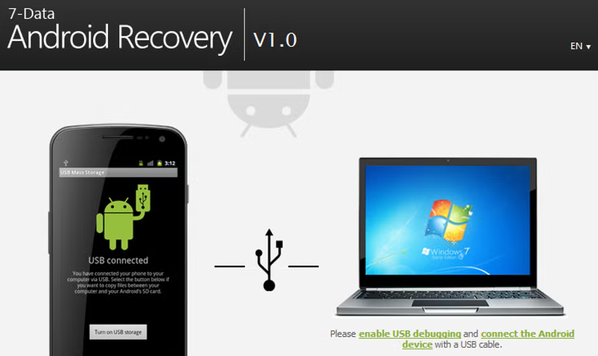
Finally, 7-Data Android Recovery is valued for its ability to restore files from damaged or corrupted SD cards. It can recover photos, videos, and documents even when storage appears inaccessible. The tool’s specialized focus on external memory recovery makes it particularly useful for users relying on expandable storage. Its effectiveness in challenging scenarios gives it a certain advantage in the market of mobile phone recovery software.
The Good
- Recovers deleted photos, videos, audio files, documents, and other files from Android devices and memory cards.
- Works through a Windows computer with a USB connection.
- Supports recovery from formatted or deleted storage in many situations.
Advantage over Stellar Data Recovery for Android: Can be a lighter choice for users who only need basic Android and SD card recovery without additional features or a larger software package.
The Bad
- Development has largely stopped, so support for newer Android versions is limited.
- The interface looks outdated compared with Stellar.
- Receives few software updates and offers limited technical support.
- Supports fewer modern Android devices and newer file systems than Stellar.
Pricing
- $39.95/year (1 PC).
- $49.95 lifetime (3 PCs).
- $79.95 lifetime (Pro).
- $399.95 enterprise license.
Roundup
The 7 most practical options - MobiKin Doctor for Android, Disk Drill, Stellar, Dr.Fone, FonePaw, EaseUS MobiSaver, and 7-Data - offer varied strengths that can meet different recovery needs. Before choosing any recovery tool, always check whether it supports your specific Android model and OS version. This simple step can save time, money, and frustration by ensuring the software will actually work for your device.
Related Articles:
How to Recover Deleted WhatsApp Videos in 7 Ways [Android & iPhone]
6 Broken Android Data Recovery Methods to Extract Files from Your Phone
5 Tactics to Recover Formatted Data from Android Phone with/without Backup
[Resolved] 3 Easy Ways to Restore/Reset iPhone without iTunes
