
WooTechy WhatsMover Review: Here's the Full Breakdown
Today, transferring WhatsApp data between devices can be a daunting task, especially when switching between Android and iOS. Many users turn to third-party tools to simplify this process, and WooTechy WhatsMover has gained attention as a potential solution. This WooTechy WhatsMover review aims to explore how well it really works in real world cases, examining its reliability and overall user experience.
Part 1: Key Features of WooTechy WhatsMover
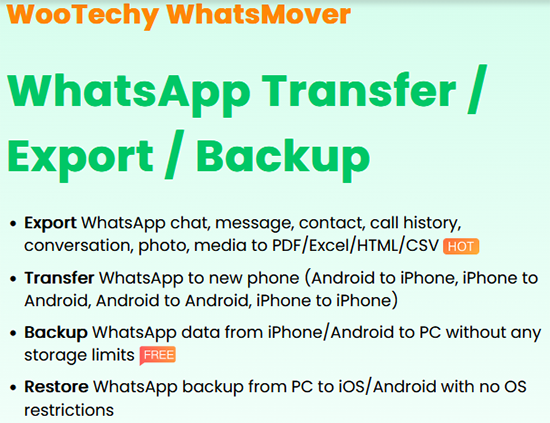
WooTechy WhatsMover is a versatile tool that allows users to transfer, back up, restore, and export WhatsApp data across Android and iOS devices, supporting all types of messages and media. Its user-friendly interface, selective restore/export options, and PC/Mac backup capability make WhatsApp data management simple and efficient. Here's a full table to describe this:
|
Feature
|
What It Does/What You Get
|
|
Cross-OS WhatsApp Transfer |
Allows transferring WhatsApp/WhatsApp Business data between Android and iPhone, or Android from/to Android, iPhone from/to iPhone. |
|
Full WhatsApp Data Support |
Transfers/backs up/restores all types of WhatsApp data - chats, messages, contacts, photos, videos, voice messages, media attachments, etc. |
|
Backup to PC/Mac with Unlimited Storage |
Lets you back up WhatsApp data from your device to a computer, with no storage limit. |
|
Restore from Multiple Backup Sources |
Restores WhatsApp data from backups created via WhatsMover or from external backups like Google Drive or iTunes. |
|
Export Chats & Media in Readable Formats |
Exports WhatsApp backups to formats such as HTML, PDF, CSV, or XLS for reading on PC or archiving. |
|
Selective Restore/Export |
Allows previewing backup contents and selecting only specific chats or attachments to restore/export. |
|
Simple, Step-by-Step Workflow |
Provides a straightforward UI to "Backup > Transfer > Restore > Export," making it user-friendly for non-technical users. |
Part 2: Is It Safe & Free to Use WooTechy WhatsMover
Security:
- Officially claims 100% secure and compliant with data-protection regulations.
- Uses PC-based transfer/backups, avoiding rooting and related risks.
- Download from the official website only to reduce malware or tampering risks.
- Handle private data carefully; avoid unofficial builds or unknown networks.
Its free/trial version is limited; full features require purchase, but this doesn't affect safety. Here are its pricing plans:
|
Plan/License Type
|
Price (USD)
|
Validity/Devices
|
|
1-Month Plan
|
$25.99 |
1 month, up to 5 devices |
|
1-Year Plan
|
$35.99 |
1 year, up to 5 devices |
|
Lifetime Plan
|
$55.99 |
Permanent license, up to 10 devices |
Part 3: User Reviews of WooTechy WhatsMover
What users like about WooTechy WhatsMover
- Many users find WhatsMover easy to use for transferring or backing up WhatsApp data, even when switching between Android and iOS.
- The ability to back up WhatsApp data to PC or Mac without storage limitations is appreciated.
- Several reviewers mention that customer support is responsive and helpful, improving their experience when issues arise.
- Users who successfully restored chats or media say the tool can export full chat histories (including attachments), saving time compared to manual export.
What users complain about or where WhatsMover struggles
- Some users report device compatibility issues, with the tool failing to complete transfers on certain phones.
- Complaints that the free/trial version is very limited, with essential features locked behind a paid license.
- Some software failures occur when trying to restore cloud backups or complete cross-platform transfers.
- Others have experienced subscription or refund issues, such as difficulty canceling the plan or unclear refund policies.
Part 4: What If WooTechy WhatsMover Doesn't Work
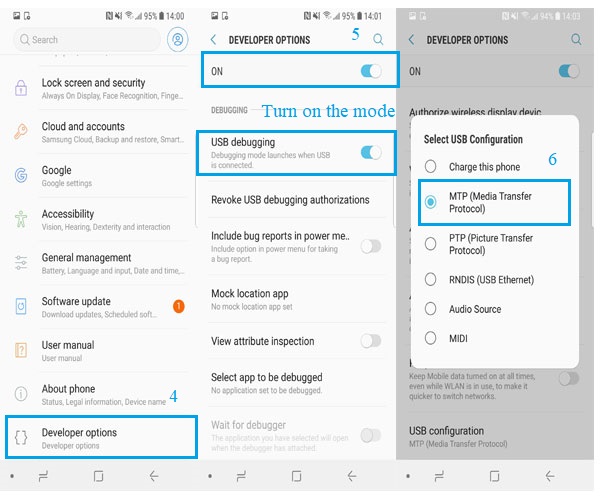
If WooTechy WhatsMover doesn't work, it may be due to connection issues, outdated software, or insufficient permissions on your device. Following basic troubleshooting steps like checking USB connections, enabling USB debugging, updating the app, and restarting your devices can usually resolve most problems.
- Check USB Connection - Ensure your phone is properly connected to the PC using a good-quality cable and that the connection is stable.
- Enable USB Debugging - For Android devices, make sure USB debugging is turned on in Developer Options.
- Update the App & Software - Make sure both WhatsMover and your device's OS are up to date to avoid compatibility issues.
- Restart Devices - Restart both your phone and computer to clear temporary glitches that might block the connection or transfer.
- Try Another USB Port/Cable - Faulty ports or cables can prevent detection; switch to a different USB port or cable.
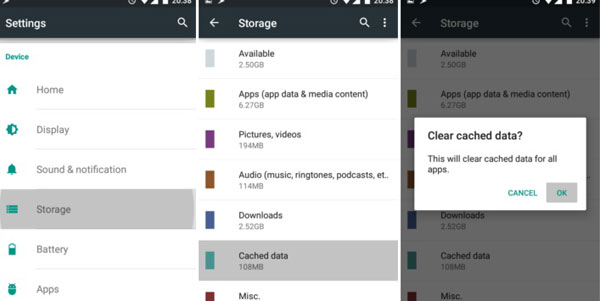
- Check Storage & Permissions - Ensure your phone has enough free storage and that WhatsMover has the necessary permissions to access data.
- Reinstall WhatsMover - Uninstall and reinstall the app on your computer to fix potential software corruption or installation errors.
Part 5: FAQs about WooTechy WhatsMover
Q1: In what formats can I export WhatsApp chats and media?
WhatsMover can export chats and attachments in readable formats such as HTML, PDF, CSV, or XLS for easy viewing or archiving on a computer.
Q2: How can I contact WooTechy support?
WooTechy provides customer support via email and their official website to help with technical issues, refund requests, or troubleshooting.
Q3: Can WooTechy WhatsMover transfer WhatsApp Business data?
Yes, it fully supports WhatsApp Business along with regular WhatsApp chats, media, contacts, and attachments.
Q4: Can I use WooTechy WhatsMover without rooting/jailbreaking my phone?
Yes, WooTechy WhatsMover works without root and safely transfers WhatsApp data without modifying your device system.
Q5: Is WooTechy WhatsMover compatible with the latest WhatsApp updates?
Yes, it regularly updates its software to maintain compatibility with the latest WhatsApp versions on both Android and iOS devices.
Part 6: Best Alternative to WooTechy WhatsMover
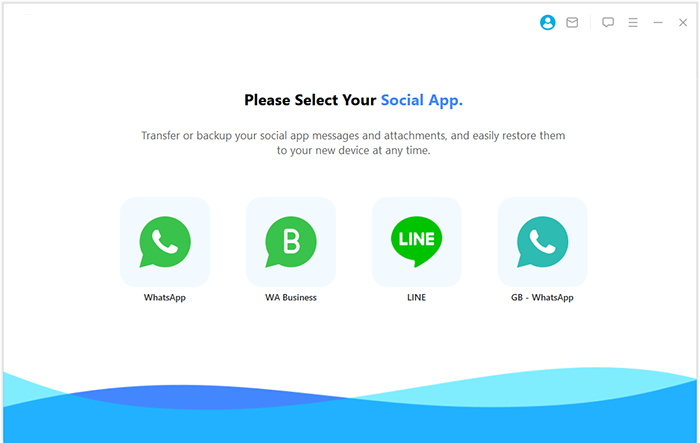
Social App Transfer is a versatile tool that allows users to transfer, back up, and restore WhatsApp and LINE data between Android and iOS devices seamlessly. It supports previewing and selectively exporting chats and media, giving users full control over what to recover or save. With compatibility for iOS 26, cross-platform support, and a user-friendly interface, it ensures smooth operation on both Windows and Mac.
In many aspects, this product serves as a reliable alternative to WooTechy WhatsMover, offering similar features with added flexibility and ease of use.
|
Feature
|
Description
|
|
Direct WhatsApp Transfer |
Transfer WhatsApp data directly between Android and iPhone devices. |
|
WhatsApp Backup to PC |
Backup WhatsApp chats, media, and attachments from Android or iPhone to a computer. |
|
Restore from Google Drive |
Restore WhatsApp messages from Google Drive directly to an iPhone. |
|
Preview & Selective Export |
Preview WhatsApp and LINE data and selectively export specific chats or attachments. |
|
Comprehensive Data Support |
Transfer, backup, and restore WhatsApp or LINE chats, audios, photos, and other media files. |
|
Cross-Platform Compatibility |
Works on both Windows and Mac computers. Support the latest iOS 26/Android 16. |
|
User-Friendly Interface |
Simple and intuitive interface for easy operation, even for beginners. |
One-list Guide:
- Start by downloading and installing Social App Transfer on your computer, then launch the application.
- Click the WhatsApp icon in the left-hand menu.
- Next, connect both your Android and/or iOS devices to the computer using USB cables.
- Follow the on-screen instructions to ensure both devices are properly recognized.
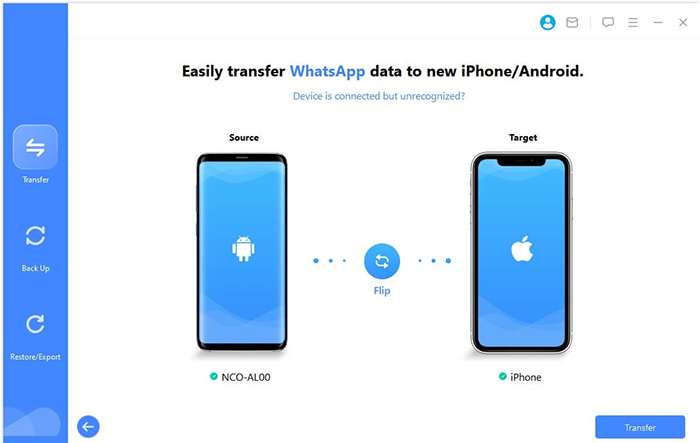
- The software will automatically detect the devices, assigning one as the source and the other as the destination.
- If the assignments are incorrect, click the Flip button to switch them.
- Finally, click Transfer in the lower-right corner to begin migrating your WhatsApp data.


Round Off
While WooTechy WhatsMover offers useful features, Social App Transfer proves to be a stronger alternative in several key areas. It provides broader data support, allowing not just WhatsApp but also LINE chats, audios, photos, and attachments to be transferred, backed up, or restored. Its selective preview and export function gives users greater control over their data compared to WooTechy's more rigid approach.
Related Articles:
[Guide] How to Restore Only WhatsApp Messages from iTunes Backup?
How to Back Up WhatsApp from iPhone to PC? 5 Ways for Beginners
How to See Deleted Messages on WhatsApp in 7 Ways? [Android/iOS]
What Happens If I Uninstall WhatsApp App? A Comprehensive Guide 2026
