Best iPhoneBrowser Alternatives in 2026: Comprehensive Review
iPhoneBrowser was once a popular tool for accessing iPhone files from a computer, especially for Windows users. However, with frequent iOS updates and stricter system restrictions, many users now experience compatibility issues, connection failures, or limited functionality. As a result, finding a reliable iPhoneBrowser alternative has become necessary.
In this article, we'll first review what iPhoneBrowser can and cannot do, then introduce five practical alternatives that offer better stability, broader data support, and easier iPhone file management.
Part 1: iPhoneBrowser Overview
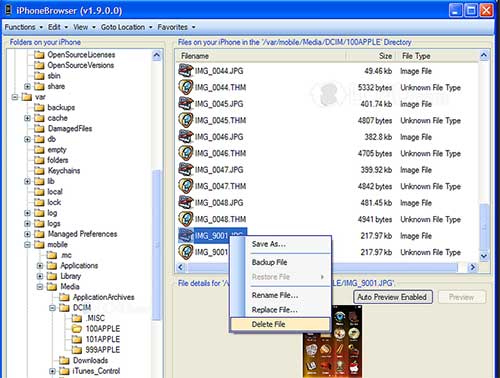
iPhoneBrowser is a free Windows-based utility that allows users to access and browse files stored on an iPhone through a USB connection. It was originally designed as a lightweight alternative to iTunes, enabling users to view media files and certain system folders without jailbreaking the device. With iPhoneBrowser, users can explore directories similar to a file explorer, making it useful for basic file viewing and limited data extraction.
However, iPhoneBrowser relies heavily on older iOS file structures. As Apple continues to tighten iOS security and limit file system access, the software has not kept pace with recent iOS updates. As a result, its functionality is increasingly restricted on newer iPhone models and iOS versions, leading many users to look for more reliable and actively maintained alternatives.
Pros
- Free to use with no purchase required.
- Simple and lightweight program.
- Allows basic file system browsing without jailbreak.
- Suitable for quick access to photos and media files.
Cons
- Poor compatibility with recent iOS versions.
- Limited support for contacts, messages, notes, and app data.
- No official updates or active development.
- Connection instability and frequent detection issues.
- Windows-only, no macOS version available.
Part 2: Best iPhoneBrowser Alternatives
Although iPhoneBrowser was once useful, it struggles with modern iOS versions due to outdated compatibility and limited functionality. Frequent connection issues, lack of updates, and restricted data access make it unreliable. Today's users need stable tools that support more data types, offer previews, and ensure safer iPhone data management. Here are five of the best iPhoneBrowser alternatives.
1. MobiKin Assistant for iOS
MobiKin Assistant for iOS is a professional iPhone data management tool designed for users who want a stable and modern replacement for iPhoneBrowser. It allows you to view, export, import, and back up iPhone data directly on a computer without iTunes. The software supports a wide range of data types and works well with the latest iOS versions.
Key Features of MobiKin Assistant for iOS:
- Preview iPhone data before exporting.
- Export contacts, messages, and notes to readable formats.
- Transfer photos, videos, music, and books easily.
- Import files from computer to iPhone safely.
- One-click backup and restore for iPhone data.
- Compatible with latest iOS and iPhone models.


How to use Assistant for iOS to browse and manage iPhone/iPad data:
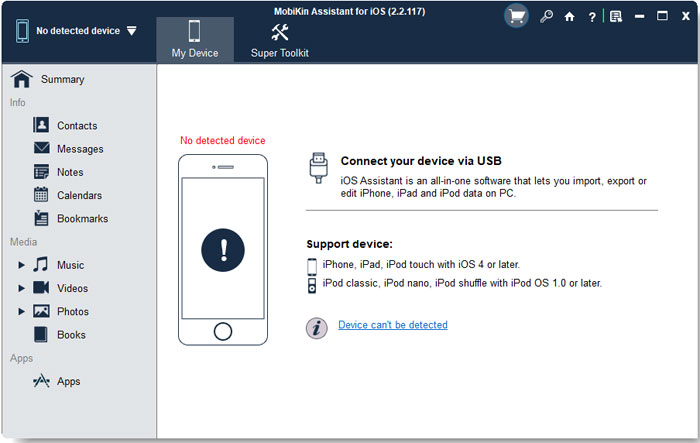
Step 1: Connect Your Device
Install and launch MobiKin Assistant for iOS on your computer, then connect your iPhone or iPad via USB. Unlock the device and tap Trust This Computer when prompted.
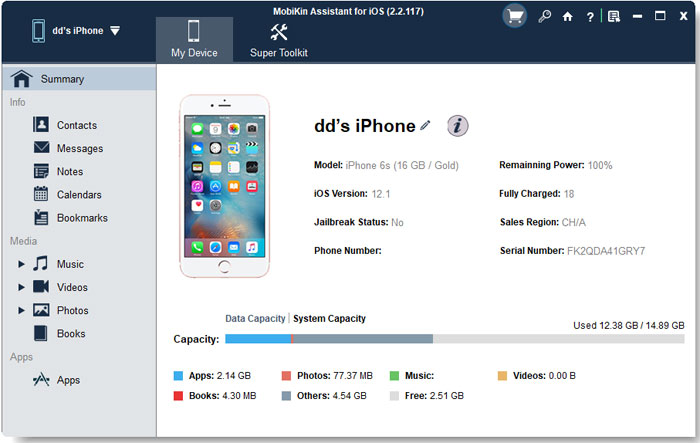
Step 2: Browse and Preview Data
After detection, all supported data types will appear on the left panel. Select a category to preview files such as contacts, messages, photos, or notes directly on your computer.
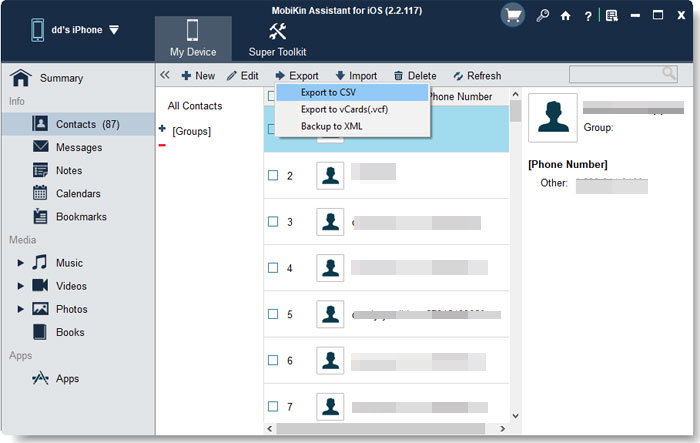
Step 3: Export or Import Data
Choose the items you want to manage, then click "Export" to back them up to your computer or "Import" to add files from your computer to your device safely.
Video Guide:
2. iMazing
iMazing is a powerful and versatile iOS device management tool designed to give users comprehensive control over their iPhone and iPad data. It offers advanced features for backing up, restoring, and exporting content, including photos, messages, contacts, and app data. Unlike basic file browsers, iMazing supports wireless connections and lets you manage backups independently of iCloud or iTunes. Its intuitive interface and reliable performance make it a solid choice for users seeking dependable iOS data management.
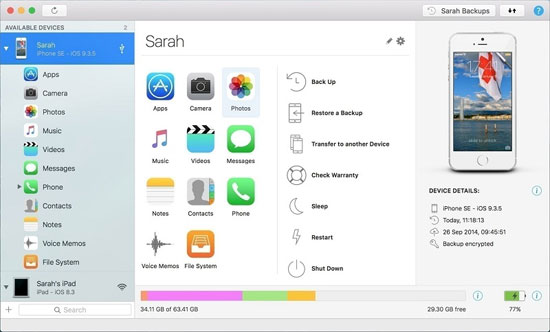
Pros:
- Strong backup and restore features.
- Supports wireless connections.
- Clean and intuitive interface.
Cons:
- Free version has limited functionality.
- Full features require a paid license.
3. CopyTrans Manager
CopyTrans Manager is a lightweight, user-friendly tool designed for managing iPhone music and media files without using iTunes. It allows you to quickly add, remove, and organize music, playlists, and audio files on your device using a simple drag-and-drop interface. Ideal for users who only need basic media control, CopyTrans Manager works seamlessly on Windows and offers a fast, no-frills alternative for transferring songs and playlists between your computer and iPhone.
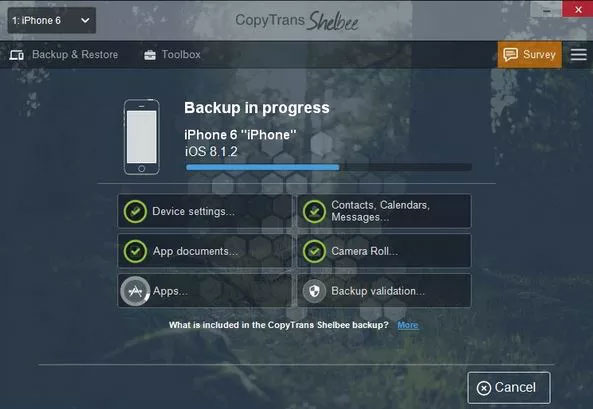
Pros:
- Easy music and playlist management.
- Lightweight and fast performance.
- No iTunes required.
Cons:
- Limited support for non-media data.
- Windows-only software.
4. iExplorer
iExplorer is a versatile iPhone and iPad file management tool that allows users to access iTunes backups and export data from their device’s file system, backups, and media libraries. Compatible with both Windows and macOS, iExplorer provides intuitive browsing of photos, messages, music, contacts, and more, making it a strong alternative to outdated tools like iPhoneBrowser. Whether you need to extract files, explore backups, or manage media easily, iExplorer offers a user-friendly interface with reliable performance for everyday iOS data management.
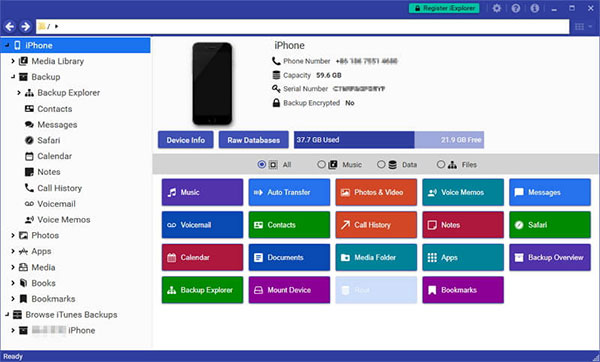
Pros:
- Supports file browsing and backups.
- Works on Windows and macOS.
- Useful media export options.
Cons:
- Advanced features require payment.
- Interface may feel complex for beginners.
5. AnyTrans
AnyTrans is an all-in-one iPhone content manager designed to simplify how you access and organize your iOS data. It supports transferring photos, music, messages, contacts, and more between your iPhone, computer, and other devices-wirelessly or via USB. AnyTrans also helps with backup management, app data handling, and cross-device migration. With its intuitive interface and comprehensive features, it offers a more modern and user-friendly alternative to older tools like iPhoneBrowser while supporting the latest iOS versions.
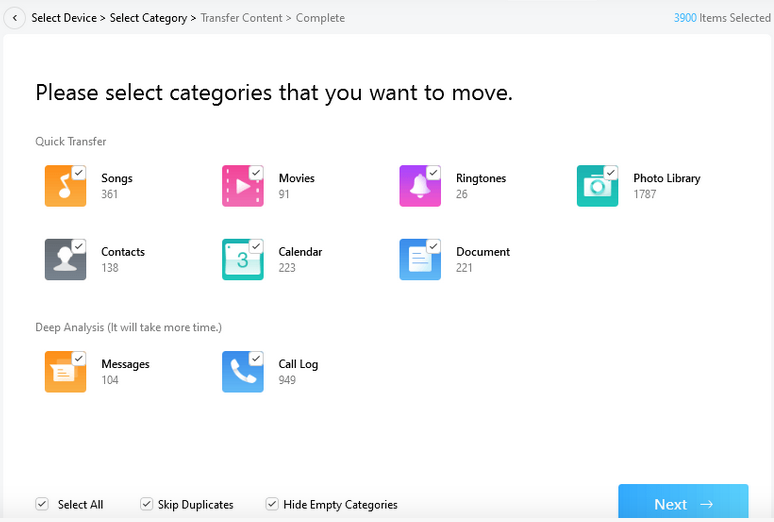
Pros:
- Supports many file types.
- Wireless and USB transfer options.
- Modern and clean interface.
Cons:
- Paid version required for full features.
- Can be heavy for simple file browsing needs.
Words in the End
While iPhoneBrowser may still work for basic tasks, it no longer meets the needs of modern iPhone users. Newer alternatives provide better compatibility, richer features, and higher stability. If you only need simple media transfers, lightweight tools may be enough. However, for comprehensive iPhone data management, previewing files, and safe backups, a professional solution like MobiKin Assistant for iOS stands out as a reliable and future-proof iPhoneBrowser alternative.
Related Articles:
11 Best iExplorer Alternatives in 2026 [Free & Paid]
Top 6 iPhone File Explorers to Browse & Manage iOS Data