
Top 9 Best ToffeeShare Alternatives & Competitors in 2026
TL;DR:
A dependable ToffeeShare alternative should offer faster transfers, offline flexibility, and smoother handling of large files, and the nine tools compared here show how each one meets those needs differently. By outlining their strengths, limitations, and ideal scenarios, this guide helps you quickly identify which option aligns with your workflow.
For users who want maximum control, stability, and full device management, MobiKin Assistant for Android provides the most comprehensive solution among the choices.
File sharing between devices often reveals the limits of browser-based solutions, and ToffeeShare is mostly browser-based, which can slow down or complicate transfers for many users. Users increasingly seek a ToffeeShare alternative that works offline or via USB, especially when handling large file transfers that demand speed, stability, and reliability.
A robust ToffeeShare alternative offers not only fast data movement but also better control over files and device management. This article introduces nine standout replacements for ToffeeShare, comparing their features, performance, and usability to help you choose the most suitable tool for your requirements.
Top 1: Best ToffeeShare Alternative - MobiKin Assistant for Android
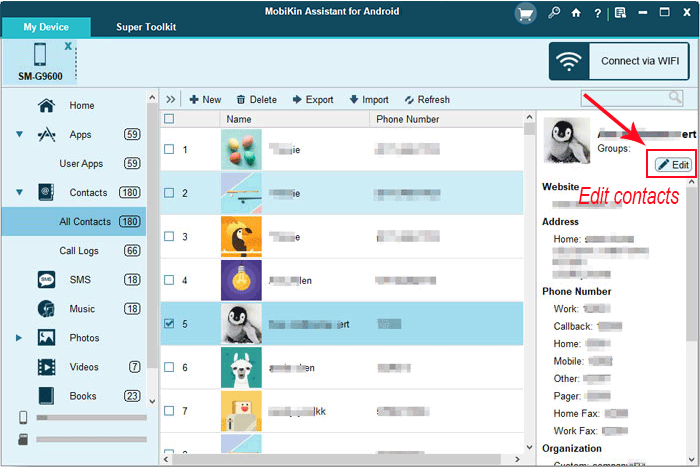
Designed for users who prefer a structured desktop workflow, MobiKin Assistant for Android (Windows/Mac) enables reliable data transfer between Android phones and computers through USB or Wi-Fi. It supports exporting and importing contacts, messages, photos, videos, and apps with clear previews.
Bulk operations help save time when handling large amounts of data. Backup and restore features further strengthen its role as a full Android management solution.
MobiKin Assistant for Android - Main Features:
- Supports stable Android–PC transfer via USB or Wi-Fi.
- Manages contacts, messages, media, and apps in one place.
- Offers one-click backup and restore.
- Enables preview and selective transfer.
- Works offline with a USB connection.
- Handles large files and batch transfers.
- Provides a clean desktop interface.
- Serves as a powerful and secure ToffeeShare replacement for full data control.


After downloading and installing the software on your computer, open it to access the main interface. Connect your mobile device to the computer using a USB cable. Follow the straightforward on-screen prompts to allow the program to detect your phone. Once the device is successfully recognized, select the desired data categories from the left panel or use the top menu to back up, manage, transfer, or restore data effortlessly.
Where does it stand above ToffeeShare?
- Supports USB-based transfers, not just Wi-Fi sharing.
- Allows structured data management (contacts, SMS, call logs, apps, etc).
- Offers full backup and restore, which ToffeeShare lacks.
- Enables preview and selective export before transferring files.
Video Guide - How to Use MobiKin Assistant for Android in a visual manner?
You May Also Like: Wish to transfer data from an old Android phone to a new one? Here are the 8 proven ways.
Top 2: LocalSend
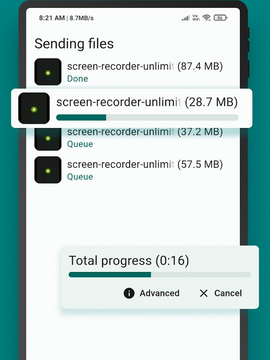
Built around local network sharing, LocalSend allows devices on the same Wi-Fi to exchange files quickly without cables or accounts. Cross-platform compatibility makes it practical for Android-to-Android and Android-to-PC transfers. Files are sent directly, keeping data private and at a high transfer speed. The lightweight interface keeps the learning curve low for first-time users.
Where does it stand above ToffeeShare?
- Works offline on a local network without internet dependency.
- Provides a dedicated app experience instead of browser-only sharing.
- Supports automatic device discovery across platforms.
- Delivers faster and more stable transfers on the same Wi-Fi.
Top 3: Transfer.it
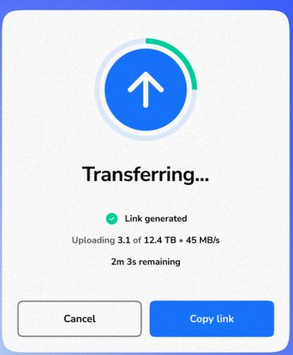
Focused on browser-based simplicity, Transfer.it, an outstanding LocalSend replacement, makes it easy to send files between Android and PC without installing software. Uploading a file generates a shareable link that works across devices. This approach is useful for occasional transfers or remote sharing. File size limits may apply depending on the plan used.
Where does it stand above ToffeeShare?
- Enables longer file availability via downloadable links.
- Handles remote sharing better than local-only solutions.
- Requires no same-network connection between devices.
- Fits scenarios involving distance-based transfers.
Top 4: ShareDrop
Operating entirely in the browser, ShareDrop connects nearby devices using peer-to-peer technology. Android phones and PCs can exchange files instantly once they appear on the same page. No registration or storage step is required. This makes it well-suited for fast, temporary sharing sessions.
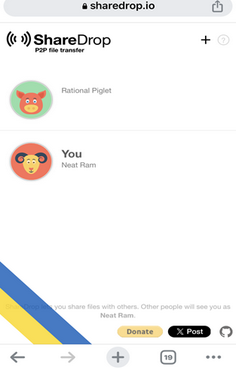
Where does it stand above ToffeeShare?
- Allows instant peer-to-peer transfers with no setup.
- Detects nearby devices automatically through the browser.
- Requires no file hosting or waiting period.
- Ideal for quick, ad-hoc sharing across platforms.
You May Also Need: ShareDrop vs. Snapdrop: Detailed Reviews/Comparison [Must-read]
Top 5: DropSend
Aimed at large file delivery, DropSend supports sending data from Android to PC through cloud-based links. Recipients download files directly without needing an account. It is commonly used for professional or business-style transfers. Upload and retention limits depend on the chosen plan.
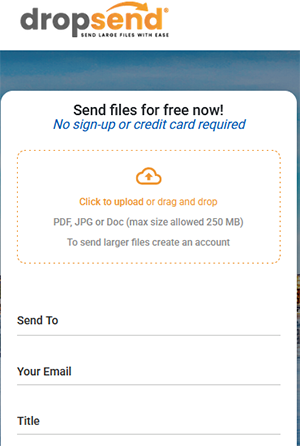
Where does it stand above ToffeeShare?
- Supports large file sending with professional-grade delivery.
- Offers email-based file distribution, not just links.
- Provides download tracking and notifications.
- Better suited for business and formal transfers.
Top 6: YouTransfer
Designed for straightforward online transfers, YouTransfer lets users move files between Android devices and computers via generated download links. The process requires no software installation. Temporary storage ensures files are available only for a limited time. This balances convenience with basic data security.
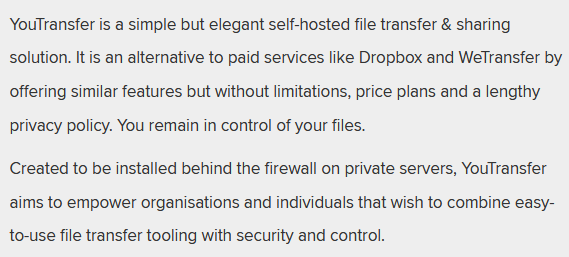
Where does it stand above ToffeeShare?
- Keeps files temporarily stored online for repeated downloads.
- Works well for asynchronous sharing.
- Requires minimal user interaction.
- More reliable for non-simultaneous device access.
Top 7: SnapDrop
Relying on local discovery, SnapDrop enables quick file sharing between Android and PC using a web interface. Devices on the same network can detect each other instantly. Transfers happen peer-to-peer without cloud uploads. This makes it ideal for fast exchanges in shared environments.
Where does it stand above ToffeeShare?
- Features real-time local discovery without manual pairing.
- Transfers data directly from device to device.
- Avoids intermediate storage entirely.
- Optimized for same-room sharing scenarios.
Top 8: FileZilla
Using the FTP protocol, FileZilla supports Android-to-PC transfers when the phone runs an FTP server app. Once connected, files can be dragged and dropped like standard folders. It works well for media and documents. However, setup is more technical compared to one-tap sharing tools.
Where does it stand above ToffeeShare?
- Enables direct folder-level access via FTP.
- Supports two-way file management, not just sending.
- Works with large file sets efficiently.
- Suitable for users needing advanced control.
Top 9: pCloud
Based on cloud synchronization, pCloud allows files to move seamlessly between Android devices and computers. Uploaded data stays accessible across platforms through automatic sync. Offline access and selective sync improve flexibility. This approach suits users who want continuous access rather than one-time transfers.
Where does it stand above ToffeeShare?
- Provides persistent cloud storage rather than one-time sharing.
- Enables automatic sync across devices.
- Allows access from anywhere at any time.
- Better for long-term data availability and backup.
Wrap It Up
Among the nine options, MobiKin Assistant for Android demonstrates clear advantages over other tools. Direct USB or Wi-Fi transfers make large files manageable without worrying about network disruptions. The program supports previewing, backing up, restoring, and managing diverse data types such as contacts, messages, media, and apps, all within a clean, user-friendly interface.
Its combination of speed, offline functionality, and comprehensive data control positions it as the most reliable ToffeeShare alternative for both casual users and professionals.
Related Articles:
WiFi File Transfer for PC to PC, PC to Mobile, & Android to PC [5 Easy Means]
8 Best Screen Share Apps to Share Screen or Control Your Device Remotely
5 Means to Share Location on Android Devices with Friends/Family
App Share via Bluetooth: 5 Ways to Transfer Apps from Android to Android by Bluetooth
