
Top 7 Stellar Data Recovery for Android Alternatives 2026
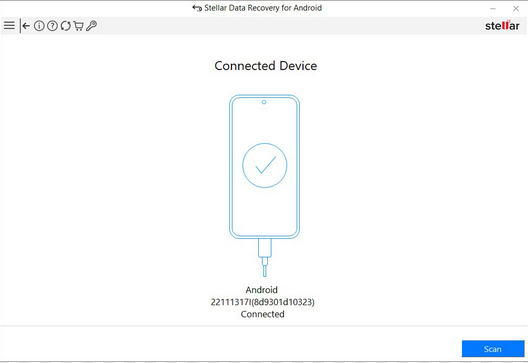
When data loss happens on a phone, many users begin looking for a Stellar Data Recovery for Android alternative that better matches their real needs. Some want a higher recovery rate, while others care more about broader device compatibility or easier recovery steps, especially on newer Android versions where recovery can be limited by system restrictions.
As Android devices evolve, not every recovery tool keeps pace with updated security and storage rules. This article looks closely at 7 recommendable replacements that aim to solve these pain points and offer more flexible recovery options beyond Stellar.
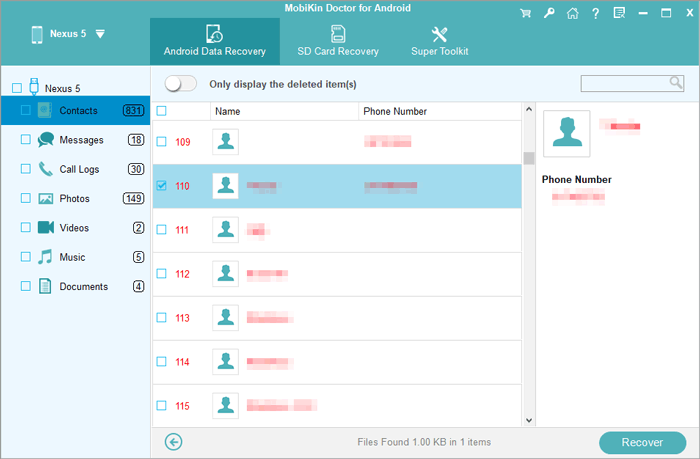
1: Best Stellar Data Recovery for Android Alternative - Doctor for Android
Designed as a practical alternative to Stellar Data Recovery for Android, MobiKin Doctor for Android (Windows/Mac) focuses on delivering stable and accurate recovery results across many device models. The scanning process is clear, allowing users to locate deleted contacts, messages, and media without confusion.
Preview functions make it easier to confirm which files are still recoverable before restoring anything. This balance of simplicity and precision makes it suitable for both casual users and advanced needs.
|
MobiKin Doctor for Android - Feature
|
Description
|
|
Device Compatibility |
Works with a wide range of Android devices, covering major brands and models. |
|
Supported File Types |
Recovers contacts, messages (SMS), call logs, photos, videos, audio files, documents, and more. |
|
Recovery Methods |
Offers direct device scanning and SD card recovery options, catering to different data loss scenarios. |
|
Preview Before Restore |
Allows users to view recoverable files before restoring, reducing unnecessary recoveries. |
|
Selective Recovery |
Users can choose specific files to recover rather than restoring all detected data. |
|
User Interface |
Clean and straightforward layout that's approachable for both beginners and experienced users. |
|
Scan Depth |
Includes both quick and deeper scanning modes to maximize recovery success. |
|
Performance as a Stellar Alternative |
Provides stable data recovery comparable to Stellar's Android solution. |
Best alternative to Stellar Data Recovery for Android free download:


- To avoid overwriting deleted data on Android, stop using the device immediately, turn on Airplane Mode, and avoid installing new apps or updates.
- To recover lost or deleted files with MobiKin Doctor for Android, install the software on your computer after free download above, connect your phone via USB, and follow the on-screen instructions until the device is detected. Then select your desired data types, run a scan (rooting if needed), preview the results, and click Recover to save the retrieved items to your computer.
Video Guide:
Where Does MobiKin Doctor for Android Excel?
- Well supports a wide range of Android brands and models.
- Recovers common data types with a higher success rate.
- Allows previewing files before flexible recovery.
- Simple interface suitable for beginners.
My Trial Experience:
- During my trial, the software detected my Android phone quickly and guided me through the recovery steps without confusion. I liked being able to preview contacts and messages before restoring in minutes, which made the process feel controlled and efficient.
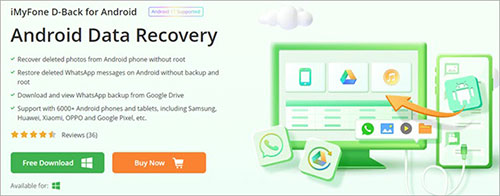
2. iMyFone D-Back for Android
For users seeking flexible recovery scenarios, iMyFone D-Back for Android stands out as a dependable replacement for Stellar's solution. It supports multiple recovery paths, including direct device scans and backup extraction, which adds convenience in different data loss cases.
File preview and selective restoration help reduce unnecessary clutter during the recovery process. Overall, it provides a smooth and controlled experience that minimizes user effort.
Where Does iMyFone D-Back for Android Excel?
- Multiple recovery modes, including device, Google backup, and broken phone recovery.
- Supports WhatsApp and other app data recovery.
- No root required for many recovery scenarios.
- Clear preview and selective recovery options.
My Trial Experience:
- I found the multiple recovery modes useful, especially the option to scan directly or pull data from backups. The interface felt polished, and previewing WhatsApp data before recovery was a big plus.
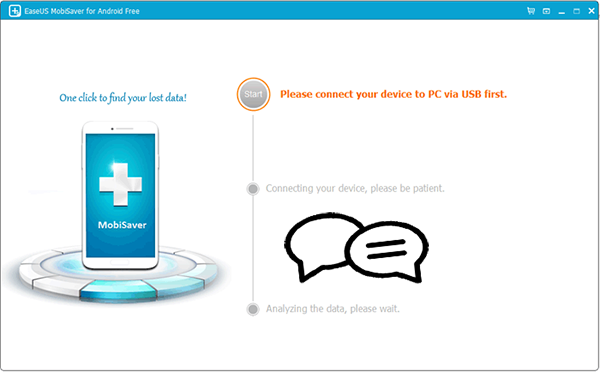
3. EaseUS MobiSaver for Android
Built with efficiency in mind, EaseUS MobiSaver for Android delivers a streamlined workflow that closely mirrors the recovery capabilities offered by Stellar. The interface organizes scanned files clearly, making navigation intuitive even for beginners.
Support for both internal storage and SD cards improves its flexibility in various recovery scenarios. As a result, locating and restoring lost data becomes far more manageable.
Where Does EaseUS MobiSaver for Android Excel?
- Easy-to-use layout with clear data categorization.
- Supports recovery from internal storage and SD cards.
- Works with a large number of Android devices.
- Fast scanning process for basic data recovery.
My Trial Experience:
- The scanning process was straightforward and didn't require much technical knowledge. Results were neatly categorized, making it easy to locate photos and messages during the trial.
4. Dr.Fone - Data Recovery (Android)
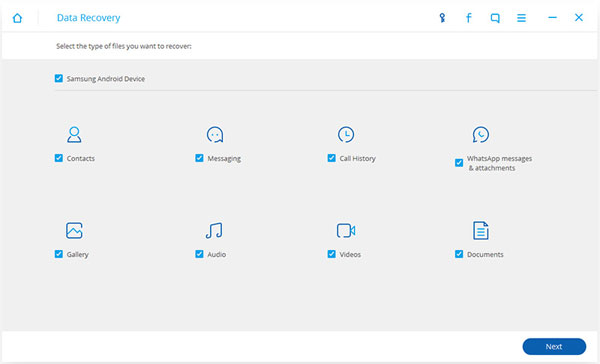
Offering a broad toolkit beyond simple recovery, Dr.Fone - Data Recovery (Android) performs well as a comprehensive substitute for Stellar's recovery software. Multiple scanning modes allow users to adapt the process based on their data loss situation.
Its ability to handle different file formats ensures greater recovery coverage. Combined with its structured interface, the tool provides a dependable recovery environment.
Where Does Dr.Fone - Data Recovery (Android) Excel?
- Recovers many data types, including media and call logs.
- Supports both internal memory and external SD cards.
- Part of a multifunction mobile management toolkit.
- Suitable for users who want all-in-one phone utilities.
My Trial Experience:
- The tool offered a wide range of recovery options within one interface, which felt convenient. While the scan took a bit longer, the overall workflow was clear and easy to follow.
5. Tenorshare UltData for Android
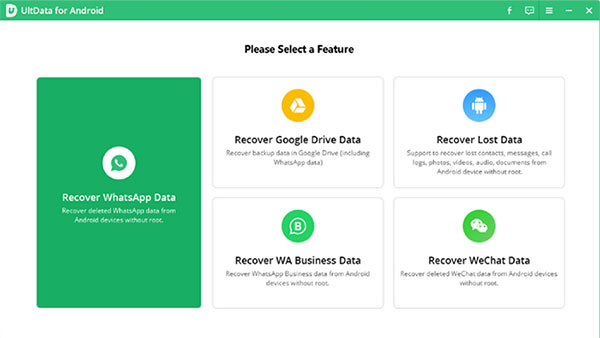
Focused on in-depth scanning performance, Tenorshare UltData for Android offers a strong alternative to Stellar Data Recovery for Android, particularly when deeper file retrieval is required. The selective recovery feature prevents unnecessary data from being restored.
Support for chat app recovery adds further practical value. This combination of precision and adaptability enhances its overall reliability.
Where Does Tenorshare UltData for Android Excel?
- Deep scan capability for more thorough recovery.
- Can recover WhatsApp data without backup in some cases.
- Selective recovery helps avoid restoring unnecessary files.
- Regular updates improve compatibility with newer Android versions.
My Trial Experience:
- I appreciated the deep scan option, which found more deleted files than a quick scan. The ability to selectively recover WhatsApp data helped avoid restoring unnecessary items.
6. FonePaw Android Data Recovery
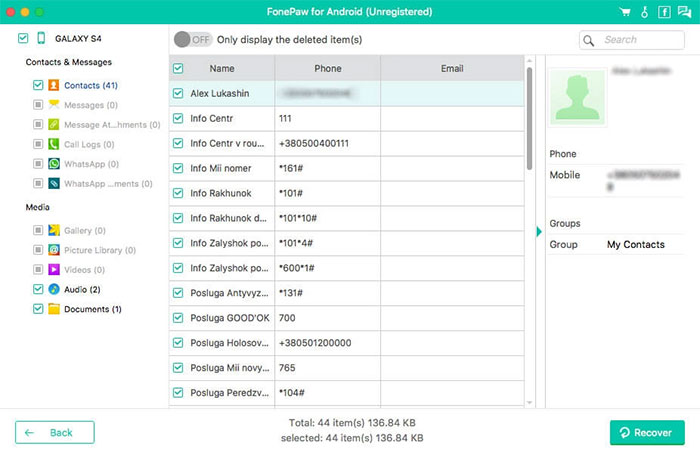
Delivering a balanced approach to recovery, FonePaw Android Data Recovery aligns well with Stellar's recovery standards while maintaining a simpler user flow. The scanning engine efficiently identifies multiple file types with organized preview options.
Step-by-step guidance reduces the learning curve for first-time users. Together, these elements make it a stable and approachable solution.
Where Does FonePaw Android Data Recovery Excel?
- Supports a broad range of file formats and data types.
- Offers standard and deep scan modes.
- Allows preview before restoring files.
- User-friendly design with clear recovery steps.
My Trial Experience:
- The trial version made it simple to scan and preview different file types before committing. I felt the step-by-step process was beginner-friendly and well organized.
7. Recover My Files Photo & Video
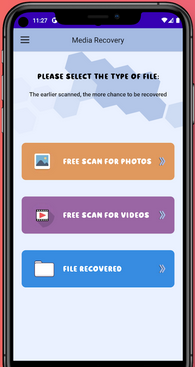
Designed primarily for on-device recovery, Recover My Files Photo & Video provides a lightweight yet effective alternative to Stellar for quick media restoration. It removes the need for computer connections, making immediate recovery more convenient.
Fast scanning enables users to retrieve recently deleted photos and videos without complicated steps. This simplicity makes it well-suited for everyday recovery tasks.
Where Does Recover My Files Photo & Video Excel?
- Focused on photo and video recovery.
- Can be used directly on the Android device.
- No computer required for basic recovery tasks.
- Simple operation for quick media restoration.
My Trial Experience:
- Using it directly on the phone was convenient for quick photo and video recovery. It worked best for recent deletions and didn't require connecting to a computer.
Summing Up
If data recovery tools were keys, some would open only familiar doors, while others would unlock rooms you thought were permanently sealed.
After comparing performance, usability, and adaptability, one solution clearly handles modern Android challenges with fewer compromises. MobiKin Doctor for Android could be the best bet, in part because it balances recovery depth with a clean workflow and supports a wide range of devices without forcing complicated steps.
Instead of fighting against Android's restrictions, it works with them, which is why it earns the top spot among Stellar alternatives.
Related Articles:
An Impartial Stellar Data Recovery for Android Review 2026
6 Broken Android Data Recovery Methods to Extract Files from Your Phone
Stellar Data Recovery for iPhone Review: Is It Really Useful?
Android Remote Control: 5 Ways to Remotely Control Android Phone
