4 Most Amazing Methods for Successful Sony Xperia FRP Bypass
TL;DR:
Sony Xperia FRP bypass methods vary in difficulty, compatibility, and reliability, so choosing a suitable approach is important when users face Google verification issues after a reset.
- Try Android Lock Wiper - This tool provides a guided process to remove FRP locks on supported Sony Xperia models with the highest success rate and helps users handle the procedure with fewer technical steps. It also supports Android screen lock removal, making it a useful option when other bypass methods fail.
Reminder: FRP is a security measure to protect against unauthorized access. The methods below should only be used on devices you own or have permission to reset.
"Hello! I recently bought an Xperia XZ1c (G8441) with FRP Lock (previous owner forgot password to his Gmail and tried factory resetting the phone). Does anybody know a solution/program for this?" -- from Reddit
Factory Reset Protection (FRP) can appear after troubleshooting steps such as system resets, firmware repairs, or software maintenance. For Sony Xperia users, encountering FRP lock often means the device requires verification before it can be used again. This article introduces the concept of Sony Xperia FRP bypass and compares several approaches that are commonly discussed in technical communities at the very beginning.
|
Tools
|
Pros
|
Cons
|
|
Settings Access
|
- Uses built-in Android settings without extra software. |
- Success depends on Android version and security patch. |
|
Odin Tool
|
- Powerful firmware flashing tool for supported devices. |
- Not designed for Sony Xperia phones. |
|
FRP Freedom
|
- Provides automated FRP-related steps. |
- Xperia compatibility is limited. |
|
Android Lock Wiper
|
- Supports FRP removal on selected devices. |
- Requires a paid license for full use. |
- Section 1: What to Prepare before Bypassing Sony FRP
- Section 2: How to Bypass Sony Xperia FRP via Settings Access
- Section 3: How to Bypass FRP on Sony Xperia via Odin Tool
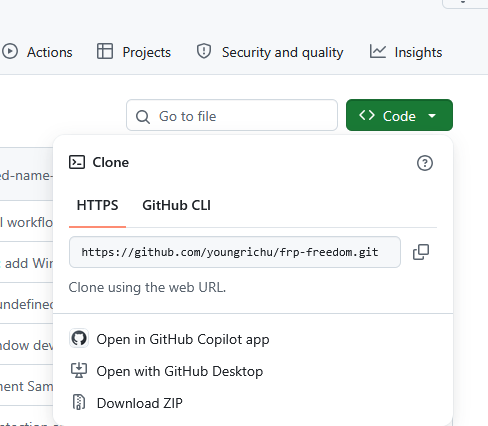
- Section 4: How to Bypass Sony Xperia Lock Using FRP Freedom
- Section 5: Sony Xperia FRP Bypass Failed? Try Android Lock Wiper [Trusted]
- FAQs for Sony Xperia FRP Bypass
Section 1: What to Prepare before Bypassing Sony FRP
Before attempting a Sony Xperia FRP bypass, preparing the device and necessary tools can help reduce unexpected errors and improve the success rate. The following preparations cover essential requirements, account information, device conditions, and precautions to consider before starting the process:
- Back up any accessible data (if possible).
- Verify that you own the Sony Xperia device.
- Know the Android version installed on the phone.
- Charge the battery to at least 50%.
- Connect to a stable Wi-Fi network.
- Prepare a compatible USB cable.
- Have a Windows PC ready (if required by the method).
- Install the necessary USB drivers (if applicable).
- Download the required software or tools from trusted sources.
- Disable antivirus software temporarily (only if it interferes with a trusted tool).
- Ensure sufficient storage space on your PC.
- Read the instructions for your chosen bypass method before starting.
- Understand the potential risks and limitations of the method.
- Keep your Google account credentials available in case verification is required.
- Avoid disconnecting the device during the bypass process.
Section 2: How to Bypass Sony Xperia FRP via Settings Access
Gaining entry through the phone's Settings can be one of the simplest ways to bypass Google FRP lock on a Sony Xperia. By disabling "Protection by my Xperia" and removing the associated Google account, the lock can be cleared before performing a reset.
This approach is effective when the device is still accessible, offering a direct path to recovery without external software. It works best for users who remember their credentials but want to ensure the lock does not reactivate after resetting. Here's how:
- Connect your Xperia device to a PC, then open Device Manager and manually update the drivers to ADB Interface mode so the computer can properly communicate with the phone.
- Launch an FRP bypass utility and send a command that opens a YouTube or Chrome page on the device. When the notification appears, tap "View" to continue.
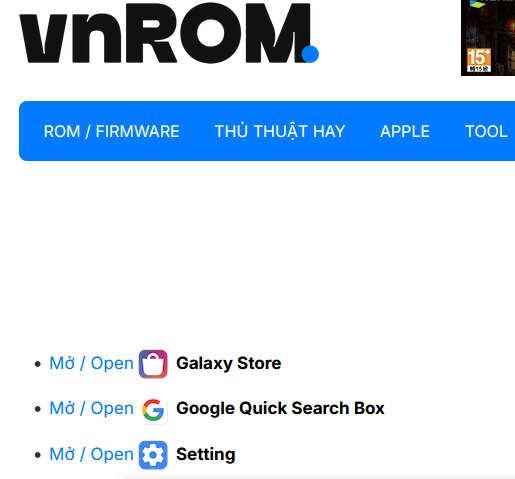
- Open Chrome, visit an FRP-related bypass webpage (such as vnROM), and select "Open Settings". Go to Accessibility and enable the Accessibility Menu option.
- Access the Apps section and find Google Play Services. Force stop the service and disable it. Repeat the same process for Android Setup.
- Return to the Wi-Fi setup screen and select "Set Up Offline". Use the accessibility shortcut to turn Google Play Services back on before completing the final verification process.
Section 3: How to Bypass FRP on Sony Xperia via Odin Tool
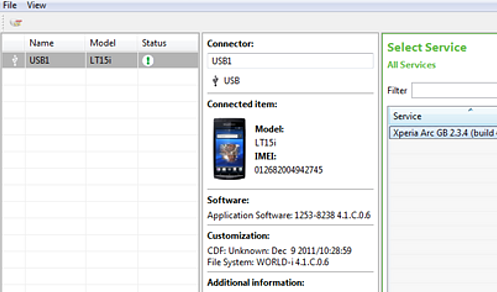
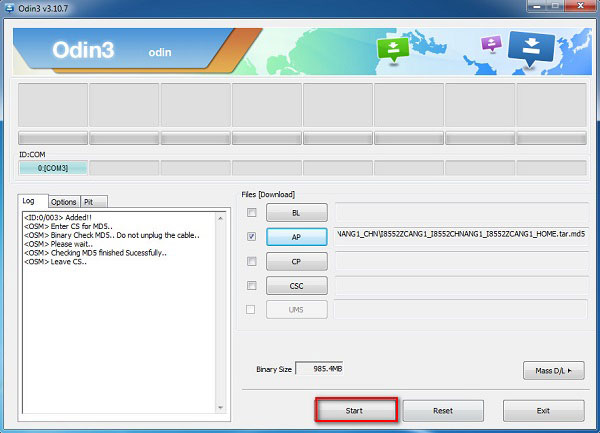
Flashing utilities such as Odin Tool are traditionally linked to Samsung devices, yet similar flashing methods can be applied to Sony Xperia through tools like NewFlasher. These programs allow firmware installation that can overwrite FRP restrictions when standard removal fails.
By reloading system files, they provide a deeper recovery option, ensuring the phone can be restored to working condition. This method is more technical but valuable when account removal through Settings is no longer possible. Here's how:
- Download configuration file - Obtain the correct FRP reset file like Xperia Flash Tool for your Sony Xperia from a trusted source and install it on your PC.
- Install bypass tool - Set up the FRP bypass utility on your computer, then connect your locked Xperia device with a reliable USB cable. If the phone isn't detected, install the proper Sony USB drivers.
- Enter device mode - Put your Xperia into the required mode. This often involves powering off and pressing a specific key combination, though the exact steps vary by model.
- Run tool as admin - Launch the bypass program with administrator privileges on your PC.
- Load configuration file - Import the FRP reset file you downloaded earlier, then press Start to begin the bypass process.
- Complete and restart - Wait until the tool confirms success, disconnect your phone, and restart it.
Section 4: How to Bypass Sony Xperia Lock Using FRP Freedom
Dedicated software like FRP Freedom is built specifically to bypass Google verification locks on Android devices, including Sony Xperia. It connects the phone to a computer, applies configuration files, and initiates the unlocking process through guided steps.
The structured workflow ensures that even complex FRP barriers can be handled efficiently. For users locked out without account credentials, this tool provides a focused solution to regain access. Here's how:
- Download FRP Freedom - Get the FRP Freedom tool from a trusted source and install it on your PC.
- Connect Xperia device - Use a reliable USB cable to connect your locked Sony Xperia phone to the computer.
- Install drivers - If your PC doesn't recognize the device, install the correct Sony USB drivers.
- Launch FRP Freedom - Run the FRP Freedom program with administrator privileges.
- Select Xperia model - Choose the correct Sony Xperia model from the tool's interface.
- Start bypass process - Click the Start button to initiate the FRP bypass procedure.
- Wait for completion - Allow the tool to finish; once successful, disconnect your phone.
- Restart device - Reboot your Xperia to confirm the lock has been removed.
Section 5: Sony Xperia FRP Bypass Failed? Try Android Lock Wiper [Trusted]
What If Sony Xperia FRP bypass failed?
- Check USB drivers - Ensure the correct Sony USB drivers are installed so your PC can recognize the device.
- Use another cable/port - Faulty cables or ports often cause connection issues during bypass.
- Verify tool compatibility - Make sure the FRP bypass tool supports your Xperia model and Android version.
- Try different mode - Some models require specific key combinations to enter flash or recovery mode.
- Check internet connection - A stable Wi-Fi or data connection is often required for account verification.
- Disable antivirus/firewall - Security software may block the bypass tool from running properly.
- Check Android version - Some bypass methods only work on specific Android builds.
- Seek official support - Contact Sony or Google support if all bypass attempts fail.
- Visit service center - Authorized centers can unlock FRP with proof of ownership.
Still unable to bypass Xperia FRP lock? Try the most amazing tool - Android Lock Wiper:
Overview of Android Lock Wiper:
Unlocking tools designed for Android devices often includes feature to handle both screen locks and Google account verification, and one such program is Android Lock Wiper. Among its supported functions is the ability to bypass Xperia FRP, allowing users to regain access when they cannot recall their Google credentials.
With a straightforward interface, it guides owners through the process quickly, making it a practical option for various Android devices, including the Xperia 1 VII, 10 VII, 1 VI, 10 VI, X, L1, XZs, Z5, XA1.

How to use the best Sony Xperia FRP bypass tool?
01 Install Unlocking Software
- Download the unlocking tool from a trusted source.
- Complete installation on your PC.
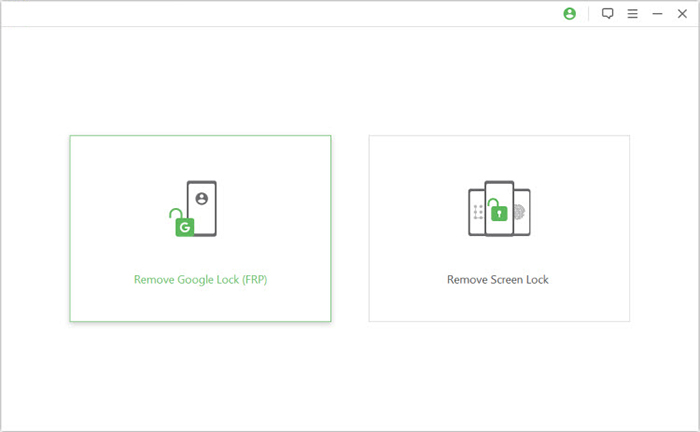
- Launch the program and select Remove Google Lock (FRP) in Advanced Mode.
02 Connect Xperia Device
- Use a reliable USB cable to connect the phone.
- Click Start to initiate the process.
- Install Sony USB drivers if the device isn't recognized.
03 Enter Recovery Mode
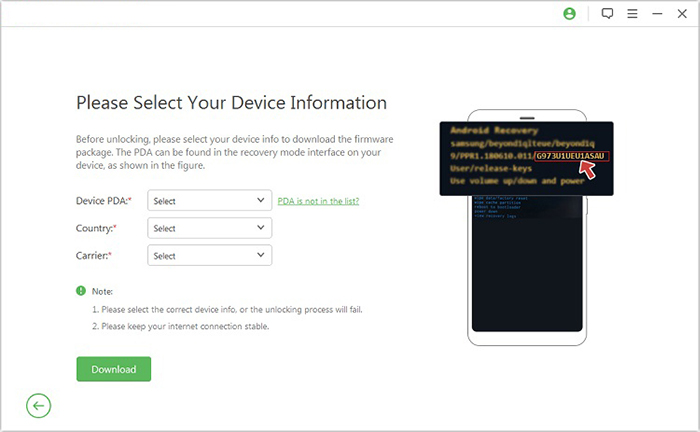
- Follow on-screen prompts to enter recovery mode.
- Provide device details (PDA, country, carrier).
- Click Download to obtain the necessary data package.
04 Run FRP Unlock
- Click Start to Extract to process the firmware.
- Follow instructions to enable USB debugging and OEM unlock.
- Wait until the tool completes FRP removal.
- Restart your Xperia once finished.
FAQs for Sony Xperia FRP Bypass
Q1: Why does Sony FRP activate?
It activates when a Google account is linked to the device and the phone is reset without removing that account first.
Q2: Can Sony FRP be bypassed legally?
Yes, but only on devices you own or have permission to reset. Doing so on stolen devices is illegal.
Q3: What if I forgot my Google account?
The official solution is to use Google Account Recovery to regain access.
Q4: Does bypassing FRP erase data on Xperia?
Yes, most bypass methods involve flashing or resetting, which erases all data on the device.
Q5: Is bypassing FRP safe?
Using trusted tools and sources is safe, but downloading files from unverified sites can risk malware.
Q6: Can service centers remove FRP?
Yes, authorized Sony service centers can unlock devices if you provide proof of ownership.
Q7: Does FRP affect SIM cards?
No, FRP only protects the phone's system. SIM cards remain unaffected.
Q8: Is FRP bypass permanent?
Once bypassed, FRP won't reactivate unless a new Google account is added and the phone is reset again.
Q9: Do I need internet access for FRP bypass?
Yes, most methods require Wi-Fi or mobile data to verify or remove accounts.
In Conclusion
A locked Xperia can feel like a barrier, yet understanding the range of FRP bypass methods provides clarity on possible routes forward. Each option carries its own level of risk and effort, so careful consideration is essential before proceeding. Before attempting any Sony Xperia FRP bypass, always back up important data and confirm whether your Google account recovery options are available.
Related Articles:
How to Transfer Data from Samsung to Sony Xperia [5 Foolproof Options]
How to Transfer Data to SD Card on Sony Xperia in 4 Easy Ways?
Sony Xperia Data Recovery: 3 Ways to Recover Deleted Files on Xperia Phone
Sony Xperia Broken/Dead Screen Data Recovery: 4 Solutions & Extra Tips