
UnlockTool Review: A Comprehensive Assessment Based on Our Tests
This article serves as a comprehensive guide on UnlockTool, offering an in-depth UnlockTool review to help you understand its features and capabilities. You will learn about almost all the essential information about this tool. Before that, let's see a quick summary of it:
|
Category
|
Description
|
|
Key Features |
Fast unlocking process, decent success rate on supported devices, broad compatibility with many Android brands, updated regularly to support newer Android versions, easy-to-use interface, and low risk of data loss when used correctly. |
|
Who It's For |
Decent for Android users locked out of their devices, needing FRP bypass, or seeking a straightforward unlocking tool without advanced technical skills. |
Part 1: What Is UnlockTool
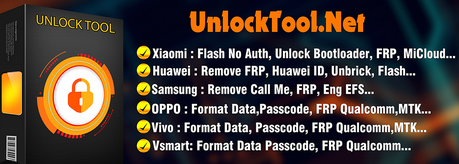
UnlockTool is a professional software designed to bypass Android device locks, including PINs, patterns, passwords, and Google FRP locks, without requiring root access. It supports a wide range of Android models and versions, making it useful when other official or paid unlocking methods fail. Users can remove device locks quickly, providing a straightforward solution for accessing locked smartphones.
Part 2: UnlockTool Average Latency in Different Regions
Based on our tests and AliExpress UnlockTool reference, the average latency of UnlockTool varies by region due to server location and network conditions:
- Asia: 1-3 seconds per operation.
- Europe: 3-5 seconds per operation.
- North America: 4-6 seconds per operation.
- Other regions: 5-8 seconds per operation.
This latency reflects the time between sending a command and receiving a successful unlock response, which can slightly fluctuate depending on the device model and network stability.
Part 3: Is UnlockTool Safe & Free
Overall, UnlockTool provides a reliable and mostly safe solution for unlocking Android devices, including FRP bypass, without the need for rooting, though backing up data is recommended. While it offers a limited free trial, full functionality requires a paid license, as detailed in the table below.
|
Category
|
Description
|
|
Safety |
UnlockTool is generally safe to use when downloaded from official sources. It does not require rooting the device, and the process preserves user data on most Android models. Users should still back up important data before use. |
|
Cost |
UnlockTool is not completely free. It offers a free trial with limited features, but full unlocking functionality requires a paid license. |
Part 4: How to Use UnlockTool
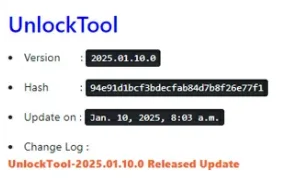
To use UnlockTool, first download and install the latest version from Unlocktool.net, then create an account by registering with your username, email, and password. Once logged in, you can access all unlocking features, including FRP bypass, directly from the software. Here are the detailed steps:
- You have to visit Unlocktool.net.
- Now, click on the Download tab in the top menu.
- Choose the latest version from the list and click the Link Download Tool.
- Once downloaded, run the UnlockTool Setup and install the necessary drivers.
- Ensure your PC is connected to the internet during installation.
- Go to Unlocktool and click Register in the top-right corner.
- Enter your username, email, and password.
- Complete the CAPTCHA and click Create Account.
- Log In and Use UnlockTool
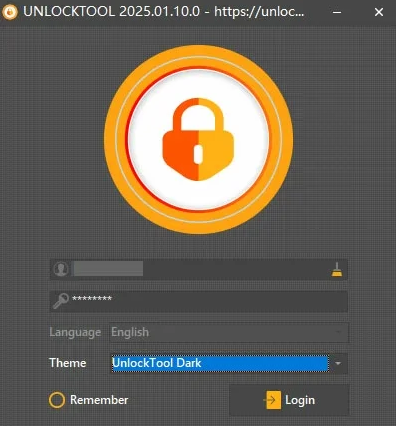
- Open UnlockTool on your PC.
- Enter your login details and click Login.
- You're now ready to use UnlockTool for FRP bypass and other unlocking features.
Part 5: FAQs about UnlockTool
Q1: Which devices and Android versions are supported?
A1: It supports a wide range of Android brands like Xiaomi, Huawei, Samsung, OPPO, vivo, Vsmart, etc., for FRP bypass and lock removal. (How can you unlock your Samsung lock screen without losing data?)
Q2: Is UnlockTool compatible with the latest Android versions?
A2: It supports many recent Android versions, but compatibility may vary depending on the device model.
Q3: How long does the unlocking process take?
A3: Duration varies by device and network conditions, usually from a few minutes up to several minutes.
Q4: Is an internet connection required?
A5: Yes, an internet connection is needed during installation and most unlocking processes.
Q6: What should I do if UnlockTool fails on my device?
A6: Ensure your device is supported, drivers are installed correctly, the tool is updated, and contact official support if needed.
Q7: Can UnlockTool remove screen locks without erasing data?
A7: In many cases, yes, it can unlock devices while preserving most data, though some advanced locks may require a reset.
Q8: Can I use UnlockTool on multiple devices?
A8: Yes, but the number of devices you can unlock may depend on your purchased license type.
Part 6: Pros & Cons of UnlockTool
Why We Like UnlockTool?
- Bypasses PIN, pattern, password, and Google FRP locks.
- Works without rooting and preserves most data.
- Supports a wide range of Android brands and versions.
- User-friendly interface with step-by-step guidance.
Why We Don't Like UnlockTool?
- Full functionality requires a paid license; free trial is limited.
- Some features may not support all models or the latest Android versions.
- The Internet connection is required for installation and use.
- Unlocking may take several minutes depending on device and network.
Part 7: Best Replacement for UnlockTool [More Reliable]
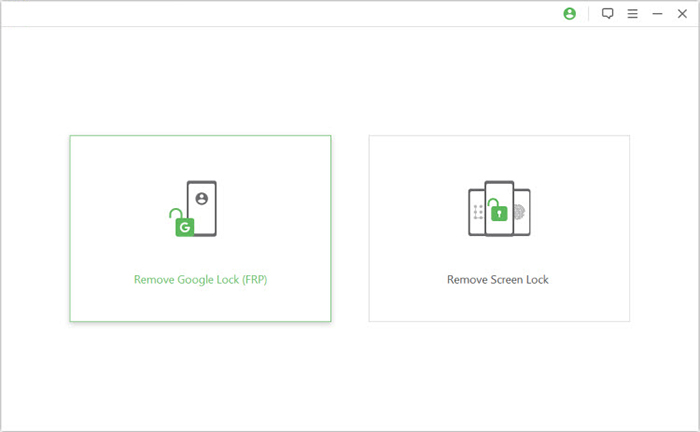
This Android unlocking software, Android Lock Wiper, can remove PINs, patterns, passwords, fingerprints, and Google FRP locks without needing root access. Its clear interface guides users through each step, supporting a wide range of devices and Android versions (Samsung, Huawei, Xiaomi, POCO, Redmi, OPPO, Sony, etc).
Compared with UnlockTool, it often completes the unlocking process faster and works on more device models, offering a practical advantage for users.

How to Use?
- Start by downloading and installing Android Lock Wiper on your computer.
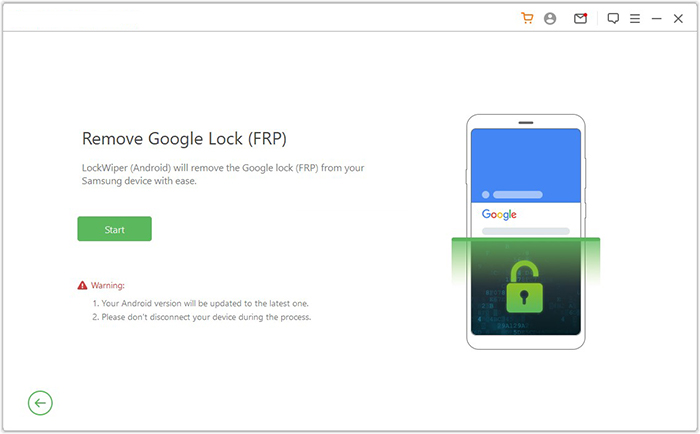
- Once the installation is complete, select the "Remove Google Lock (FRP)" option and choose "Advanced Mode."
- Connect your smartphone (Android system) to the computer using a USB cable, then click the "Start" button.
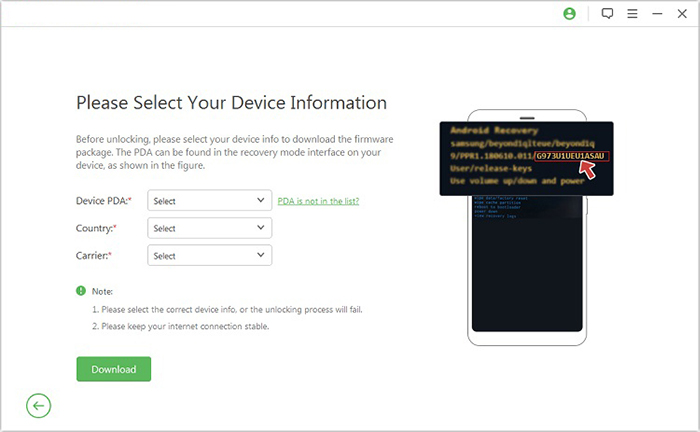
- When prompted, enter your device information and click "Next."
- On the next screen, select the correct PDA, country, and carrier, then click "Download" to obtain the required data package.
- After that, click "Start to Extract" and follow the on-screen prompts to place your device into Download Mode, enable USB debugging, activate OEM unlock, and extract the firmware, along with other necessary steps.
- Finally, the software will begin unlocking your device immediately.
Conclusion - A Quick Comparison
In conclusion, UnlockTool proves to be a reliable solution for removing Android locks and bypassing FRP with a user-friendly interface, fast performance, and broad device compatibility. The following section will provide an easy comparison between UnlockTool and Android Lock Wiper to help you decide which tool best suits your needs.
|
Feature
|
UnlockTool
|
Android Lock Wiper
|
|
Lock Types
|
Removed PIN, pattern, password, Google FRP |
PIN, pattern, password, fingerprint, Google FRP, and more |
|
Root Required
|
No |
No |
|
Supported Devices
|
Xiaomi, Huawei, Samsung, OPPO, vivo, and Vsmart. |
Broader device compatibility, including the latest models |
|
Speed
|
Moderate, may take several minutes |
Faster unlocking process in most cases |
|
User Interface
|
Simple, step-by-step guidance |
Intuitive and beginner-friendly with clear instructions |
|
Extra Advantages
|
Standard unlocking functions |
Greater device support, quicker operations, higher success rate, suitable for second-hand devices |
|
Cost
|
Free trial with paid license for full access |
Free trial with full-featured paid license, often more value for the price |
Best FRP/screen lock bypass tool free download:
Related Articles:
RootJunky FRP Bypass Review 2026: Has It Really Been Phased Out?
5 Tactics to Recover Formatted Data from Android Phone with/without Backup
9 Best iPhone Unlock Software to Unlock Passcode [2026]
Android Remote Control: 5 Ways to Remotely Control Android Phone
