
7 Dependable Dr.Fone Data Recovery (Android) Alternatives 2026
Data loss on an Android phone can create unexpected pressure, especially when an existing recovery tool does not meet expectations. Many users now search for a reliable Dr.Fone Data Recovery (Android) alternative that can support more brands, newer Android versions, or specific phone models more reliably than Dr.Fone does.
Instead of struggling with complicated settings, people increasingly prefer tools that focus heavily on simplified interfaces and guided steps. Under these circumstances, focus on this passage to learn more reliable products to make Android data recovery a lot easier.
#1: MobiKin Doctor for Android
Designed for people who value clear results, MobiKin Doctor for Android (Windows/Mac) focuses on restoring contacts, messages, photos, and more with steady performance. Its preview function allows users to check recoverable files before making a final decision.
Even without advanced technical skills, most users can complete the recovery process smoothly. Compared with many similar products, it is often seen as a better alternative to Dr.Fone Data Recovery (Android).
|
MobiKin Doctor for Android - Main Features
|
Main Details
|
|
File Recovery Support |
Retrieves both media files (photos, videos, audio) and non-media files (contacts, messages, documents) with minimal effort. |
|
Storage Compatibility |
Works with internal storage and external SD cards for flexible data recovery. |
|
Preview Function |
Allows users to preview recoverable files before starting secure restoration. |
|
Scanning Modes |
Provides both quick scan and deep scan options to handle different data loss situations. |
|
Device & System Support |
Compatible with over 8,000 Android brands and OS versions, including Android 16. |
|
Root Access Flexibility |
Operates on both rooted and non-rooted devices, depending on recovery depth. |
|
User Interface |
Features a simple, beginner-friendly layout that reduces learning time. |
|
Data Safety Protection |
Ensures recovered files are saved securely on a computer without overwriting existing phone data. |
User Guide:
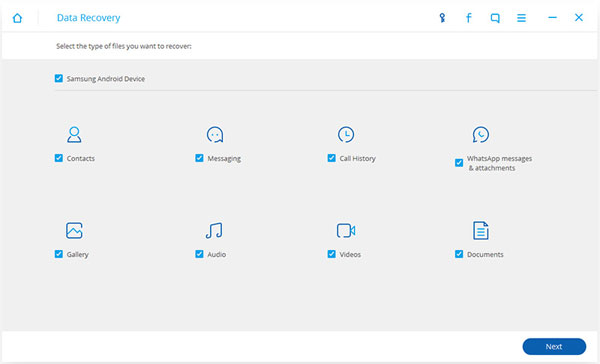
- Download, install, and open MobiKin Doctor for Android on your computer, then connect your Android phone using a USB cable. Follow the on-screen instructions to complete the connection, and enable USB debugging if the program requests it.
- After the device is recognized, all supported file types will appear on the interface.
- To restore deleted files, select the corresponding option and click "Next" at the bottom right.
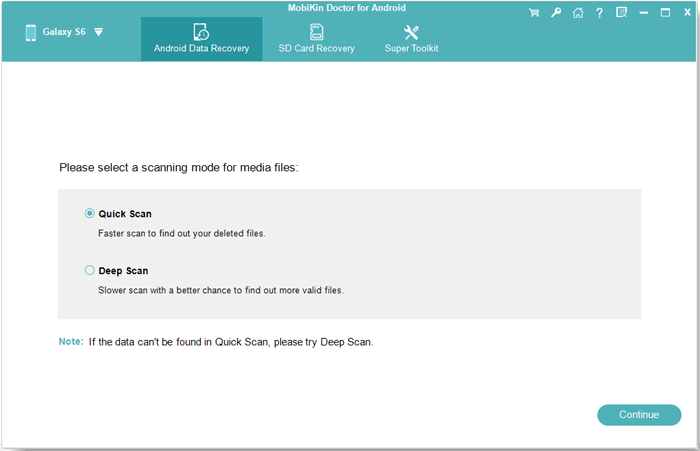
- You will then be prompted to choose a suitable scan mode for media files.
- If your desired files are not detected, you may follow the guidance to root your device for a deeper search.
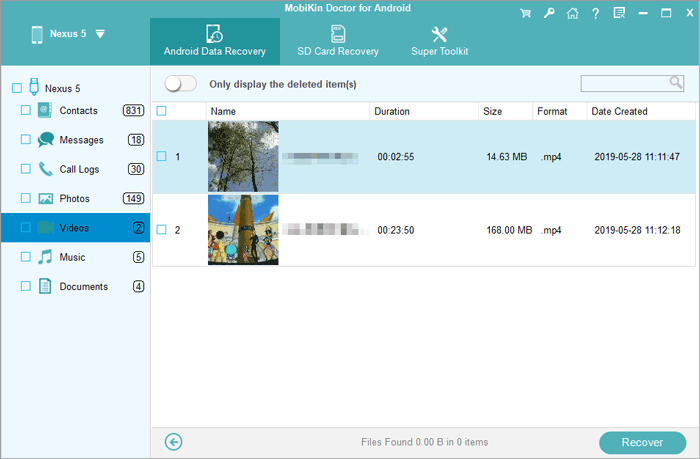
- Once the scan is finished, preview the found files and mark the ones you want to retrieve.
- Finally, click the "Recover" button to save the selected content from your phone to your computer.


Video Tutorial:
Pros:
- Simple interface with clear recovery steps.
- Supports media and non-media content.
- Allows preview before restoring files.
Cons:
- Free version only allows scanning and preview.
- Success rate drops if data is overwritten.
Pricing:
- Around $49.95 for a single-PC license.
You May Also Like: Dr.Fone Data Recovery for Android Review: Can I Rely on It?
#2: iMyFone D-Back Android
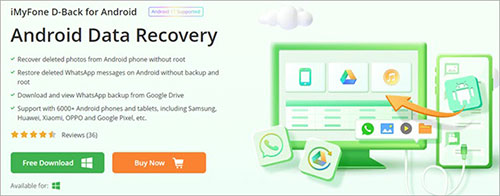
For users who suddenly lose important files, including WiFi and WhatsApp, iMyFone D-Back Android offers a practical way to scan internal storage and SD cards. Instead of complicated settings, it relies on guided steps to lead users through each stage.
Different recovery modes make it suitable for both accidental deletion and system crashes. Its balanced functions make it suitable for users who want reliable results without unnecessary complexity.
Pros:
- Beginner-friendly design.
- Multiple recovery modes for different loss situations.
- Supports internal storage and SD cards.
Cons:
- Limited features in trial version.
- Some functions need root access.
- Results may vary on newer Android systems.
Pricing:
- Starts at about $49.99 per license.
#3: PhoneRescue for Android
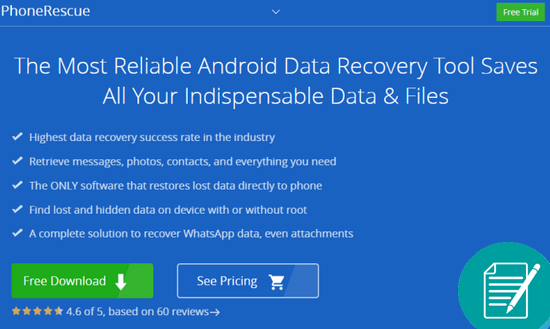
When personal data disappears after an update or reset, PhoneRescue for Android provides a targeted solution for rebuilding lost content. It supports both direct device scanning and backup extraction, which adds extra convenience. The interface emphasizes clarity, reducing confusion for first-time users. As a result, it is often regarded as a strong replacement for Dr.Fone Data Recovery (Android).
Pros:
- Clean and well-organized interface.
- Supports backup extraction and device scanning.
- Compatible with many Android models.
Cons:
- Root access required for full recovery.
- Recovery results can be inconsistent.
- Refund process may be inconvenient.
Pricing:
- About $39.99 per year or $55.99 lifetime.
#4: FonePaw Android Data Recovery
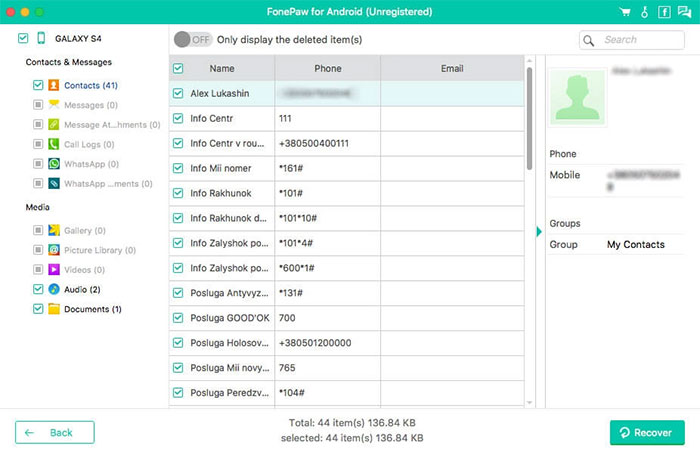
A well-balanced recovery experience can be found in FonePaw Android Data Recovery, especially for photos, videos, and documents. Its scanning engine focuses on locating deep-level files that are usually overlooked. Step-by-step prompts help users avoid unnecessary operations. This makes it appealing to users who prefer simple tools with steady performance.
Pros:
- Deep scanning for hidden or deleted files.
- Fast analysis speed.
- Easy step-by-step recovery process.
Cons:
- Requires a computer to operate.
- Paid version needed for full recovery.
- Limited advanced customization options.
Pricing:
- Usually around $40–$60, depending on license type.
#5: Remo Recover for Android
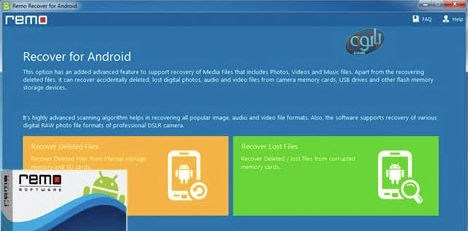
In situations where storage damage or accidental formatting occurs, Remo Recover for Android stands out with its structured recovery process. It divides scanning stages clearly, allowing users to track progress in real time. The software also supports different file formats, which increases its practicality. With stable performance, it can be a worthwhile alternative to Dr.Fone Data Recovery (Android).
Pros:
- Detects files from internal and external storage.
- Supports recovery from formatted devices.
- Shows preview in demo mode.
Cons:
- Free version cannot save recovered files
- Works best for recently deleted data.
- Limited results for system-level damage.
Pricing:
- Paid version generally starts at around $39.97.
#6: EaseUS MobiSaver for Android
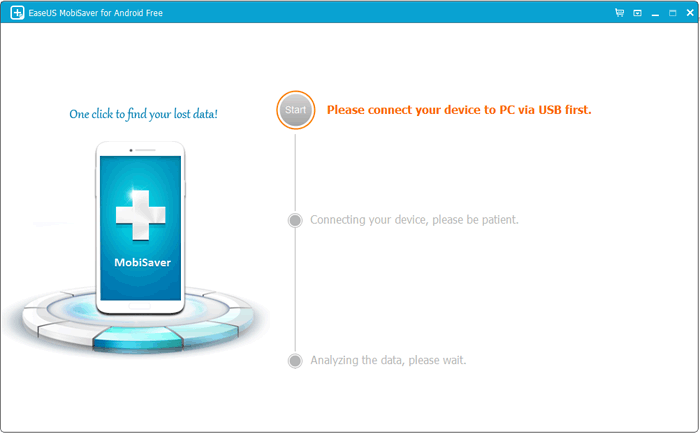
Recovering lost data after system failure becomes less stressful with EaseUS MobiSaver for Android. Its lightweight design ensures that the program runs smoothly even on older computers. Users can restore selected files instead of recovering everything at once. This selective recovery feature is especially useful for people with limited storage space.
Pros:
- Straightforward three-step recovery process.
- Supports many common file formats.
- Offers lifetime updates after purchase.
Cons:
- Scanning speed may be slow at times.
- Cannot guarantee full recovery in all cases.
- Free version has strong limitations.
Pricing:
- Around $39.95 for a standard license.
#7: Recover Deleted Files
For those who prefer mobile-based solutions, Recover Deleted Files from Google Play offers quick scanning directly on the phone. It is especially useful for restoring recently deleted photos and videos without a computer. The app emphasizes speed and simplicity over complex features. In daily use, it can also act as a practical alternative to Dr.Fone Data Recovery (Android).
Pros:
- Works directly on Android devices.
- No computer required.
- Free to install from Google Play.
Cons:
- Mainly recovers photos and videos.
- Limited support for contacts and messages.
- Effectiveness depends on quick scanning.
Pricing:
- Free with ads; optional in-app purchases available.
The Bottom Line
The choice of recovery software is no longer based only on popularity, but on real performance and compatibility. Every deleted photo, message, or document represents personal or professional value that deserves careful handling.
Among the many options available today, MobiKin Doctor for Android shines due to its comprehensive functionality, broad device support, and stable results. For users searching for a dependable replacement for Dr.Fone Data Recovery (Android), it remains one of the most practical and trustworthy solutions.
Related Articles:
Dr.Fone iPhone Data Recovery Review: Pros, Cons & Its Alternative
Dr.Fone Virtual Location vs. ThinkSky iTools: Unbiased Comparison
Dr.Fone Reviews: Overview, Safety, Reliability, Pricing, Reviews, & Alternative
6 Broken Android Data Recovery Methods to Extract Files from Your Phone
