
Top 7 Best FonePaw WhatsApp Transfer Alternatives [Must-read]
Many users find FonePaw struggles with the latest Android or iOS versions, or doesn't fully support WhatsApp Business and LINE transfers, which can make transferring chats a frustrating experience. For those seeking a smoother and more reliable solution, a good FonePaw WhatsApp Transfer alternative can simplify the process and provide extra control over backups and exports.
This passage covers seven great alternatives that handle cross-platform transfers, selective restoration, and media management efficiently. Let's check them out now.
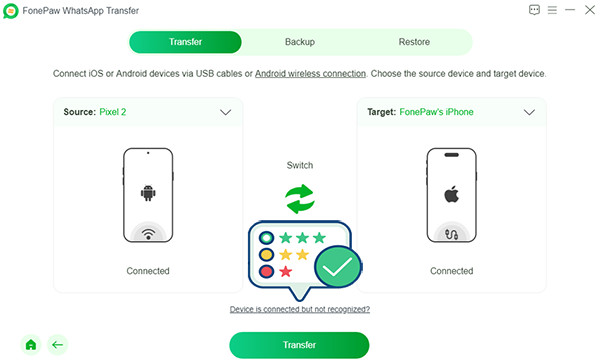
Top 1: Best FonePaw WhatsApp Transfer Alternative - Social App Transfer
Designed for people who move chats across phones often, Social App Transfer delivers a stable path for WhatsApp data migration without relying on cloud backups. It supports transfers between Android and iPhone, which makes switching platforms far less stressful.
The interface keeps steps straightforward, reducing the chance of errors during long chat transfers. As a FonePaw WhatsApp Transfer replacement, it fits users who value clarity and device compatibility.
What can Social App Transfer do for you?
- Cross-platform WhatsApp transfers (Android to/from iPhone).
- Restore specific chats or media selectively.
- Fast, stable transfers with minimal errors.
- Back up and export WhatsApp in multiple formats.
- Secure, encrypted data handling.
- Supports WhatsApp Business and LINE.
- Restore messages from Google Drive to iPhone.
- Preview chats and selectively export data.
- Simple, intuitive interface for all users.
- Apply to almost all Android and iOS devices.


How to use the best FonePaw WhatsApp Transfer alternative?
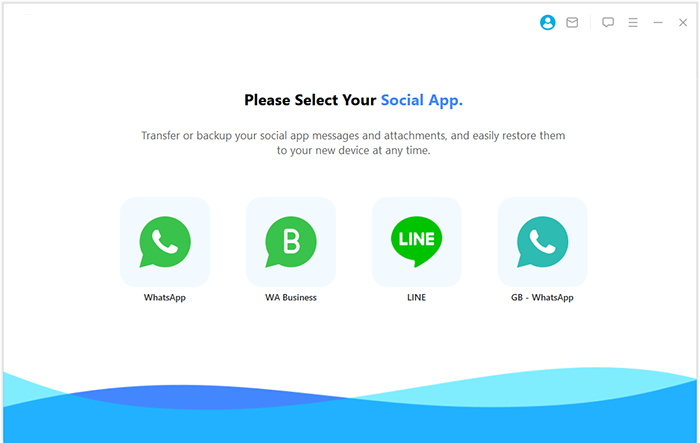
- Download and install Social App Transfer on your computer, then launch the application.
- From the left-hand menu, select the "WhatsApp" icon.
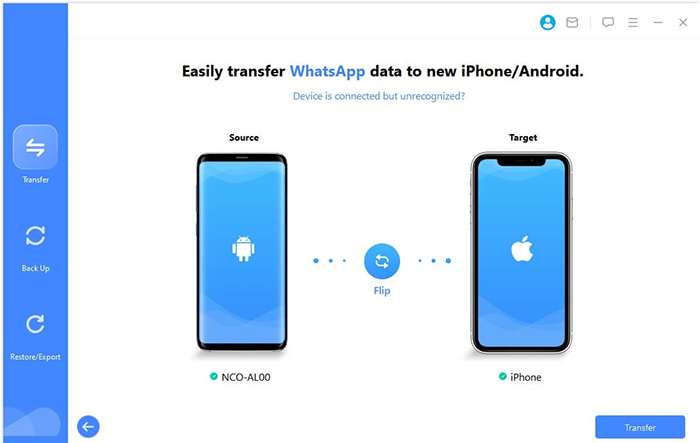
- Connect both your (Android or iOS) devices to the computer using USB cables.
- Follow the on-screen instructions to ensure the devices are detected correctly.
- The software will automatically recognize the devices, marking one as the source and the other as the destination.
- If the assignment is incorrect, click the "Flip" button to switch them.
- Click "Transfer" in the lower-right corner to start moving your WhatsApp data.
What differentiates it positively from FonePaw WhatsApp Transfer?
- Compared with FonePaw, it offers chat preview and selective transfer, so users are not forced to move all WhatsApp data at once. It also supports WhatsApp Business and some modified WhatsApp versions, giving it wider coverage. Local computer backup and restore add flexibility beyond simple device-to-device transfer. (Want to restore deleted WhatsApp without backup?)
Limitations:
- The feature set may feel complex for users who only need a one-time transfer. A computer is always required.
Pricing:
- 1-Month License: $29.99.
- 1-Year License: $39.99.
- Lifetime License: $49.99.
Top 2: Wondershare MobileTrans
For those who want more than a single-purpose tool, Wondershare MobileTrans stands out with its broad phone-to-phone transfer scope. WhatsApp messages, attachments, and call history can be handled alongside other mobile data. The process runs locally, helping users avoid upload limits or slow internet connections. This versatility allows it to replace FonePaw WhatsApp Transfer for users who prefer an all-in-one solution.
What differentiates it positively from FonePaw WhatsApp Transfer?
- It functions as a full phone-to-phone data suite, not just a WhatsApp tool, which is broader than FonePaw's WhatsApp-focused design. WhatsApp chats can be exported to readable formats, which is useful for records or archiving. It also supports restoring WhatsApp data from Google Drive to iPhone.
Limitations:
- The interface can feel crowded for users who only the want WhatsApp transfer. Subscription pricing may be inefficient for one-time use. Occasional compatibility issues are reported with certain phone models.
Pricing:
- WhatsApp Transfer (Monthly): $25.99.
- Full Toolkit (Monthly): $29.99.
- Full Toolkit (Yearly): $39.95.
- Lifetime License: $49.95 (Windows)/$64.99 (macOS).
You May Also Like: Syncios WhatsApp Transfer vs. Wondershare MobileTrans: Which Is Better?
Top 3: iCareFone WhatsApp Transfer
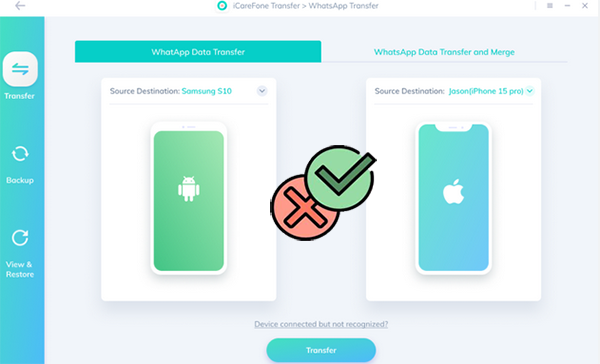
Built with WhatsApp-centric features in mind, iCareFone WhatsApp Transfer focuses on accuracy rather than extra add-ons. It supports backup, restore, and cross-system transfer in a single workflow. Even large chat databases can be moved with minimal manual adjustment. As an alternative to FonePaw WhatsApp Transfer, it appeals to users who want a tool dedicated mainly to WhatsApp tasks.
What differentiates it positively from FonePaw WhatsApp Transfer?
- This tool is highly WhatsApp-centric, with stable Android–iOS transfers and better chat-merging behavior than FonePaw in many cases. It minimizes the risk of overwriting existing chats. The workflow is straightforward and focused.
Limitations:
- It lacks broader phone-data features. Performance can vary depending on device model and OS version. Customer support experience may differ by region.
Pricing:
- 1-Month License: $22.00.
- 1-Year License: $44.00.
- Lifetime License: $56.00.
- Single Desktop License (regional retail): $35–$45.
Top 4: iToolab WatsGo
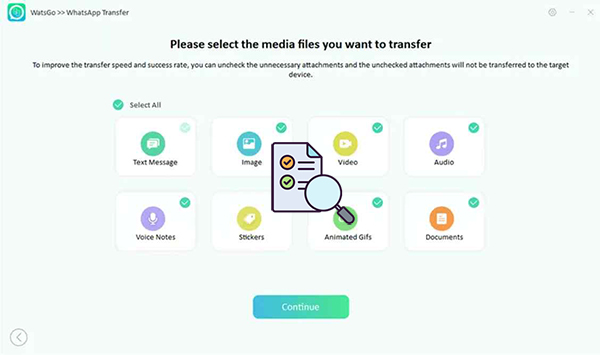
A lighter learning curve is one of the key strengths found in iToolab WatsGo, especially for first-time users. The software guides the transfer process step by step, reducing confusion during Android–iOS switches. Media files and chat logs remain well organized after migration. This balance of simplicity and function makes it a practical substitute for FonePaw WhatsApp Transfer.
What differentiates it positively from FonePaw WhatsApp Transfer?
- It supports multiple transfer directions (Android to/from iOS, iOS to/from iOS, Android to/from Android) with minimal reliance on cloud services. Pricing is generally lower than many competitors, which appeals to budget-conscious users. Modified WhatsApp backups are handled more flexibly.
Limitations:
- Some important features are locked behind paid plans. The interface is less polished than premium tools. Reliability can depend on system versions.
Pricing:
- 1-Month License: $16.95.
- 1-Year License: $29.95.
- Lifetime License: $39.95.
You May Also Like:Tenorshare iCareFone WhatsApp Transfer Review: Is It Rewarding?
Top 5: TunesKit WhatsApp Transfer
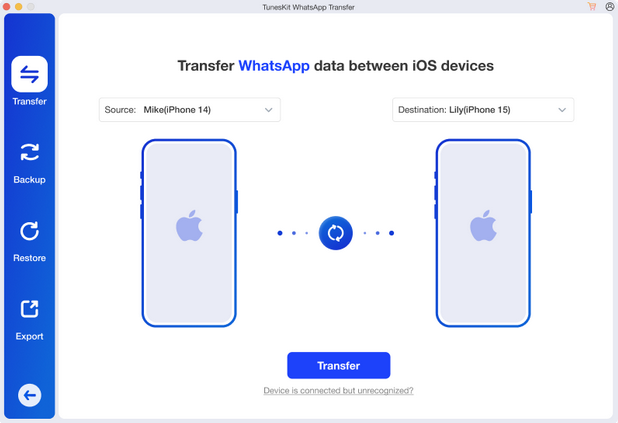
Efficiency becomes noticeable when using TunesKit WhatsApp Transfer, particularly with lengthy chat histories. The program handles messages and attachments in one continuous process instead of splitting tasks. Its layout avoids clutter, helping users focus only on essential actions. Such an approach positions it as a dependable FonePaw WhatsApp Transfer alternative for everyday use.
What differentiates it positively from FonePaw WhatsApp Transfer?
- It allows selective WhatsApp data handling, letting users move only messages, media, or attachments. Local backup and export are useful for long-term storage. The interface is clean and less overwhelming than all-in-one tools.
Limitations:
- Earlier versions focused more on iOS transfers, and cross-platform support is not as extensive as some rivals. A desktop computer is required. Advanced features require paid plans.
Pricing:
- 1-Month License: $19.95.
- 1-Year License: $35.95.
- Lifetime License (5 devices): $49.95.
- Lifetime License (10 devices): $59.95.
- Business/Unlimited Devices: $399.95.
Top 6: Appgeeker WhatsApp Transfer
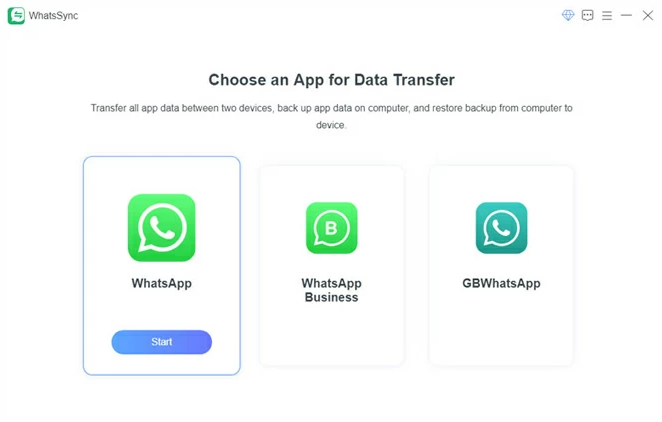
A focus on stability defines Appgeeker WhatsApp Transfer, especially during repeated transfers or restores. The tool supports common WhatsApp data types without demanding technical knowledge. Transfers can be completed without overwriting existing chats when handled carefully. These traits allow it to function well in place of FonePaw WhatsApp Transfer.
What differentiates it positively from FonePaw WhatsApp Transfer?
- It emphasizes simple post-setup transfers, meaning WhatsApp data can be moved even after a new phone is already configured. One-time purchase options make budgeting easier. Cloud services are not mandatory.
Limitations:
- Media transfer success can be inconsistent in some cases. The interface is less refined. Compatibility may vary across devices.
Pricing:
- 1-Year License: $39.99.
- Lifetime License: $49.99.
Top 7: UnicTool ChatMover
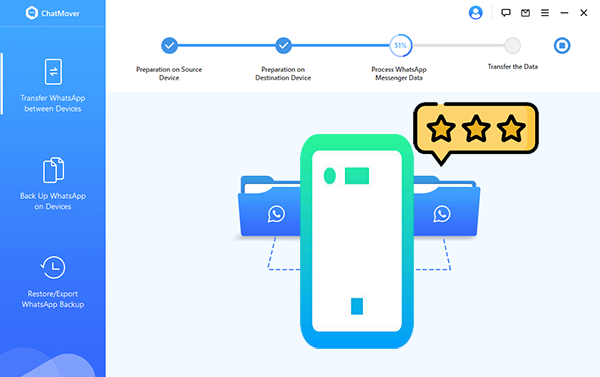
Geared toward smooth cross-platform moves, UnicTool ChatMover emphasizes preserving chat structure and readability. Messages, emojis, and media stay intact after the transfer finishes. The workflow avoids unnecessary prompts, keeping the experience efficient. For users comparing options, it serves as a solid alternative to FonePaw WhatsApp Transfer with a clean execution style.
What differentiates it positively from FonePaw WhatsApp Transfer?
- It combines transfer, backup, restore, and export in one WhatsApp-focused tool, going beyond FonePaw's basic scope. Unlimited local backups reduce reliance on cloud storage. Chat structure and formatting are usually preserved well.
Limitations:
- Pricing is higher than entry-level tools. The feature set may be excessive for users with simple needs. Desktop use is mandatory.
Pricing:
- 1-Month License: $25.95.
- 1-Year License: $35.95.
- Lifetime License: $45.95.
In Conclusion
Choosing the right tool can save time and prevent errors when moving WhatsApp chats between devices. Among the alternatives, Social App Transfer is the most excellent for its speed, stability, and wide compatibility with Android, iOS, WhatsApp Business, and LINE. Its ability to preview and selectively transfer chats, back up media in multiple formats, and restore from Google Drive makes it a reliable and secure choice for all users.
Before starting any transfer, always back up your devices locally use this tool and ensure USB connections are stable. With this program, you'll get a comprehensive, user-friendly solution that combines safety, speed, and flexibility.
Related Articles:
Best 6 FonePaw DoTrans Alternatives & Competitors [Verified]
FonePaw Android Data Recovery Review: Features, Pros, Cons, Pricing, etc
FonePaw WhatsApp Transfer Review: Does It Deliver Good Outcomes
In-Depth Review of FonePaw iPhone Data Recovery: Ultimate iOS Data Recovery Solution
