
Best 6 FonePaw DoTrans Alternatives & Competitors [Verified]
In the fast-moving world of smartphones, relying on a single tool like FonePaw DoTrans for data migration can be risky. Certain Android or iOS models, especially newer devices, may not be fully supported. Interrupted transfers or connection drops with DoTrans have frustrated many, prompting the hunt for a more dependable option.
This passage explores six practical choices that serve as a FonePaw DoTrans alternative, each designed to make phone-to-phone transfers smoother and more reliable.
Top 1: Best FonePaw DoTrans Alternative - MobiKin Transfer for Mobile
When it comes to transferring data between devices without hassle, MobiKin Transfer for Mobile (Windows/Mac) delivers a smooth and reliable experience. It supports contacts, messages, photos, videos, and more across both Android and iOS systems.
The program's interface is clean and intuitive, allowing users to complete transfers with just a few clicks. Its combination of speed and simplicity ensures users can move data confidently every time.
What Is MobiKin Transfer for Mobile?
- Cross-Platform Transfer - Move contacts, SMS, media, and apps between Android and iOS.
- Fast Transfer Speed - Quickly completes data migration.
- Wide File Support - Handles almost all common data types.
- User-Friendly Interface - Simple and easy to navigate.
- Direct Device Transfer - Connects phones directly without cloud storage.
- Stable Connection - Prevents interruptions during transfer.
- Preview & Selective Transfer - Choose specific data types to move.
- Broad Device Compatibility - Works with almost all Android and iOS models.


How to utilize the best FonePaw DoTrans alternative - MobiKin Transfer for Mobile?
- Start by downloading and installing the complimentary trial version of the Transfer for Mobile application.
- After installation, launch the program on your computer.
- Utilize USB cables to link both mobile devices to your computer.
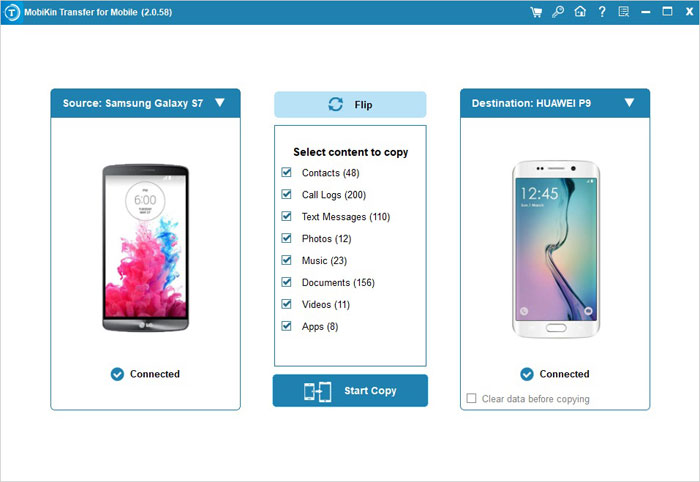
- The program will automatically recognize the connected devices, and you will observe the transferable data presented in the central menu, as illustrated in the subsequent window. (Tap Flip if they are wrongly arranged.)
- Select the types of data you intend to transfer and click the "Start Copy" icon located in the central panel.
Video Guide:
Pros:
- Supports Android and iOS cross-platform transfer.
- Transfers multiple file types securely: contacts, messages, photos, videos, etc.
- User-friendly interface suitable for beginners.
- Fast transfer speed with minimal errors.
Cons:
- Some advanced features require a paid version.
- Connection issues with device models running lower than Android 6.0.
Pricing:
- One-year license is typically around $29.95 (discounted from ~$49.95); lifetime licenses are usually about $59.95.
You May Also Like: Top 6 Ways to Transfer WhatsApp Messages to New Phone (iOS/Android)
Top 2: MobileSync
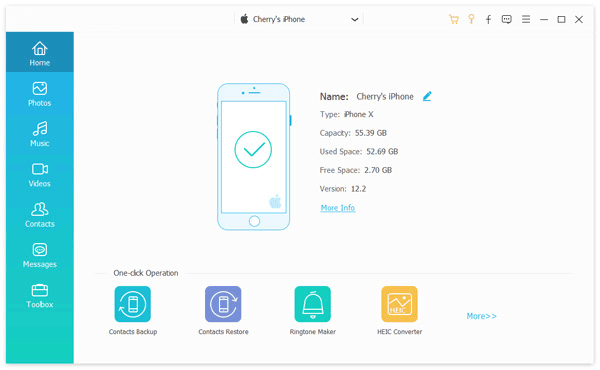
For users who need a fast and reliable way to transfer data between devices, MobieSync offers an efficient solution. It supports moving contacts, messages, photos, videos, and music across both Android and iOS platforms while keeping the original file quality intact.
The program also allows selective transfers, giving users control over exactly what they want to move. With its simple interface and dependable performance, it serves as a practical alternative to FonePaw DoTrans for everyday phone migrations.
Pros:
- Enables transfer of contacts, messages, photos, videos, and music between Android and iOS devices.
- Preserves original file quality during transfer.
- Allows selective transfer so you choose exactly what to move.
- Intuitive interface that's easy to navigate for most users.
Cons:
- Some features require purchasing the full version.
- Limited advanced tools beyond basic transfer functions.
Pricing:
- Plans include a 1-month license (~$15.60) or a lifetime license (~$49.96), with options for multi-user or business use.
Top 3: Syncios Mobile Data Transfer
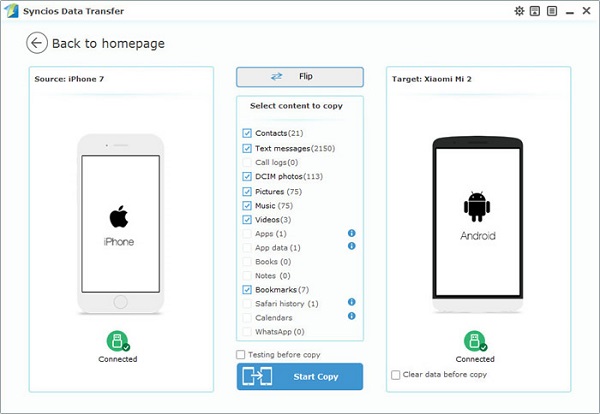
Cross-platform data movement becomes effortless with Syncios Mobile Data Transfer, which allows selective file transfers between Android and iOS devices. Users can move photos, contacts, messages, and media libraries while preserving file quality. The software's user-friendly design makes it easy to navigate even for first-time users. It offers precise control over what gets transferred, which is helpful for managing large collections.
Pros:
- Allows selective transfer for precise control.
- Supports cross-platform Android and iOS transfers.
- Preserves original data quality, especially for media.
- Easy-to-navigate interface for first-time users.
Cons:
- Free version has restricted features.
- Transfer speed can slow with large files.
- Occasional compatibility issues with certain device models.
Pricing:
- Priced around $29.95/year for a single PC license or about $39.95 for a lifetime license; business plans can go up to $249/year.
Learn More: [4 Solutions] How to Sync Calendars Between Two Android Phones?
Top 4: AnyMP4 TransMate
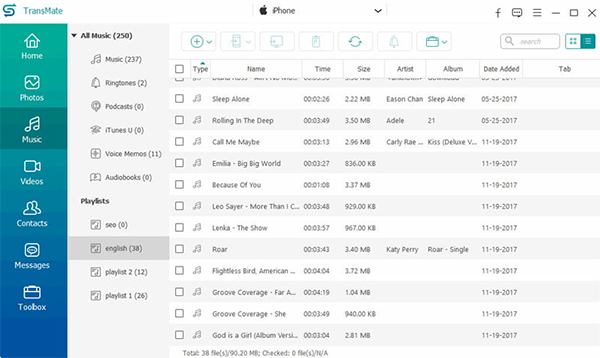
For anyone dealing with large media collections, AnyMP4 TransMate ensures rapid and secure transfers between smartphones. It supports cross-device compatibility and allows users to manage and organize files during the transfer. The program also preserves original file formats and quality, which is crucial for media-heavy devices. Its speed and reliability make it convenient for users who frequently switch devices.
Pros:
- Handles large media libraries efficiently.
- Preserves original file formats and quality.
- Supports cross-device compatibility.
- Allows file management during transfer.
Cons:
- Free trial has limited transfer capability.
- Advanced features require subscription.
Pricing:
- Offers a 1-month subscription (~$15.60) or a lifetime license (~$49.96) for one PC, with team or business licenses costing more.
Top 5: AnyTrans
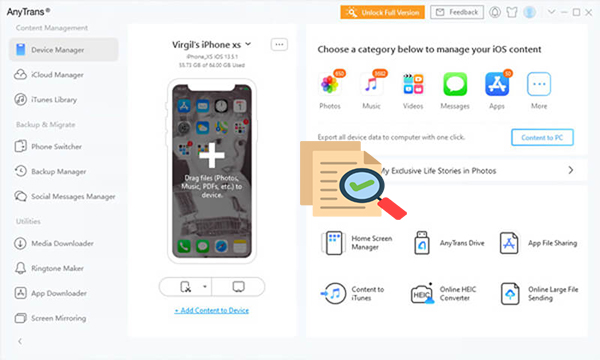
Those who want comprehensive device management alongside data transfer will find AnyTrans highly versatile. It allows migration of contacts, messages, photos, and even apps while providing tools for backup and file organization. Users benefit from both one-click transfers and selective file control. Beyond transferring files, it also helps keep devices organized and backed up efficiently.
Pros:
- Comprehensive device management beyond transfer.
- Supports one-click and selective transfers.
- Includes backup and organization tools.
- Compatible with both Android and iOS devices.
Cons:
- Full features are only available in the paid version.
- The interface may feel overwhelming for beginners.
Pricing:
- Commonly $39.99/year for unlimited devices on a single PC or Mac, with trial versions available.
Top 6: Leawo iTransfer
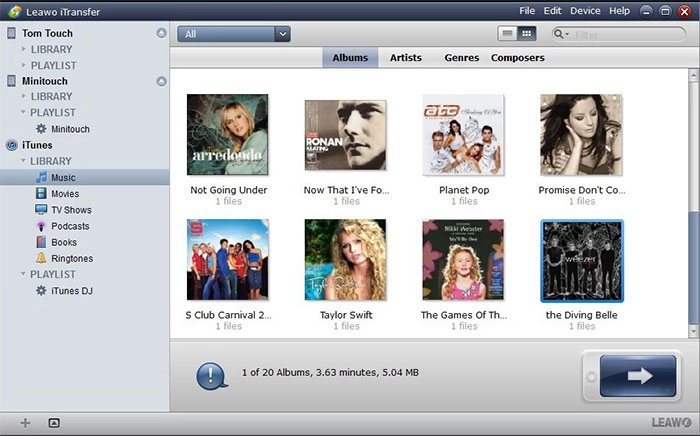
When it comes to managing iOS and Android content efficiently, Leawo iTransfer offers a capable solution. It supports music, videos, photos, contacts, and messages while maintaining original data quality. The program also allows batch transfers, saving time for users with large datasets. Its flexible features make it suitable for both casual users and those handling multiple devices.
Pros:
- Supports batch transfers to save time.
- Maintains original data quality.
- Works with both iOS and Android content.
- Reliable and stable during large file transfers.
Cons:
- Limited support for some device models.
- Requires installation of additional drivers for certain devices.
Pricing:
- Standard license is generally around $19.95/year, making it one of the more affordable options.
At Last
By the end of this guide, you'll see which tool fits your workflow and devices best, reducing the stress of moving photos, contacts, and messages across platforms. Whether you're switching from Android to iOS or simply upgrading to a new model, these alternatives promise fewer hiccups and more control. Choosing the right software ensures your data arrives intact, avoiding the chaos of interrupted transfers.
Related Articles:
Smart Switch Failed to Connect the Device? 8 Optimal Solutions Here
An Impartial FonePaw ScreenMo Review You'd Better Know [Latest]
7 Most Recommended FonePaw Android Data Recovery Alternatives
In-Depth Review of FonePaw iPhone Data Recovery: Ultimate iOS Data Recovery Solution
