
Tenorshare 4uKey for Android vs Dr.Fone Screen Unlock (Android): Key Details
When it comes to unlocking Android devices, choosing the right tool can make all the difference. Many users find themselves deciding between Tenorshare 4uKey for Android vs Dr.Fone Screen Unlock (Android), especially when they need to compare which tool supports their specific phone brand, model, and Android version.
Beyond compatibility, it's crucial to know which software is more effective and less likely to fail, as failed unlock attempts can lead to frustration or even data loss. This guide will explore what you want from these two tools.
- Part 1: Tenorshare 4uKey for Android vs Dr.Fone Screen Unlock (Android): Basics
- Part 2: Tenorshare 4uKey for Android vs Dr.Fone Screen Unlock (Android): Features & Platforms Supported
- Part 3: Tenorshare 4uKey for Android vs Dr.Fone Screen Unlock (Android): Pricing & Security
- Part 4: Tenorshare 4uKey for Android vs Dr.Fone Screen Unlock (Android): Reviews & Customer Support
- Part 5: Tenorshare 4uKey for Android vs Dr.Fone Screen Unlock (Android): Ratings & Cons
- Part 6: Tenorshare 4uKey for Android vs Dr.Fone Screen Unlock (Android): Best Alternative
Part 1: Tenorshare 4uKey for Android vs Dr.Fone Screen Unlock (Android): Basics
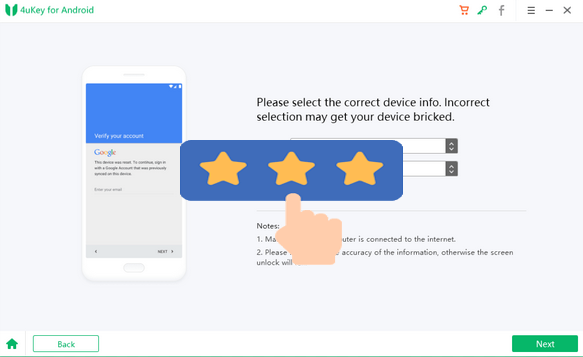
Tenorshare 4uKey for Android is a software tool that removes forgotten screen locks (PIN, pattern, password) and bypasses Google FRP locks on Android phones, often without data loss. It works by connecting your locked device to a computer and following an automated process. However, it's a paid tool, and its success depends on your specific phone model and Android version.
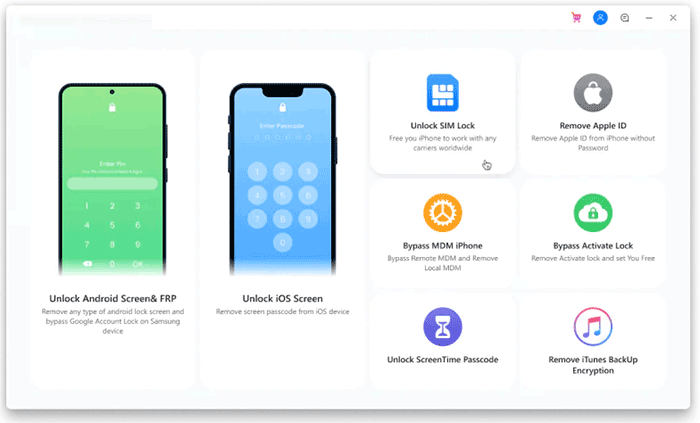
Dr.Fone Screen Unlock (Android) by Wondershare is a direct competitor to 4uKey, designed to remove forgotten passwords, PINs, patterns, and fingerprint locks from Android devices. It also specializes in bypassing Google Factory Reset Protection (FRP) to regain access after a hard reset. Like similar tools, it requires a computer, is a paid service, and its compatibility depends heavily on the specific phone brand and model.
Part 2: Tenorshare 4uKey for Android vs Dr.Fone Screen Unlock (Android): Features & Platforms Supported
Tenorshare 4uKey for Android offers broader device and OS coverage with comprehensive screen unlock and FRP bypass support across major brands. Dr.Fone Screen Unlock (Android) provides similar core features but supports fewer models, with more device-specific unlock modes and selective FRP compatibility. Here's the full reference:
|
Category
|
Tenorshare 4uKey for Android
|
Wondershare Dr.Fone - Screen Unlock (Android)
|
|
Screen Unlock Types
|
Removes pattern, PIN, password, fingerprint, and face lock. |
Removes pattern, PIN, password, and fingerprint locks. |
|
FRP Bypass
|
Supports Google FRP removal, especially for Samsung and other major brands. |
Supports FRP bypass for Samsung and selected Xiaomi/OPPO/Vivo/Realme models. |
|
Device Coverage
|
Compatible with 6,000+ Android models across major brands. |
Compatible with 2,000+ models from many popular brands. |
|
Android OS Support
|
Works with Android 4 to Android 16 (varies by feature). |
Works from older Android versions up to the latest; FRP support typically Android 6-16. |
You May Also Like: Enter Android PIN to Unlock Not Working? Reasons & 8 Quick Solutions
Part 3: Tenorshare 4uKey for Android vs Dr.Fone Screen Unlock (Android): Pricing & Security
3.1 Pricing
Tenorshare 4uKey for Android
- 1-month license typically ranges from $24.95-$29.95.
- 1-year license is usually around $39.95.
- Lifetime license generally costs about $49.95.
Dr.Fone - Screen Unlock (Android)
- 1-year license is about $39.95 on Windows and $49.95 on Mac.
- Lifetime license is around $49.95 on Windows and $59.95 on Mac.
3.2 Security/Safety
Tenorshare 4uKey for Android
- Supports "data-safe" unlock for a limited number of older Samsung models; most other devices experience data erasure during unlock.
- Marketed as clean and safe to install when downloaded from official sources.
Dr.Fone - Screen Unlock (Android)
- Offers "standard" mode, attempting to preserve data, and the "advanced" mode that usually wipes data but works on more devices.
- Presented as reputable, virus-free software widely used across different regions.
Part 4: Tenorshare 4uKey for Android vs Dr.Fone Screen Unlock (Android): Reviews & Customer Support
User feedback for both Tenorshare 4uKey for Android and Dr.Fone Screen Unlock (Android) is mixed, with each tool receiving praise for ease of use but frequent complaints about inconsistent success rates. Both also face ongoing criticism regarding slow or unhelpful customer support and difficulties with refunds.
|
Category
|
Tenorshare 4uKey for Android
|
Wondershare Dr.Fone - Screen Unlock (Android)
|
|
Positive Feedback
|
Users often praise its simple interface and successful unlocks on supported devices. |
Many users find the interface intuitive and report successful unlocks on certain models. |
|
Common Complaints
|
Frequent reports of unlock failures on specific devices and difficulty obtaining refunds. |
Users often mention unreliable "no-data-loss" claims and inconsistent device compatibility. |
|
Customer Support Experience
|
Many users describe slow responses, denied refunds, or unhelpful support interactions. |
Mixed experiences; some users report unresponsive or rigid support and refund refusals. |
|
Overall Sentiment
|
Mixed - works well for some, but many express dissatisfaction with performance and support. |
Mixed to negative - helpful for some cases, but often criticized for low success rate and weak support. |
|
Extra Notes
|
Focuses on wide brand and OS compatibility. |
Offers model-specific unlock modes and selective "no data loss" options (varies by device). |
Part 5: Tenorshare 4uKey for Android vs Dr.Fone Screen Unlock (Android): Ratings & Cons
Ratings - Tenorshare 4uKey for Android
- Some users report smooth and successful unlocks with a simple interface.
- Works reliably on certain older Samsung models where data-safe unlock is supported.
- A notable number of users report failed unlock attempts even on listed compatible models.
- Many users express dissatisfaction with refund handling and overall support.
Ratings - Dr.Fone Screen Unlock (Android)
- Some users find the tool intuitive and effective for unlocking or bypassing FRP on specific devices.
- Interface and workflow are often praised for being user-friendly.
- Many users report frequent failures, especially on newer or less-common phone models.
- Complaints often mention unreliable data-preservation claims and poor refund experiences.
Cons - Tenorshare 4uKey for Android
- High data-loss risk: most unlocks require a factory reset.
- Compatibility gaps with some brands and newer Android versions.
- No functional free version - unlocking requires a paid license.
- Common complaints about unresponsive support and rejected refunds.
Cons - Dr.Fone Screen Unlock (Android)
- The"No-data-loss" mode rarely works as advertised and often still results in data wipe.
- Unlock success rates vary widely depending on device model and Android version.
- Considered expensive for one-time use compared to alternatives.
- Users frequently report slow, rigid, or unhelpful customer support.
Part 6: Tenorshare 4uKey for Android vs Dr.Fone Screen Unlock (Android): Best Alternative
Android Lock Wiper delivers a powerful solution for removing nearly all types of Android screen locks, including PINs, patterns, passwords, fingerprints, and face recognition, positioning it as a reliable alternative to Tenorshare 4uKey and Wondershare Dr.Fone.
It can also bypass Google/FRP locks on many devices and, for certain models, unlock screens without causing data loss, ensuring important information is preserved. With broad device and OS support, an intuitive interface, and the ability to handle locked, broken, or second-hand phones, it provides a versatile, all-in-one Android unlocking tool. Here's the full comparison:
How could Android Lock Wiper beat Tenorshare 4uKey & Wondershare Dr.Fone?
|
Feature/Capability
|
Android Lock Wiper
|
Tenorshare 4uKey/Dr.Fone Screen Unlock (Android)
|
|
Screen Lock Types Supported
|
Password/PIN/Pattern/Fingerprint/Face |
Pattern, PIN, Password, Fingerprint (Face limited or device-dependent) |
|
Google/FRP Bypass
|
Yes, supports many devices |
Yes, supports many devices but varies by model |
|
No-Data-Loss Option
|
Available on some Samsung and supported models Limited |
Works on older devices or select Samsung models; often causes data loss |
|
Device/Brand Coverage
|
Wide coverage: Samsung, Xiaomi, Huawei, Motorola, Google, Sony, etc. |
Medium coverage: major brands supported; actual success varies by model |
|
Flexibility
|
High - unlock, FRP bypass, works on locked/broken/second-hand phones |
Medium - unlock + FRP bypass, depends on device and OS |
How to use the best alternative to Tenorshare 4uKey for Android & Dr.Fone Screen Unlock (Android)?
- Start by downloading and installing Android LockWiper on your computer, then choose "Remove Screen Lock" and hit "Start."
- Keep in mind that unlocking non-Samsung devices may cause data loss, so it's best to back up anything important beforehand.
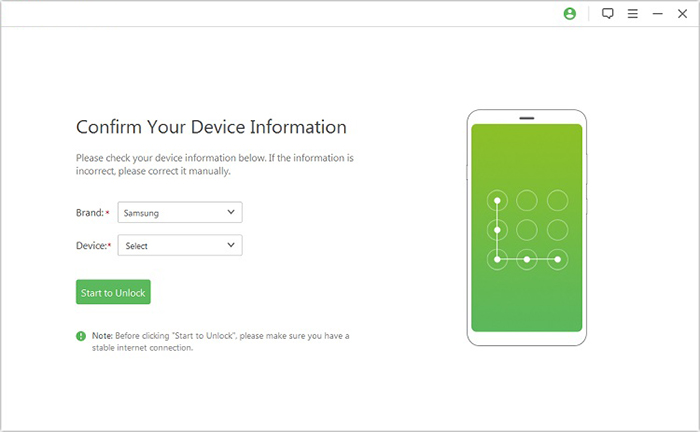
- Connect your phone to the PC via USB, and the program will automatically detect your device details.
- Review them carefully and make any necessary corrections before selecting "Start to Unlock."
- The tool will download the required data package and guide you through the on-screen steps to reset your device.
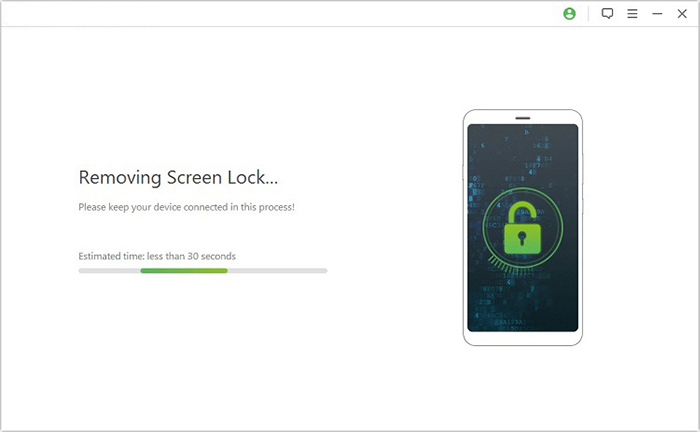
- Once everything is prepared, the unlocking process will begin - ensure your phone remains connected until the procedure is fully complete.

Closing Remarks
Both Tenorshare 4uKey for Android and Dr.Fone Screen Unlock offer robust solutions for screen lock removal and FRP bypass, but their success can vary depending on your device model and Android version. It's best to get their alternative - Android Lock Wiper for a more satisfactory experience.
Finally, a hot tip here: Before attempting any unlock, always back up your important data if you use a non-Samsung phone and verify that your device is listed as compatible - this small step can prevent potential data loss and save you time.
Related Articles:
Dr.Fone Reviews: Overview, Safety, Reliability, Pricing, Reviews, & Alternative
Tenorshare 4uKey for Android Review 2025: Can It Be Trusted?
How to Recover Contacts from Android Phone after Factory Reset? 4 Means
3 Secure Ways to Erase Android Phone Permanently before Selling It
