5 Best iTunes Alternatives for Android Devices [Latest Info]
TL;DR:
Android doesn't include a built-in desktop manager like iTunes, but several reliable alternatives can help you transfer, organize, and back up your phone data from a computer.
Why choose MobiKin Assistant for Android?
- Comprehensive Android management: MobiKin Assistant for Android lets you transfer, edit, import, export, back up, and restore contacts, messages, photos, videos, music, apps, documents, and more from a single interface.
- Simple and secure: The software offers one-click backup and restore, selective file management, and a straightforward interface that is easy to use.
Apple users have iTunes, which can assist them in managing files like contacts, SMS, audio files, videos, etc., on iOS devices. But it's only for iPhone, iPad and iPod, unable to support Android devices. Android is a powerful mobile operating system, yet, it lacks an official data management tool like Apple iTunes.
So, is there a program like iTunes for Android? In other words, is it possible to find an iTunes alternative for Android? Don't worry! Here we collect some tools that can function like Apple iTunes on Android phones/tablets.
Part 1. Best iTunes Alternative for Android - MobiKin Assistant for Android
MobiKin Assistant for Android (with its Mac version) is the best Android version of iTunes for Android phones and tablets that can work on both Win/macOS platforms. It allows you to transfer data, including contacts, SMS, audio files, videos, and more, between Android device and PC/Mac with 1 click and manage your phone items on computers freely.
Here, we list the salient highlights of the program to let you understand what the Android version of iTunes is.
Core Features of MobiKin Assistant for Android:
- Edit, add, and delete Android phone contacts and other files on the computer.
- Manage, export/import music, photos, and videos.
- Send text messages and control them from a computer.
- Support to transfer overall file types, including contacts, call logs, text messages, photos, videos, music, documents, apps, etc.
- Compatible with all brands of Android phones like Samsung, vivo, Huawei, xiaomi, Motorola, Sony, OnePlus, etc.
- Does not require professional computer knowledge and is totally secure.
- Work well with all versions of Windows and Mac.
Click the following button to download the free trial of the top iTunes alternative for Android - MobiKin Assistant for Android to give it a go:


How to use Assistant for Android to Manage Android Data on Your Computer? Here is a walkthrough of some of its main functions:
1. After downloading and installing Assistant for Android on your PC/Mac, launch it and connect your phone to the computer via its digital cable. The software will automatically detect your Android device. (Make sure you have enabled USB debugging on your device by following the prompts in the program window.)
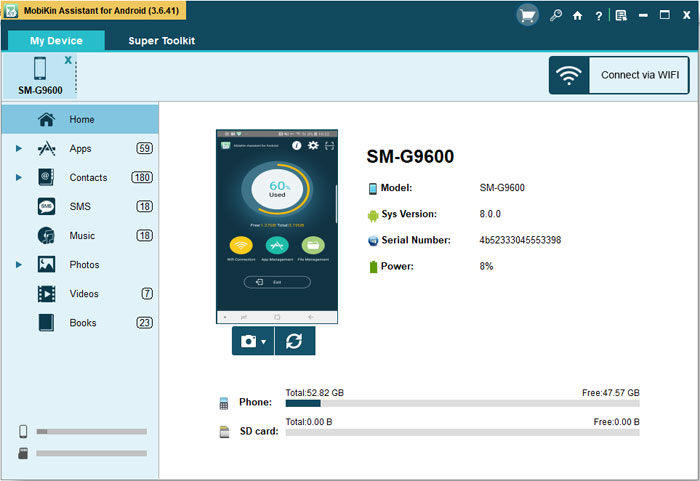
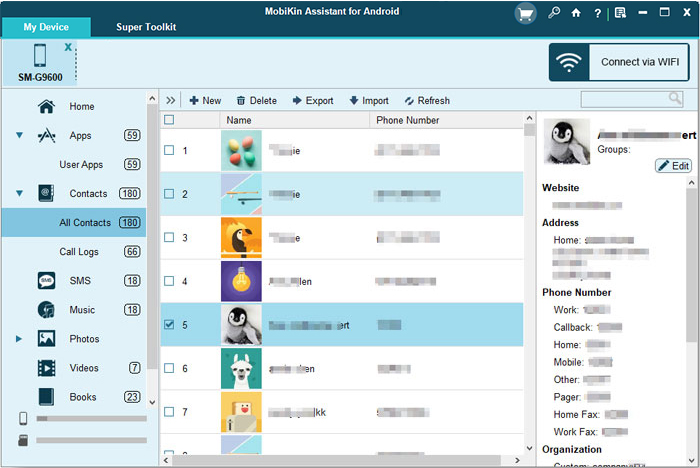
2. All data on your phone is categorized in the left column. You can pick the file types you want to manage. For example, if you want to control contacts, you can choose the "Contacts" option from the left and begin to add, delete, export, import, and edit the contacts.
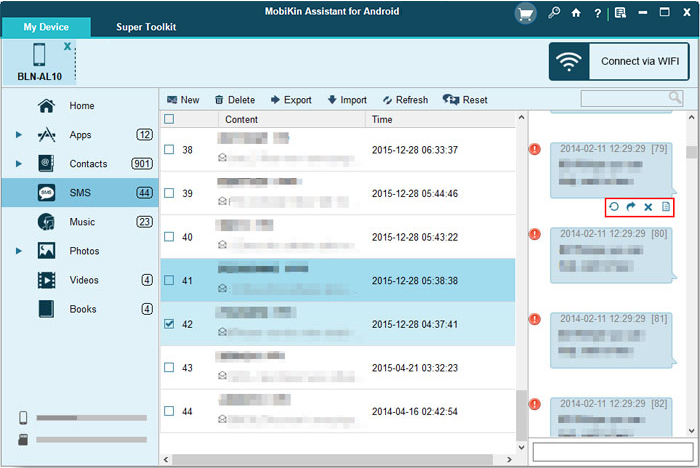
3. Send, delete, export, import, resend, forward, and copy text messages on your smartphone.
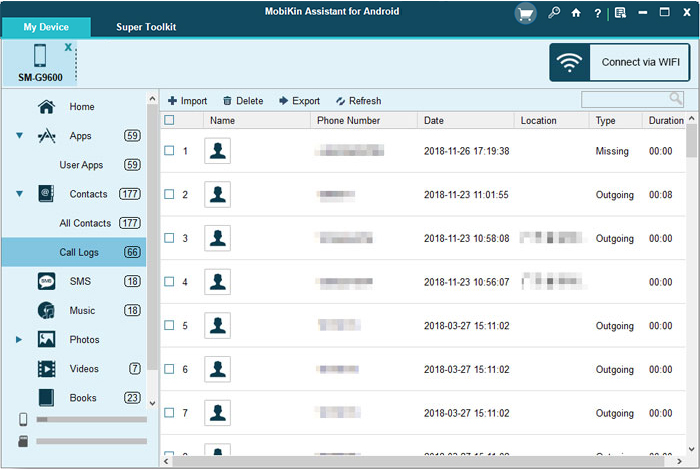
4. Import, export, delete, and refresh call logs on your linked phone.
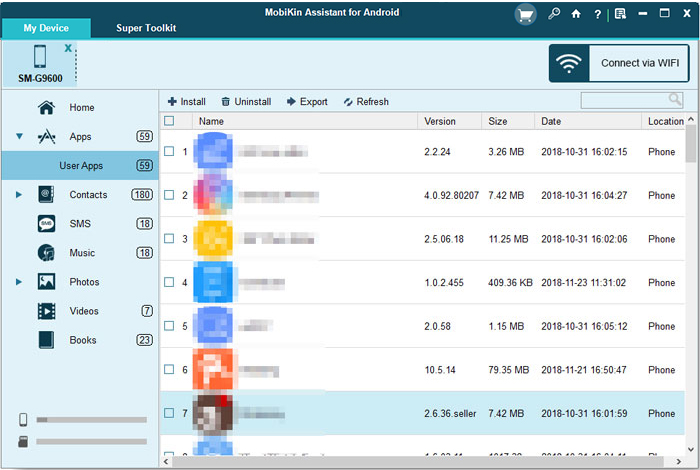
5. Install, uninstall, and export apps on this computer.
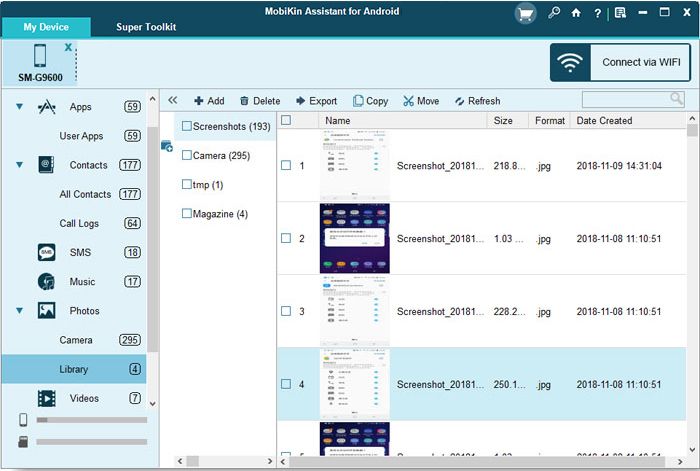
6. Import, export, or edit photos, videos, and music content on your Android mobile.
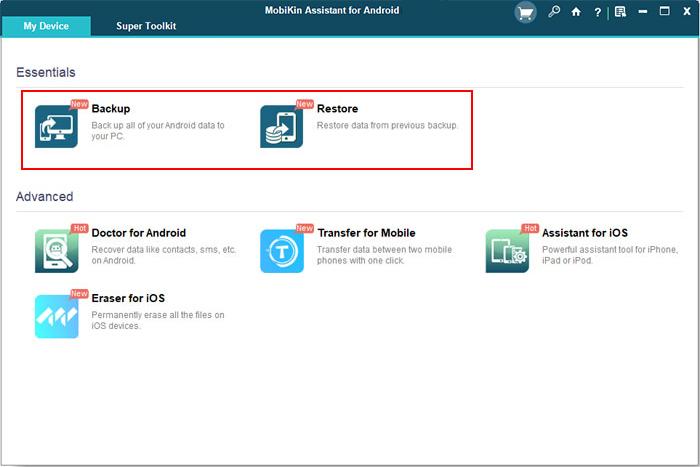
7. Backup and restore Android data in one click by going through the "Super Toolkit" > "Backup" or "Restore" option to back up and restore your Android stuff on the computer quickly.
Video Tutorial for How to Utilize the Best iTunes for Android:
You May Also Enjoy:
Part 2. Other 4 iTunes Equivalents for Android
1. AirDroid
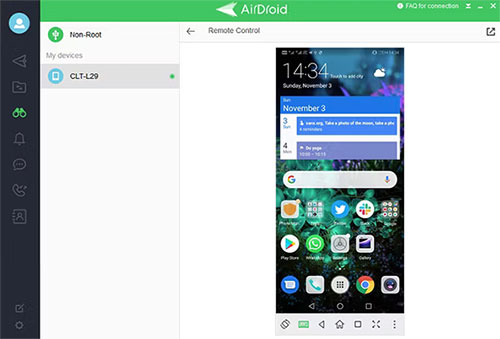
AirDroid enables Android users to manage the content that stored in the device on a PC or Mac. The software can meet your needs and offer you features that are similar to those of iTunes. What's more, this iTunes replacement for Android can also offer you an online interface.
And it is professional and powerful, which makes it a good opportunity for Android users who want to access the files and other files in a convenient manner.
Pros:
- It can get access to the website without installing the app.
- The interface is concise and is easy to operate.
Cons:
- There are bugs in the app, especially in the web version.
- Leaving your phone idle could cause the connection to drop.
2. MOBILedit Lite
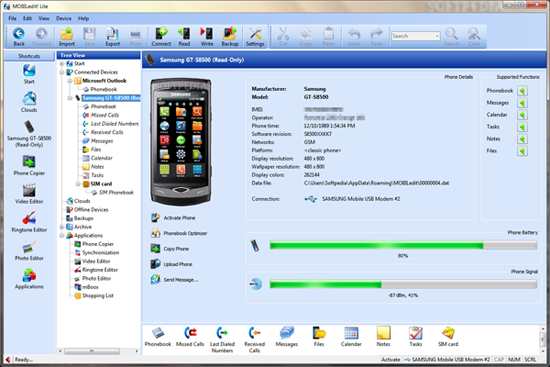
With MOBILedit Lite, you are able to access all the files on your device easily and quickly. This app is reliable and lets you preview all the items you can see on the smartphone. Furthermore, it also allows you to send text messages and update the device as you like. By the way, the free trial cannot provide you with the complete Google version of iTunes, and if you want to get its pro version, it will cost you EUR 19.00.
Pros:
- Allows you to make a backup of your device fast.
- Efficiently manage various types of data on mobile devices.
- Compatible with a wide range of mobile devices.
Cons:
- You may need to connect the device to a computer multiple times when the app can not recognize the device.
- Users may find limited customer support options.
3. DoubleTwist
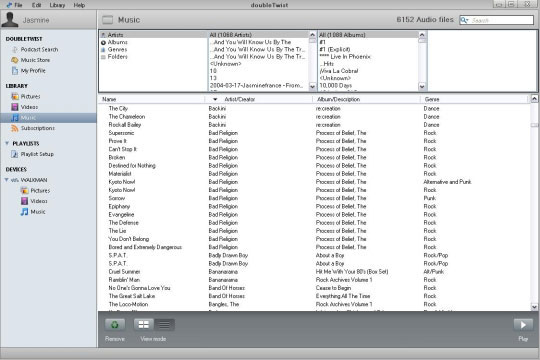
As one of the best iTunes apps for Android, DoubleTwist makes multimedia management on mobile phones a piece of cake. You can use this app to connect your phone to the computer system via USB or WiFi. Then, you can manage files like photos, music, videos, and images with this software.
You can also convert multimedia file formats. Any user, even without much PC experience, can easily master the use of this program because the product interface is very simple.
Pros:
- Free and Intuitive interface.
- There are some other features that iTunes does not have.
Cons:
- Only support media file types.
- Some smartphones are not supported.
Click to See:
4. MusicBee
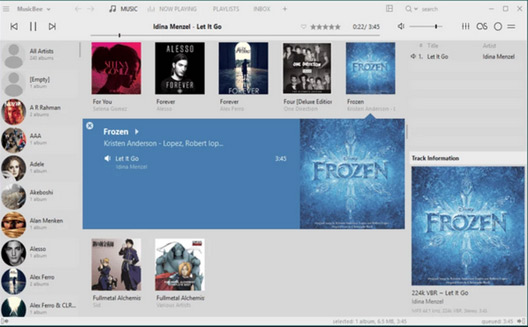
MusicBee is a flexible alternative to iTunes, perfect for organizing and listening to music across Windows, Android, and iOS devices. Its intuitive UI and extensive features, like the 15-band equalizer and auto-tagging, enhance the listening experience. Plus, this Android iTunes alternative syncs seamlessly between devices and supports podcasts, web radio, and SoundCloud integration.
Pros:
- Top radio stations collaborate with their podcasts.
- Supporting various audio formats such as mp3 and wav.
- An added feature of cloud storage availability.
Cons:
- Recurring bugs may be reported within a specific timeframe.
- The interface may feel a bit overwhelming at first.
Round Off
To conclude, Apple users have the handy tool - iTunes to help them better manage and use their iOS devices. Unfortunately, Android doesn't offer such a direct solution.
However, after reading this post, you now know that there are actually many decent iTunes alternatives for Android. Among them, MobiKin Assistant for Android is the safest and most powerful substitute, which can transfer and manage overall data types on your Android smartphones and tablets. Finally, what is the best Android version of iTunes, in your opinion? Please let us know below.
Related Articles:
[2026] Top 5 iTunes Alternatives for Mac You'd Better Know
How to Cast Android to PC for Screen Sharing? 7 Productive Ways
12 Best Android Desktop Managers to Manage Phones Smoothly 2026
12 Easy Ways to Fix a Frozen Android Phone You'd Better Know