
Top 6 Best App Backup and Restore Alternatives [Worth a Shot]
Android users often face uncertainty when their backup tools fail to keep pace with system changes. System updates or brand-specific Android versions can cause existing backup apps to stop working properly, which leads many people to search for an App Backup and Restore alternative that feels more dependable.
Instead of sticking with a single option, exploring other solutions becomes a smarter move as devices and software evolve. This article introduces 6 better alternatives that offer different ways to protect apps and reduce restore-related issues.
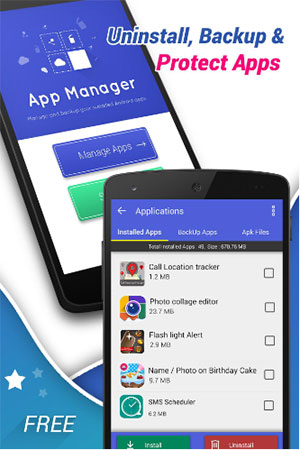
#1: Best App Backup and Restore Alternative - Android Backup & Restore
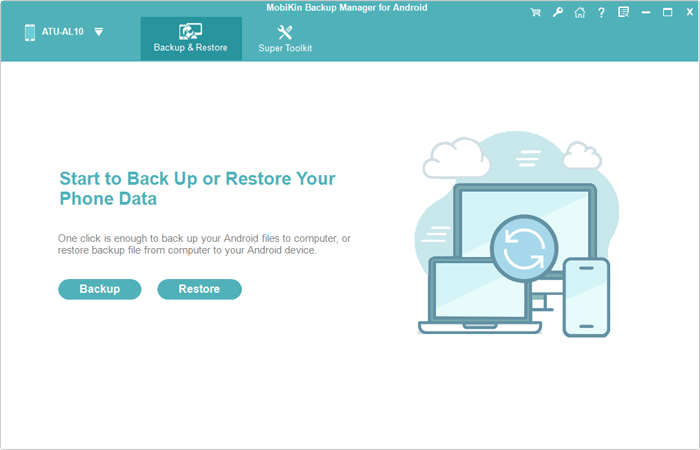
Designed for people who want tighter control over their Android data, MobiKin Backup Manager for Android (Windows/Mac) fits well as an app backup and restore alternative by focusing on stability and selective management. Termed Android Backup & Restore, this app supports backing up apps along with other core phone data to a computer, which reduces dependence on cloud storage.
The desktop-based workflow also helps avoid interruptions caused by system updates or network issues. For users who value offline backups and organized restores, this approach feels reliable and practical.
|
MobiKin Android Backup & Restore - Features
|
Brief Description
|
|
Full Android Backup |
Backs up apps, contacts, messages, media, and documents to a computer. |
|
Selective Backup & Restore |
Allows to choose specific data types instead of backing up everything. |
|
One-Click Backup |
Starts a full backup or restore with a single action. |
|
Wide Device Support |
Compatible with thousands of Android phones and tablets. |
|
USB & Wi-Fi Connection |
Connects Android devices to a PC via cable or wireless network. |
|
No Data Overwrite |
Keeps existing backups intact during new operations. |
|
Common Export Formats |
Saves certain data in readable formats. |


After you have installed the product on your computer, launch it to get started. Connect your Android device to the computer using a USB cable. If you receive a prompt, enable USB debugging on your phone to ensure the software can detect it accurately.
Once your device is recognized, the options for "Backup" and "Restore" will appear on the screen - select "Backup" > "Apps" and adhere to the instructions to successfully complete the process.
Video Guide - How can I use this MobiKin software?
Pros:
- Enables comprehensive backups including apps, media, contacts, messages, and more.
- Stores backups on a computer, reducing reliance on phone storage.
- Offers selective backup/restore of individual apps or data types.
- Works with both cable and WiFi connections.
Cons:
- Requires a computer to use (no fully standalone mobile app).
- Lacks automatic scheduled backups on the device itself.
- Backup speed depends on USB connection quality.
You Might Also Enjoy: How to Restore Deleted Apps on Android? 4 Simple Ways Here
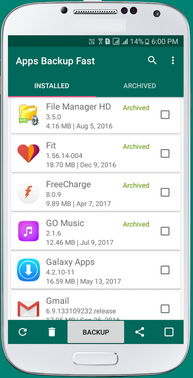
#2: Apps Backup and Restore
For those who prefer a lightweight solution directly on the phone, Apps Backup and Restore stands out as a flexible substitute in the same category. APK files can be saved locally or synced to external storage without complicated setup. Its clean layout makes it easy to track different app versions over time. This simplicity appeals to users who want quick backups without digging into advanced settings.
Pros:
- Simple and intuitive interface for quick app backups.
- Allows local storage of APKs with no account signup needed.
- Can share APK files easily via Bluetooth or messaging.
- Lightweight with minimal impact on device performance.
Cons:
- Doesn't back up app data - only APK files.
- No automatic or scheduled backup feature.
- Limited support for apps installed on external SD cards. (Can I move apps to SD card on Android?)
- Lacks cloud backup integration.
#3: Share Apps
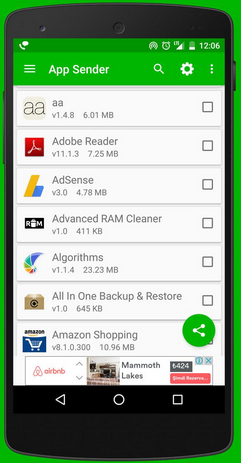
A more sharing-oriented angle comes from Share Apps, which doubles as a backup option in everyday scenarios. Installed apps can be exported and reused across devices without re-downloading them from the Play Store. This method is especially helpful when switching phones or setting up multiple devices. As an alternative, it focuses more on convenience than deep system integration.
Pros:
- Offers fast exporting of installed apps as APK files ready for sharing.
- Useful for transferring apps to other devices without internet.
- Clean, straightforward interface makes operation easy.
- Works well for casual users who just want app files.
Cons:
- Cannot back up app data or settings.
- Backups are not versioned - can be confusing for multiple versions.
- No built-in restore process; manual reinstall needed.
- Limited tools for managing backups over time.
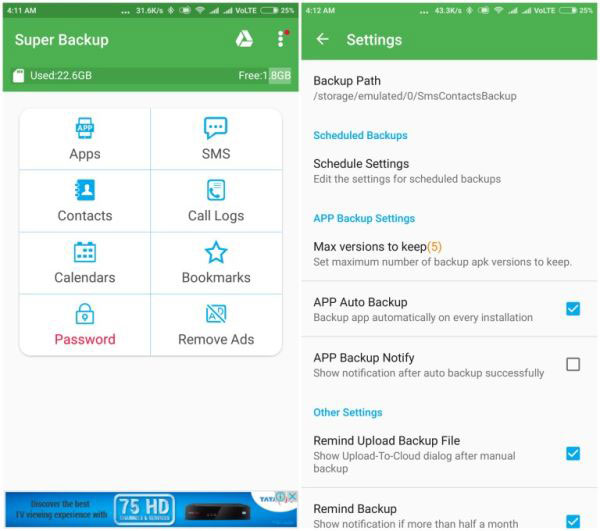
#4: Super Backup & Restore
When routine backups matter more than customization, Super Backup & Restore offers a balanced replacement choice. Scheduled backups help keep apps safe without constant manual action. The app also keeps restore steps straightforward, even for beginners. Its long-standing presence on Android makes it familiar to many users looking for a dependable option.
Pros:
- Includes backups for apps, contacts, SMS, call logs, calendars.
- Supports scheduled backups to keep data up to date.
- Can save backups to local storage or upload to Google Drive/Dropbox.
- Offers restore options for individual data types.
Cons:
- UI design feels outdated and cluttered to some users.
- Frequent ads in the free version disrupt workflow.
- Restores may fail on certain devices or Android versions.
- App backup accuracy varies by device model.
#5: Swift Backup
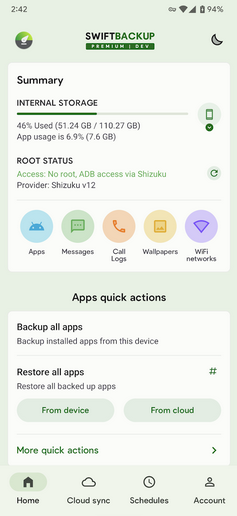
Power users often look for something more advanced, and Swift Backup fills that role well as an alternative. It handles apps, app data, and system data with greater precision on supported devices. Cloud sync options add another layer of safety for people who manage multiple phones. This tool suits users who are comfortable exploring deeper backup controls.
Pros:
- Supports apps plus app data on devices with Android's backup APIs or root.
- Syncs backups to cloud services like Google Drive and Dropbox.
- Clean, modern UI with clear backup categories.
- Great choice for users with multiple devices to manage.
Cons:
- Full app data backup often requires root or special permissions.
- Cloud backup setup can be confusing for beginners.
- Some advanced features require a premium subscription.
- Backup sizes can be large depending on content.
Learn More: 7 Most Reliable Swift Backup Alternatives You'd Better Know
#6: Neo Backup
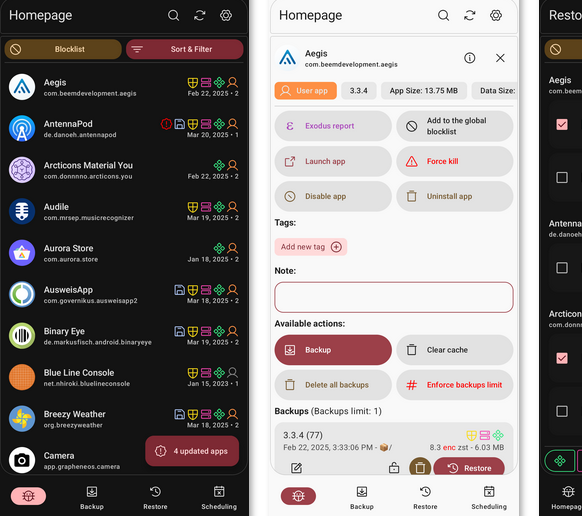
Built with privacy-conscious users in mind, Neo Backup acts as a solid open-source substitute. App backups stay local unless the user decides otherwise, which limits unwanted data exposure. It works smoothly with rooted setups, giving experienced users more freedom. As an alternative, it emphasizes transparency and control over flashy extras.
Pros:
- Open-source and privacy-focused - no ads or tracking.
- Lets users back up apps as APKs and optionally data on rooted phones.
- Strong transparency and developer trust due to open codebase.
- Works well for privacy-aware Android users.
Cons:
- Backup of app data usually requires root access.
- Not polished for beginners - setup may feel technical
- Lacks cloud syncing out of the box.
- Fewer user support resources compared to commercial apps.
Round Off
A dependable backup solution plays a quiet but critical role in everyday phone use. The alternatives discussed above highlight how different tools address common weaknesses found in traditional backup apps. By understanding these options, users can prepare for device upgrades and software changes with more confidence. In the long run, the right choice brings peace of mind rather than last-minute troubleshooting.
Pro Tip: Always run a trial backup and restore with a few non-essential apps before committing to an App Backup and Restore alternative, especially after a major Android update.
Related Articles:
App Share via Bluetooth: 5 Ways to Transfer Apps from Android to Android by Bluetooth
11 Best Android Contacts Recovery Software [Few People Know]
Top 10 Best iPhone Backup Software in 2026 [Must Read]
How to Run Android Apps on PC Windows in 7 Tested Ways? [SOLVED]
