
6 Most Reliable SyncDroid Alternatives [Definitely Worth Checking Out]
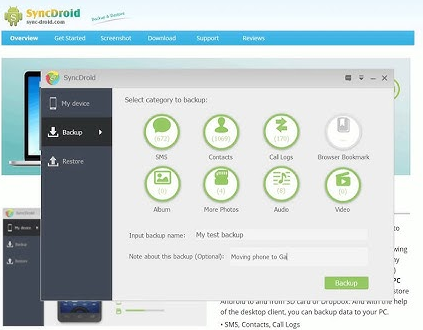
If you've been relying on SyncDroid for managing and backing up your Android phone, you may have noticed some common drawbacks, such as frequent connection issues between the phone and PC or limited backup or management options. It's no surprise that many are now searching for a SyncDroid alternative that offers more features or better performance than this tool.
Whether you're looking for smoother connectivity, broader compatibility, or advanced functions like wireless transfer or app data backup, this article introduces the 6 most amazing SyncDroid alternatives worth your attention.
Click the video below to see this topic brought to life:
Top 1: Best SyncDroid Alternative - MobiKin Assistant for Android
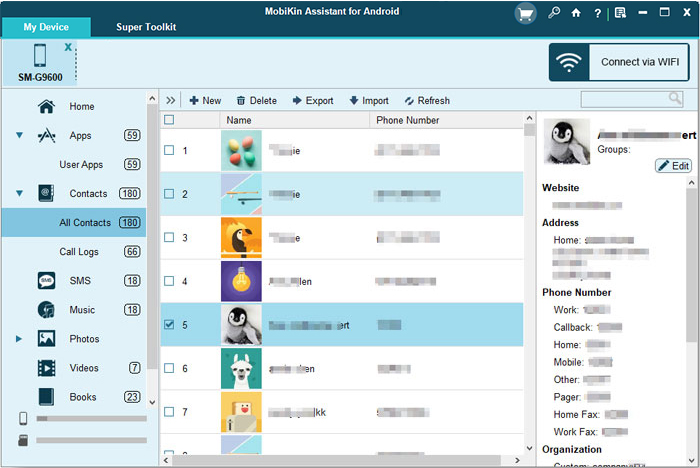
Looking for the best SyncDroid substitute? Try MobiKin Assistant for Android (with its Mac version). It's a top-rated, user-friendly tool for managing and backing up Android data on PC, trusted by millions. With a free trial available, it offers an efficient and seamless experience for handling contacts, files, and more across Android devices.
Main Features of MobiKin Assistant for Android:
- Easily back up and restore Android phones and tablets with a single click.
- Transfer data seamlessly between Android devices and PC or Mac.
- Compatible with a wide variety of phone data types.
- Capture screenshots on Android smartphones effortlessly.
- Directly manage different data types on your computer.
- Install and uninstall Android applications directly from your computer.
- Choose between two connection modes: USB and Wi-Fi.
- Supports over 8,000 Android phone models.
- Your privacy will remain secure.


Download and install MobiKin Assistant for Android for free on your computer. Connect your Android phone to your PC, follow the prompts to recognize it, and access all features from the main screen's sidebar or top menu by following the easy and concise guide.
Video Guide:
Why People Like MobiKin Assistant for Android:
- Comprehensive Data Management: Easily transfer, back up, and restore contacts, messages, photos, videos, and more.
- User-Friendly Interface: Intuitive and simple to navigate.
- Fast and Reliable: Quick data transfer with minimal errors
- Supports Multiple Android Devices: Compatible with most Android brands and versions.
- PC Integration: Works smoothly between Android devices and Windows/Mac computers.
Why Some Don't Like It:
- Paid Software: Some features require purchase after a free trial.
- Not Fully Automated: Requires manual initiation for many tasks.
You May Also Like: 6 Best iPhone File Explorers to Browse iPhone Data on PC/Mac
Top 2: MyPhoneExplorer
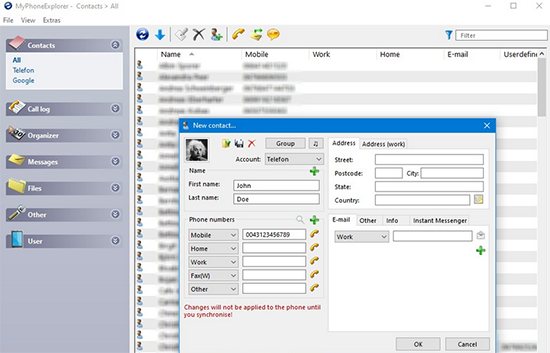
MyPhoneExplorer is a versatile Android management tool that lets you sync contacts, messages, call logs, calendar events, and more between your phone and PC via USB, Wi-Fi, or Bluetooth. It also supports SMS management, file transfers, screen mirroring, and syncing with Outlook or Thunderbird.
As a SyncDroid alternative, MyPhoneExplorer stands out with broader sync options, multiple connection methods, and advanced control features-all in a lightweight, free-to-use package. It's ideal for users seeking more flexibility and functionality than basic backup tools provide.
Why People Like MyPhoneExplorer:
- Offers many features without bloat or ads.
- Works via USB, Wi-Fi, or Bluetooth.
- Includes SMS management, file transfer, syncing with Outlook/Thunderbird, screen mirroring, and backups.
- Especially helpful for users with older Android phones or those not using Google services.
Why Some Don't Like It:
- The design feels old-fashioned compared to modern apps.
- No native Mac or Linux support.
- Initial setup, especially Wi-Fi connections, can be confusing for non-tech-savvy users.
- Doesn't support full app/data backup like some modern alternatives.
Top 3: Swift Backup
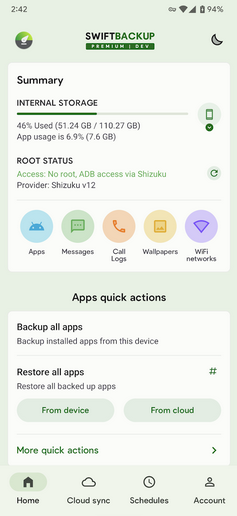
Swift Backup is a modern Android backup app that supports apps, SMS, call logs, and more-with full app data backup for rooted users. It integrates with cloud services like Google Drive and Dropbox, offers scheduled backups, and has a clean, fast interface.
As a SyncDroid substitute, Swift Backup provides more advanced features, cloud support, and greater flexibility, making it ideal for users seeking modern, powerful backup options.
Why People Like Swift Backup:
- Cloud Support: Backs up to Google Drive, Dropbox, OneDrive, etc.
- Fast & Easy to Use: Clean interface with quick backup/restore.
- App Data Backup: Rooted users can back up full app data.
- Scheduled Backups: Supports automation for regular backups.
- No PC Needed: The entire process runs on the phone.
Why Some Don't Like It:
- Limited Without Root: Full app data backup requires root access.
- Cloud Storage Required: No local-only option by default for some features.
- Paid Features: Some functions require a premium upgrade.
- Android Only: No cross-platform (e.g., PC or iOS) support.
Learn More: How to Access PC/Computer Files from Android Phone Remotely? [5 Great Options]
Top 4: Neo Backup
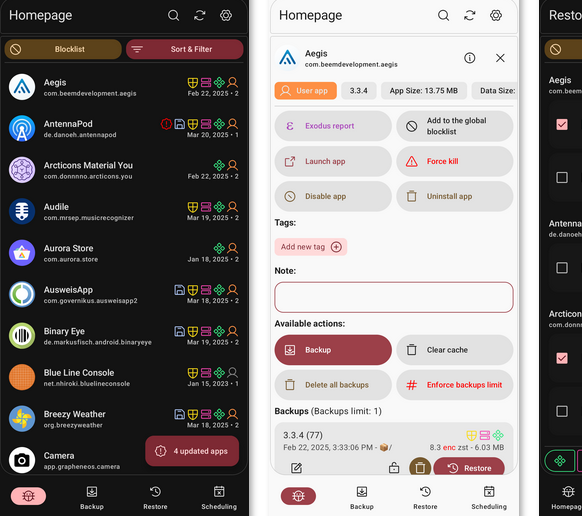
Neo Backup is a free, open-source Android backup app ideal for rooted users. It supports full app and data backups, SMS, call logs, and more-stored locally without needing cloud or PC access.
As a SyncDroid replacement, Neo Backup offers more control, offline functionality, and deeper backup options, making it great for users who want powerful, privacy-focused backups without relying on a computer.
Why People Like Neo Backup:
- Full App + Data Backup: Great for rooted users wanting complete backups.
- Local Storage: No cloud needed-keeps data private.
- Open-Source & Free: No ads, no cost, and no bloat.
- Offline Use: Works without internet or PC.
- Lightweight: Minimalist and efficient.
Why Some Don't Like It:
- Root Required: Most features need root access.
- No Cloud Sync: Lacks built-in cloud backup options.
- Not for Beginners: Interface and setup can be complex.
- Android Only: No cross-platform or PC support.
Top 5: MyBackup Pro
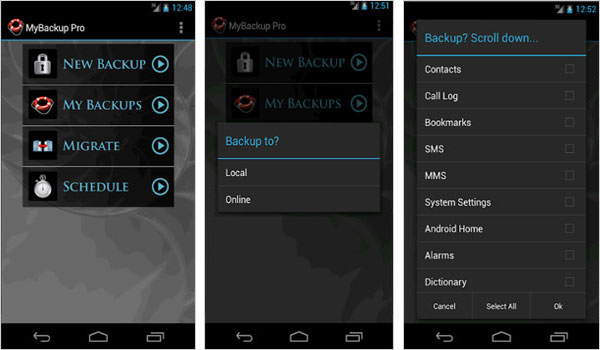
Designed for Android data handling across older and newer devices, MyBackup Pro also stands out as a workable SyncDroid alternative when basic transfer and backup tasks are needed without complex setup. It supports moving apps, media, and system data with flexible restore options that help reduce dependency on PC-based workflows.
In scenarios where SyncDroid struggles with compatibility on newer Android versions, it often remains a steadier fallback for routine backups and migration tasks.
Why People Like Helium Backup:
- Backs up apps, SMS, call logs, contacts, photos, and system settings in one place.
- Supports both local storage and cloud backup options for flexible usage.
- Offers scheduled backups to automate data protection.
Why Some Don't Like It:
- The interface looks outdated compared to newer Android backup tools.
- Compatibility can be inconsistent on the latest Android versions.
- Some restore and advanced features require a paid upgrade.
Top 6: Super Backup & Restore
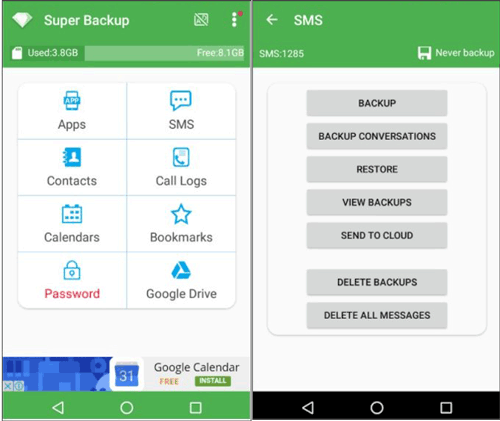
Super Backup & Restore is an easy-to-use Android app for backing up contacts, SMS, call logs, apps, and more to local storage or Google Drive. This program offers quick, root-free backups and restores directly on the device-perfect for users who want simple, PC-free data protection.
Why People Like Super Backup & Restore:
- Easy to Use: Simple interface for quick backups.
- No Root Needed: Works on all Android devices.
- Cloud & Local Backup: Supports Google Drive and SD card.
- Fast Backup/Restore: Efficient and reliable for essential data.
Why Some Don't Like It:
- Limited Advanced Features: Lacks full app data backup for non-rooted devices.
- Ads in Free Version: Can be intrusive.
- Occasional Bugs: Some users report backup failures or restore issues.
- No PC Sync: Doesn't support syncing with a computer like SyncDroid.
Words in the End
While all six options provide unique benefits, MobiKin Assistant for Android acts as the most advisable tool for comprehensive Android phone backup, restore, and management. Its powerful features, ease of use, and strong performance make it a top choice for anyone seeking a reliable and efficient SyncDroid replacement.
Related Articles:
10 Best Android Phone Repair Tools You Should Never Miss
The Latest 11 Best Android Data Recovery Software/Tools [Free & Paid]
7 Popular Ways to Back Up and Restore Android Devices [Updated]
8 Most Desirable Android Phone Unlocking Software [Must-Read]
