How to Recover Deleted Call History from OPPO? 3 Ways & 7 FAQs
TL;DR:
Accidentally deleted call history on an OPPO phone can be frustrating, but recovery is often possible through backups or specialized tools. For a reliable no-backup solution, consider MobiKin Doctor for Android. It scans your OPPO phone directly and retrieves deleted call logs without requiring any prior backup. The software also lets you preview recoverable records before saving them to your computer.
NOTE: If data is lost on your OPPO device, stop using the phone or minimize activity as much as possible to prevent deleted files from being replaced by newly generated data. Doing so may improve the likelihood of successful recovery, especially when no backup is available. Additionally, any recovery tools should be used responsibly and lawfully for legitimate purposes only, and not for any unauthorized or improper activities.
Call history on an OPPO phone can contain useful details such as incoming, outgoing, and missed calls, so accidentally deleting these records can be frustrating. Call history is stored in the phone's system database, not usually in cloud backups unless the user explicitly enabled it.
If you are looking for how to recover deleted call history from OPPO, this guide covers several practical methods, including backup restoration and other possible recovery options.

- Part 1: What Causes Call History Loss on OPPO Phones
- Part 2: Recover Deleted Call History from OPPO without Any Backup
- Part 3: Recover Deleted Call Logs from OPPO via SMS Backup & Restore
- Part 4: Retrieve Call History from OPPO via Call Log Delete-Backup Restore
- FAQs about Recovering Deleted Call History from OPPO
Part 1: What Causes Call History Loss on OPPO Phones
Call history on OPPO phones can disappear for various reasons, ranging from accidental deletion to system issues or data transfer problems. Before trying to recover the missing call logs, it helps to identify the possible cause from the list below.
- Accidental deletion: Call logs may be removed by mistake when clearing recent calls.
- System glitches: Temporary OPPO system errors can cause call history to disappear or display incorrectly.
- System updates: An Android or ColorOS update may occasionally affect stored call records.
- Cleared app data: Clearing data for the Phone app can remove locally stored call history.
- Factory reset: Resetting the OPPO phone erases call logs along with other personal data.
- Storage issues: Insufficient or corrupted storage may prevent new call records from being saved properly.
- Third-party apps: Some cleaning or security apps may delete call history while removing unnecessary data.
- Data transfer problems: Call logs may be missing after switching to a new OPPO phone if the transfer process is incomplete.
Part 2: Recover Deleted Call History from OPPO without Any Backup
Designed for Android data retrieval, MobiKin Doctor for Android (Windows/Mac) provides practical functions for retrieving lost files and organizing content stored on mobile devices. It can rescue deleted call history from OPPO phones, helping users retrieve important call records that were removed due to accidental deletion or system issues.
Offering a straightforward solution for Android data recovery, this program can retrieve various file types from both internal storage or SD card without a backup in supported scenarios. The program also enables users to preview recoverable data before restoration and export selected content to a computer for easier management.
In addition, we promise that our software will never collect any user privacy, providing a secure and reliable experience throughout the recovery process.
Safe Download (No ads, no bundles, no background uploads):


Simple User Guide:
Step 1. Download and Launch the Software - Download and install the program on your computer. Once launched, it will automatically recognize your connected OPPO device. To recover deleted call logs from the phone's internal storage, make sure your OPPO phone is rooted and USB debugging is enabled by following the on-screen instructions.
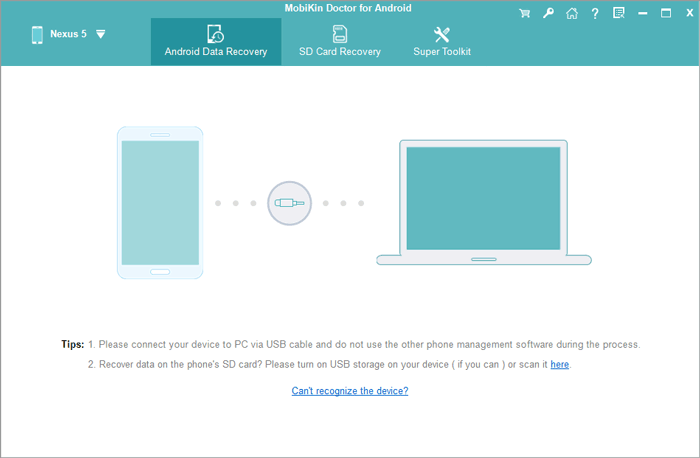
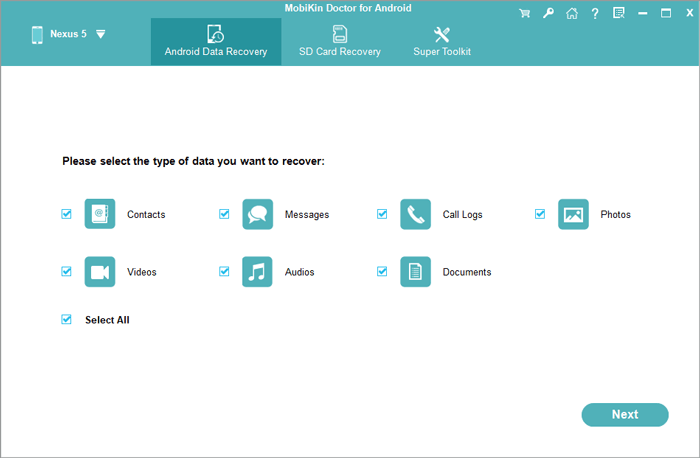
Step 2. Select the Data Type to Recover - When prompted, choose the type of data you want to retrieve. In this case, select "Call Logs" and click "Next" to continue.
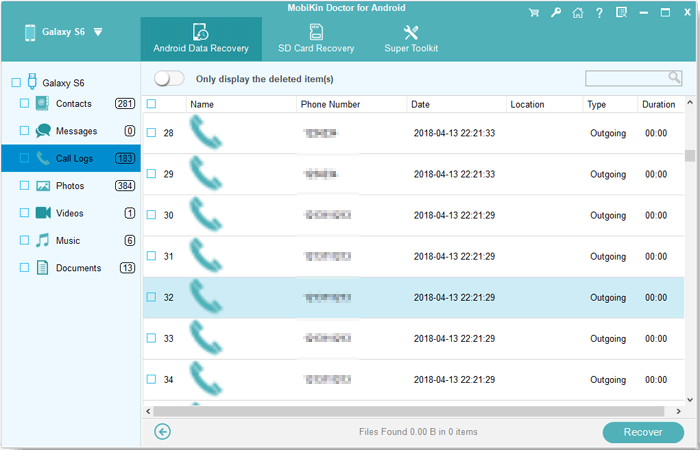
Step 3. Scan Your OPPO Device - The software will begin scanning your OPPO phone for deleted call history. Wait for the scan to complete so that all recoverable call records can be displayed.
Step 4. Preview and Recover Call Logs - Review the scanned call logs and select the entries you want to restore. Once you've made your choices, click "Recover" and choose a folder on your computer to save the recovered call log data.
Video Guide:
Part 3: Recover Deleted Call Logs from OPPO via SMS Backup & Restore
If you previously backed up your OPPO call history with SMS Backup & Restore, you can restore the deleted logs from that backup. The app can restore call logs from existing XML backups, but it cannot recover call history that was never backed up.
Simple User Guide:
- Install SMS Backup & Restore: Download and install the app on your OPPO phone from Google Play.
- Open the app: Launch SMS Backup & Restore and grant the required permissions.
- Tap "Restore": Select the Restore option from the app's menu.
- Choose a backup: Select the existing backup file containing your OPPO call logs. It may be stored locally or in Google Drive, Dropbox, or OneDrive.
- Select Call Logs: Check Call Logs and deselect SMS/MMS if you only want to restore call history.
- Start the restoration: Tap Restore and follow the on-screen instructions. The app may temporarily require changes to default app settings during the process.
- Check the Phone app: Once restoration is complete, open the OPPO Phone app and check whether the deleted call records have returned. (SMS Backup & Restore won't work?)
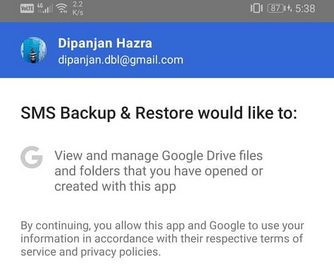
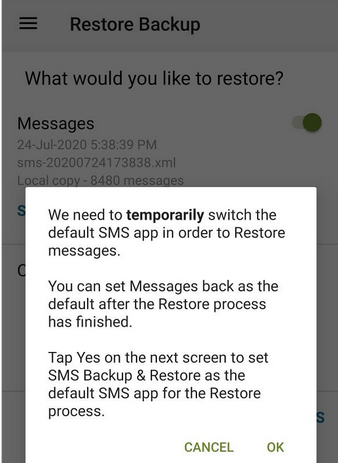
Note: This method only works when the backup was created before the call logs were deleted. The app's developer specifically states that it requires an existing backup to recover deleted call logs.
Part 4: Retrieve Call History from OPPO via Call Log Delete-Backup Restore
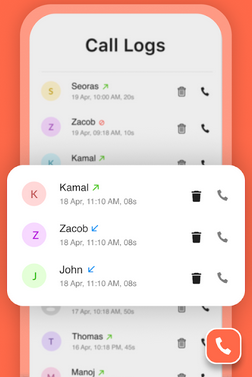
Call Log Delete-Backup Restore is an Android app that lets users back up, manage, and restore call history on their phones. It can help you retrieve call history from OPPO by restoring call logs from a backup created with the app. With its simple backup and restore process, you can keep important call records available for later recovery.
Simple User Guide:
- Install the app - Download and install Call Log Delete-Backup Restore from Google Play Store on your OPPO phone.
- Allow the required permissions - Open the app and grant access to your call logs when prompted. The app states that READ_CALL_LOG is used to view and back up call history, while WRITE_CALL_LOG allows it to restore call logs.
- Open the Backup & Restore feature - From the app's main interface, find the Call Log Backup/Restore or similar backup and restore option.
- Select a backup - Choose the available call-log backup containing the records you want to retrieve. The app supports backing up phone call logs and restoring them to the device.
- Tap Restore - Follow the on-screen instructions to restore the selected call history. The restored records should then become accessible through the OPPO phone's call-log interface.
- Check the restored call history - Open the OPPO Phone app and go to Recents/Call History to confirm whether the required records have been restored.
FAQs about Recovering Deleted Call History from OPPO
Q1: Does Google backup include OPPO call history?
Google device backups can include call history when the relevant backup option is enabled. However, whether a particular deleted call appears in the restored data depends on the backup's contents and timing.
Q2: How long does OPPO keep call history?
OPPO's call history is not necessarily permanent. Android phones can retain a limited number of recent call entries, so older records may disappear as new calls are added.
Q3: Can I recover call history after a factory reset on OPPO?
If your call logs were backed up before the reset, you may be able to restore them from that backup. Without a previous backup, recovery becomes much more difficult and may require specialized recovery software.
Q4: What should I do after accidentally deleting OPPO call history?
Stop using the phone for unnecessary activities and avoid creating large amounts of new data. This can reduce the chance of deleted information being overwritten before you attempt recovery.
Q5: Will recovering deleted OPPO call history delete my current call logs?
It depends on the recovery method you use. Before restoring a backup, consider backing up your current call history so that important recent records are not lost.
Q6: Can I recover deleted OPPO call logs after several days?
Possibly, but the longer the deleted records remain unrecovered, the greater the chance that new data will overwrite them. A backup created before deletion provides a more reliable recovery option.
Q7: How can I prevent losing call history on my OPPO phone again?
Regularly back up your call logs using a trusted backup solution and keep an additional copy when the records are important. This gives you a way to restore call history if it is accidentally deleted later.
Additional Tips:
Contact your carrier to ask whether it keeps detailed records of your incoming and outgoing calls after they are deleted from your OPPO phone. The carrier may provide information such as phone numbers, call dates, times, and durations, but it usually cannot restore the deleted entries to the OPPO Phone app. Availability and retention periods vary by carrier, so check your account or contact customer support for details.
Related Articles:
How to Hard/Factory Reset OPPO Phone? 4 Options You'd Better Know
7 Latest Methods to Unlock OPPO Phone without Password [2026]
9 Practical Techniques to Fix OPPO Phone Not Connecting to PC
How to Transfer Data from OPPO to OPPO? 5 Easy Ways You Should Never Miss
iPhone Call Log History: 4 Ways to View Old Call History on iPhone