
4 Most Popular OnePlus Contacts Erasers 2026 [Expert Guidance]
When preparing to give away your OnePlus device, it's important to ensure that all of your personal information is securely wiped from the device, especially your contacts. A OnePlus contacts eraser is essential to help you erase all contacts from your device permanently, ensuring your data stays safe. This passage focus on 4 such tools, ensuring your information remains vulnerable, potentially putting your privacy at risk.
You Might Also Like: Want to back up your contacts on OnePlus to a computer before erasure? Here are 5 dependable ways.
Top 1: Best OnePlus Contacts Eraser - MobiKin Eraser for Android
When it comes to clearing contacts on a OnePlus device, having an effective tool at hand can make all the difference. MobiKin Eraser for Android (Windows/Mac) stands out as a top choice, allowing users to completely wipe contacts with ease.
It goes beyond just erasing individual contacts, offering a secure way to erase all phonebook entries, ensuring no data recovery. The app also supports other types of data erasure, making it a versatile solution for Android users.
|
MobiKin Eraser for Android - Main Features
|
Brief Description
|
|
Complete Data Erasure |
Permanently deletes all data, including contacts, messages, photos, call logs, and more, with no recovery possible. |
|
Erase Contacts on OnePlus |
Effectively erases all contacts from OnePlus devices without leaving any recoverable trace. |
|
Multiple Data Types Supported |
Erases not just contacts but also apps, settings, browsing history, and other sensitive data. |
|
Secure and Permanent Wipe |
Uses advanced algorithms to ensure deleted data cannot be recovered by data recovery tools. |
|
User-Friendly Interface |
Simple and intuitive interface for users, making it easy to navigate the erasure process. |
|
Supports Various Android Models |
Compatible with a wide range of Android devices, including OnePlus 15/13/12/11/10/9/Nord/R, etc. |
|
One-Click Erasure |
Offers the ability to wipe all data on the device with a single click, making the process quick and hassle-free. |


Text Guide:
- Start by downloading and installing the data erasure tool on your computer, which will allow you to permanently delete data, including all contacts, from your OnePlus phone.
- Connect your OnePlus device to the computer via USB and enable USB debugging if prompted.
- Open the software and follow the on-screen instructions to allow it to detect your OnePlus device.
- Once recognized, select the "Erase" option from the main interface.
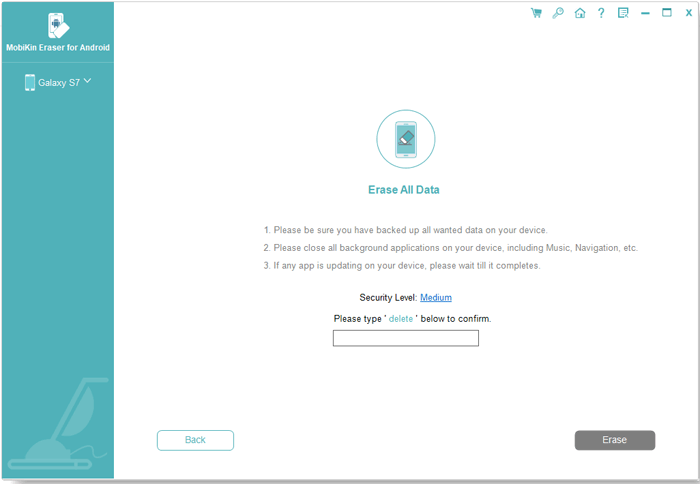
- Choose your preferred security level and confirm the action by typing "delete" when asked.
- After confirming, click "Erase" again.
- Select Low Level to prevent basic recovery, Medium Level for erasing media files, or High Level to securely remove sensitive data.
- Follow the instructions and click "Continue" to permanently erase all contacts and other files.
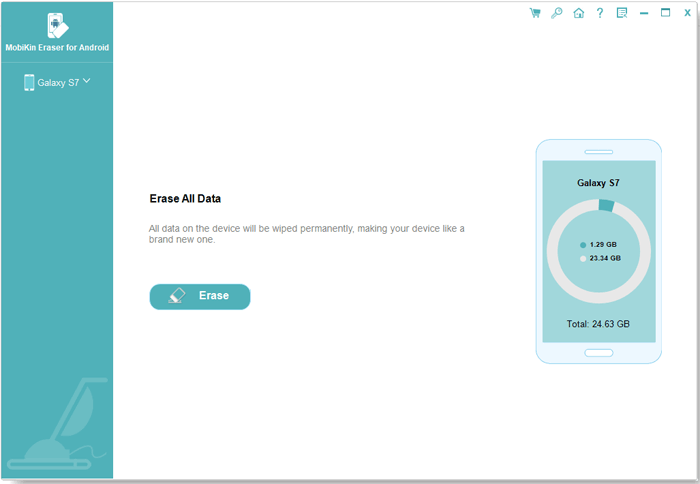
Video Guide - How to use MobiKin Eraser for Android?
The Good:
- Complete Data Erasure: Permanently erases all contacts and other data from OnePlus and Android devices, making recovery impossible.
- Multiple Data Types Supported: Can erase photos, call logs, messages, and more, not just contacts.
- User-Friendly Interface: Simple to navigate, even for beginners, with a clear step-by-step guide.
The Bad:
- Paid Version: Some features, including full erasure, are only available in the paid version.
- Limited Free Trial: The free version offers limited functionality, so you may not experience the full benefits.
- No Cloud Support: It doesn't integrate with cloud services, so it can't erase synced contacts from accounts like Google.
My Testing Experience:
- When testing MobiKin Eraser for Android on my OnePlus One, the app performed exceptionally well in erasing contacts without any issues. It was straightforward to use, and I appreciated the peace of mind knowing that my contacts were securely wiped from the device. The process was fast, and I didn't encounter any performance issues during the testing.
Top 2: Delete Multi Contacts - Merge
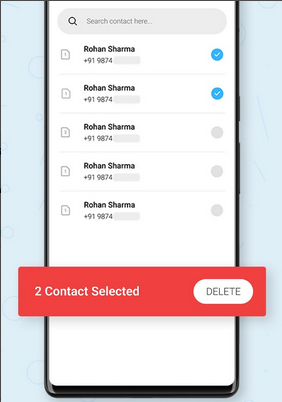
For those who need to quickly handle multiple contacts on their OnePlus, Delete Multi Contacts - Merge provides a seamless way to delete several contacts simultaneously. It's designed for users who need efficiency, allowing for batch deletions while also merging duplicate contacts to clean up the phonebook.
The app's user-friendly interface makes it easy to select and remove unwanted entries. This tool is an excellent option when trying to streamline contact management.
The Good:
- Batch Deletion: Allows you to delete multiple contacts at once, which saves time when managing a large address book.
- Merging Duplicates: Also offers a feature to merge duplicate contacts, helping clean up your phonebook effectively.
- Easy to Use: The interface is straightforward, making it easy for anyone to use, even if they are not tech-savvy.
- Free: This app offers its features without requiring a premium subscription.
The Bad:
- Limited Advanced Features: Lacks in-depth options for customizing deletions or handling specific contact groups.
- Ads: The free version contains ads, which can be intrusive while using the app.
- Slow Performance with Large Contacts: Can be sluggish when dealing with an extensive contact list.
- No Backup Option: Does not provide an automatic backup before deletion, which could be risky for users who might want to recover contacts later.
My Testing Experience:
- Testing Delete Multi Contacts - Merge on my OnePlus One was a quick and easy experience. I was able to select and erase multiple contacts in just a few steps, and the app did a good job of merging duplicates as well. While the app worked efficiently, it did feel a bit slow when handling a large number of contacts.
Top 3: Contacts Cleaner
Sometimes, people struggle with cluttered contact lists, and Contacts Cleaner offers a straightforward method for clearing up such chaos. This app excels at locating duplicates and eliminating unnecessary entries, making it ideal for a one-click clean up.
Whether you're dealing with contact errors or duplicates, it simplifies the process. For OnePlus users looking to tidy their phonebook without hassle, this app is a solid, effective solution.
The Good:
- Quick Duplicate Detection: Scans and removes duplicate contacts, which is essential for organizing a cluttered phonebook.
- Backup Feature: Allows users to back up contacts before deletion, providing an added layer of safety.
- Multiple Criteria for Removal: Offers flexibility, such as deleting contacts with no phone number or email.
- Free Version Available: The app offers many features in the free version, which is great for casual users.
The Bad:
- Limited Functionality in Free Version: Some advanced features are locked behind a paywall, limiting the usefulness of the free version.
- May Miss Some Duplicates: Occasionally, it doesn't catch all duplicates, especially those with minor variations in details.
- Can Be Overwhelming for New Users: The interface, though effective, might feel a bit complicated for those unfamiliar with contact management apps.
- Occasional Bugs: Users report occasional bugs, particularly when managing contacts synced from cloud services.
My Testing Experience:
- Using Contacts Cleaner on my OnePlus One was effective for removing duplicate contacts. The app detected most of the duplicates, but a few still slipped through the cracks, especially with slight variations in names or details. Overall, it's a reliable app for keeping my contact list organized, though there's room for improvement in accuracy.
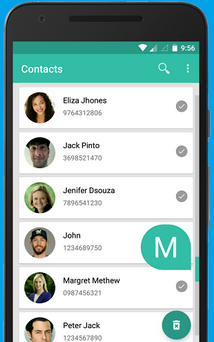
Top 4: One-Click Erase All Contacts
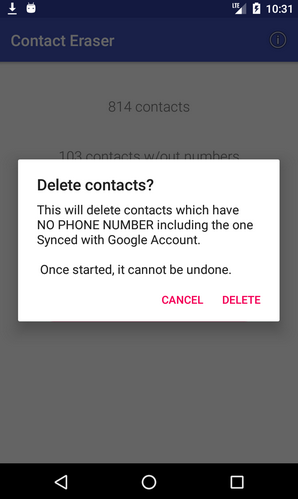
If you're seeking a fast, no-fuss way to erase everything at once, One-Click Erase All Contacts is the outstanding app for the job. It allows you to erase contacts in bulk with a single tap, great for those who need a quick reset on their OnePlus.
No need to worry about accidental deletions, as the app offers a clear confirmation before removal. It's a straightforward, no-frills solution to start fresh with your contacts list.
The Good:
- Quick and Simple: Designed for speed, erasing all contacts with a single tap, making it ideal for users who need to clear their contacts fast.
- No Need for Manual Selection: You don't have to go through and select individual contacts to delete, which is time-saving.
- No Ads: Free of interruptions, providing a smoother experience compared to other free apps.
- Completely Deletes Contacts: Ensures all contacts are erased permanently, without leaving any trace.
The Bad:
- No Backup or Recovery Options: The app doesn't offer a backup or recovery option, so once contacts are gone, they're gone.
- Limited Customization: Offers no way to selectively delete contacts or perform advanced filtering before deletion.
- Risk of Accidental Deletion: Due to its one-click nature, users may accidentally erase important contacts if they don't confirm properly.
- Only Erases Contacts: The app is limited to contact deletion and doesn't offer any other contact management features like duplicate merging.
My Testing Experience:
- One-Click Erase All Contacts on my OnePlus One was incredibly fast, allowing me to delete all contacts with a single tap. While the speed was impressive, I found the lack of a backup option concerning, as there's no way to recover any contacts once deleted. It's great for users who want to wipe everything quickly, but caution is needed before using it.
Round Off
In conclusion, using a reliable tool like MobiKin Eraser for Android is crucial to safeguarding your personal contacts on OnePlus when parting ways with your device. By erasing your contacts securely, you can prevent unauthorized access to your personal information. Before using any eraser tool, always make sure to back up your important contacts so you can restore them later if necessary.
Related Articles:
5 Simple Approaches to Recover Data from a Broken OnePlus Phone
Locked Out of OnePlus? 6 Options to Unlock OnePlus Phone without Password
How to Transfer Contacts from iPhone to OnePlus: Guide 2026
How to Root OnePlus 15/13/12/11/10/9/8/7/6 without Difficulty? 3 Ways
