
6 Most Credible Shreddit Data Eraser for Android Alternatives
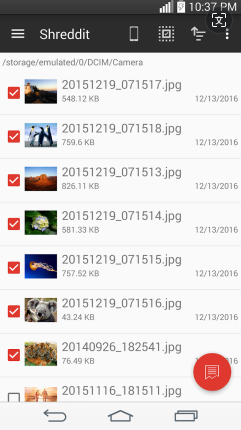
As users become more concerned about mobile privacy, many realize that Shreddit Data Eraser for Android does not provide full-device wiping or advanced multi-pass overwrite modes. With personal data continuing to grow, the demand for stronger removal methods is increasing, making the search for a reliable Shreddit Data Eraser for Android alternative more common.
This issue is especially important for users who store private photos, work files, and personal records on their devices. This passages outline 6 most practical alternatives to Shreddit Data Eraser for Android. Let's check them out now.
Top 1: MobiKin Eraser for Android
For users who care about permanent deletion, MobiKin Eraser for Android (Windows/Mac) is often seen as a better Shreddit Data Eraser for Android alternative because it works through a computer and applies deeper overwrite methods. Instead of only removing selected files, it can wipe entire storage areas in one process.
This approach helps reduce the chance of sensitive data being recovered later. As a result, it is frequently chosen by people preparing their phones for resale or transfer.


How to use the most reliable Shreddit Data Eraser for Android alternative to erase your phone completely?
- Start by opening the software on your computer and linking your Android phone to the computer via a USB cable. (Can I link my phone via WiFi?)
- Adhere to the on-screen prompts to enable the software to recognize your mobile device.
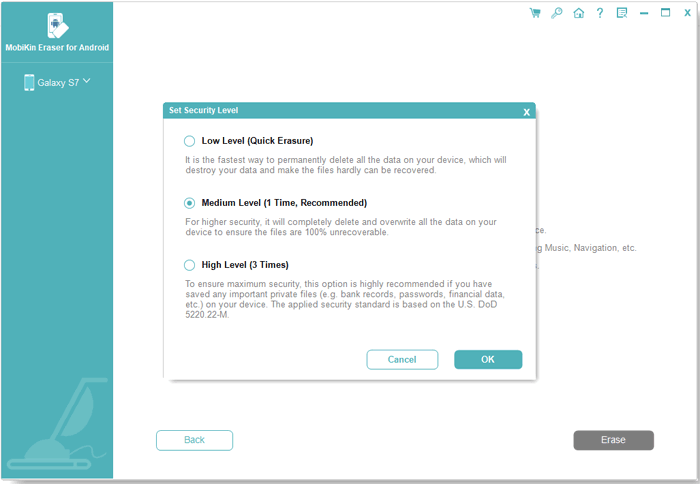
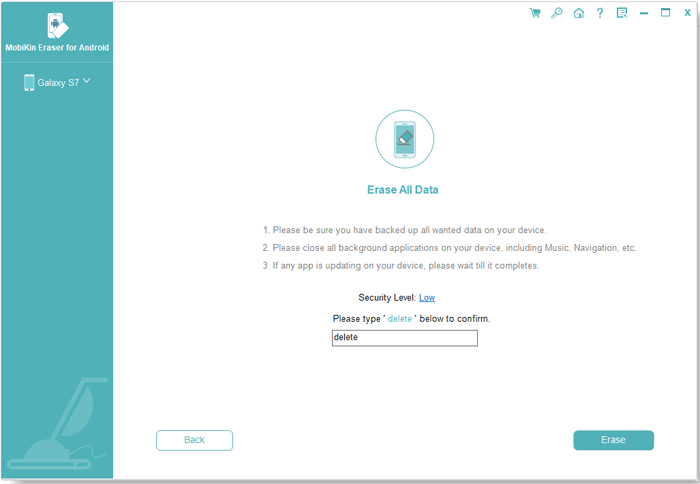
- Subsequently, click on "Erase" in the main interface and select a security level from the "Erase All Data" interface.
- Please note that the following steps will irreversibly erase all data on your Android phone, with no chance of recovery.
- Next, type "delete" in the designated box and press "Erase" to commence the process.
- Now, kindly wait for the process to finish, which will take a brief moment.
- Afterward, you can perform a factory reset on your device by following the on-screen instructions.
Video Directions:
What are its advantages over Shreddit Data Eraser for Android?
- Offers comprehensive data wiping, not just file shredding - erases full internal storage and SD data.
- Uses advanced overwrite algorithms to make data permanently unrecoverable.
- Can wipe both internal memory and external SD cards thoroughly.
- Supports selective or full device wipe, giving more control than Shreddit's file-level shredding.
- Typically updated to support newer Android models and broad compatibility.
- Designed for professional-level erasure, often used before reselling or transferring devices.
Demerits:
- Paid software: Requires purchase for full functionality, whereas Shreddit is free.
- PC dependency: Must connect your Android device to a PC.
- Not a mobile app: Needs a desktop client.
Pricing:
- 1-Month License: ~$29.95;
- Lifetime License: ~$39.95.
Top 2: Secure Eraser
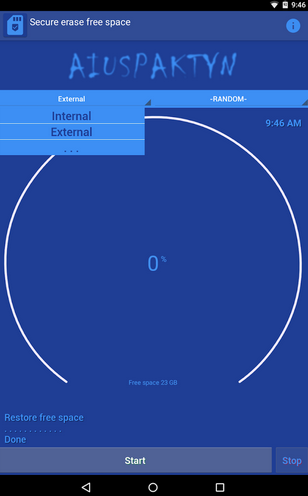
When stronger control over erased data is required, many turn to Secure Eraser for its multi-pass cleaning features. It focuses on removing hidden traces, cache files, and temporary records that simple shredding apps may ignore. Although it usually works through a desktop environment, its cleaning depth is valued by advanced users. In professional or office settings, it is often preferred over basic mobile-only tools.
What are its advantages over Shreddit Data Eraser for Android?
- Performs multiple passes over data to reduce recovery chances.
- Can thoroughly scan and remove system traces beyond simple file deletion.
- Offers a broader wipe scope (folders, temporary files, histories).
- Generally simple but often includes intuitive full-file system interaction.
- May delete junk or cache and residual system data, which Shreddit doesn't emphasize.
- Integrated features for non-visible file cleanup compared to basic file shredding.
Demerits:
- Limited free trial: Paid to unlock full capabilities whereas Shreddit is fully free on Android.
- Time-intensive processes: Erasing free space can take long and impact performance.
- Collects some app data/performance IDs: Might share some diagnostic data.
- Older versions and mixed reviews: Not all users find it reliable or effective.
Pricing:
- Free version available, but with limited features.
- Paid version starts ~US$29.90 one-time for full desktop features (not typical mobile pricing).
Top 3: Safewiper for Android
For those who want multiple wiping modes in one program, Safewiper for Android is commonly considered a better Shreddit Data Eraser for Android alternative. It allows users to choose between full device erasure, private data removal, or app-related cleanup. This flexibility makes it suitable for both everyday privacy needs and complete device resets. Its design focuses more on long-term data security than quick file deletion.
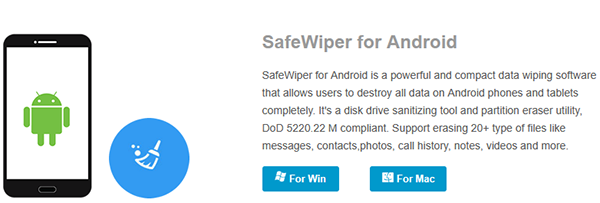
What are its advantages over Shreddit Data Eraser for Android?
- Uses military-grade wiping standards (e.g., multi-pass overwrite) for higher security.
- Offers three wipe modes (full device, private data only, app data) for flexibility.
- Erases app and social media data while freeing up space on your phone.
- Can overwrite each storage sector, not simply delete files.
- Supports deep scans for multiple file types beyond media.
- Ensures overwritten data is irrecoverable with advanced tools.
Demerits:
- Paid product: Requires purchase, unlike Shreddit's free app.
- Complex UI for casual users: More advanced wipe levels may be overkill.
- Overwriting entire storage can be slow: More time-consuming than just shredding selected files.
- Mostly desktop utility: Not a simple standalone app you open on your phone without connecting to a PC.
- No free ad-supported version: Users must buy license for full functions.
Pricing:
- Website lists no simple tiered mobile pricing, but typically this type of software is paid as a desktop utility (often $30–$60).
Top 4: Andro Shredder
In situations where users prefer a lightweight and simple approach, Andro Shredder offers basic shredding and free-space wiping functions. As a Safewiper substitute, supports batch deletion, which helps when cleaning many files at once. While it lacks advanced certification standards, it still performs secure overwriting on selected data. For routine cleanup tasks, it can serve as a practical option.
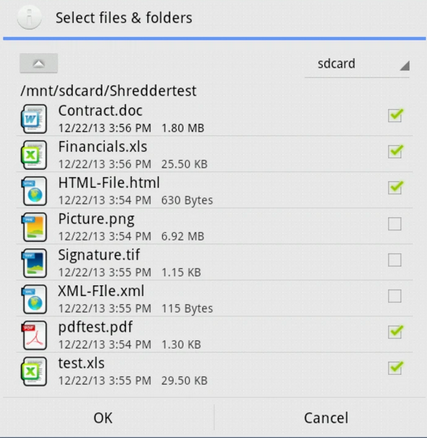
What are its advantages over Shreddit Data Eraser for Android?
- Can wipe free space in addition to individual files, reducing leftover recoverable fragments.
- Allows searching and previewing file types (e.g., pictures, PDFs) before shredding.
- Can handle multiple files and directories in one sweep.
- Supports scheduled wiping tasks to automate future erasures.
- Cleans nested folder contents thoroughly.
- Tested against recovery tools to ensure its deletes are harder to recover.
Demerits:
- Very old app: Last updates may date back years - potential compatibility issues on new Android.
- Limited obvious monetization: No pro version or support, meaning fewer updates.
- Mixed user reports on effectiveness: Older testers questioned whether it actually removes data fully.
- No advanced features: Doesn't include modern overwrite standards like DoD or NIST.
- Unclear support: With minimal development, fixes may be slow or absent.
Pricing:
- Typically free to download app with no major paid tiers found.
Top 5: Secure Wipe Out
Among mobile shredding apps, Secure Wipe Out is sometimes treated as a better Shreddit Data Eraser for Android alternative due to its support for multiple deletion algorithms. It targets not only files but also caches and temporary storage. This wider scope helps reduce leftover digital traces on the device. Users who want more than simple file removal may find it useful.
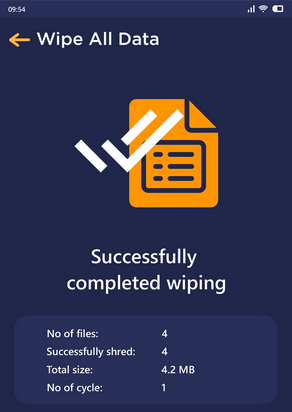
What are its advantages over Shreddit Data Eraser for Android?
- Uses multiple certified shredding algorithms (DoD, GOST, NIST, HMG IS5).
- Can overwrite free space and the entire SD card, not just select files.
- Offers secure wiping of contacts, clipboard, and temporary cache.
- Integrates with file explorers for easier file selection.
- May include password protection for app access.
- Designed to handle multiple file types and storage areas for deeper erasure.
Demerits:
- Poor effectiveness reported: Files sometimes remain accessible after shred.
- App freezes and crashes: Bad performance on Android is reported by users.
- App behaves unreliably: Doesn't always thoroughly wipe free space or shredded files.
- Unwanted large files appear: May add junk to storage during use.
- User reviews mostly negative: Many recommend avoiding this tool.
Pricing:
- Generally free with ads or in-app features, no official paid pricing list found. (User reviews only show free app behavior.)
Top 6: SDelete - File Shredder
For people who prefer recognized deletion patterns, SDelete – File Shredder provides several standard-based wiping methods. It can erase hidden files and clear unused space to limit data recovery. The availability of both free and low-cost versions makes it accessible to many users. In daily privacy protection, it remains a reliable choice alongside other secure erasing tools.
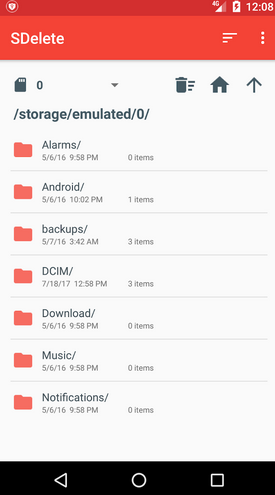
What are its advantages over Shreddit Data Eraser for Android?
- Supports international deletion standards such as US DoD 5220.22-M and NIST 800-88 for strong security.
- Allows secure wiping of free space to make previously deleted files unrecoverable.
- Deletes hidden files, not just the visible ones
- Automatic thumbnail deletion (helps remove small traces left by media)
- Can delete multiple files/folders at once with organized navigation.
- Supports custom shredding patterns for finer control over deletion.
Demerits:
- Not widely updated: Last major updates were years ago.
- Contain ads in free version: Unlike Shreddit's advertised ad-free experience.
- Mixed ratings: Around average user satisfaction (~3.5/5).
- Older Android support: May not support very recent OS changes.
- Limited additional pro features: Pro upgrade is inexpensive but not feature-rich relative to paid desktop tools.
Pricing:
- Free version: available.
- SDelete Pro: small in-app purchase (approx ¥330/~$2-$3) for ad-free & extras.
Concluding Thoughts
Data deletion is more than removing visible files; it is about preventing future access to private information. Rather than depending only on basic shredding tools, users should treat data erasure as part of their privacy routine.
Among the available options, MobiKin Eraser for Android provides deeper overwriting and full-device cleaning through a computer connection. This makes it a practical choice for stronger protection before switching or giving away a phone.
Additional Tips for Choosing a Shreddit Alternative
- Back up important data before erasing.
- Check whether the tool supports your Android version.
- Enable encryption when possible for extra security.
- Use well-reviewed and trusted apps only.
- Test the tool with less important files first.
Related Articles:
8 Most Desirable Android Phone Unlocking Software [Must-Read]
How to Recover Text Messages after Factory Reset Android? 5 Tactics
10 Best Android Phone Repair Tools You Should Never Miss
Android Remote Control: 5 Ways to Remotely Control Android Phone
