
Forgot Android PIN? Try the 6 Basic Solutions & 1 Ultimate Way
"I recently changed my pin and somehow must have input it incorrectly twice. So when my phone restarted after an update, I couldn't unlock it." -- from Reddit
For many Android users, entering the wrong code and realizing they forgot Android PIN can quickly turn a normal day into a stressful moment. A locked screen prevents access to contacts, photos, messages, and other important information stored on the device. Because of this, people often search for safe and effective methods to remove the PIN or reset the screen lock without losing important data.
This guide gathers 6 basic methods and 1 ultimate way to help regain access to an Android phone or tablet. Each option focuses on practical solutions so users can choose the approach that fits their situation. (Is there a universal PIN for Android?)
- Part 1: Can I Unlock My Android Phone If I Forgot My PIN?
- Part 2: Forgot Android PIN? Try the 7 Quick Ways
> Way 1: Use Screen Lock Recovery
> Way 2: Try Google's Find Hub
> Way 3: Use Recovery Mode
> Way 4: Utilize Extend Unlock
> Way 5: Try ADB (Android Debug Bridge)
> Way 6: Use SmartThings Find (Samsung Only) - Part 3: Ultimate Way to Unlock Phone When Forgot Android PIN
Part 1: Can I Unlock My Android Phone If I Forgot My PIN?
Yes, it is possible to unlock your Android phone if you forgot your PIN. Several methods can help, such as using Google Find Hub, unlocking software on a computer, or performing a factory reset through recovery mode. Some phones may also allow access through a linked Google account or device management service. However, certain methods may erase the data on the device, so it is best to use a solution that preserves your files if possible.
You May Also Like: 8 Best iPhone Password Unlockers to Remove Screen Passcode & Activation Lock
Part 2: Forgot Android PIN? Try the 7 Quick Ways
> Way 1: Use Screen Lock Recovery
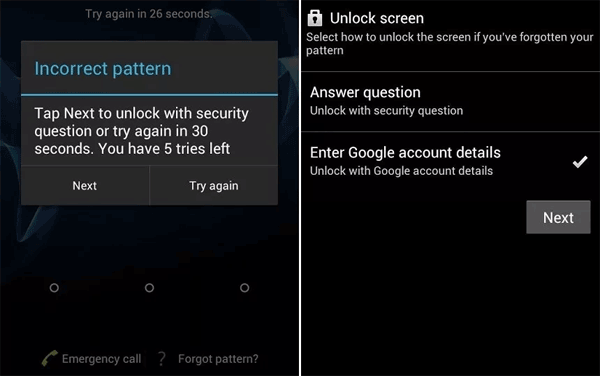
Forgetting the PIN on your Android phone can prevent you from accessing important data and daily functions. Fortunately, some devices offer a Screen Lock Recovery feature that lets you regain access by verifying a previous lock method and setting a new PIN:
- Enter the wrong PIN several times on the lock screen until the "Forgot PIN/Password/Pattern" option appears.
- Tap "Forgot PIN?" (or the equivalent link depending on the lock type).
- Enter the previous screen lock (your earlier PIN, password, or pattern) that was used before the recent change.
- Tap "OK" to confirm, and the phone will allow you to reset the screen lock.
- Choose a new screen lock type, such as a new PIN, password, or pattern.
- Enter and confirm the new lock code, then tap Continue/OK to finish the process.
> Way 2: Try Google's Find Hub
This method will erase all data stored on the phone, so it is best used when other unlocking options are unavailable. The device must also be connected to the internet and linked to your Google account for Find Hub to work.
User Manual:
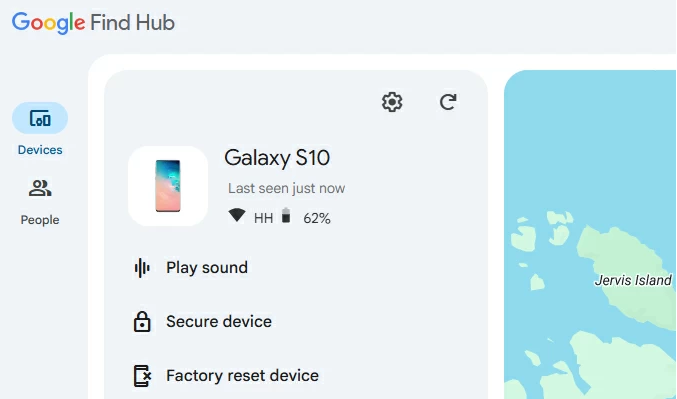
- Open a browser on another device (computer, tablet, or phone) and go to the Google Find Hub website.
- Sign in with the Google account that is linked to your locked Android phone.
- Select the locked device from the list of devices connected to your account.
- Click "Factory reset device" (or Erase device) from the available options.
- Confirm the reset request and verify your Google account password if prompted.
- Wait for the reset process to finish, after which the screen lock (PIN, password, or pattern) will be removed and you can set up a new lock during device setup.
> Way 3: Use Recovery Mode
This approach removes the screen lock but will erase all data stored on the device, so it is recommended only when other unlocking methods are unavailable.
User Manual:
- Turn off your Android phone completely.
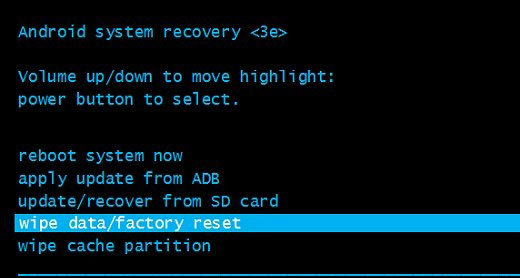
- Press and hold the Power + Volume Up buttons (or Power + Volume Down on some devices) until the Recovery Mode screen appears.
- Use the Volume buttons to navigate and highlight wipe data/factory reset.
- Press the Power button to select the option.
- Choose Factory data reset to confirm the process.
- After the reset finishes, select Reboot system now to restart the phone.
- Once the device restarts, set up the phone again and create a new PIN.
> Way 4: Utilize Extend Unlock
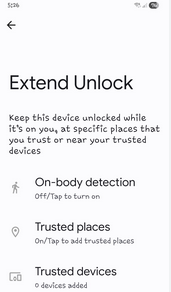
Extend Unlock (formerly Smart Lock) only works if it was set up before the phone became locked, and the device has not been restarted since the lockout occurred. This approach can keep a phone unlocked when it detects trusted places, trusted devices, or on-body movement, allowing temporary access even if you forget the PIN.
User Manual:
- Wake the locked Android phone and try to unlock it using fingerprint or face recognition if those options are still active.
- If the device was previously configured with Extend Unlock, move to one of the trusted conditions such as your home location or office.
- Alternatively, connect the phone to a trusted Bluetooth device (for example, a smartwatch or car system) that was previously added.
- If On-body detection was enabled, unlock the phone once and keep carrying it so it stays unlocked while in motion.
- Once the phone unlocks through a trusted condition, back up your data immediately and change or reset the screen lock in the security settings.
> Way 5: Try ADB (Android Debug Bridge)
This solution only works if USB debugging was enabled before the device was locked, and it may not work on all Android versions or devices. It also carries some risk of data loss or system issues if the wrong commands are used.
User Manual:
- Install ADB tools on your computer. Download the Android platform tools and extract them to a folder on your PC.
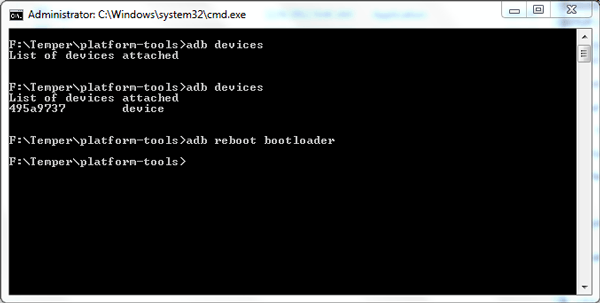
- Connect the locked Android phone to the computer using a USB cable. Make sure USB debugging was enabled on the phone before it was locked.
- Open Command Prompt (Windows) or Terminal (Mac/Linux) and navigate to the folder where the ADB tools are installed.
- Run an ADB command to delete the lock file, such as:
adb shell rm /data/system/password.key
or
adb shell rm /data/system/gesture.key - These files store the lock-screen credentials.
- Restart the phone after deleting the file. The device may boot without requiring the previous PIN or pattern.
> Way 6: Use SmartThings Find (Samsung Only)
Requirements:
- The Galaxy phone must be connected to the internet and signed in to a Samsung account for SmartThings Find to work.
- This process erases all data on the device, so restoring from a backup afterward may be necessary.
- Samsung previously offered a remote unlock feature, but it has been discontinued for security reasons, leaving remote reset as the available option.
User Manual:
- Open the SmartThings Find website on another phone or computer: https://smartthingsfind.samsung.com
- Sign in with the Samsung account associated with your locked Galaxy device.
- After logging in, go to My Devices and select the Samsung phone you want to unlock.
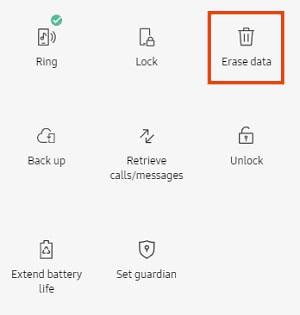
- From the available device controls, click Erase data.
- Enter your Samsung account password to verify your identity.
- Confirm the Erase command to start the remote factory reset process.
- After the reset finishes, the phone will reboot with the screen lock (PIN/password/pattern) removed, allowing you to set up the device again and create a new PIN.
Part 3: Ultimate Way to Unlock Phone When Forgot Android PIN
For users who forget their Android PIN and cannot unlock their devices, a specialized unlocking program - Android Lock Wiper can provide an effective solution. It is capable of removing different screen locks, including PINs, patterns, passwords, and fingerprints through a guided process that is easy to follow.

The software works with various Android phones and tablets and can unlock certain Samsung Galaxy models without causing data loss. It also allows users to perform a factory reset on the device directly when necessary. Throughout the process, the program is developed to maintain user privacy and security.
User Manual:
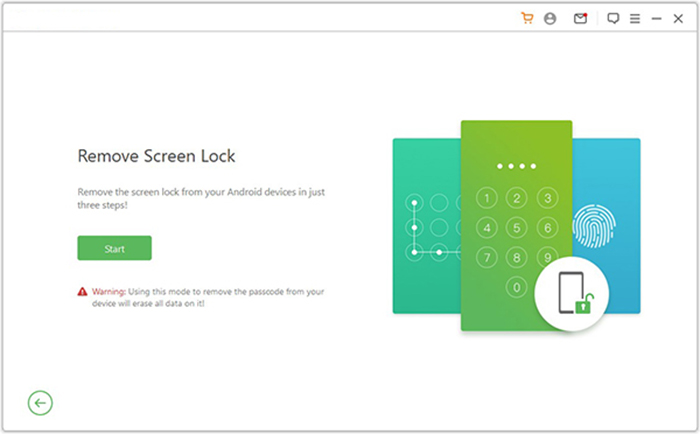
- Download and install Android Lock Wiper on your computer. For non-Samsung devices, choose "Remove Screen Lock" and click Start (this may erase data, so back up your device first).
- For Samsung phones, select "Remove without Data Loss" and follow the on-screen instructions.
- Connect your device to the computer using a USB cable. The software will automatically detect the information of your device.
- Verify that the information displayed is correct. Should there be any discrepancies, you can manually adjust the details before proceeding by clicking "Start to Unlock."
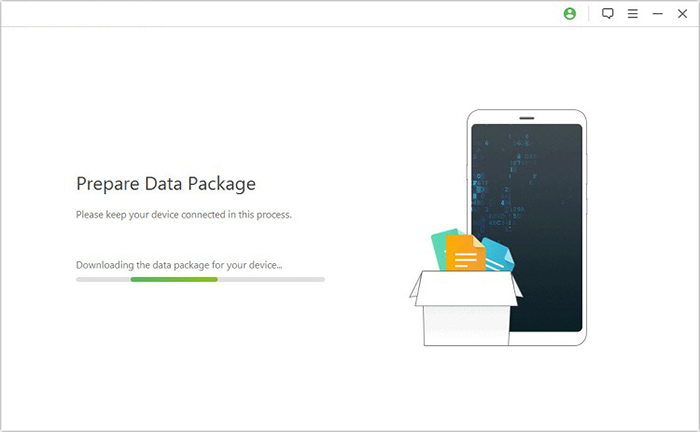
- The application will download and transfer the necessary data package to your device. Subsequently, follow the on-screen instructions to reset your device.
- The software will initiate the unlocking process for your device. Ensure that your phone remains connected throughout this operation.
- Upon completion, you will successfully eliminate the passcode, PIN, pattern, or face recognition from your device.
In Conclusion
Forgetting a phone PIN does not mean the device is permanently inaccessible. With the methods discussed above, most lockout situations can be resolved through built-in features, account-based services, or professional tools. The key is to choose a method that matches the device condition and data protection needs.
Once access is restored, setting up reliable backups and a memorable screen lock can help prevent similar issues in the future. After all, a small preparation today can save a great deal of trouble tomorrow.
Related Articles:
How to Recover Data after Factory Reset Android? 5 Ingenious Ways
How to Remove Google FRP Lock on Any Phone? 5 Reliable Methods
Enter Android PIN to Unlock Not Working? Reasons & 8 Quick Solutions
5 Tactics to Recover Formatted Data from Android Phone with/without Backup
