
Techeligible FRP Bypass Review: Full Analysis [Based on Our Tests]
A Techeligible FRP Bypass review is often noted by users who want to understand the real performance of this tool before attempting to unlock an Android device.
It usually focuses on key concerns such as the real success rate, risks like malware or failed installation, and compatibility limits, since many FRP tools are unreliable or outdated. This discussion helps readers evaluate whether Techeligible FRP Bypass is suitable for their specific situation.
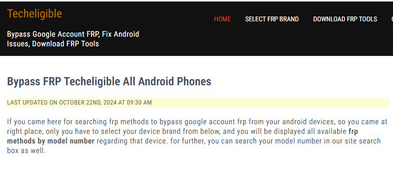
Section 1: What Is Techeligible FRP Bypass
Techeligible FRP Bypass is a set of tools and guides designed to help Android users bypass Factory Reset Protection (FRP) when they are locked out of their devices after a hard reset. It typically works by using different methods - such as APK files, system loopholes, or PC-based tools - to remove the Google account verification requirement and regain access.
However, it is usually a manual, device-dependent process with varying success rates depending on the Android version and phone model.
|
Techeligible FRP Bypass - Key Features
|
Description
|
|
Free access |
Provides FRP bypass tools and guides at no cost for Android users. |
|
Wide device compatibility |
Supports many Android brands such as Samsung, Huawei, Xiaomi, and more. |
|
Multiple bypass methods |
Offers different techniques (APK files, browser tricks, system exploits) depending on device and Android version. |
|
APK-based unlocking |
Allows downloading FRP bypass APKs to remove Google account verification directly on the phone without a PC. |
|
Access to hidden settings/apps |
Uses shortcuts or loopholes to open device settings or pre-installed apps during the lock screen stage. |
|
Step-by-step tutorials |
Provides detailed guides for different models and Android versions to help users follow the process. |
|
No Google account required |
Helps users regain access without entering the previously synced Google credentials. |
|
Online resource platform |
Acts as a hub offering tools, firmware files, and instructions rather than a single standalone program. |
You May Also Like: Enter Password to Unlock 30/30 Attempts Remaining? 9 Simple Solutions
Section 2: How to Use Techeligible FRP Bypass
Getting locked out of an Android device due to FRP can be frustrating, especially after a factory reset. The following steps explain how Techeligible FRP Bypass is typically used to regain access based on your device model and Android version. Below is how it works:
- Visit the Techeligible website - Go to the official Techeligible page and select the FRP bypass section for your phone brand and model.
- Choose your device model - Pick your specific Android device model from the list or use the search bar to find tailored FRP solutions.
- Download required tools - Download the recommended FRP bypass files (such as APKs, PC tools, or Google Account Manager) shown in the guide for your device.
- Follow the instructions carefully - Each device has a different method, so follow the step-by-step tutorial provided for your selected model.
- Install and execute the bypass method - Use the downloaded tool (APK or PC software) to access system settings or exploit setup screen loopholes to remove the FRP lock.
- Complete setup after bypass - Once successful, restart the phone and set it up with a new Google account.
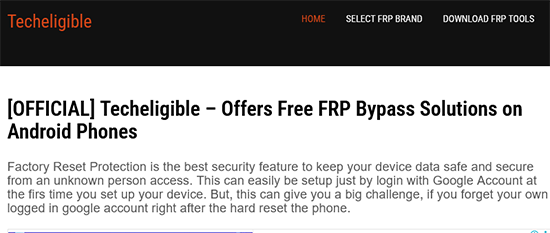

Section 3: What If Techeligible FRP Bypass Doesn't Work
If Techeligible FRP Bypass doesn't work, it's usually due to system limitations rather than something you did wrong. Here are the main reasons and what you can do next:
Why it may fail:
- Security patches: New Android updates block older bypass methods.
- Compatibility limits: Not all devices or versions are supported.
- No official support: Tools are inconsistent and not guaranteed.
- Complex steps: Missing a step can cause failure.
What you can do instead:
- Try a different method for your exact model: Look for another guide specific to your device and Android version.
- Use a dedicated FRP unlocking tool: Professional software is usually more stable and supports newer Android versions with higher success rates.
- Check system version compatibility: If your phone runs a newer Android version, older APK-based tricks are unlikely to work.
- Avoid unsafe downloads: Some third-party tools may carry risks, so only use trusted sources.
Section 4: FAQs for Techeligible FRP Bypass
Q1. Is Techeligible FRP Bypass free?
Yes, most of its guides and tools are available for free download and use.
Q2. Is Techeligible FRP Bypass safe to use?
Safety depends on the method used, since it relies on third-party tools and unofficial techniques.
Q3. Does Techeligible FRP Bypass require rooting the phone?
Most methods do not require root access, as they rely on APK tools or setup screen tricks.
Q4. Can beginners use Techeligible FRP Bypass easily?
It can be challenging for beginners because the steps vary by device and Android version.
Q5. Does it work after the latest Android updates?
Not always, since newer updates often patch the loopholes used by older FRP methods.
Q6. What types of tools are offered on Techeligible?
It provides APK files, FRP bypass utilities, and PC-based unlocking tools depending on the device.
Q7. Will FRP bypass delete my data?
It is usually used after a factory reset, so the device is already wiped before the bypass process.
Section 5: Pros and Cons of Techeligible FRP Bypass
Pros of Techeligible FRP Bypass
- Free access - Most tools and guides are available at no cost.
- Wide device support - Works with many Android brands like Samsung, Xiaomi, Huawei, and more.
- Multiple solutions available - Offers APK methods, PC tools, and model-specific guides.
- User-friendly instructions - Step-by-step tutorials help guide the bypass process.
- No root required in most cases - Many methods work without rooting the device.
Cons of Techeligible FRP Bypass
- Low success rate on new devices - Often fails on newer Android versions (Android 11+).
- Complicated process - Not beginner-friendly and may require technical steps.
- Unstable performance - Results vary depending on device model and firmware.
- Security risks - Some APKs or third-party files may pose malware risks.
- No official support - No guaranteed updates or customer assistance.
Section 6: Best Alternative to FRP Bypass Techeligible
Android Lock Wiper is a professional Android unlock tool designed to remove screen locks and Google FRP locks without requiring technical steps. It offers a guided process that supports a wide range of Android devices, making it easier for users compared to manual bypass methods like Techeligible.
Overall, these features make the tool a practical solution for unlocking Android devices, especially when users cannot access the original Google account or screen lock credentials. With its wide compatibility, simple operation, and high success rate, it offers a reliable way to regain access across many Android models.
Free Download:

User Manual - How to bypass Google FRP lock with the best Techeligible alternative - Android Lock Wiper?
- Begin the procedure by downloading and installing the software on your computer.
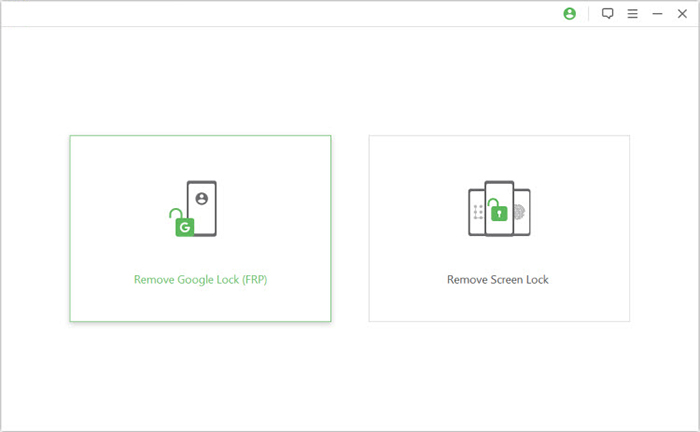
- After the installation is finished, select the option titled "Remove Google Lock (FRP)" and choose "Advanced Mode."
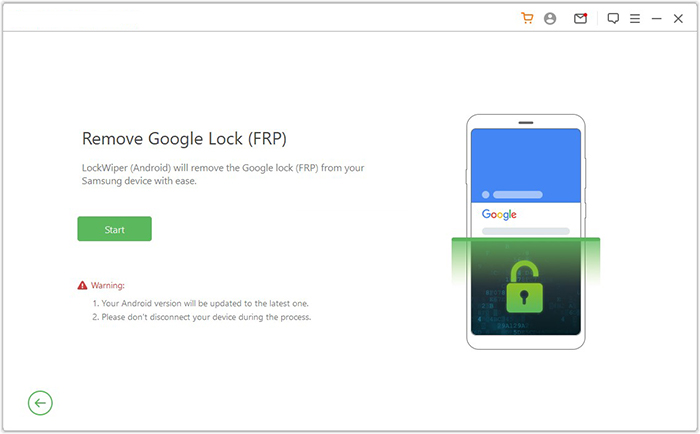
- Connect your Android smartphone to the computer using a USB cable, and then click the "Start" button to initiate the process of removing the Google lock.
- Follow the prompts to input your device information and click "Next." Adhere to the on-screen instructions to enter recovery mode on your device.
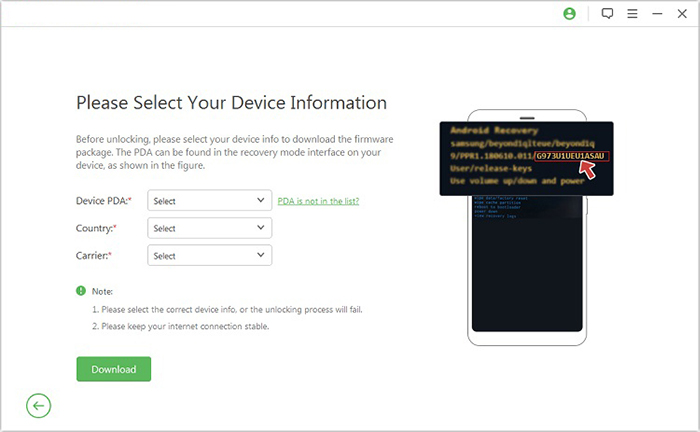
- On the next screen, select the correct PDA, country, and carrier, and then click "Download" to retrieve the necessary data package.
- Next, click "Start to Extract," and follow the on-screen instructions to put your device into Download Mode, enable USB debugging, activate OEM unlock, and extract the firmware, among other essential steps.
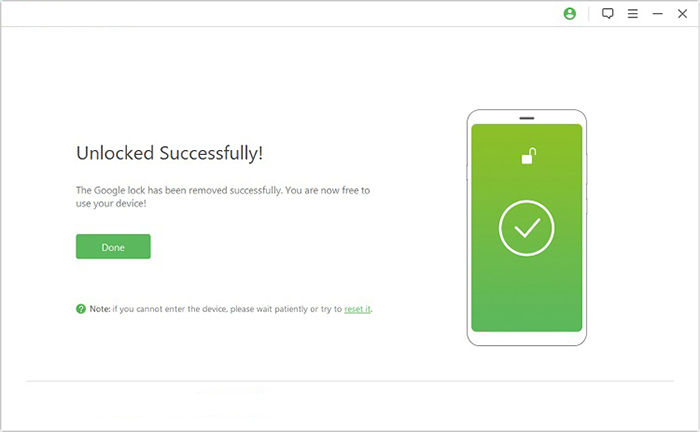
- Finally, the software will initiate the unlocking process for your device. After a brief notification, you will be able to access your device without needing to verify any Google credentials.
In Conclusion
All in all, after reviewing its limitations and inconsistent results, many users consider switching to a more stable solution. Android Lock Wiper is often recommended because it provides a more guided process, broader device support, and a higher success rate for both FRP and screen lock removal. Seeing is believing. Download and try it out now.
Related Articles:
14 Effortless Ways: How to Fix Ghost Touch on Android Phone?
Android Multi Tools Not Working? Reasons & 6 Scientific Solutions
How to Fix Wrong Apple ID When Updating Apps? 12 Workable Solutions
6 Broken Android Data Recovery Methods to Extract Files from Your Phone
