
UnlockJunky Review: Is UnlockJunky Reliable for FRP Removal?
Android users sometimes get locked out of their devices after a factory reset, especially when Google Factory Reset Protection (FRP) asks for the previously synced account credentials. Services like UnlockJunky claim to solve this problem by remotely bypassing the lock and restoring access to the device within minutes.
This article will present an UnlockJunky review with comprehensive analysis, helping readers understand whether the service is legitimate, safe, and worth paying for before trusting it to unlock their devices.
- Section 1: UnlockJunky: Overview
- Section 2: UnlockJunky: How to Use
- Section 3: UnlockJunky: User Review
- Section 4: UnlockJunky: Pros and Cons
- Section 5: UnlockJunky: Frequently Asked Questions
- Section 6: UnlockJunky: Best Alternative (Android Lock Wiper)
- Conclusion - Why Is Android Lock Wiper Better Than UnlockJunky?
Section 1: UnlockJunky: Overview
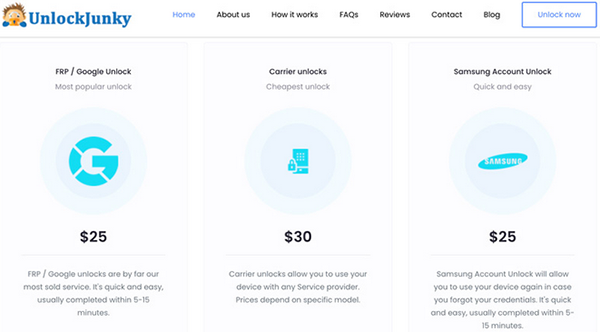
UnlockJunky is an online phone-unlocking service designed to help users remove different types of locks from Android devices, especially Google FRP (Factory Reset Protection) locks. It works by connecting your phone to a computer and allowing a remote technician to bypass the lock after you submit device details and pay for the service.
The service mainly supports brands like Samsung, Motorola, and ZTE and can also unlock carrier restrictions, Samsung account locks, or PIN locks, though each unlocking session requires payment and it may not work with every Android version.
You Might Also Need: Unbiased EaseUS MobiUnlock for Android Review & Best Alternative
Section 2: UnlockJunky: How to Use
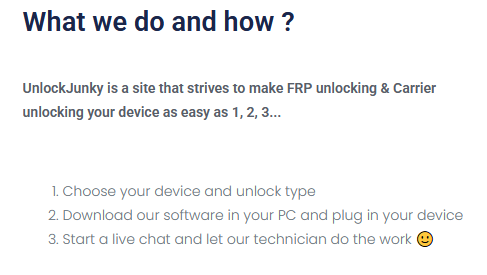
Removing a lock from an Android device can feel complicated, especially when factory reset protection or other security barriers block access. The following steps outline how to use UnlockJunky to request a remote unlocking service and regain control of your phone.
How to use UnlockJunky?
- Visit the UnlockJunky website, choose your phone brand, model, and unlock type, and click "Unlock Now."
- Complete the payment through PayPal, credit card, or debit card on the secure payment page.
- Download and install the UnlockJunky client program on your computer using the link sent to your email after payment.
- Connect your Android phone to the computer with a USB cable and enter the technician address provided in the order email.
- Start a live chat session with the remote technician and wait a few minutes while they complete the unlocking process.
Section 3: UnlockJunky: User Review
Many users report that UnlockJunky is easy to use and effective for bypassing Google FRP locks, Samsung account locks, and carrier restrictions on certain Android devices. The service typically connects users with a remote technician who completes the unlocking process in about 5–15 minutes, which many reviewers consider convenient and beginner-friendly.
Customer feedback often highlights the quick response time and helpful customer support, while others appreciate that the process requires little technical knowledge. However, some reviewers mention limitations such as no free trial, per-unlock charges, and limited compatibility with certain phone brands or Android versions, which may affect overall satisfaction.
Section 4: UnlockJunky: Pros and Cons
UnlockJunky: Pros
- Quickly bypasses Google FRP locks and other Android restrictions, sometimes within about 5–15 minutes.
- Compatible with several popular Android brands such as Samsung, Motorola, and ZTE.
- The unlocking process is handled by remote technicians, so users usually don't need advanced technical knowledge.
- Offers multiple unlocking services, including FRP unlock, Samsung account unlock, and carrier unlock.
- Generally receives positive user ratings and feedback for speed and reliability.
UnlockJunky: Cons
- The service charges a fee for every unlocking session and does not offer a free trial.
- Compatibility may be limited because not all Android models or versions are supported.
- The process requires a stable internet connection since it relies on remote assistance.
- Some users report potential data loss or device instability risks during unlocking.
- The service provides limited information about supported Android OS versions.
Section 5: UnlockJunky: Frequently Asked Questions
Q1: Is UnlockJunky safe to use?
Yes. Many reviews describe UnlockJunky as a legitimate online service that helps users remove FRP locks and other restrictions through remote assistance after payment.
Q2: Does a factory reset remove FRP lock?
No. Performing a factory reset will not remove FRP (Factory Reset Protection), because the phone will still require the previously synced Google account credentials for verification.
Q3: Does UnlockJunky offer a free trial?
No. UnlockJunky does not provide a free trial, and users must pay for each unlocking service before a technician begins the process.
Q4: Can UnlockJunky remove a Samsung account lock?
Yes. In addition to FRP bypass, UnlockJunky can also help remove Samsung account locks and certain carrier restrictions on supported Android models.
Q5: Do I need technical skills to use UnlockJunky?
Not really. The service relies on remote technicians who guide the process and complete most of the unlocking work, so users usually only need to connect the phone to a computer and follow basic instruction
Section 6: UnlockJunky: Best Alternative (Android Lock Wiper)
A reliable Android unlocking solution can remove various screen locks and bypass Google FRP verification without requiring the original credentials, helping users regain access to their devices quickly.
Compared with UnlockJunky, Android Lock Wiper allows the entire unlocking process to be completed directly on a personal computer without relying on remote technicians. It also supports thousands of Android devices from multiple brands, offering broader compatibility for dealing with different lock scenarios.

How to Use Android Lock Wiper for FRP bypass?
- To commence the procedure, download and install the software on your computer.
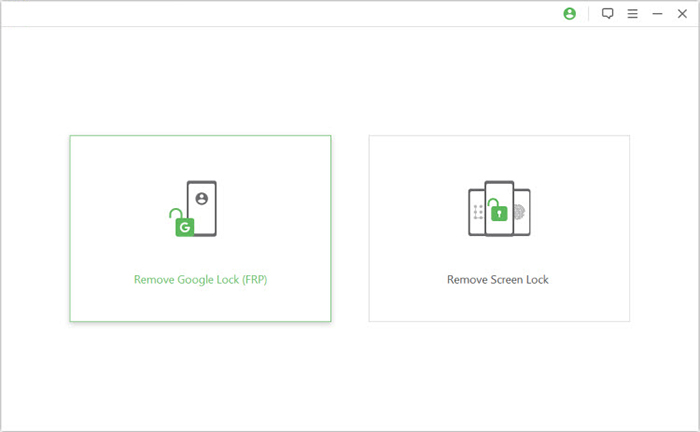
- Once the installation is complete, select the option labeled "Remove Google Lock (FRP)" and choose "Advanced Mode."
- Connect your Android smartphone to the computer using a USB cable.
- Click the "Start" button to begin the process of removing the Google lock.
- Follow the prompts to enter your device information and click "Next."
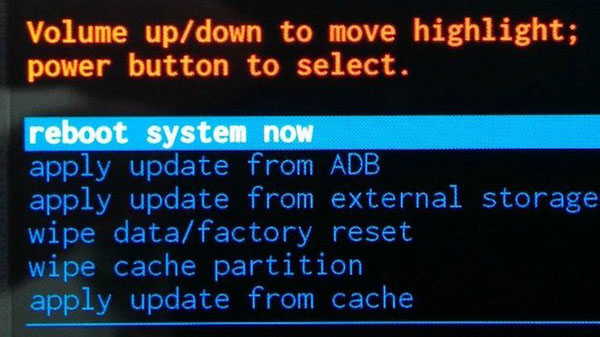
- Comply with the on-screen instructions to access recovery mode on your device.
- On the subsequent screen, select the appropriate PDA, country, and carrier.
- Click "Download" to obtain the required data package.
- Next, click "Start to Extract".
- Follow the on-screen instructions to place your device into Download Mode. (What if your phone gets stuck in safe mode?)
- Enable USB debugging, activate OEM unlock, and extract the firmware, among other critical steps.
- Ultimately, the software will commence the unlocking process for your device.
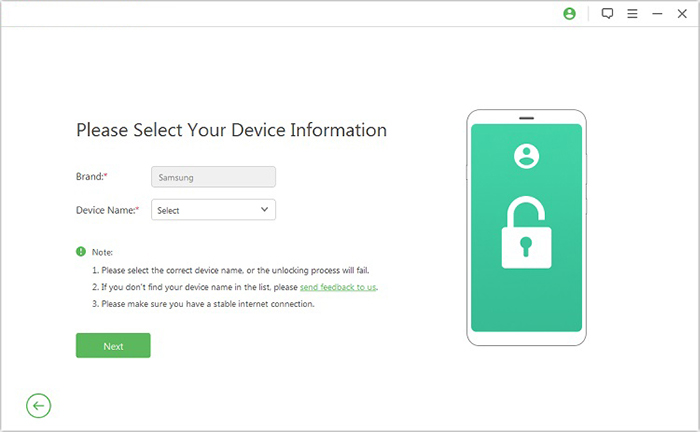
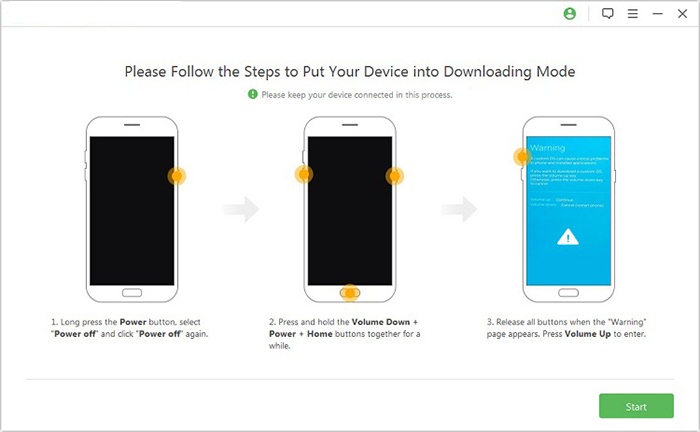
You Might Also Like: Want to know how to use Android Lock Wiper for screen lock bypass? Here are the 7 smart methods.
Conclusion - Why Is Android Lock Wiper Better Than UnlockJunky?
Below is a clear comparison table explaining why Android Lock Wiper can be considered a better option than UnlockJunky in several aspects:
|
Feature
|
Android Lock Wiper
|
UnlockJunky
|
|
Unlocking method
|
Local software used directly on your PC |
Remote unlocking handled by a technician |
|
Supported devices
|
Supports 20+ Android brands and thousands of models |
Supports only a few brands like Samsung, Motorola, and ZTE |
|
Lock types supported
|
Removes PIN, password, pattern, fingerprint, face lock, and FRP |
Mainly focuses on FRP or account unlocking |
|
Ease of use
|
Guided step-by-step interface with only a few clicks |
Requires live technician session and manual coordination |
|
Availability
|
Works anytime after installing the program |
Requires service availability and technician connection |
|
Trial option
|
Offers a free trial to check device compatibility |
Usually requires payment before the service starts |
|
Privacy
|
Unlocking is performed locally on your computer |
Requires a remote access session to your device |
The Most Desirable UnlockJunky Alternative Free Download:
Related Articles:
SIM Unlock: 4 Hot Tips to Unlock SIM Card on Android Mobile Phones
How to Recover Data from Broken/Damaged Phone? 5 Little-known Ways
