Xiaomi This Device Is Locked? Try the 12 Easy & Quick Fixes Now
TL;DR:
When Xiaomi shows "This device is locked", the methods below cover account recovery, official Xiaomi support, previous-owner removal, resets, and dedicated unlocking software. Try Android Lock Wiper in part because:
- Screen and FRP lock support: It can remove supported Xiaomi screen locks, including PINs, patterns, and passwords, and can also help bypass Google FRP on compatible devices.
- Simple desktop process: It provides guided steps for connecting and unlocking an authorized Xiaomi, Redmi, or POCO device, while its unlocking process does not collect or expose your personal data.
Reminder: Mi Account Lock, FRP, and screen locks are security features that help prevent unauthorized access. These methods should only be used by the rightful owner or a previous owner who is authorized to unlock the Xiaomi phone.
"So long story short, I'm using my phone as usual and it gives me the screen "This Device is Locked". The one with Open Wifi or Activate Device." -- from Reddit
* Reasons for Xiaomi This Device Is Locked:
- Mi Account verification required.
- Factory reset without removing the Mi Account.
- Forgotten Mi Account password.
- Unauthorized account changes.
- Remote device locking.
- System reset or software issues.
- Incorrect Mi Account credentials.
Mi Account Lock is tied to the Xiaomi account, while Google FRP protects the device through the previously linked Google account. Xiaomi Screen Lock refers to the PIN, password, or pattern used to access the device itself. These three locks have different causes and require different recovery methods.
- Section 1: What Xiaomi Models Commonly Show This Device Is Locked
- Section 2: Fix This Device Is Locked on Xiaomi with 11 Quick Solutions
- Section 3: Best Use Cases and Success Rates of the Above Methods
- Section 4: Bypass Xiaomi Screen/FRP Lock via a Dedicated Tool
- Q&A about Xiaomi This Device Is Locked
Section 1: What Xiaomi Models Commonly Show This Device Is Locked
The "This device is locked" issue can occur across various Xiaomi, Redmi, and POCO models, particularly after a factory reset or when a Mi Account remains linked. The table below highlights some commonly affected models and their typical lock scenarios.
|
Xiaomi Family
|
Common Models
|
Typical Lock Scenario
|
|
Xiaomi Flagship
|
Xiaomi 12, 13, 14, 15 |
Factory reset or Mi Account verification |
|
Xiaomi T Series
|
Xiaomi 13T, 14T, 15T Forgotten |
Mi Account credentials |
|
Redmi Note Series
|
Redmi Note 8, 9, 11, 12, 13, 14 |
Reset or second-hand device |
|
Redmi Series
|
Redmi 8, 9, 10, 12, 13, 14 |
Mi Account verification |
|
POCO F Series
|
POCO F5, F6, F7 |
Reset or account verification |
|
POCO X Series
|
POCO X6, X7 |
Mi Account remains linked |
|
POCO M Series
|
POCO M6, M7 |
Factory reset or account mismatch |
|
POCO C Series
|
POCO C-series |
Reset or account verification |
The manifestation of Xiaomi "This device is locked" is mainly reflected in restricted access to the phone and repeated account verification prompts. Users may see a lock message, be asked to enter the linked Mi Account credentials, and be unable to reach the home screen or complete the setup process. Even after restarting or performing a factory reset, the device may remain locked until the correct account verification is completed.
Section 2: Fix This Device Is Locked on Xiaomi with 11 Quick Solutions
Way 1: Check Your Mi Account Credentials
The first step is to confirm that you are using the correct Mi Account linked to the locked Xiaomi phone. Enter the associated email address or phone number and password to complete verification.
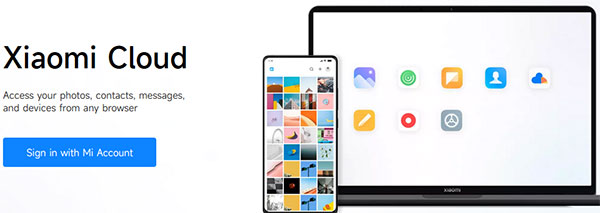
If you have multiple Xiaomi accounts, try the account that was originally signed in on the device. Incorrect account information will prevent the phone from being unlocked.
Tips: Connect to a Stable Wi-Fi Network: A stable internet connection is required when Xiaomi verifies account ownership. Connect the phone to reliable Wi-Fi or mobile data before entering your Mi Account details again.
Way 2: Link a New Phone Number
If you still have access to your Mi Account but cannot receive verification codes, adding a new phone number may help restore account access. According to the suggested recovery method, users can update their account security information through Xiaomi Account settings.
- Sign in to your Xiaomi Account.
- Open account security settings.
- Select the option to add or change a phone number.
- Complete verification with the new number.
- Use the updated account information to unlock the device.
Way 3: Reset Your Mi Account Password
A forgotten Mi Account password can prevent you from passing the lock verification screen. Resetting the password through Xiaomi's account recovery process may help you regain access.
- Open the Xiaomi Account login page.
- Choose Forgot password/Forgot pattern.
- Enter your linked phone number or email address.
- Follow the verification steps to create a new password.
- Sign in with the new password on the locked Xiaomi phone.
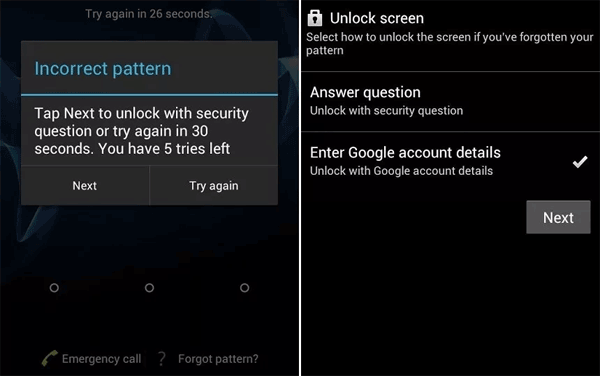
Way 4: Submit an Unlock Application
If you cannot unlock the phone through normal account recovery, you can submit an unlock request to Xiaomi. This method is more suitable when you are the legitimate owner but encounter account verification problems.
- Prepare device details such as IMEI information.
- Provide ownership details if requested.
- Submit an unlock application through Xiaomi's official support channels.
- Wait for Xiaomi to review your request and follow the provided instructions.
Way 5: Try Mi Account Unlock Tool
Some third-party Mi Account unlock tools claim to remove Xiaomi Account Locks. These tools may work only with certain devices or software versions and are not official Xiaomi solutions.
- Download and install a compatible Mi Account unlock tool.
- Connect the Xiaomi phone to a computer.
- Let the tool detect the device information.
- Follow the on-screen instructions to check available unlock options.
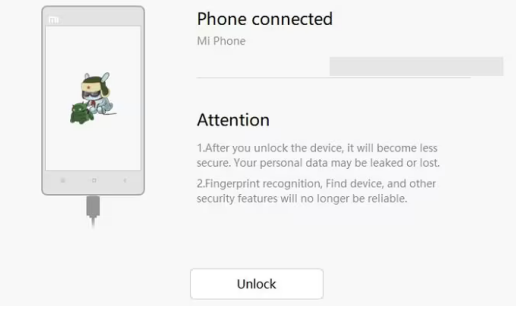
Note: Success depends on the Xiaomi model, MIUI/HyperOS version, and security patch level. Use caution because unofficial tools may cause data loss or security risks.
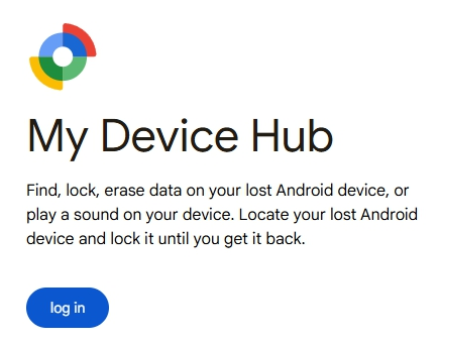
Way 6: Use Xiaomi Find Device
Xiaomi Find Device can help manage a linked phone remotely when you still have access to the associated Mi Account. It is mainly useful for locating, securing, or managing your own device.
- Sign in to Xiaomi Find Device with the linked Mi Account.
- Select the locked phone.
- Check available device management options.
- Follow Xiaomi's instructions for account-related actions.
Way 7: Ask the Previous Owner to Unlock It
For second-hand Xiaomi phones, the lock is often caused by the previous owner's Mi Account remaining connected. Ask the previous owner to remove the device from their account.
- The previous owner signs in to their Mi Account.
- Opens the device management section.
- Removes the Xiaomi phone from the account.
- Restarts and sets up the device again.
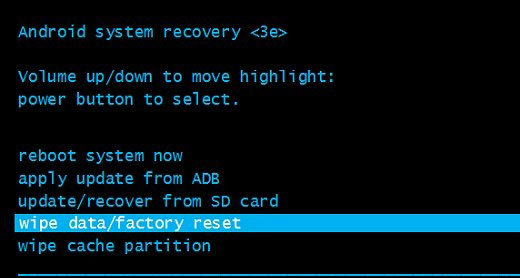
Way 8: Hard Reset Xiaomi
A hard reset can fix some system problems, but it usually does not remove a Xiaomi Account Lock. After resetting, the phone may still request the previously linked Mi Account. (Note: This process erases local data, so back up important files whenever possible before resetting.)
- Turn off the Xiaomi phone.
- Enter Recovery Mode using the hardware buttons.
- Select Wipe Data/Factory Reset.
- Restart the phone and complete setup.
Way 9: Remove the Device from Your Mi Account
If you can access your Xiaomi Account, removing the phone from your account before resetting or transferring ownership can prevent future lock issues.
- Sign in to your Mi Account.
- Open the device management page.
- Select the Xiaomi phone.
- Remove the device from the account.
- Reset or set up the phone again.
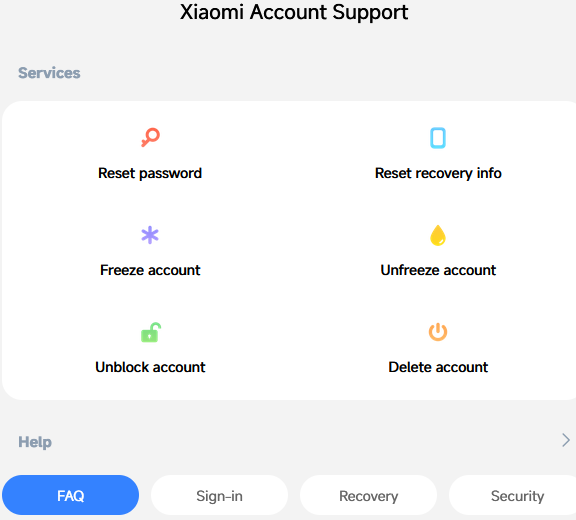
Way 10: Contact Xiaomi/Mi Customer Support
When account verification fails or ownership information cannot be confirmed, Xiaomi Support can provide official assistance. Prepare proof of purchase and device information before contacting them.
- Contact Xiaomi customer service through official channels.
- Provide the IMEI number and purchase details if required.
- Explain the "This device is locked" issue.
- Follow Xiaomi's verification and recovery instructions.
Way 11: Visit an Authorized Xiaomi Service Center
If none of the account recovery methods work, an authorized Xiaomi service center can check the device and provide official solutions. This option is especially useful for hardware-related problems or ownership verification cases.
Bring:
- The locked Xiaomi phone.
- Proof of purchase.
- Relevant account information.
- Device details such as the IMEI number.
Section 3: Best Use Cases and Success Rates of the Above Methods
The 11 methods vary considerably in suitability and effectiveness depending on your Mi Account access, device ownership, and lock status. The table below summarizes the best use case and expected success rate for each method to help you choose the most appropriate option.
|
Method
|
Best Use Case
|
Expected Success Rate
|
|
Way 1: Check Mi Account Credentials
|
You know or can access the original Mi Account |
High |
|
Way 2: Link a New Phone Number
|
You can access the account but cannot receive verification codes |
High |
|
Way 3: Reset Mi Account Password
|
You forgot the password but still have account recovery access |
Medium-High |
|
Way 4: Submit an Unlock Application
|
You are the rightful owner but normal account recovery fails |
Medium |
|
Way 5: Try Mi Account Unlock Tool
|
Official recovery options are unavailable and the device/tool is compatible |
Low-Medium |
|
Way 6: Use Xiaomi Find Device
|
You can access the linked Mi Account and manage your own device remotely |
Medium–High |
|
Way 7: Ask the Previous Owner to Unlock It
|
A second-hand phone remains linked to the previous owner's account |
High |
|
Way 8: Hard Reset Xiaomi
|
The phone has system problems and you want to erase local data |
Low for Account Lock |
|
Way 9: Remove the Device from Your Mi Account
|
You can access the account and the device is still linked to it |
High |
|
Way 10: Contact Xiaomi/Mi Customer Support
|
Account recovery fails or ownership needs verification |
High |
|
Way 11: Visit an Authorized Xiaomi Service Center
|
You need official assistance with persistent lock or ownership issues |
Medium |
Section 4: Bypass Xiaomi Screen/FRP Lock via a Dedicated Tool
For users dealing with a locked Xiaomi phone, Android Lock Wiper can help bypass Xiaomi screen locks and, on most supported devices, remove FRP protection. It supports several common lock types, including PINs, patterns, passwords, and fingerprints, with the available options depending on the Xiaomi model and Android version.
Before using it, make sure you have authorization to unlock the device, since FRP and screen locks are intended to prevent unauthorized access.
|
Android Lock Wiper - Core Features
|
Key Details
|
|
Xiaomi FRP Bypass |
Helps bypass Google FRP on supported Xiaomi devices with a guided process. |
|
Xiaomi Screen Lock Removal |
Removes supported PIN, pattern, password, and other screen locks. |
|
Easy Operation |
Provides step-by-step instructions, making the process easier for less experienced users. |
|
Secure Unlocking |
Uses a structured desktop-based process and is intended for devices you are authorized to access. |
|
Wide Lock Support |
Supports several common Android screen-lock types and FRP scenarios. |
|
Broad Device Compatibility |
Works with many Android brands and models, although available functions vary by device and Android version. |
|
FRP & Screen Lock in One Tool |
Handles both Google FRP-related issues and Android screen-lock removal from one desktop application. |
|
Privacy Protection |
The tool does not collect or expose your personal data during the unlocking process |
Free & Safe Download:

How to Bypass? (Here we take the unlocking of the Xiaomi screen lock as an example to illustrate all of this:)
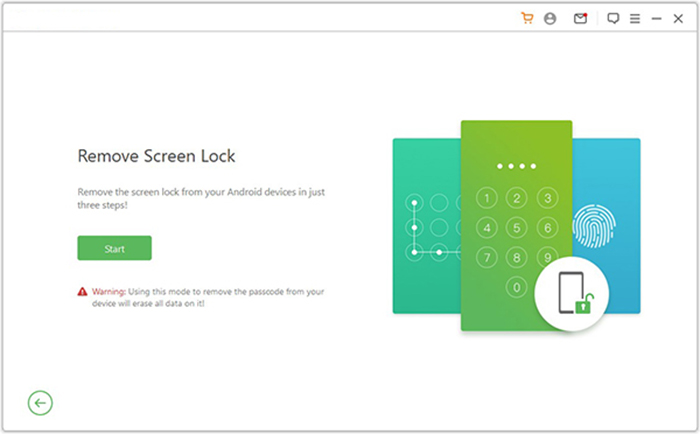
- Download and install Android Lock Wiper on your computer. For Xiaomi devices, select "Remove Screen Lock" and click Start. Note: This may erase your data, so back up your device first if needed.
- Connect your Xiaomi device to the computer with a USB cable.
- The software will automatically detect your device information.
- Check that the displayed details are correct.
- If any details are incorrect, you can manually adjust them before clicking "Start to Unlock."
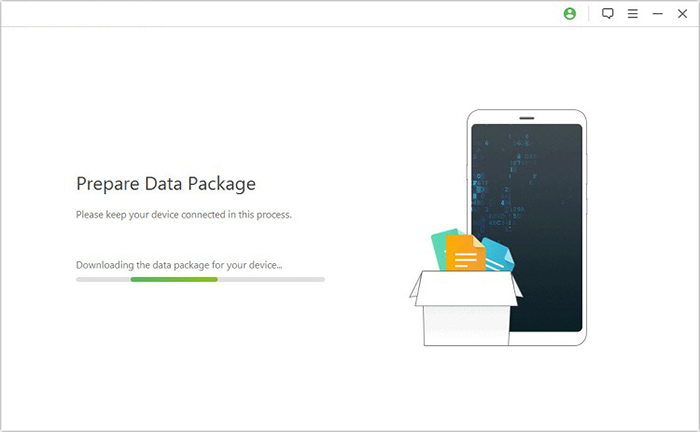
- The application will download and transfer the required data package to your Xiaomi/POCO/Redmi device.
- Then follow the on-screen instructions to reset your device.
- The software will begin the unlocking process for your Xiaomi device.
- Make sure your phone stays connected throughout the entire operation.
- Once completed, the passcode, PIN, pattern, or face recognition lock will be successfully removed from your Xiaomi device.
Q&A about Xiaomi This Device Is Locked
Q1. What if Xiaomi still shows "This Device Is Locked"?
If the message remains after restarting the phone or entering your Mi Account, make sure you are using the original Xiaomi Account linked to the device and that the phone has a stable internet connection. If the lock persists, Xiaomi recommends using its official account recovery/support channels rather than repeatedly resetting the device.
Q2. Will a factory reset remove Xiaomi "This Device Is Locked"?
Usually, no. A factory reset erases local data but does not necessarily remove an existing Xiaomi Account association, so the phone may request the previously linked account during setup.
Q3. Why does my Xiaomi phone ask for the previous owner's Mi Account?
This normally happens when the phone is still associated with the previous owner's Xiaomi Account. The previous owner should sign in and remove the device from the account before you try setting it up again.
Q4. What should I do if I forgot my Mi Account password?
Use Xiaomi Account's password-recovery process to reset the password with the linked phone number or email address. After recovering the account, reconnect the phone to the internet and enter the updated credentials.
Q5. Does changing the phone number remove the Xiaomi Account Lock?
Changing or adding a phone number does not automatically remove the lock. It can help when you still control the Xiaomi Account but need to update the account's verification method.
Q6. Can I unlock Xiaomi "This Device Is Locked" after changing the Mi Account password?
Yes. After resetting the password, connect the phone to a stable internet connection and enter the updated credentials. If verification still fails, wait for Xiaomi's account system to synchronize and try again later.
Q7. Does removing the SIM card fix Xiaomi "This Device Is Locked"?
No. Removing or replacing the SIM card does not normally remove a Xiaomi Account Lock. The device still needs to verify the account associated with it.
Related Articles:
Xiaomi Mi Phone Not Connecting to PC/Computer? 12 Easy Solutions
Top 5 Best Xiaomi Phone Repair Software/Tools You'd Better Know
How to Fix Xiaomi/Mi Cloud Not Working? 9 Fixes & 1 Alternative
6 Most Feasible Xiaomi Broken Screen Data Recovery Methods
Screen Mirroring Xiaomi to PC: 7 Tactics to Cast Mi Phone to PC