Tenorshare 4uKey iPhone Unlocker Review: Everything You Need to Know
TL;DR:
Tenorshare 4uKey provides a simple way to unlock iPhone/iPad screen locks, remove restrictions, and regain access to inaccessible devices, while iOS Unlock offers another practical alternative.
- Tenorshare 4uKey is an iOS unlocking tool that helps remove forgotten passcodes, unlock disabled iPhones, and solve common access issues through a computer-based process.
- 4uKey supports multiple functions, including screen passcode removal, Apple ID removal, MDM bypass, and Screen Time passcode removal for different locking situations.
- To unlock an iPhone/iPad with 4uKey, connect the device, choose the unlock feature, download the matching firmware package, and click "Start Remove" to complete the process.
- 4uKey is easy to use and supports many iOS devices, but users should consider data loss risks, paid features, and possible compatibility limitations.
- iOS Unlock provides similar unlocking solutions with simple steps, including removing screen locks, unlocking disabled devices, and bypassing certain restrictions.
Forgetting an iPhone passcode or getting locked out of your device can be frustrating, especially when regular methods do not work. Tenorshare 4uKey is a popular iPhone unlocking tool designed to help users remove screen locks, unlock disabled devices, and handle other iOS restrictions. But is it really worth using? In this Tenorshare 4uKey review, we will look at its features, unlocking process, pros and cons, and a reliable alternative to help you decide whether it is the right choice for your needs.
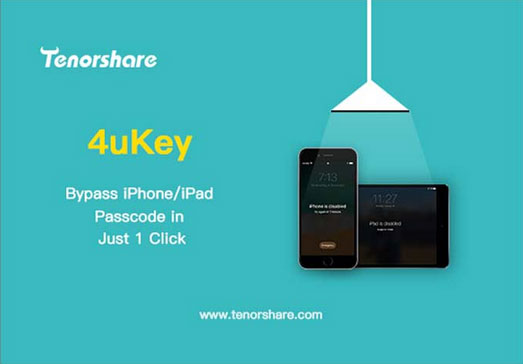
Part 1: What Is Tenorshare 4uKey?
Tenorshare 4uKey is an iPhone and iPad unlocking tool designed to help users solve common lock-related problems. If you forget your screen passcode, your iPhone becomes unavailable after multiple failed attempts, or you are locked out due to certain restrictions, 4uKey provides a simple way to regain access.
The program works by connecting your iPhone or iPad to a computer and guiding you through the unlocking process. With its step-by-step instructions, users can remove different types of locks without complicated operations.
However, it is important to note that most unlocking methods require erasing the device, which means existing data may be deleted. Therefore, Tenorshare 4uKey is mainly suitable for users who want to access a locked device again and already have a backup or do not need the data on the device.
You May Also Like:
Part 2: Key Features of Tenorshare 4uKey
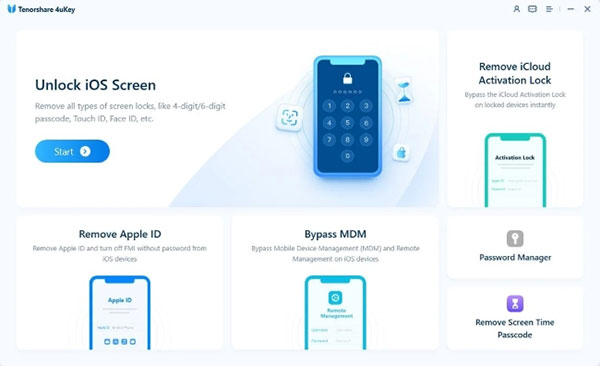
Tenorshare 4uKey provides several unlocking features to help users deal with common iPhone and iPad access issues. From forgotten passwords to device restrictions, it offers different solutions for various locking situations.
- Remove Screen Passcode: 4uKey can remove forgotten 4-digit or 6-digit screen passcodes, as well as Face ID and Touch ID locks. It helps users regain access to their devices when they cannot unlock them normally.
- Unlock Disabled iPhone: When an iPhone becomes disabled or shows "iPhone Unavailable" after too many failed passcode attempts, 4uKey can reset the device and remove the lock, allowing users to set it up again.
- Remove Apple ID: The software includes an Apple ID removal feature for supported situations. It can help users remove an Apple ID from an iOS device when they cannot access their account information.
- Bypass MDM Restrictions: For devices managed by schools or companies, 4uKey can help bypass certain MDM restrictions and remove limitations caused by Mobile Device Management settings.
- Remove Screen Time Passcode: If you forget the Screen Time password, 4uKey can remove it and help you regain control over restricted settings on your iPhone or iPad.
Overall, Tenorshare 4uKey covers many common iOS unlocking needs with a simple operation process. However, users should note that some unlocking methods may erase existing data, so backing up important files before using the tool is recommended.
Part 3: How to Use 4uKey to Unlock an iPhone/iPad?
Using Tenorshare 4uKey to unlock an iPhone or iPad only requires a few simple steps. The software provides clear instructions throughout the process, making it easy even for beginners.
Step 1: Install and open 4uKey on your computer, then select the screen unlock feature and click "Start" to begin.
Step 2: Connect your device with a USB cable. Once detected, 4uKey will display the device information. If it cannot recognize the device, follow the instructions to enter "Recovery Mode" or "DFU Mode".
Step 3: After confirming the device details, download the matching firmware package required for the unlocking process.
Step 4: Once the firmware is ready, click "Start Remove" and wait for 4uKey to complete the unlocking process. Keep the device connected during this time.
Step 5: After the passcode is removed, your iPhone or iPad will restart. You can then set it up again or restore data from an available backup.
Note that removing the screen lock usually erases all existing data on the device. If possible, back up important files before using 4uKey.
Read Also:
Part 4: Tenorshare 4uKey Review: Pros and Cons
Pros:
- Easy-to-use interface with clear steps, suitable for beginners.
- Supports various unlocking situations, including screen passcode, Screen Time, MDM, and Apple ID issues.
- Compatible with a wide range of iPhone/iPad models and iOS versions.
- Provides a faster and simpler solution than many manual recovery methods.
- Developed by an established software company with regular updates and support.
Cons:
- Most screen unlocking processes may erase all existing data on the device.
- Requires a Windows or Mac computer to complete the unlocking process.
- The full unlocking features require a paid license.
- Some functions may have limitations depending on the device model and iOS version.
- The software may occasionally fail to detect the connected iPhone/iPad.
Overall, Tenorshare 4uKey is a practical choice for users who need to regain access to a locked iPhone or iPad. However, potential data loss and compatibility limitations are important factors to consider before using it.
Part 5: Best Tenorshare 4uKey Alternative: iOS Unlock
If you need a Tenorshare 4uKey alternative, iOS Unlock is a reliable tool for solving common iPhone and iPad lock issues. It helps users remove screen passcodes, unlock disabled devices, bypass certain restrictions, and regain access to locked iOS devices through a simple process.
With its clear interface and guided steps, iOS Unlock is suitable for users who want an easier way to handle forgotten passwords or device lock problems without complicated operations.
Key Features of iOS Unlock:
- Unlock iPhone/iPad devices with forgotten 4-digit or 6-digit passcodes.
- Fix iPhones showing "iPhone Unavailable" or disabled messages.
- Help remove Apple ID locks in supported situations.
- Remove forgotten Screen Time passwords and restore access to settings.
- Bypass certain MDM limitations on managed iOS devices.
- Work with many iPhone/iPad models and iOS versions.


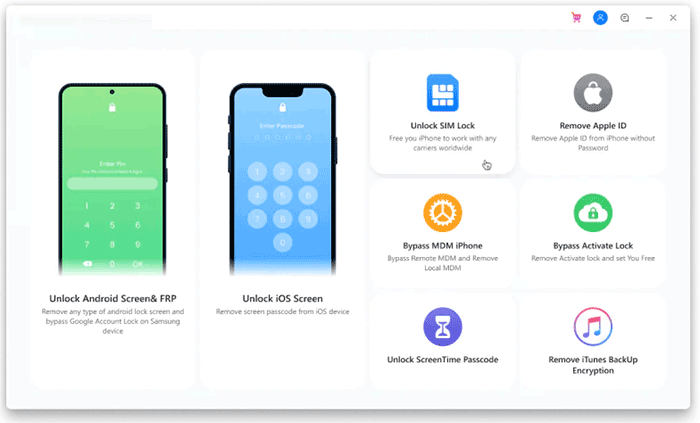
Step 1: Launch iOS Unlock on your computer and connect your device with a USB cable. Select the unlocking function and let the program detect your device. Here, we select the "Unlock iOS Screen" mode as an example. Choose this option and click "Start".
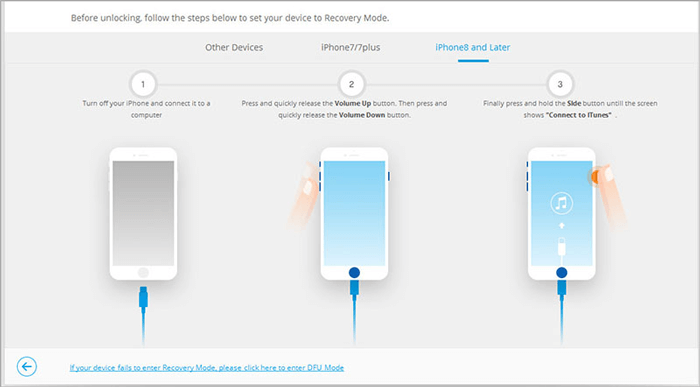
Step 2: Follow the onscreen instructions to put your iPhone into DFU or Recovery mode. You will be required to use the combination of the Volume buttons and the Sleep/Wake button.
Step 3: The program will automatically detect your device and download the necessary firmware package to remove the passcode.
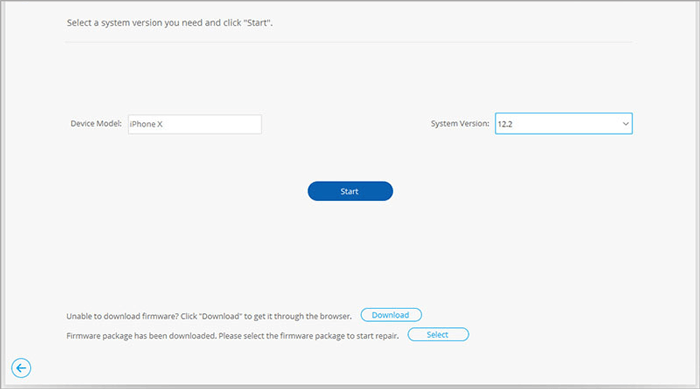
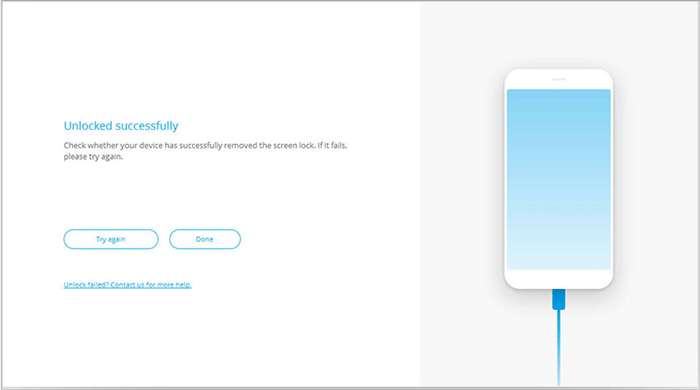
Step 4: Click on "Unlock now" to confirm the passcode removal. Your iPhone will be unlocked after a few minutes, and you can use it again.
FAQs About Tenorshare 4uKey
Q1. Is Tenorshare 4uKey safe to use?
Yes, Tenorshare 4uKey is generally safe when downloaded from the official website. It is designed to remove iPhone/iPad locks and does not contain malware when installed from a trusted source.
Q2. Is Tenorshare 4uKey free?
No. Tenorshare 4uKey offers a free trial, but most unlocking features require a paid license to complete the process.
Q3. Does Tenorshare 4uKey erase iPhone data?
In most cases, yes. Removing a forgotten screen passcode usually requires resetting the device, which will erase existing data. Therefore, backing up your iPhone before using 4uKey is recommended whenever possible.
Q4. Can 4uKey unlock an iPhone without a passcode?
Yes. 4uKey can remove the screen passcode from an iPhone or iPad when you cannot remember it. However, the process usually requires restoring the device and deleting the current data.
Q5. Does Tenorshare 4uKey work with the latest iPhone and iOS versions?
Yes. 4uKey supports many iPhone/iPad models and is compatible with recent iOS versions, including newer iPhone models and iOS updates.
Conclusion
Tenorshare 4uKey offers a convenient way to unlock iPhone and iPad devices with forgotten passwords or various restrictions. Its simple interface and multiple unlocking features make it useful for many common situations, but data loss, pricing, and compatibility limits are still worth considering. If you need another option, iOS Unlock provides a similar solution with an easy-to-follow process for handling different iOS lock issues.
Related Articles:
How to Unlock iPhone without Passcode or Face ID [6 Methods]
6 Ways to Unlock iPhone without Swiping Up [2026 Updated]