
Top 7 Best OnionShare Alternatives to Make File Transfer Easier
TL;DR:
Do you need more than anonymous sharing? The alternatives below address OnionShare's limitations in speed, file size, and device management. Want the best tool for Android device management or backup?
- Use MobiKin Assistant for Android when you need fast, local USB or Wi-Fi transfers without Tor's slowdown, plus full backup, restore, and file management for your Android device.
- It keeps all data local and private, works with both Windows and Mac, and handles photos, contacts, apps, and more, making it a practical everyday tool rather than a one-off sharing utility.
For users seeking secure ways to transfer files, OnionShare has long been a popular choice due to its anonymous sharing capabilities. However, this product relies on the Tor network, which is not optimized for large or frequent file transfers, and it doesn't offer broader file-management or direct device-to-device transfer features, making it less convenient for daily or large-scale file transfers.
As a result, there is growing interest in finding a reliable OnionShare alternative that combines privacy with speed, ease of use, and versatile device compatibility. This article will explore seven alternatives that provide secure, efficient, and user-friendly file-sharing solutions for both phones and computers.
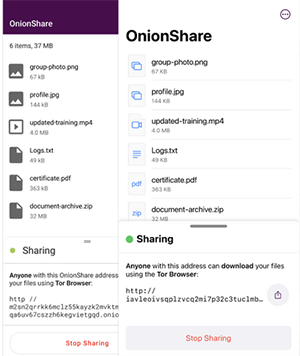
The video below explains this topic in a clear and visual way.
Top 1: Best OnionShare Alternative - MobiKin Assistant for Android
A smooth cross-platform transfer workflow is made possible through this manager, making it a practical alternative to OnionShare for everyday phone-to-computer sharing. Comprehensive data support covers photos, videos, contacts, SMS, apps, and more, ensuring flexible handling of Android content.
Users can preview, export, and import files directly on a desktop environment without complicated steps. The reliability of MobiKin Assistant for Android (Windows/Mac) helps users avoid connection failures or privacy concerns that sometimes occur with browser-based tools.
MobiKin Assistant for Android - Main Features:
- Provides fast, stable USB/Wi-Fi file transfers.
- Manages contacts, photos, videos, SMS, call logs, apps, and more on a computer.
- Offers one-click backup and restore for full device data.
- Allows file preview and selective export.
- Keeps all transfers local without cloud use.
- Supports two-way phone–PC data movement.
- Delivers a simple, organized desktop interface.
Best OnionShare alternative free download:


Next, let's see how to use the best replacement for OnionShare to transfer data between your Android phone and your PC:
- Download and install Assistant for Android on your computer.
- Open the program and connect your Android phone via a USB cable.
- Enable USB debugging if prompted so the device can be recognized properly.
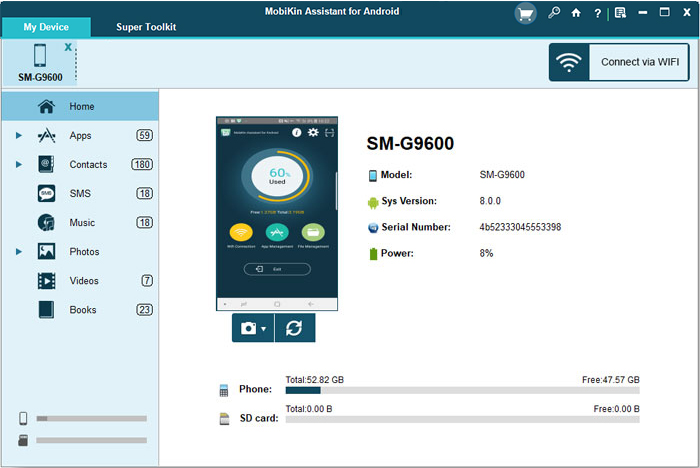
- After the connection is established, the main interface will display your device details and data categories.
- Choose any data category you need from the menu on the left.
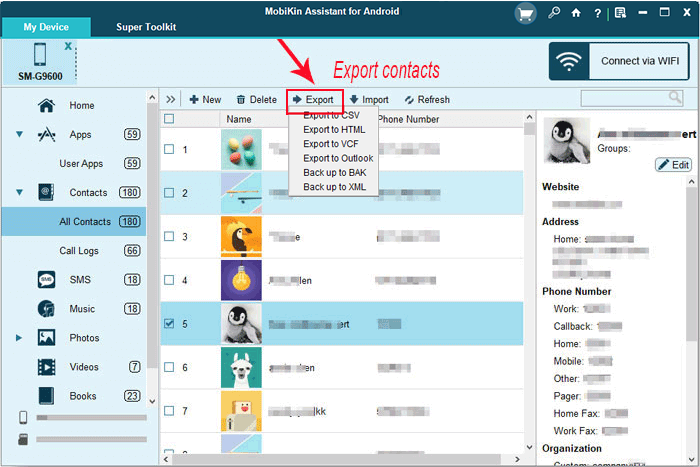
- Preview the contents and mark the items you want to transfer to your PC.
- Click "Export" at the top to begin moving the selected files.
- To transfer files from your PC back to the phone, select a category on the left, click "Import," and follow the on-screen instructions.
Video Directions:
How does MobiKin Assistant for Android excel compared to OnionShare?
- Offers stable USB/Wi-Fi transfer without Tor's slow speed.
- Supports full device backup and restoration.
- Lets users preview, manage, and organize files easily on PC.
- Adds device-management features beyond simple file sharing.
- Transfers files faster than Tor-based sharing.
- Gives broader device access and control.
- Maintains private, local-only data transfers.
Top 2: RetroShare
Encrypted communication forms the core of this platform, which naturally extends to secure file sharing that can rival OnionShare's privacy strengths. Peer-to-peer connections eliminate any need for cloud storage, making transfers between phone and PC more controlled.
People who want a decentralized alternative often appreciate its focus on anonymity and authenticated friend-to-friend sharing. The project known as RetroShare provides a surprisingly robust environment for confidential file exchange.
How does RetroShare excel compared to OnionShare?
- Uses encrypted friend-to-friend networking with strong anonymity.
- Supports persistent decentralized sharing and folder browsing.
- Includes chat, forums, and messaging alongside file sharing.
- Can run over Tor or I2P for extra privacy flexibility.
Top 3: File Sharing
Fast transmission speeds are commonly highlighted by users who want quick transfers between their phone and computer. A simple QR-code connection or local Wi-Fi pairing ensures that files move without relying on external servers, similar to OnionShare's direct-share philosophy.
The lightweight interface reduces unnecessary steps, helping people send even large media files effortlessly. The app called File Sharing manages to fill the gap for those who expect uncomplicated device-to-device transfers.
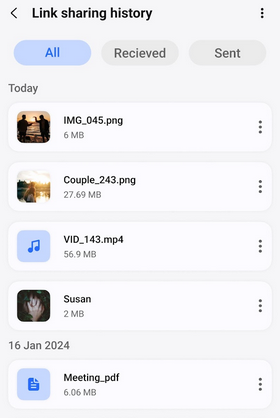
How does File Sharing excel compared to OnionShare?
- Enables fast local transfers without Tor routing.
- Works easily without Tor installation or technical setup.
- Uses simple browser or app interfaces for easy sharing.
- Keeps files local between devices without cloud storage.
Top 4: SwissTransfer
Large file handling is a defining advantage of this service, especially for individuals who want to move big videos or project folders from mobile to desktop. End-to-end privacy controls are incorporated into the sharing workflow, making it useful as an OnionShare-like replacement that keeps data protected.
Users can upload from a phone and generate secure links that are easy to open on a computer. The platform branded SwissTransfer stands out when reliability and generous size limits matter most.
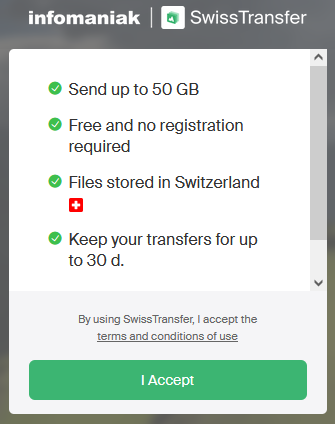
How does SwissTransfer excel compared to OnionShare?
- Supports very large file transfers compared to OnionShare.
- Works without account registration for quick privacy.
- Includes link passwords and expiration options.
- Automatically deletes data after a set period.
Top 5: LocalSend
A fully offline transfer system allows users to exchange files across devices on the same network, giving it security benefits similar to OnionShare without using the Tor network. Cross-platform support enables Android phones, Windows PCs, macOS, and Linux devices to communicate seamlessly.
People enjoy its open-source design because it avoids trackers, accounts, or cloud uploads. The project known as LocalSend offers one of the most straightforward ways to share files privately between phone and computer.
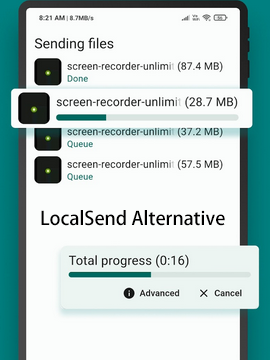
How does LocalSend excel compared to OnionShare?
- Transfers files quickly over local Wi-Fi or LAN.
- Uses end-to-end encryption for private sharing.
- Works across all major desktop and mobile platforms.
- Requires no accounts, servers, or internet access.
You Might Also Like: Top 7 Best LocalSend Alternatives to Help You Move Data Smoothly
Top 6: ShareDrop
Browser-based peer-to-peer connectivity makes this service a convenient choice for users who don't want to install apps just to move files. Sharing between mobile and PC stays local whenever possible, which enhances privacy in a way comparable to OnionShare's direct-transfer model.
Temporary rooms allow quick exchanges with minimal setup time. The web tool called ShareDrop often impresses users who value speed and simplicity over heavy features.
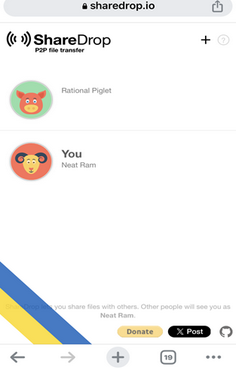
How does ShareDrop excel compared to OnionShare?
- Runs in the browser with no installation needed.
- Uses peer-to-peer WebRTC for direct device transfers.
- Works on phones and computers across platforms.
- Can be self-hosted for full control. (Want to control a phone from a PC with a screen-mirroring app?)
Top 7: YouTransfer
A self-hosted deployment option gives people full control over where their shared files are stored and how they are delivered. Mobile devices can upload items to a personal server and then retrieve or download them on a desktop with ease.
Organizations that avoid third-party platforms appreciate their flexibility and focus on privacy. The solution known as YouTransfer proves especially helpful for users searching for a customizable OnionShare alternative for phone-to-computer sharing.
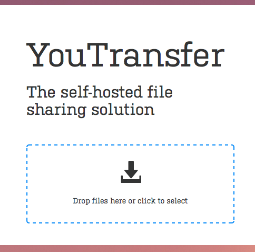
How does YouTransfer excel compared to OnionShare?
- Lets users self-host their own file-transfer server.
- Provides a clean, simple interface for easy uploads.
- Handles large file transfers without Tor limitations.
- Open-source and customizable for different needs.
Ending Words
Among the 7 tools discussed, MobiKin Assistant for Android is undoubtedly the best OnionShare alternative. Its ability to offer fast, stable, and direct device-to-device transfers via USB or Wi-Fi gives it a clear advantage over other tools that rely on internet or Tor routing.
Beyond simple file sharing, it provides comprehensive file management, preview, backup, and restoration features, making it versatile for daily use. For anyone seeking an easy, reliable, and secure method to transfer files between Android devices and PCs.
Related Articles:
Top 6 Ways to Transfer WhatsApp Messages to New Phone (iOS/Android)
5 Means to Recover Deleted Cache Files on Android Internal Memory/SD Card
Is It Possible to Mirror iPhone to PC without Software? [SOLVED]
Quick Share vs Nearby Share: Which Is Superior? [Overall Comparison]
