Top 5 PhoneBrowse Alternatives for Managing iPhone Files on PC and Mac
Summary: Looking for a PhoneBrowse alternative? Discover the top 5 iPhone file management tools, including MobiKin Assistant, AnyTrans, and iMazing, for easy transfers, backups, and data management.
PhoneBrowse used to be a handy tool for iPhone users to manage files on their computer, letting you easily browse and transfer photos, music, and documents. But as iOS keeps updating, PhoneBrowse's features and compatibility have started to fall behind, so many people are looking for more reliable, powerful alternatives.
In this guide, we'll walk you through some of the best PhoneBrowse alternatives for both Windows and Mac, comparing their features, ease of use, and transfer speed. Whether you want quick backups, better media management, or full control of your iPhone, there's something here for you.
Part 1: What Is PhoneBrowse?
PhoneBrowse is a desktop tool that helps you manage your iPhone, iPad, or iPod touch from your computer. Unlike iTunes, which mainly focuses on syncing, PhoneBrowse lets you browse files, transfer data between your device and computer, and make backups without too much hassle.
With PhoneBrowse, you can access photos, videos, music, contacts, messages, notes, and even some app files. It also lets you export files to your computer for backup and import files back to your device when needed. (Top 7 Ways to Transfer File Between iPhone and Mac)
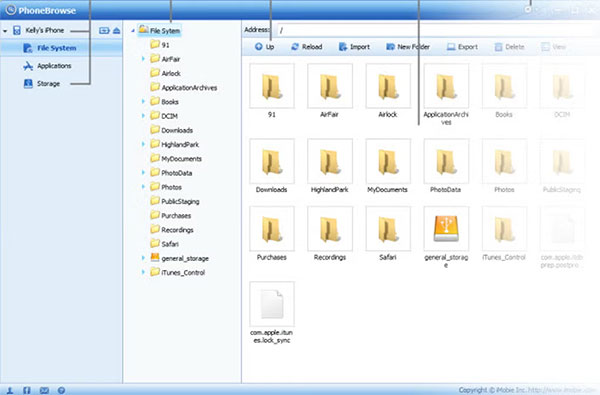
Main Features:
- Browse and manage files on your iPhone, iPad, or iPod touch.
- Transfer photos, videos, music, and documents between your device and computer.
- Export contacts, messages, call logs, and other personal data.
- Create backups of important files on your device.
- Access app data and see how much storage is being used.
- Manage files without relying too much on iTunes.
Pros:
- Simple and easy to use.
- Supports many types of iOS data.
- Lets you directly access files on your device.
- Good for basic backups and file transfers.
Cons:
- Lacks advanced features compared to newer tools.
- Can have compatibility issues with the latest iOS versions.
- Updates are infrequent.
- Doesn't offer advanced backup, restore, or device management options.
- Free version comes with some limits.
PhoneBrowse still works for basic tasks, but if you want faster transfers, more features, and better iOS support, it's worth looking at modern alternatives. In the next section, we'll dive into why many users are making the switch.
Part 2: Top 5 PhoneBrowse Alternatives
1. MobiKin Assistant for iOS
MobiKin Assistant for iOS is a powerful iPhone and iPad management tool for Windows and Mac. It's great for users who want full control over their device files, backup options, and quick transfers without relying on iTunes. The interface is clean and intuitive, making it beginner-friendly while still offering advanced features for experienced users.
Key Features of Assistant for iOS:
- Transfer photos, videos, and music between iPhone/iPad and computer.
- Backup all iOS data to your computer with one click.
- Restore backups to any iPhone or iPad easily.
- Preview and manage files before transferring.
- Manage, edit and delete iOS data on computer directly.


How to Use MobiKin Assistant for iOS:
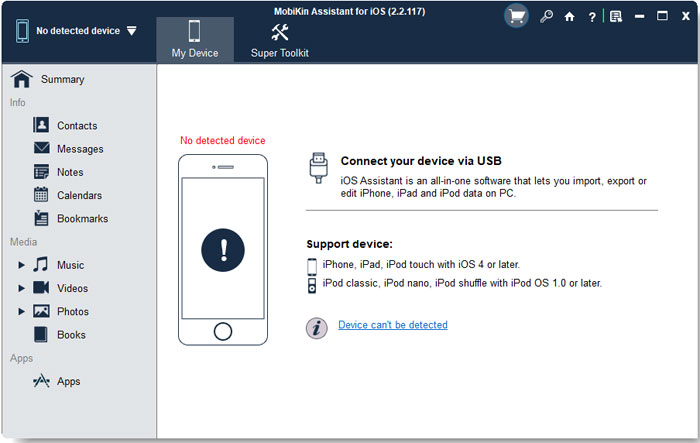
Step 1: Download and install Assistant for iOS. Launch the program and connect your device. Unlock your iPhone and choose to trust the computer. You will then see the main interface of Assistant for iOS.
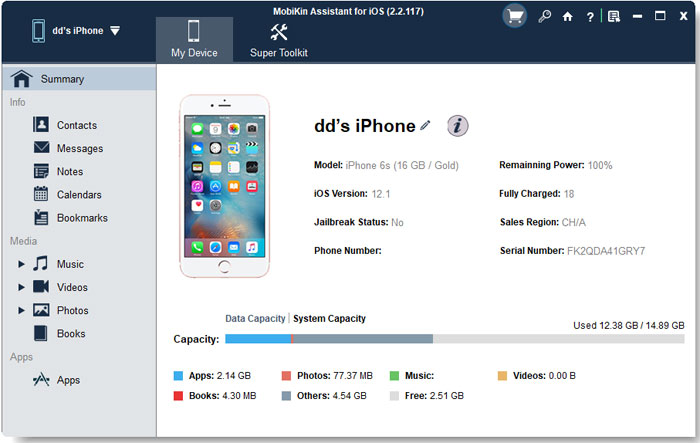
Step 2: If you want to manage your device data, look at the panel on the left, where all data types are organized into categories. Select the category you want to work with.
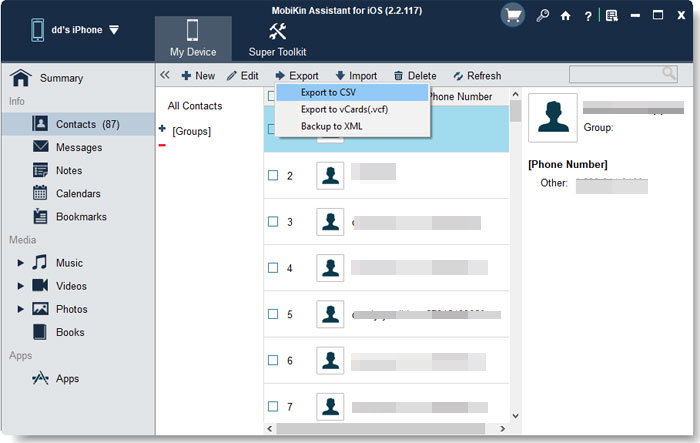
Step 3: Next, choose the management tool you need from the top menu. You can select options such as "Import", "Export", "Edit", or "Delete".
Step 4: If you want to back up or restore data, open the "Super Toolkit" and go to the "iTunes Backup and Restore" section.
Video Guide:
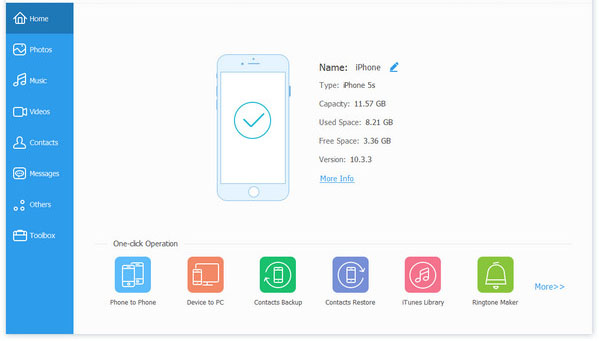
2. iOS Transfer
iOS Transfer is another reliable iOS management tool, suitable for transferring media, contacts, and messages. It's fast, stable, and works well with the latest iOS versions.
Main Features:
- Transfer photos, videos, and music between iPhone/iPad and PC.
- Manage contacts, messages, and call history.
- Backup and restore iOS files.
- Convert media files automatically for iOS compatibility.
- Preview and manage files before transferring.
3. iMazing
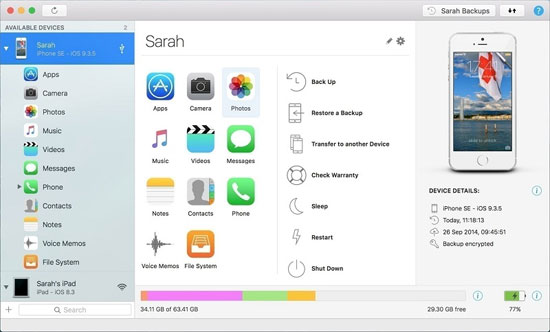
iMazing is a popular iPhone management tool loved by both casual and advanced users. It combines backups, file transfer, and device management in one package.
Main Features:
- Backup and restore iOS devices with flexibility.
- Transfer music, photos, and messages.
- Manage apps and app data.
- Export contacts, call history, and voicemails.
- Compatible with the latest iOS versions.
4. AnyTrans
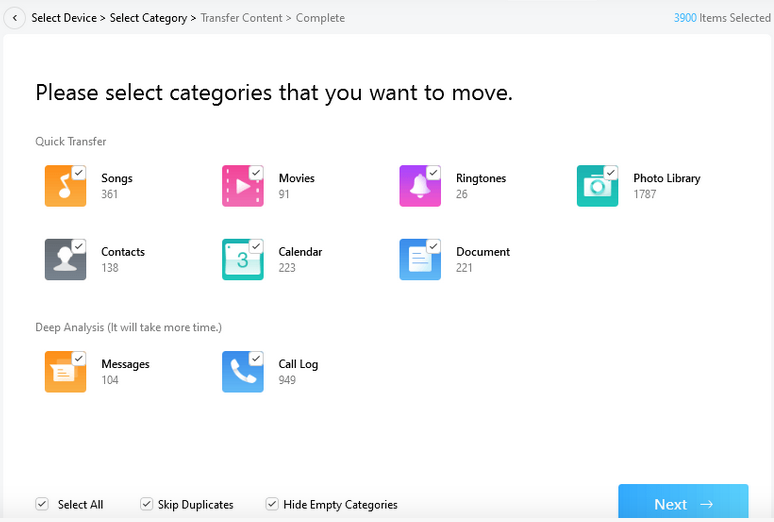
AnyTrans offers an all-in-one solution for iPhone, iPad, and iPod management. It's ideal for users who want a smooth, iTunes-free experience.
Main Features:
- Transfer media and documents between iOS devices and computers.
- Backup and restore iOS data selectively or completely.
- Manage contacts, messages, and calendars.
- Clone or merge iOS devices.
- Access cloud storage like iCloud and Google Drive.
5: CopyTrans Manager
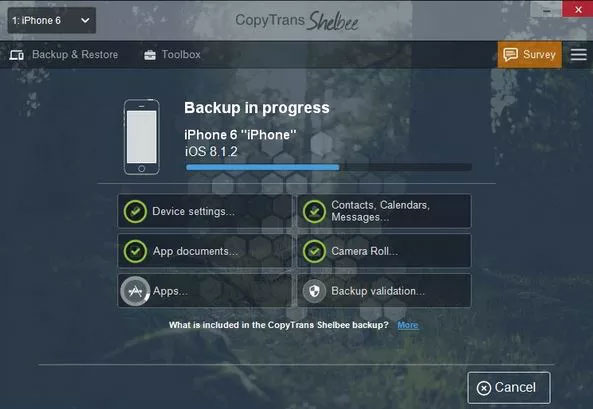
CopyTrans Manager is a lightweight tool focused mainly on music and media transfers (How to Transfer Music from iPhone to Computer?). It's a simple alternative for users who don't need full device management.
Main Features:
- Transfer music, videos, and playlists to iPhone/iPad.
- Edit song information and create playlists.
- Supports drag-and-drop for easy file management.
- No need for iTunes to sync media.
- Free and easy to use for basic media transfers.
Part 3: FAQs about PhoneBrowse
Q1: Is PhoneBrowse still available?
Yes, PhoneBrowse can still be downloaded from certain software websites. However, it hasn't been updated frequently, so some features may not work well with the latest iOS versions. Users who need more reliable performance or advanced features often turn to modern alternatives.
Q2: Is PhoneBrowse free to use?
PhoneBrowse offers basic file browsing and transfer features for free. Some advanced functions may be restricted, so if you want full access to all tools, you might need a paid alternative.
Q3: Is PhoneBrowse safe?
When downloaded from a trusted source, PhoneBrowse is generally safe to use. That said, because it's less maintained now, there could be security risks with newer iOS versions. Using well-known alternatives like MobiKin Assistant or iMazing can provide extra peace of mind.
Q4: Can I transfer all types of files with PhoneBrowse?
PhoneBrowse supports common file types like photos, videos, music, and documents. However, it has limited support for contacts, messages, app data, and some media formats. If you need full iPhone file management, a modern alternative will give you more flexibility and reliability.
Words in the End
PhoneBrowse used to be a handy tool for managing iPhone files, but its limited updates and compatibility issues make it less suitable for today's iOS devices. Modern alternatives like MobiKin Assistant for iOS, iOS Transfer, iMazing, AnyTrans, and CopyTrans Manager offer faster transfers, better backups, and more comprehensive file management. Choosing the right alternative depends on your specific needs, device compatibility, and desired features.
Related Articles:
8 Best My Contacts Backup Alternatives in 2026 [Free & Paid]
3 Best 3uTools Alternatives for Mac and Windows in 2026