Tenorshare iCareFone Alternatives: 9 Most Productive iOS File Managers
TL;DR:
For iPhone and iPad users seeking a practical alternative to Tenorshare iCareFone, the nine tools reviewed here address different priorities, so the best choice depends on what specific tasks matter most.
For trustworthy data transfer, backup, and data management without extra complexity, MobiKin Assistant for iOS offers a clean interface and selective export options that many users find easier to navigate than iCareFone. This program works with the latest iOS versions (iOS 27/26).
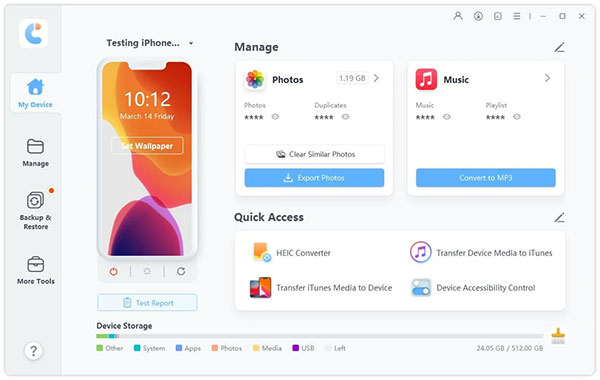
Many iPhone and iPad users explore Tenorshare iCareFone alternatives because they want either lower cost options, extra features not included in iCareFone, or tools that better fit specific tasks like iOS transfers or device management. In this article, we'll highlight the 9 most productive Tenorshare iCareFone substitutes, giving you a clear view of how each tool can serve as a practical choice for managing and backing up your devices.
Top 1: Best Tenorshare iCareFone Alternative - Assistant for iOS
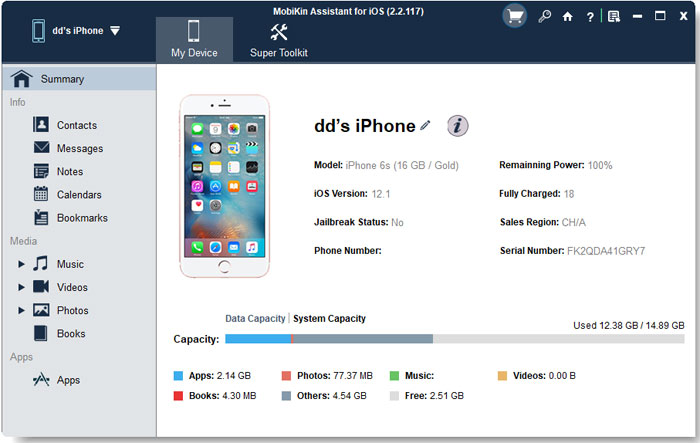
Managing iPhone or iPad data becomes straightforward with tools that simplify backup and transfer tasks. Among them, MobiKin Assistant for iOS (Windows/Mac) stands out by offering a clear way to move files between devices and computers. It supports contacts, messages, photos, and more, ensuring that users can safeguard their data or manage it without hassle. The interface makes navigation easy, even for those less familiar with technical processes.
|
Feature Category
|
Specific Feature & Notes
|
|
Data Transfer |
Enables smooth transfer of contacts, messages, photos, music, and videos between iOS devices and PC/Mac. |
|
Backup & Restore |
Supports full and selective backups, allowing users to restore chosen files without overwriting entire device data. |
|
Contact Management |
Provides editing, adding, and deleting of contacts directly from the computer for easier organization. |
|
Message Export |
Allows SMS and iMessages to be exported to computer formats for archiving or printing. |
|
File Organization |
Offers structured file browsing and management, making it easier to locate and handle specific data. |
|
App & Media Handling |
Supports app data management and media transfers without relying on iTunes. |
|
Compatibility |
Works with the latest iOS 27/26 and Windows/Mac systems, ensuring broad device support. |
|
Ease of Use |
Simple interface designed for non-technical users, reducing complexity in data management. |
|
Alternative to Tenorshare iCareFone |
Acts as a reliable substitute by offering strong backup, transfer, and management features, though without system repair tools. |
Free Download:


Attach your iPhone to the computer using a USB cable, then open MobiKin Assistant for iOS. The program will detect the device right away, and its main dashboard will be displayed. After that, you can easily back up, transfer, restore, and manage your desired iOS content as guided.
Video Directions:
Where does it outperform Tenorshare iCareFone?
- Provides selective export of contacts, messages, and photos.
- Easy navigation with a clean interface.
- Supports incremental backups for efficiency.
Where does it fall behind Tenorshare iCareFone?
- No junk file cleaning or optimization.
- Lacks iOS system repair features.
- Limited support for app-specific data.
Top 2: 3uTools
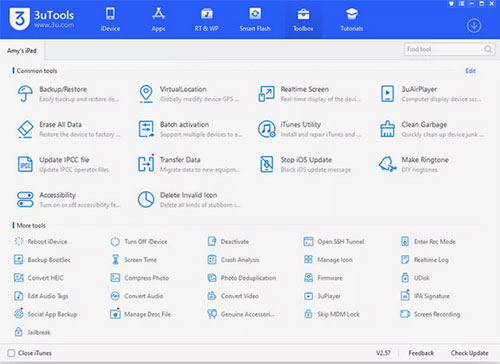
For those who prefer an all-in-one utility, 3uTools provides a comprehensive suite of features beyond backup. It allows users to manage apps, photos, ringtones, and system files while also offering jailbreak support for advanced users. Backing up and restoring data is quick, and the tool integrates well with iOS devices. Its versatility makes it appealing to users who want more than just a simple transfer solution.
Where does it outperform Tenorshare iCareFone?
- Offers jailbreak and firmware flashing options.
- Rich customization for ringtones and wallpapers.
- Comprehensive device information display.
Where does it fall behind Tenorshare iCareFone?
- Interface can overwhelm beginners.
- Backup process less streamlined than iCareFone.
- No dedicated system repair tools.
Top 3: WALTR
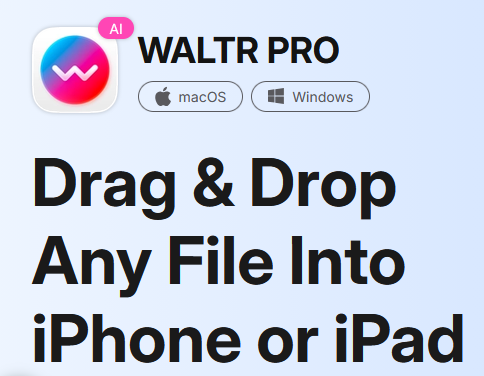
Music and video enthusiasts often turn to WALTR, which focuses on seamless media transfers. This alternative to 3uTools enables users to move songs, movies, and documents directly to iOS devices without needing iTunes. The tool automatically converts files into compatible formats, saving time and effort. Its emphasis on simplicity makes it ideal for those who prioritize entertainment content management.
Where does it outperform Tenorshare iCareFone?
- Converts media files automatically to iOS formats.
- Drag-and-drop transfers without iTunes.
- Fast handling of music and video.
Where does it fall behind Tenorshare iCareFone?
- Focused mainly on media, not full backups.
- No contact or message management.
- Limited scope compared to iCareFone.
Top 4: iMazing
When it comes to detailed control, iMazing offers a professional-grade solution for backups and device management. It allows users to create full or selective backups, manage apps, and transfer files securely. The tool also supports advanced features like exporting messages and call histories. Its flexibility appeals to users who want both everyday convenience and deeper customization.
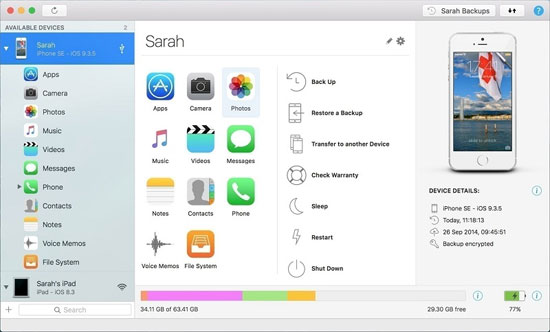
Where does it outperform Tenorshare iCareFone?
- Advanced selective backup and restore.
- Exports messages, call logs, and app data.
- Strong control over device management.
Where does it fall behind Tenorshare iCareFone?
- Interface more complex than iCareFone.
- Higher cost for full features.
- Slower performance on older systems.
Top 5: AnyTrans
A broader approach is taken by AnyTrans, which covers nearly every aspect of iPhone and iPad data handling. It supports backups, transfers, and even migration between devices, including Android. The tool also helps manage iCloud content, making it a versatile option for those with multiple Apple services. Its wide coverage ensures that users can rely on it for nearly any data-related task.
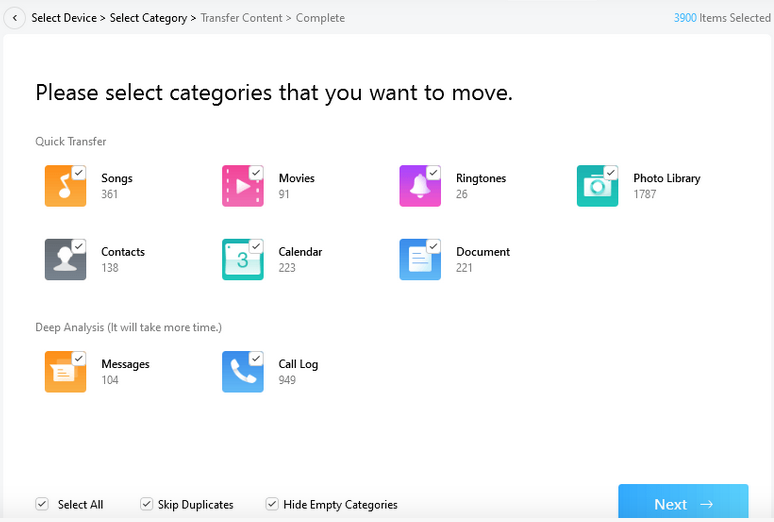
Where does it outperform Tenorshare iCareFone?
- Supports migration between iOS and Android.
- Manages iCloud content alongside local files.
- Covers nearly all data types.
Where does it fall behind Tenorshare iCareFone?
- Heavy software footprint.
- Transfers slower than iCareFone.
- Some features locked behind premium plans.
Top 6: CopyTrans
For users who prefer specialized solutions, CopyTrans provides targeted tools for music, photos, and contacts. It allows selective transfers, giving users control over what they move or back up. The software is lightweight and easy to use, making it suitable for quick tasks. Its modular design means users can pick the exact function they need without unnecessary extras.
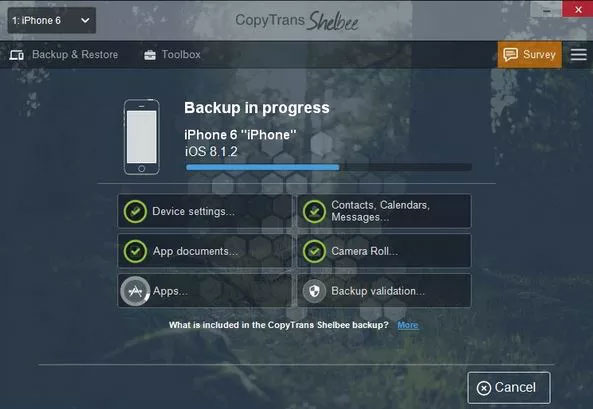
Where does it outperform Tenorshare iCareFone?
- Modular tools for specific tasks.
- Lightweight and easy to use.
- Good for quick selective transfers.
Where does it fall behind Tenorshare iCareFone?
- Limited all-in-one functionality.
- No system repair or cleaning.
- Narrower scope than iCareFone.
Top 7: EaseUS MobiMover
A free alternative comes in the form of EaseUS MobiMover, which balances simplicity with functionality. It supports data transfer between iOS devices and computers, covering photos, videos, contacts, and more. The tool also includes options for downloading online videos directly to devices. Its cost-free nature makes it attractive for users who want essential features without investment.
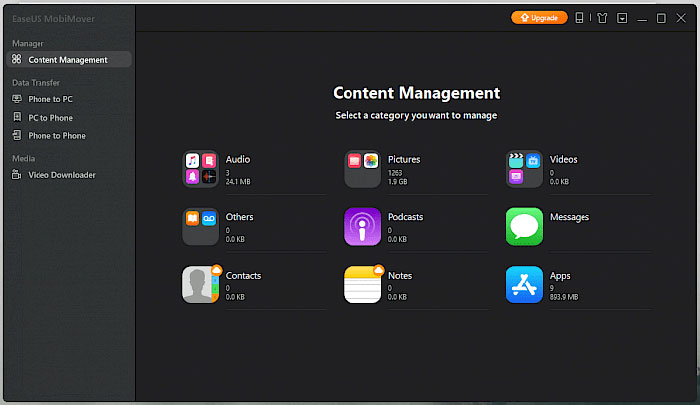
Where does it outperform Tenorshare iCareFone?
- Free version covers essential transfers.
- Supports video downloads to devices.
- Simple interface for beginners.
Where does it fall behind Tenorshare iCareFone?
- Fewer advanced backup options.
- No selective app data restore.
- Less reliable for large-scale transfers.
Top 8: Syncios Mobile Manager
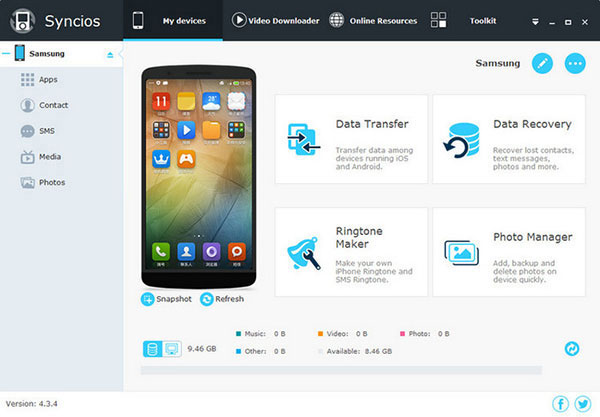
Another option is Syncios Mobile Manager, which combines device management with backup capabilities. It allows users to organize apps, photos, and media while also supporting full data transfers. The tool includes extras like ringtone creation and video conversion. Its blend of management and backup features makes it a practical choice for everyday use.
Where does it outperform Tenorshare iCareFone?
- Includes ringtone creation and video conversion.
- Balanced mix of management and backup.
- Supports multiple media types.
Where does it fall behind Tenorshare iCareFone?
- Interface less polished than iCareFone.
- Limited support for WhatsApp/LINE backups.
- Fewer optimization tools.
Top 9: Leawo iTransfer
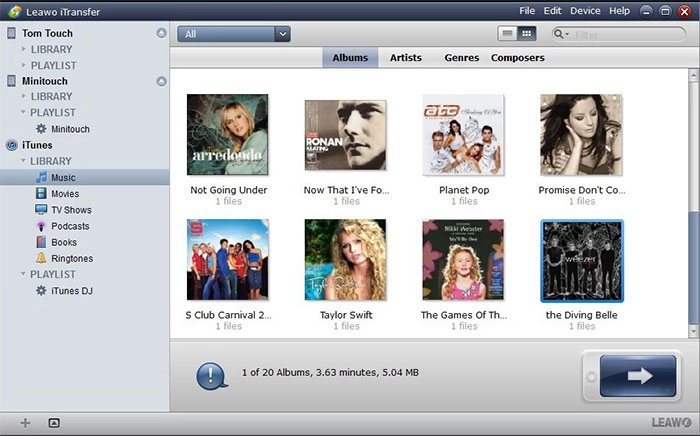
Finally, Leawo iTransfer focuses on bridging the gap between iOS devices and computers. It supports music, videos, photos, and contacts, ensuring smooth transfers without iTunes. The tool emphasizes stability and speed, making backups efficient. Its straightforward design appeals to users who want reliable performance without unnecessary complexity.
Where does it outperform Tenorshare iCareFone?
- Stable and fast media transfers.
- Simple design for straightforward tasks.
- Works without iTunes dependency.
Where does it fall behind Tenorshare iCareFone?
- Narrow focus on music, videos, and contacts.
- No system optimization features.
- Lacks advanced backup flexibility.
In Closing
The search for alternatives is not about rejecting iCareFone but about finding the right match for personal requirements. Whether the priority is cost savings, advanced backup flexibility, or smoother media handling, these nine tools provide meaningful options.
When evaluating a Tenorshare iCareFone alternative, always check if the tool supports selective backup and restore. This feature saves time, avoids unnecessary data overwrite, and makes the difference between a convenient solution and a frustrating one.
Related Articles:
Tenorshare Phone Mirror Review: Does It Offer a Good Experience?
Tenorshare UltData WhatsApp Recovery Review [In-depth Evaluation]
Top 9 Tenorshare iAnyGo Alternatives [For Better Experience]
Tenorshare iPhone Data Recovery Review 2026: Is It Worth A Try?