
itel FRP Bypass: 4 Feasible Methods to Bypass FRP on itel Easily
In daily use, many itel users suddenly find themselves locked out of their phone after a factory reset and cannot remember the original Google account. This situation often happens when a device is sold, given away, or reset without first removing the linked account.
Facing this unexpected barrier, itel FRP Bypass has become an important topic. And this passage allows you to regain normal access to your devices without unnecessary delays.
- Part 1: Why Does FRP Appear on itel
- Part 2: How to Perform itel FRP Bypass via FRP Bypass APK
- Part 3: How to Bypass itel FRP Using Techeligible
- Part 4: How to Remove FRP on itel with itel FRP Bypass File
- Part 5: How to Bypass FRP on itel via Android Lock Wiper [Ultimate Way]
- Part 6: FAQs for itel FRP Bypass
Part 1: Why Does FRP Appear on itel
Factory Reset Protection (FRP) is a security feature built into itel phones to safeguard user data and prevent unauthorized access. Understanding why FRP appears helps explain the steps needed to regain access after a hard reset:
- A Google account is added to the phone, which automatically activates FRP.
- The phone is factory reset without first removing the Google account.
- Android security detects the reset as a possible unauthorized action.
- The system then asks for the previously linked Google account to protect the device.
- FRP helps prevent thieves from using or reselling a stolen itel phone.
- It protects personal data like contacts, photos, and messages after a reset.
- Without entering the original Google account, the phone cannot be fully set up again.
How can you prepare your itel phone for FRP bypass? Before starting the FRP bypass process on your itel phone, make sure the device is fully charged to avoid interruptions during the procedure. Prepare a stable USB cable, a compatible computer, and download the required tools or files in advance. It is also recommended to back up any accessible data and confirm your phone model and Android version for better compatibility.
Part 2: How to Perform itel FRP Bypass via FRP Bypass APK
Often recommended in online forums, FRP Bypass APK is designed to help users regain access to Android devices after a reset. It usually works by guiding users to hidden settings or alternative login pages through simple installation steps.
Many people appreciate its lightweight size and ease of use, especially when no computer is available. However, its ability to bypass FRP lock on itel phones may vary depending on Android version and security updates.
Quick Guide:
- Enable Unknown Sources - Go to Settings > Security on the locked phone and enable Install from Unknown Sources so APK files outside the Play Store can be installed.
- Download the FRP Bypass APK - Using a browser accessible on the phone, download the FRP Bypass APK file to the device.
- Install the APK File - Locate the downloaded APK in the phone's file manager and install it. The app is designed to help navigate the Google verification screen.
- Launch the Installed App - Open the newly installed FRP Bypass app, which may require navigating through setup prompts or settings.
- Use the App to Bypass FRP - Follow the app's instructions to add a new Google account or remove the FRP requirement.
- Restart and Complete Setup - After the bypass process finishes, restart the phone and continue through the setup screens; the FRP lock should now be removed.

Part 3: How to Bypass itel FRP Using Techeligible
Shared through tutorials and technical blogs, Techeligible offers detailed guides and downloadable resources for dealing with Google account locks. Instead of relying on one fixed tool, it focuses more on step-by-step methods that adapt to different phone models.
Users often follow its instructions to try browser-based or accessibility-based solutions. Still, its success in bypassing FRP lock on itel devices depends largely on the model and system patch level.
Quick Guide:
- Turn on your itel phone, connect it to a Wi-Fi network, and proceed to the Google verification screen.
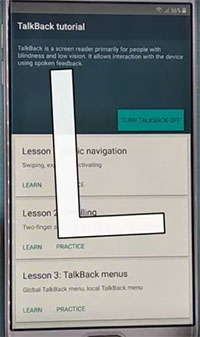
- Use accessibility features such as TalkBack or other available shortcuts to open a browser or settings page from the setup screen.
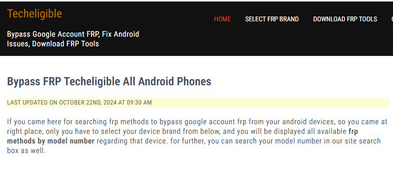
- In the browser, search for the Techeligible website and open the relevant FRP bypass guide for your itel model.
- Follow the instructions on the page to access FRP tools, account login options, or device settings.
- Add a new Google account through the provided sign-in option or setup page.
- After successfully adding the account, restart the phone and complete the setup process without being asked for the previous account.
Part 4: How to Remove FRP on itel with itel FRP Bypass File
Stored as a firmware-related resource, itel FRP Bypass File is mainly used together with flashing tools on a computer. It modifies certain system settings so that the phone can skip Google account verification during setup. This method is usually preferred by technicians who are familiar with flashing procedures. In many cases, it shows stable performance when bypassing FRP lock on itel phones, especially on older models.
Quick Guide:
- Download the correct itel FRP Bypass File, SPD Research Download Tool, and SPD USB Driver on your computer.
- Extract all the downloaded files on your PC.
- Install the SPD USB Driver so the computer can recognize your itel phone.
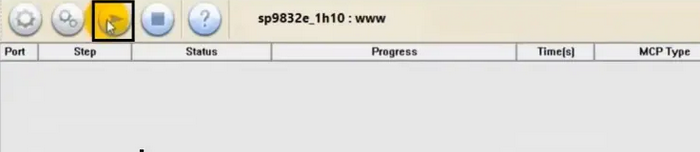
- Open the Research Download Tool and run the program file.
- Click the gear icon in the tool and select the folder containing the extracted FRP bypass file.
- Power off your itel phone completely.
- Press and hold the Volume Down button, then connect the phone to the PC using a USB cable.
- Click the Start button in the tool to begin removing FRP.
- Wait until the process finishes, then disconnect and restart your phone.
Part 5: How to Bypass FRP on itel via Android Lock Wiper [Ultimate Way]
Designed as a commercial unlocking solution, Android Lock Wiper provides an interface that simplifies the unlocking process for ordinary users. It connects the phone to a computer and applies automated scripts to remove account restrictions.
Compared with manual methods, it reduces the risk of incorrect operations. Its ability to bypass FRP lock on itel S/A/City/P series is generally reliable, though compatibility may differ between system versions.

Overall, these features make the tool a practical choice for users who want to remove Google account locks and screen locks without unnecessary risks (no data loss on Samsung). With broad compatibility, regular updates, and guided operations, it suits both beginners and experienced users. Compared with unknown downloads from unreliable websites, it offers a safer and more dependable way to regain access to Android devices.
So, how to use Android Lock Wiper to bypass FRP lock on itel?
- Begin by downloading and installing the software on your computer.
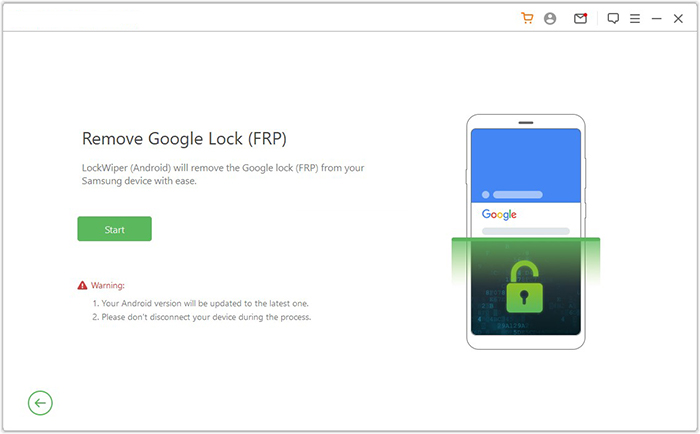
- Once the installation has been finalized, select "Remove Google Lock (FRP)" and choose "Advanced Mode."
- Connect your itel phone to the computer using a USB cable, then click "Start."
- It is advisable to back up your device to prevent any potential data loss during the FRP bypass process.
- Follow the instructions to enter the necessary information regarding your cell phone and click "Next."
- Follow the on-screen instructions to access recovery mode on your device.
- On the subsequent screen, select the appropriate PDA, country, and carrier, then click "Download" to obtain the required data package.
- Afterward, click "Start to Extract," and adhere to the on-screen instructions to place your device into Download Mode.
- Enable USB debugging, turn on OEM unlock, and extract the firmware along with other critical tasks.
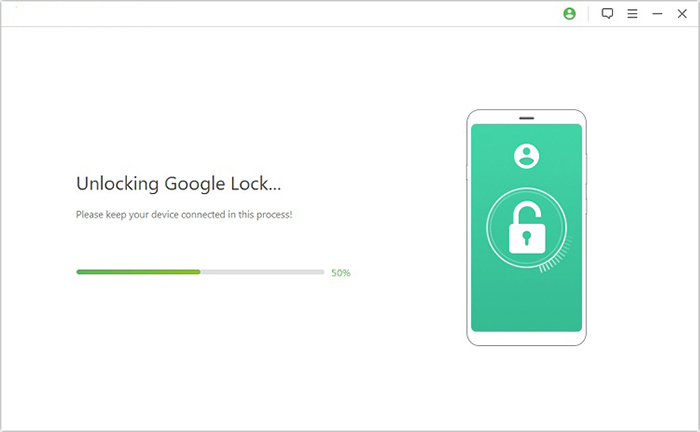
- Finally, the software will commence the FRP unlocking instantly.
Part 6: FAQs for itel FRP Bypass
Q1. Is itel FRP bypass legal?
Bypassing FRP on your own device is legal. However, bypassing FRP on a phone you don't own or without permission may violate laws and warranties.
Q2. Will FRP bypass on itel erase my data?
Yes, most FRP bypass methods require a factory reset, which will erase all personal data on the device. Always back up important data if possible.
Q3. Why does FRP bypass fail sometimes?
Failures can happen due to a newer Android security patch, incompatible FRP tools, or an incomplete bypass procedure. Using the latest method for your specific model is crucial.
Q4. Is itel FRP bypass permanent?
Yes, once successfully bypassed, the device will no longer request the old Google account after a factory reset, unless FRP is re-enabled with a new Google account.
Q5. How can I prevent FRP lock on itel in the future?
Before factory resetting, remove all Google accounts from your itel device. Also, keep your account credentials safe and update security info regularly.
The Bottom Line
Getting blocked by FRP is like standing in front of a closed door without a key, even though the phone belongs to you. Before trying random downloads or risky tutorials, it is wiser to rely on a proven solution.
Among available options, Android Lock Wiper is widely recognized as the best tool for itel FRP bypass because of its stable performance and guided process. Using a trusted tool not only improves success rates but also helps protect your device from unnecessary system damage.
Related Articles:
4 Best Itel Sync Software to Keep Your Data Safe [Pros, Cons, Pricing, etc]
5 Hassle-free Ways to Transfer Music from Mac to itel Phone
4 Ingenious Methods to Restore Deleted Contacts on itel S/P/A/City
How to Transfer Contacts from itel to itel? 4 Proven Methods
