
An Unbiased MobileTeamOfficial FRP Bypass APK Review [Latest Update]
TL;DR:
As you'll know from this article, MobileTeamOfficial FRP Bypass offers limited solutions for older Android versions; its complexity and risks make it less reliable. Android Lock Wiper, however, is a better tool, with broader device compatibility and a higher success rate, making it a safer and more effective replacement for MobileTeamOfficial FRP Bypass.
NOTE: We advocate lawful use of these tools for valid purposes and object to their use in any unauthorized activities.
Q1. Why does FRP exist?
FRP was introduced by Google to protect user data. If a phone is reset without removing the linked Google account, FRP requires those credentials to verify ownership.
Q2. Are there legal implications?
Yes. Circumventing FRP may violate laws or terms of service if the device isn't yours. Manufacturers and Google emphasize official recovery methods instead.
Q3. Should I rely on MobileTeamOfficial FRP Bypass?
Some experts advise against it. While it may appear convenient, the risks outweigh the benefits. Official recovery channels remain the most reliable and secure path.
For more about the tool, read on to learn this comprehensive MobileTeamOfficial FRP Bypass review.
- Part 1: What Is MobileTeamOfficial FRP Bypass
- Part 2: Is the MobileTeamOfficial FRP Bypass Safe & Free
- Part 3: Things to Know before Using MobileTeamOfficial FRP Bypass APKs
- Part 4: How to Download & Use MobileTeamOfficial FRP Bypass
- Part 5: Pros & Cons of MobileTeamOfficial FRP Bypass
- Part 6: What Could Be Better than MobileTeamOfficial FRP Bypass [Trusted]
Part 1: What Is MobileTeamOfficial FRP Bypass
Based on the article from trusted sources, MobileTeamOfficial FRP Bypass refers to a collection of unverified APK tools (like Factory Test.APK and G.A.M) designed to remove Google's Factory Reset Protection (FRP) lock on Android devices, primarily for older versions (Android 5 to 10).
These tools require a complex, manual process that exploits system vulnerabilities, often involving activating TalkBack and transferring files from a second phone via Phone Clone.
NOTE: MobileTeamOfficial FRP Bypass or any other tools like this is intended strictly for formal use, such as legitimate device recovery by the rightful owner. It must never be applied to illegal purposes, since bypassing FRP without authorization undermines security protections and may violate laws.
You Might Need: Top 4 Best TCL FRP Bypass Solutions You Should Never Miss
Part 2: Is the MobileTeamOfficial FRP Bypass Safe & Free
Safety:
MobileTeamOfficial FRP Bypass can be safe if used correctly on supported devices from the official source, but it is not risk-free. The main dangers are device bricking, data loss, and account security issues if misused or if downloaded from unofficial sources.
How to Check If an FRP Bypass APK Is Secure? To check if an FRP Bypass APK is safe, first download it only from the official developer or a trusted source to avoid malware. Second, scan the file with a reputable antivirus or online scanner before installation. Finally, verify compatibility with your device and Android version, as unsupported versions can cause system issues or bricking.
Pricing:
MobileTeamOfficial FRP Bypass offers some tools and resources for free, allowing users to perform basic FRP bypass operations on certain Android devices. However, some advanced features, updated tools, or premium services may require payment. It's best to check the official MobileTeamOfficial website or channel for the latest pricing and feature details.
Further Exploration: FRP Bypass Tool by Mohammed Ali Review: Detailed Explanation
Part 3: Things to Know before Using MobileTeamOfficial FRP Bypass APKs
Considerations:
- Ensure your device model and Android version are compatible before using the APK.
- Download only from the official MobileTeamOfficial source to avoid unsafe or modified files.
- Scan the APK with a trusted antivirus tool before installing it.
- Back up important data in case of errors or data loss during the process.
- Be aware that FRP bypass tools may affect system security or cause unexpected issues if misused.
Which FRP Tools Does MobileTeamOfficial Offer?
A closer look at MobileTeamOfficial shows a range of APK-based tools designed to help users bypass FRP locks and regain access after a factory reset. Their effectiveness can vary depending on the device model and Android version, so compatibility is an important factor before use.
|
Tool Name
|
Description
|
|
Account Login.APK |
Bypasses Google account verification screen. |
|
G.A.M (5.0–10).APK |
Google Account Manager for multiple Android versions. |
|
Mobile Team APK |
Main FRP bypass tool by MobileTeamOfficial. |
|
QuickShortcutMaker.APK |
Creates shortcuts to access hidden settings/apps. |
|
Package Disabler Pro.APK |
Disables apps that may block FRP bypass. |
|
Apex/Activity Launcher |
Helps open settings or hidden system activities. |
|
ES File Explorer.APK |
Manages and installs APK files during bypass. |
Part 4: How to Download & Use MobileTeamOfficial FRP Bypass
To begin the process, it's important to carefully follow each action in sequence so the setup flows smoothly. The instructions below outline the necessary steps in a clear order, ensuring you can move through the procedure without confusion:
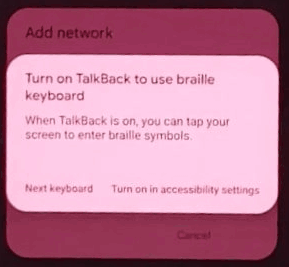
- To begin, power on the device and verify that it is indeed locked with FRP. Once confirmed, return to the initial "Hello" screen and simultaneously press both the "Volume Up" and "Volume Down" buttons for three seconds to activate "TalkBack."
- When the TalkBack option appears, tap on "Turn on" to proceed. Next, draw a backward L shape on the screen and select "While Using the App" when prompted for permission.
- Subsequently, tap on "Use Voice Commands" when it becomes available and clearly articulate "Open Settings" to access the Settings menu. Once inside, disable TalkBack by pressing both volume buttons again for three seconds.
- From that point, scroll down to locate the "System" section and choose "Phone Clone" from the list. After it opens, accept the terms by tapping "This is a New Phone" and selecting "Android" to continue.
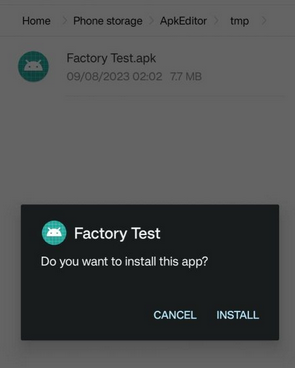
- At this juncture, ensure that all required permissions are granted for the app to function properly. Meanwhile, utilize a second phone to open its browser and download the Factory Test APK file from the Mobile Team Official website.
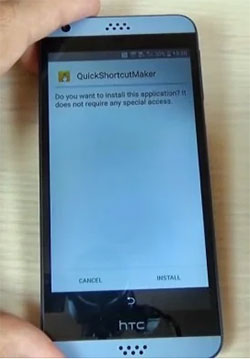
- Additionally, download the Quick Shortcut Maker app on the same second device. Once both files are prepared, return to Phone Clone on the second phone to continue.
- Upon reaching the data transfer screen, select both APK files and click "Start Phone Clone" to initiate the transfer. After the transfer is complete, access the history tab within Phone Clone on the locked phone and open Quick Shortcut Maker.
- Within the application, enter "engineering" in the search field and select the entry labeled "Factory Test - Engineering Test." On the following screen, click "Try" to proceed and choose the "Engineering Test 3" option.
- Finally, tap "Back To Home" and then select "Initialize to English" to complete the FRP bypass. To confirm its success, open the device Settings and review the device information section.
Part 5: Pros & Cons of MobileTeamOfficial FRP Bypass
Why We Like It:
- Accessibility workaround: Provides a way for users who forgot their Google credentials or bought second-hand devices with FRP still active to regain access.
- No PC requirement: Many guides highlight that it can be done directly on the phone without needing a computer.
- Quick resolution: Compared to waiting for account recovery or service center support, bypass methods may seem faster.
- Widely documented: Tutorials and walkthroughs are available online, making it easy to find instructions.
Why We Don't Like It:
- Legal risks: FRP is a security feature designed to prevent unauthorized access. Circumventing it may violate laws or terms of service, especially if the device isn't yours.
- Security concerns: Downloading APKs from unofficial sources exposes devices to malware, spyware, or intrusive permissions.
- Unreliable success: Effectiveness varies by phone model, Android version, and patch level. Updates often block older bypass tricks.
- Loss of protection: Once bypassed, the device no longer benefits from FRP's theft-deterrent function, leaving it vulnerable.
- Data integrity risks: Using unverified tools can corrupt system files or cause instability.
Part 6: What Could Be Better than MobileTeamOfficial FRP Bypass [Trusted]
Android Lock Wiper can remove Android screen locks such as PINs, patterns, passwords, and fingerprints when access is blocked. It can also act as an alternative to MobileTeamOfficial FRP bypass for Google account locks on many Android devices. Beyond FRP, it is useful for situations like forgotten credentials or second-hand phones, though it should only be used on devices you own or have permission to access.
Core Features of Android Lock Wiper:
> FRP Unlock: Removes Google FRP lock without requirements.
> Screen Lock Removal: Clears PIN, pattern, password, fingerprint, face ID.
> Device Compatibility: Supports 6,000+ Android models.
> Data Retention: Unlocks most Samsung devices without data loss.
> Ease of Use: Simple steps with a USB cable.
> Account Removal: Deletes old Google accounts.
> Multi-Lock Support: Handles forgotten passwords and second-hand phones.
> Higher Success Rate: Unlock Android devices efficiently.
> Provides a legitimate, secure alternative to MobileTeamOfficial FRP Bypass.

How to use the best MobileTeamOfficial FRP Bypass alternative?
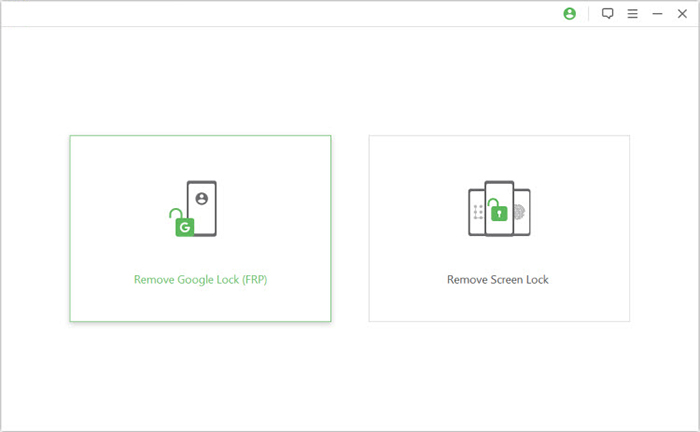
Step 1: Install Unlocker - Download and install the Android phone unlocker software on your computer, then select "Remove Google Lock (FRP)" in Advanced Mode and connect your device via USB.
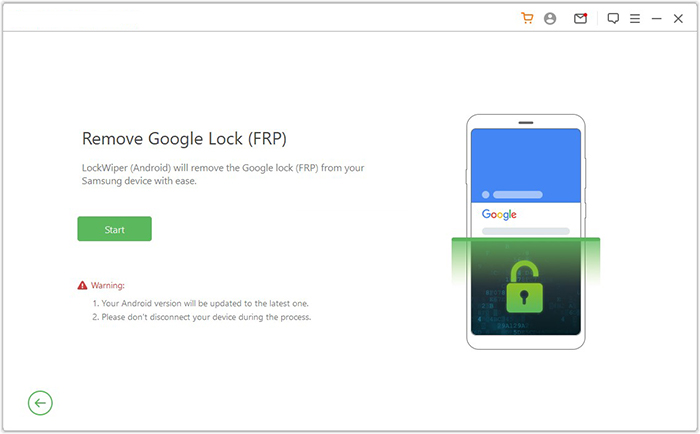
Step 2: Follow Prompts - Click "Start," enter your device information, follow on-screen instructions to enter recovery mode, and choose the correct PDA, country, and carrier before downloading the data package.
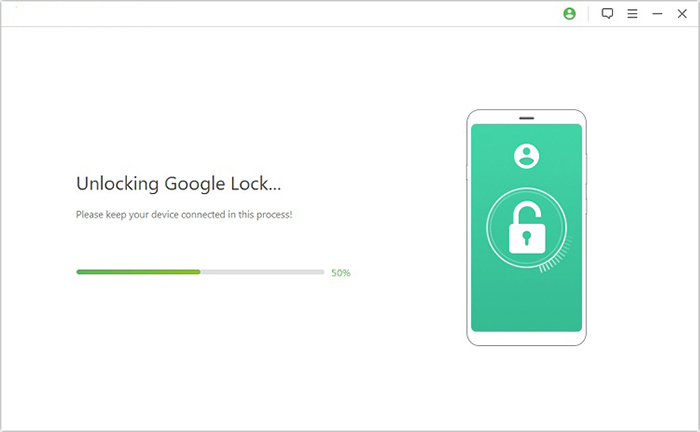
Step 3: Complete Unlock - Extract the firmware, set the device into Download Mode, enable USB debugging and OEM unlock, then let the program initiate and complete the FRP removal.
Roundup
In the end, most discussions around MobileTeamOfficial FRP Bypass reviews come down to trust, safety, and real-world performance. Some users report success on specific devices, while others face errors or limitations depending on Android version. Careful checking of compatibility and source credibility remains key before trying any FRP-related tool. If you need a tool with a higher success rate for FRP bypass, don't hesitate to try Android Lock Wiper.
Related Articles:
Forgot Android PIN? Try the 6 Basic Solutions & 1 Ultimate Way
How to Recover WiFi Password on Android with No Root? 5 Clever Tactics
How to Recover Data from Phone That Won't Turn on? Solved with 4 Solutions
