
UltFone Android Unlock Review: Does It Deserve Your Attention?
When looking for a reliable solution to unlock an Android device, many users search for an UltFone Android Unlock review to know how well it actually works in real situations - especially in terms of reliability, ease of use, and success rate. With smartphones holding critical personal and professional data, choosing the right unlocking tool is essential to avoid device damage or data loss.
This post dives into UltFone Android Unlock's features, performance, user reviews, limitations, etc. By examining all expert insights, you can understand whether this tool meets your needs for safely removing screen locks or bypassing Google FRP.
Part 1: What Is UltFone Android Unlock
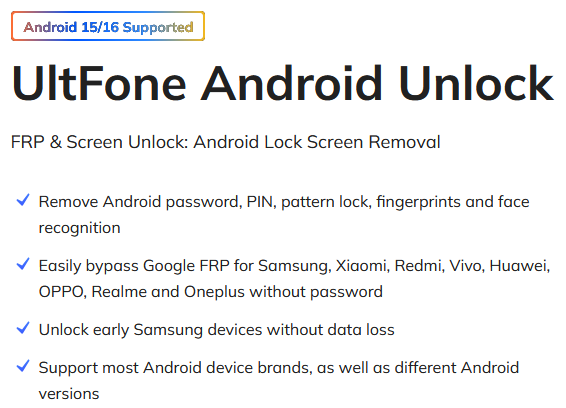
UltFone Android Unlock is a professional software tool designed to unlock Android devices quickly and safely. It can remove screen locks such as PINs, passwords, patterns, fingerprints, and face recognition. The tool also supports bypassing Google FRP (Factory Reset Protection) on many devices. It is user-friendly and does not require rooting, making it suitable for both beginners and advanced users.
Part 2: UltFone Android Unlock: Main Features
UltFone Android Unlock is an easy-to-use tool that supports many Android devices and lock types, including FRP removal. It uses automatic system checks, requires no rooting, and works on multiple devices per license. Users generally find it reliable, though data loss may occur on some devices. It also comes with a 30-day money-back guarantee.
|
Feature Area
|
Summary
|
|
Supported Devices & Compatibility |
Supports a wide range of Android brands (Samsung, Huawei, Xiaomi, Google, OPPO, vivo, OnePlus, etc.) and Android versions from ~8 up to 16. Special support for removing Samsung FRP (Google lock) on Android 6–16. |
|
Unlock Types |
Can remove multiple types of screen locks: PIN, pattern, password, fingerprint, and face recognition. Also supports bypassing Google FRP for supported devices. |
|
Safety & System Protection |
Performs an automatic system check before unlocking to reduce the risk of bricking the device. For some older Samsung models, it can unlock without wiping data; for many other devices, data will be erased. |
|
Ease of Use |
Very simple 3-step process: connect device > choose "Remove Screen Lock" > start unlocking. No rooting required - works via PC (Windows/Mac) with guided steps. |
|
Additional Features |
Offers a 30-day refund policy. Can unlock on up to 5 mobile devices + 1 PC per license (depending on the plan). |
Part 3: UltFone Android Unlock: User Reviews
Summary: Users generally find UltFone Android Unlock effective and easy to use, particularly for screen lock removal, though occasional issues with older devices, data loss, and refunds have been reported.
|
Source
|
Positive Feedback
|
Negative Feedback
|
|
Trustpilot
|
Rated 4.2/5; users say it works well and support is responsive. |
About 19% of reviews are 1-star, citing issues or dissatisfaction. |
|
Sitejabber
|
- |
Some users felt it failed to meet expectations and were dissatisfied with performance. |
|
Reddit
|
- |
Reports of difficult refund processes, slow software, and unstable performance. |
Part 4: FAQs about UltFone Android Unlock
Q1: Is UltFone Android Unlock safe?
Yes, UltFone Android Unlock is generally safe and designed to remove locks without damaging your device. It performs a system check to minimize risks, but data loss can still occur on some devices. It's recommended to back up your phone before using the tool.
Q2: Is UltFone Android Unlock free?
UltFone Android Unlock is a paid tool offering flexible plans to suit different user needs, from short-term use to lifetime access. Prices range from $29.95 for a 1-month license to $49.95 for a lifetime license, with an annual business plan available for $52.95 per year. Here are the details:
|
License Type
|
Price (USD)
|
Details
|
|
1-Month License
|
$29.95 |
Covers up to 5 devices + 1 PC, 1-month free upgrades. |
|
1-Year License
|
$39.95 |
Covers 5 devices + 1 PC, includes 1 year of free upgrades. |
|
Lifetime License
|
$49.95 |
Covers 5 devices + 1 PC, with lifetime free upgrades. |
Q3: Will I lose my data after unlocking my device using this tool?
UltFone Android Unlock can remove screen locks without wiping data for most devices. However, in some cases, especially with older models or FRP bypass, data loss may occur. It's always recommended to back up your Android device before proceeding with unlocking.
Q4: How long does it take to unlock an Android device using UltFone?
The unlocking process typically takes 5–15 minutes, depending on the device model, Android version, and type of lock. Advanced locks or FRP bypass may take longer. The software guides you step by step for a smooth process.
Part 5: UltFone Android Unlock: Pros & Cons
The Good:
- User-friendly interface, suitable for beginners.
- Supports a wide range of Android devices and versions
- Fast and reliable unlock times.
- Can remove various types of locks: PIN, password, pattern, fingerprint, face, and bypass Google FRP.
- For some older Samsung models, it unlocks without data loss.
- Offers a 30-day money-back guarantee.
The Bad:
- The full version is relatively expensive compared to some competitors.
- Not all devices support data-loss-free unlocking; many will be wiped during the process.
- Some features, like data-safe unlock, are only supported on specific models.
- Its performance may be slower on older or less powerful devices.
- Customer support response can sometimes be slow or inconsistent.
Part 6: Best Alternative to UltFone Android Unlock
UltFone Android Unlock falls short in such areas as risk of data loss on many devices, limited support for some models, slower performance on older phones, and occasional delays in customer support.
For those looking to avoid these issues, Android Lock Wiper serves as a more robust alternative. It delivers wider device compatibility, quicker and more dependable unlocking, improved data protection, and more responsive support. In short, this tool addresses the main limitations of UltFone Android Unlock effectively.
Best UltFone Android Unlock alternative free and safe download:

How to use the best replacement - Android Lock Wiper to unlock various screen locks on Android devices?
- Start by downloading and installing the program on your computer.
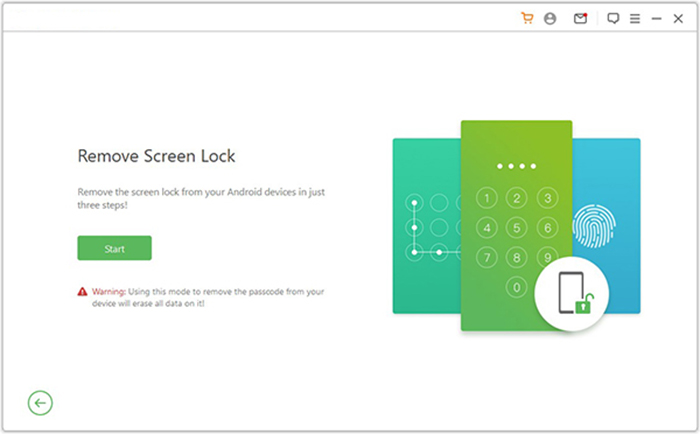
- Choose "Remove Screen Lock" and click "Start."
- Note that the process may erase data on a non-Samsung device, so it's best to back up anything important beforehand.
- Connect your Android device to the PC via USB.
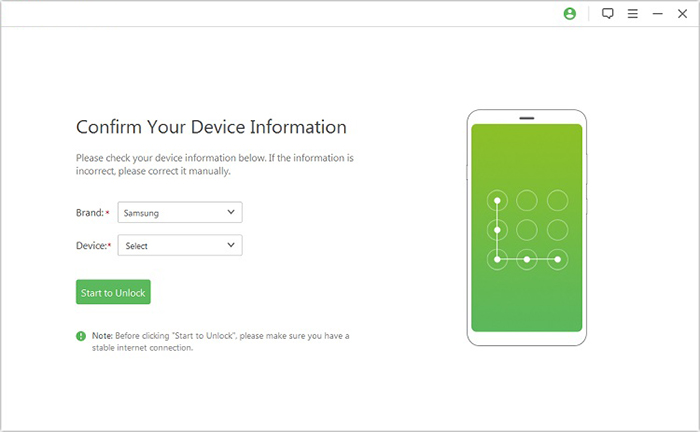
- The tool will automatically detect your device details - verify that the information is correct.
- If anything looks wrong, you can adjust it manually before selecting "Start to Unlock."
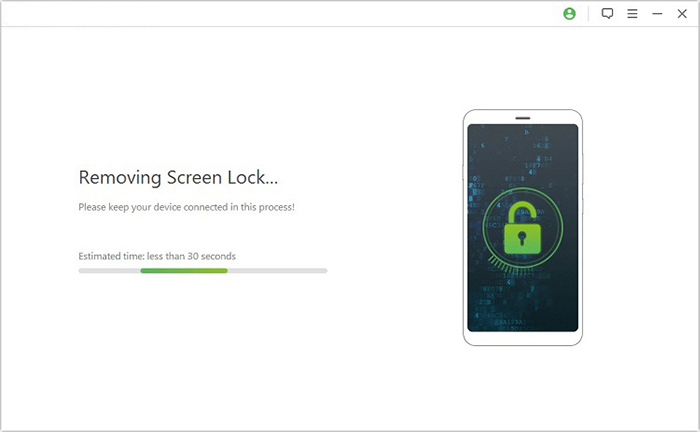
- The software will then download and apply the required data package to your phone or tablet.
- Follow the on-screen instructions to complete the reset.
- The unlocking procedure will begin, and once the process is complete, the screen lock will be successfully removed.
Conclusion - Expert Advice
Do you want to get a tool with a higher success rate for Android phone unlocking? Try the best UltFone Android Unlock alternative - Android Lock Wiper, which offers broader device compatibility, faster unlocking, and more responsive customer support.
Finally, an expert advice here - when choosing a phone lock removal tool, prioritize safety, success rate, device compatibility, and responsive support, rather than just cost or popularity. By considering these factors, users can select a tool that ensures a smooth, reliable, and secure unlocking experience.
Related Articles:
How to Unlock iPhone without Passcode in 8 Ways [100% Work]
UltFone Android System Repair Review: Is This Tool Worth It?
A Detailed UltFone Phone Transfer Review: Is It Up to the Task
How to Recover Contacts from Android Phone after Factory Reset? 4 Means
