
7 Best Microsoft Phone Link Alternatives [Easier Control]
Many users have realized that Microsoft Phone Link, while convenient, only works with certain Android devices and Windows versions. It also lacks advanced functions like full screen mirroring or interactive control. As such, tech enthusiasts and professionals often look for a reliable Microsoft Phone Link alternative that provides more flexibility and features.
This passage offers 7 of the best replacements for Microsoft Phone Link, comparing their capabilities and highlighting which tools offer the most comprehensive solutions.
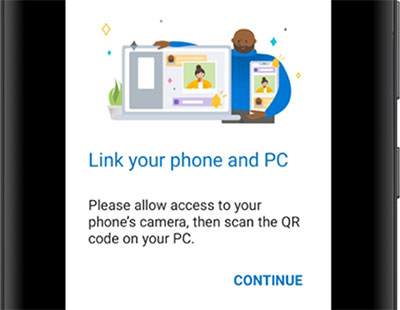
Top 1: Best Phone Link Alternative - Screen Mirror
Screen content from a smartphone can be mirrored to a computer easily using Screen Mirror. The app allows users to control the phone in real time, making it convenient for presentations, gaming, or app demonstrations. Files can be accessed and transferred between devices while the screen is mirrored. High-quality streaming ensures smooth performance without noticeable lag.
Here's a detailed description of Screen Mirror's main features in a table format:
|
Feature
|
Description
|
|
Screen Mirroring |
High-quality, real-time display of Android/iOS devices on PC. |
|
Interactive Control |
Use a mouse and keyboard to navigate apps and messages. |
|
File Transfer |
Send photos, videos, documents, and more between phone and PC. |
|
Cross-Platform |
Compatible with both Android and iOS devices. |
|
App Interaction |
Receive and respond to messages in real time. |
|
Gaming & Presentation Support |
Low-latency mirroring for gaming and app demos. |
|
Best Phone Link Alternative |
Provides broader control and features beyond Microsoft Phone Link. |


How to use the best Phone Link alternative to mirror phone screen to PC? (Using Android-to-PC screen mirroring to illustrate.)
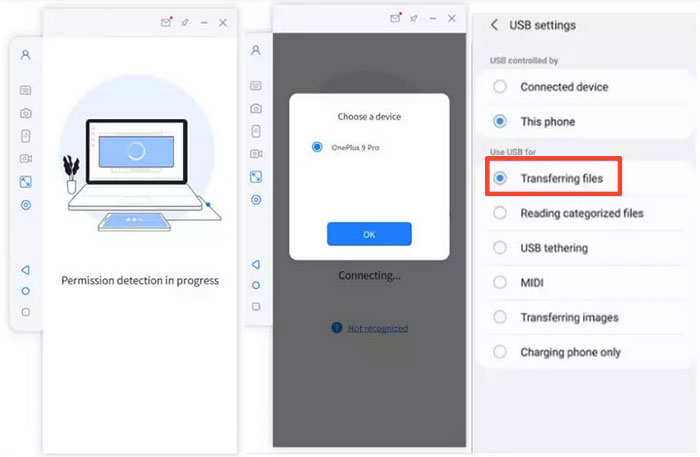
- Start by downloading and installing Screen Mirror on your computer.
- After the installation is finished, connect your Android device to the computer using a USB cable.
- When prompted, select your smartphone and opt for the "Transfer files" option.
- Proceed to your phone's "Settings," then navigate to "About phone," and select "Software information."
- Tap on "Build number" seven times.
- Following this, return to "Settings" to enable USB debugging on your Android device while it remains connected via USB.
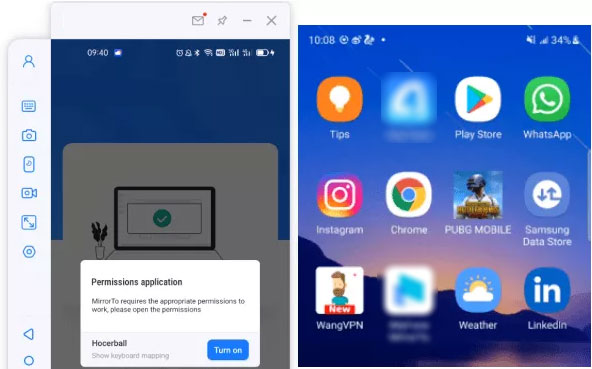
- Grant the application permission to access your device.
- Next, click on "Turn on" to install the Screen Mirror .apk on your phone or tablet.
- Once mirrored, you will have the ability to access and control Android applications on your Windows or macOS system effortlessly.
How does Screen Mirror outperform Microsoft Phone Link?
- Allows real-time screen mirroring with interactive control of the phone on a computer.
- Supports high-quality streaming for gaming, app demos, and presentations.
- Enables file transfer while mirroring, combining two functions in one tool.
- Works with both Android and iOS devices, offering broader compatibility than Phone Link.
Where does Screen Mirror fall short compared to Microsoft Phone Link?
- Lacks deep integration with Windows notifications, unlike Phone Link.
- Requires a separate PC installation, adding setup steps.
Top 2: BlueStacks
Running Android apps directly on a PC is possible through BlueStacks, which emulates a mobile environment on your computer. Users can install apps, play games, and manage files as if using a real Android device. Drag-and-drop file transfer between the PC and the virtual Android system simplifies sharing. Multi-instance support allows handling multiple apps or accounts simultaneously.

How does BlueStacks outperform Microsoft Phone Link?
- Provides a full Android emulation environment on PC, not just mirroring.
- Lets users run multiple apps simultaneously using multi-instance support.
- Supports drag-and-drop file transfers between PC and emulated Android.
- Enables gaming with keyboard and mouse, which Phone Link cannot natively do.
Where does BlueStacks fall short compared to Microsoft Phone Link?
- Primarily an Android emulator, so it does not mirror an actual phone in real time.
- Cannot sync phone calls or SMS directly to Windows.
- Requires high system resources, which may slow down PCs.
- Lacks tight integration with Windows notifications and apps.
Top 3: Pushbullet
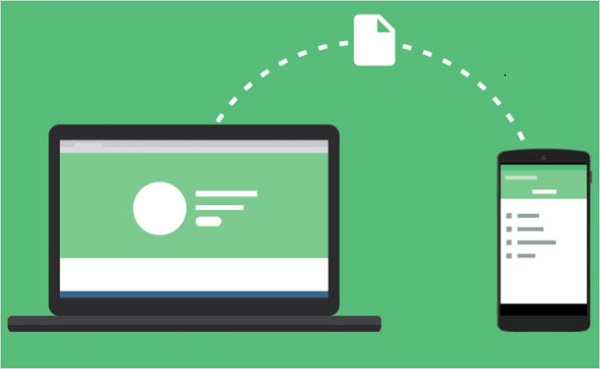
Notifications, messages, and links can be sent between devices seamlessly using Pushbullet. It also enables file transfer from phone to PC or vice versa with just a few clicks. Clipboard sharing is supported, making it easier to copy and paste content across platforms. Real-time notification syncing ensures no alerts are missed while working on a computer.
How does Pushbullet outperform Microsoft Phone Link?
- Offers instant notification syncing across devices, including messages and links. (How can you sync files across mobile phones?)
- Supports quick file sharing between phone and PC without cables.
- Allows clipboard sharing, making cross-device copy-paste seamless.
- Works across multiple platforms (Android, Windows, Mac) efficiently.
Where does Pushbullet fall short compared to Microsoft Phone Link?
- Limited to file, link, and notification sharing; no full-screen mirroring.
- Cannot control the phone remotely like Microsoft Phone Link can.
- Some advanced features require a premium subscription.
- SMS support is not as integrated into Windows apps.
Top 4: Sefirah
Remote access and file management can be handled efficiently through Sefirah. Connections between devices are secured, allowing users to mirror screens, transfer files, and interact with mobile apps from a distance. Multi-device support makes it practical for managing several devices at once. The interface emphasizes simplicity while providing robust control over connected phones or tablets.
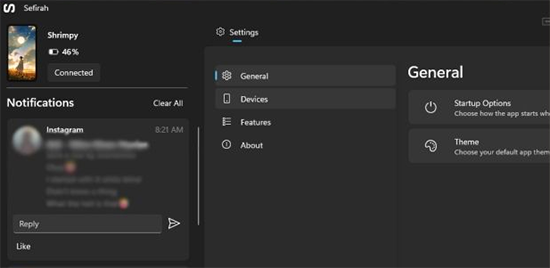
How does Sefirah outperform Microsoft Phone Link?
- Provides secure remote access and control of multiple devices simultaneously.
- Allows full file management between connected devices.
- Supports remote app interaction beyond just viewing the screen.
- Emphasizes simplicity while maintaining advanced control, outperforming Phone Link's limited interface.
Where does Sefirah fall short compared to Microsoft Phone Link?
- Less native Windows integration compared to Phone Link.
- Cannot automatically sync calls or texts directly with Windows apps.
- Remote access setup can be complex for non-technical users.
- File transfer speed may depend on network stability.
Top 5: GlideX
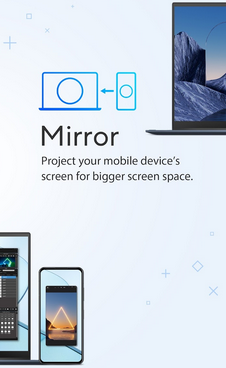
GlideX offers fast and responsive screen mirroring from smartphones to computers. Users can not only view the screen but also interact with apps using a mouse and keyboard. File transfers between devices are supported, making media and document sharing easy. It also allows collaboration by showing mirrored content to multiple users at the same time.
How does GlideX outperform Microsoft Phone Link?
- Offers fast and responsive screen mirroring with low latency.
- Enables interactive control via mouse and keyboard.
- Supports collaboration by sharing mirrored content with multiple users.
- Facilitates easy file transfer while mirroring, which Phone Link lacks.
Where does GlideX fall short compared to Microsoft Phone Link?
- Focuses on screen mirroring and interactive control, not SMS/call integration.
- No automatic Windows notifications for messages or calls.
- Limited file management compared to Phone Link's built-in interface.
- Works mainly for real-time use, less for background syncing.
Top 6: AnyDesk
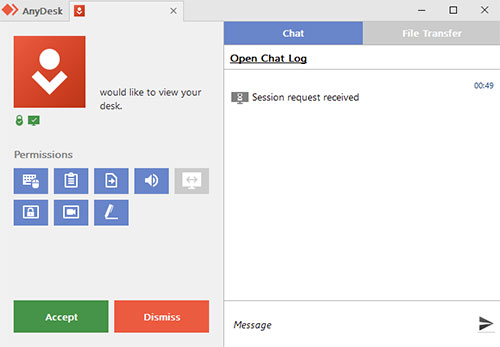
Real-time device access and control are possible using AnyDesk, enabling both screen mirroring and file management. Users can operate the mobile interface remotely as if holding the device in hand. Secure connections ensure data privacy during file transfers and remote sessions. Cross-platform compatibility allows communication between Android, iOS, Windows, and Mac devices.
How does AnyDesk outperform Microsoft Phone Link?
- Provides real-time remote access to devices with low-latency control.
- Supports secure file transfers between computers and mobile devices.
- Works cross-platform (Android, iOS, Windows, Mac, Linux).
- Enables remote management of apps and settings, going beyond simple notifications.
Where does AnyDesk fall short compared to Microsoft Phone Link?
- Primarily for remote access, not native integration with Windows notifications or calls.
- Does not provide SMS syncing or direct call management.
- Setup requires both devices to have the app installed and connected.
- Focused on remote support rather than full Windows-phone ecosystem integration.
Top 7: KDE Connect
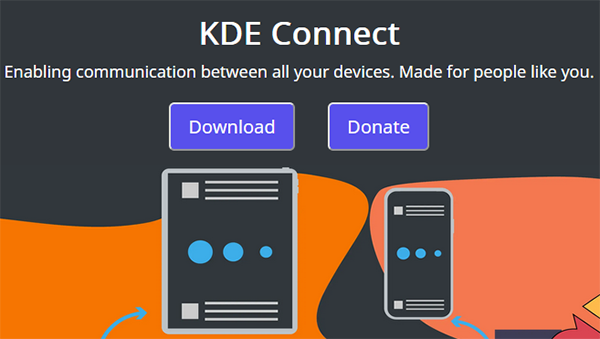
KDE Connect allows seamless integration between a phone and computer within the same network. Files, links, and clipboard content can be shared instantly while notifications are mirrored from the phone to the PC. Users can control media playback or even use the phone as a remote input device. Its open-source nature provides flexibility for customization and extended functionality.
How does KDE Connect outperform Microsoft Phone Link?
- Offers seamless network-based integration between phone and PC.
- Supports instant file, link, and clipboard sharing.
- Provides remote control of media playback and input devices.
- Open-source design allows customization and extended features unavailable in Phone Link.
Where does KDE Connect fall short compared to Microsoft Phone Link?
- Best with Linux or open-source environments, Windows support is limited.
- Does not offer native SMS and call syncing with Windows apps.
- Requires both devices on the same network, limiting remote use.
- Some features are less polished compared to Phone Link's tight Windows integration.
Closing Remarks
After evaluating the top alternatives, Screen Mirror is arguably the best Microsoft Phone Link alternative. It offers real-time screen mirroring, interactive control, file transfer, and cross-platform support, providing a level of functionality that many tools like BlueStacks, Pushbullet, Sefirah, GlideX, AnyDesk, and KDE Connect cannot fully match.
While these other tools are useful in their specific areas, they often fall short compared to Microsoft Phone Link in terms of seamless integration, notification syncing, or call and message management.
Related Articles:
5 Popular Ways to Mirror iPhone/iPad to Windows 11/10 [2026 Latest]
How to Transfer Files from Android to Mac? Best 5 Practices
How to Record Android Screen on PC without Root? 4 Test Methods
