Android Phone Data Erasure Report: What It Is and How to Get One?
TL;DR:
In this article, we come to:
- Explain why securely erasing personal data matters before selling, trading in, donating, recycling, or reassigning an old Android phone.
- Clarify that deleting files manually or performing a standard factory reset is not the same as documenting a verified data-erasure process.
- Introduce the Android phone data erasure report as a record of the erasure process, its method, and its outcome.
- Present MobiKin Eraser for Android as a software option that can erase Android data and let users save an erasure report after the process.
NOTE: Before using any Android data erasure software, please make sure you are the lawful owner of the Android phone or have proper authorization to erase it. Plus, back up any important files before proceeding, as the erased data cannot be recovered.
This passage explains what an Android phone data erasure report is, why it matters, what information it should contain, and how users can generate and save one after wiping an Android device. We also provide a practical solution for securely erasing Android data and saving an erasure report for personal records, resale, trade-in, donation, or device disposal.
- Part 1: What Is an Android Phone Data Erasure Report?
- Part 2: What Should an Android Phone Data Erasure Report Include?
- Part 3: Android Factory Reset vs. Professional Data Erasure with a Report
- Part 4: How to Choose Android Data Erasure Software
- Part 5: MobiKin Eraser for Android: Professional Data Erasure with a Report
- Part 6: How to Get an Android Phone Data Erasure Report with MobiKin Eraser for Android
Part 1: What Is an Android Phone Data Erasure Report?
An Android Phone Data Erasure Report is a document generated by data erasure software after wiping a device, serving as proof that the erasure process was completed. This report provides auditable evidence of data destruction.
Why Is an Erasure Report Important?
- Privacy protection: Reduce the risk of exposing personal photos, messages, contacts, account details, and financial information.
- Resale and trade-in: Keep a record when handing a phone to a buyer or refurbishment service.
- Business device management: Help organizations maintain records when retiring or reallocating company phones.
- Accountability: Make it easier to review when and how erasure was performed and whether the operation was reported as successful.
Part 2: What Should an Android Phone Data Erasure Report Include?
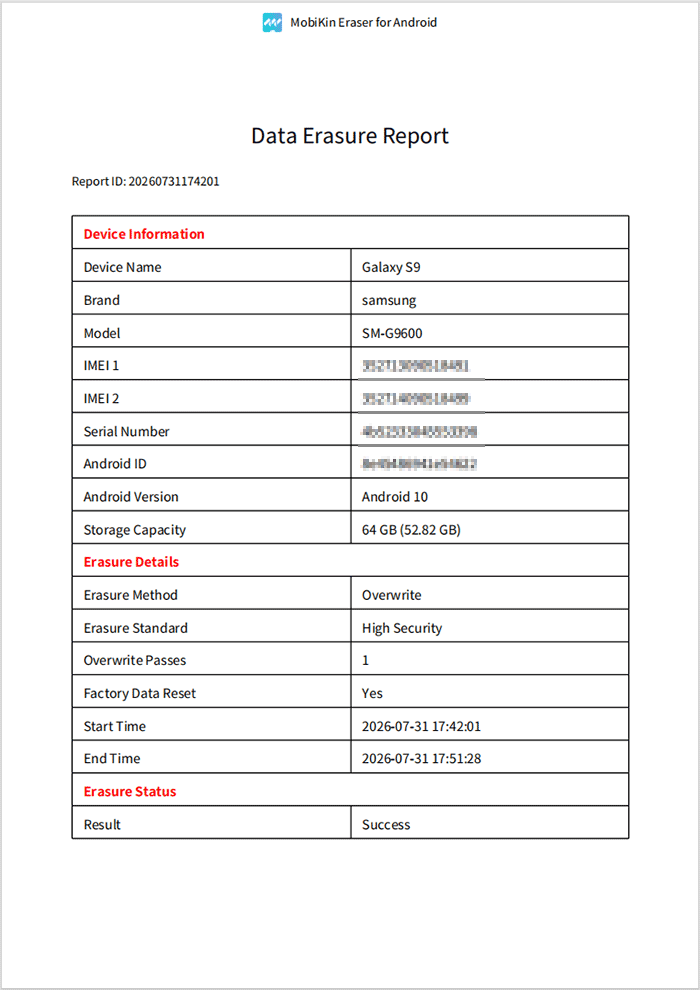
According to the sample report generated by some trusted programs, a comprehensive Android phone data erasure report should include the following information:
- Report ID: A unique identifier for tracking and referencing the erasure record.
- Device Name: The device's name, such as Samsung Galaxy S26.
- Brand and Model: The manufacturer's name and model number for device identification.
- IMEI and Serial Number: The available device identifiers for distinguishing the phone.
- Android ID: The device's Android identifier, if available.
- Android Version: The operating system version installed on the phone when erasure is performed.
- Storage Capacity: The device's total storage capacity and, where applicable, the recognized usable capacity.
- Erasure Method: The method used to erase data, such as overwriting.
- Erasure Standard or Security Level: The selected erasure level, such as the High Security option shown in the sample.
- Overwrite Passes: The number of overwrite passes performed during the erasure process.
- Factory Data Reset Status: Whether a factory data reset was performed as part of the process.
- Start and End Times: The timestamps marking when the erasure process began and finished, helping establish its duration.
- Erasure Status and Result: The final outcome, such as Success, indicating whether the software reported that the operation completed successfully.
Part 3: Android Factory Reset vs. Professional Data Erasure with a Report
An Android factory reset offers a convenient way to restore your phone to its default state, but it typically provides limited documentation of the data removal process. (Any factory reset codes for Android phones?) In comparison, professional data erasure software offers multiple security levels and a saveable erasure report, making it easier to document the process before selling, trading in, or disposing of your device.
|
Comparison
|
Android Factory Reset
|
Professional Data Erasure with a Report
|
|
Main purpose
|
Restore the phone to its factory settings. |
Erase supported data using a dedicated erasure process. |
|
Erasure options
|
Uses the device's built-in reset procedure. |
Offers Low, Medium, and High security levels. |
|
Data handling
|
Removes user data according to the device's reset implementation. |
Supports erasing existing data and overwriting deleted files. |
|
Erasure report
|
Typically does not generate a dedicated erasure report. |
Generates a saveable Data Erasure Report. |
|
Device information
|
Usually provides no separate report documenting device identifiers. |
The report can include the device name, brand, model, IMEI, serial number, and Android version. |
|
Erasure details
|
Generally provides limited documentation of the reset process. |
Records details such as the erasure method, security level, overwrite passes, and factory reset status. |
|
Process records
|
Usually does not provide a detailed start and end time record. |
The sample report includes start and end times and a report ID. |
|
Result documentation
|
Displays the reset outcome on the device. |
Records the reported erasure result, such as Success. |
|
Best suited for
|
Routine troubleshooting or preparing a phone for everyday use. |
Users who want a dedicated erasure workflow and a saved record for resale, trade-in, or disposal. |
Part 4: How to Choose Android Data Erasure Software
When choosing Android data erasure software, consider its erasure methods, device compatibility, report-generation capabilities, and verification procedures to ensure the process meets your needs. You should also check whether its security standards and certifications are independently substantiated, whether the software is easy to use, and how it stores erasure reports and protects your privacy. For details:
- Erasure method: Does the software explain how it handles existing and deleted data?
- Device compatibility: Does it support your Android version and phone model?
- Erasure reporting: Can you save a report after the operation?
- Verification: Does the product explain what checks are performed to confirm the outcome?
- Standards and certification: Are claimed standards or certifications independently substantiated?
- Ease of use: Can users complete the process without complicated technical steps?
- Privacy and recordkeeping: Are reports stored locally or online, and what information do they contain?
Part 5: MobiKin Eraser for Android: Professional Data Erasure with a Report
5.1 Permanently Erase Existing and Deleted Android Data
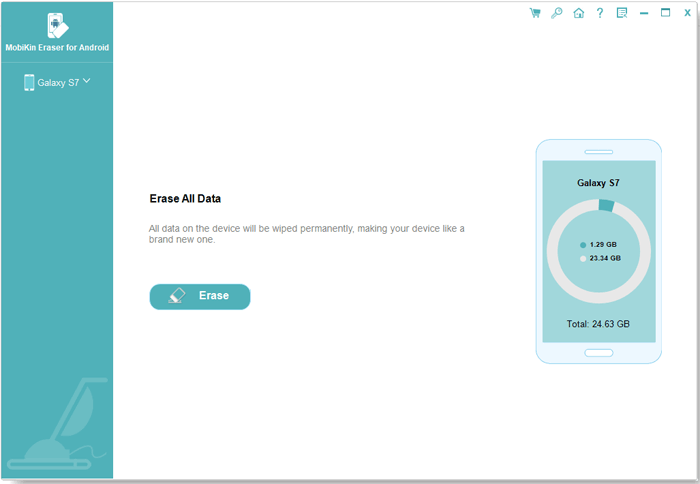
- Erase supported personal data, including contacts, text messages, call logs, photos, videos, and other files.
- Overwrite deleted data to help prevent its recovery.
- Choose from Low, Medium, and High security levels according to your needs.
- Prepare your Android phone for resale, trade-in, donation, or disposal.
Can I use an Android data erasure report as proof before selling my phone? Yes, it can serve as supporting documentation. However, you should also verify the erasure method and remove your Google account and other linked accounts before handing over the device.
5.2 Generate a Report After Erasure
- Generate a Data Erasure Report after completing the erasure process.
- Record device information, including the brand, model, Android version, and available device identifiers.
- Review erasure details, such as the method, security level, overwrite passes, and factory reset status.
- Check the report ID, start and end times, and reported erasure result.
- Save the report for future reference and device handover records.
5.3 Simple Operation for Different Users
- Connect your Android phone to a compatible computer and follow the on-screen instructions.
- Select an appropriate erasure security level without complicated manual procedures.
- Start the erasure process and wait for it to finish.
- Save the generated report for convenient recordkeeping.
5.4 Suitable for Different Android Phone Disposal Scenarios
- Selling a used phone: Erase supported personal data before transferring ownership.
- Trading in an old device: Reduce the risk of exposing private information during the trade-in process.
- Donating a smartphone: Prepare the device before passing it to another user.
- Retiring a company phone: Maintain an erasure record for internal device-management purposes.
- Recycling or disposing of a phone: Take an additional step to protect personal information before the device leaves your possession.
5.5 Protect Your Privacy Without Collecting Personal Data
- Erase supported Android data through a dedicated process on a compatible computer.
- Keep the generated erasure report for your own records and documentation.
- Review the software's privacy policy to understand what device information and usage data, if any, are collected.
- Avoid uploading sensitive information or sharing reports unnecessarily, as they may contain device identifiers.
Part 6: How to Get an Android Phone Data Erasure Report with MobiKin Eraser for Android
MobiKin Eraser for Android (Windows/Mac) offers professional Android data-erasing software for users who want to wipe personal information before handing over their devices. Beyond erasing supported data, it lets users save an erasure report containing key details about the operation and its result.
Whether you are selling an old phone, donating it, or preparing it for disposal, this combination of data erasure and recordkeeping offers a convenient way to document the process.
This tool supports over 8,000 Android devices. It prioritizes data security by permanently erasing supported personal information without collecting users' private data. It helps erase both the entire device and an SD card on Android.
Safe Download (No ads, no bundles, & no background uploads):


How to Erase Android Devices and Create a Data Erasure Report with MobiKin Eraser for Android?
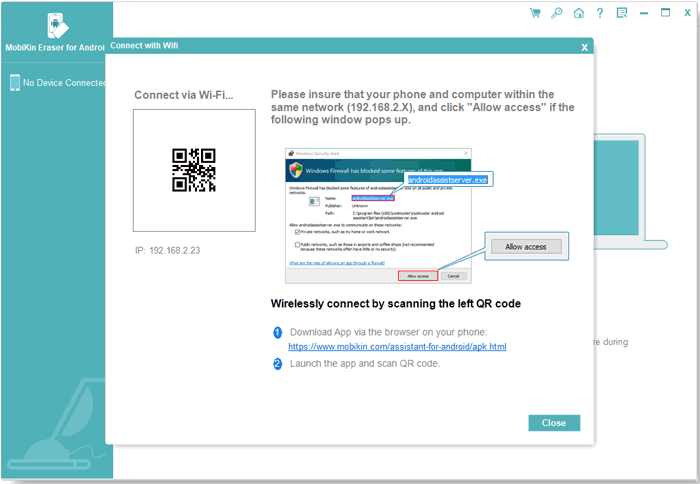
Step 1: Connect Your Android Device to the Computer - Download, install, and launch MobiKin Eraser for Android on your computer. Connect your Android phone via USB cable or Wi-Fi, enable USB debugging if prompted, and authorize the connection.
Step 2: Select a Security Level - Once the software recognizes your device, click Continue and choose an erasure level: Low, Medium, or High. Confirm your selection to proceed.
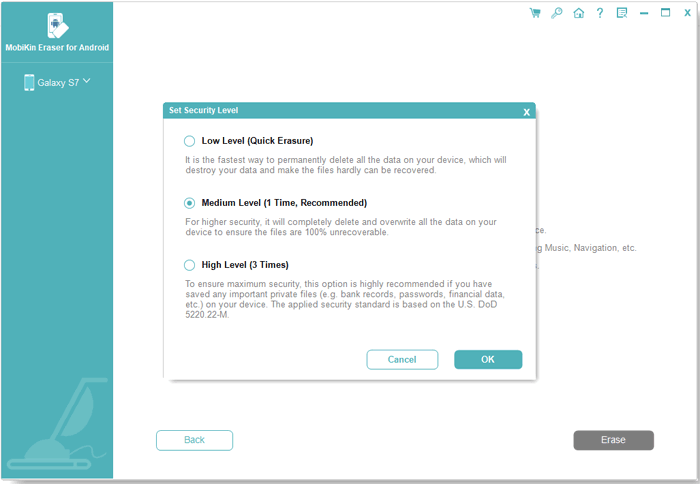
Step 3: Factory Reset Your Android Phone - Follow the on-screen instructions to indicate whether your device has already been factory reset. If not, perform the reset as instructed, complete the initial setup, and reconnect your phone. Then follow the prompts to prepare it for erasure.
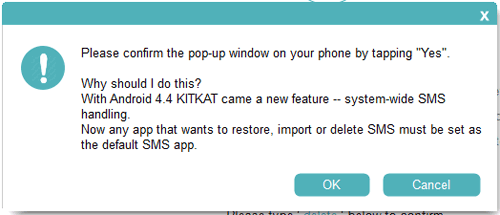
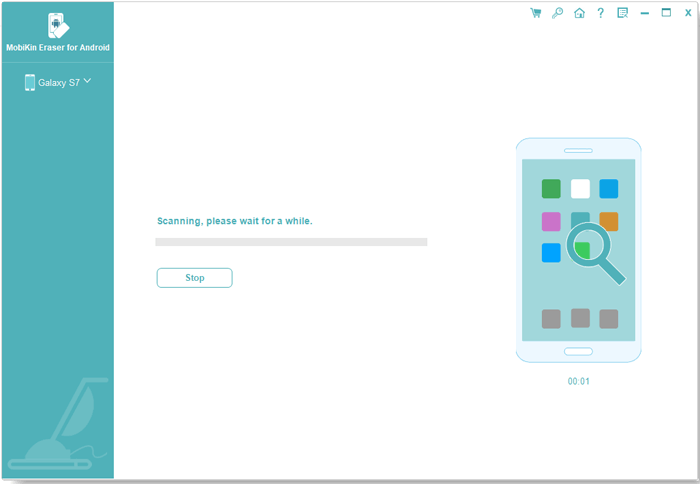
Step 4: Erase Data and Save the Report - Enter delete when prompted to confirm the operation, then start the erasure process. The software will scan, erase, and overwrite your Android data. Once finished, click Save Report to export the erasure record, including device details, erasure method, overwrite passes, and results.
Video Guide:
Related Articles:
How to Erase iPhone Data for Selling? 3 Tactics & Helpful Tricks
Top 7 Best Screen Mirroring Apps for Android to PC [Worth a Shot]
5 Tactics to Recover Formatted Data from Android Phone with/without Backup
Top 11 Apps to Transfer Data from Android to Android [Updated]