
5 Options to Sync Music between Android Phone/Tablet and PC
To free up phone space or listen to computer music on the go, Android users often need to transfer songs between PC and Android. Unlike photos shared through social apps, music files are not always as easy to move between devices. Yet there are still many ways to complete Android music sync.
This article helps you easily accomplish the music transfer between a computer and an Android device. We will describe it with three methods, two services, and two apps.
- Option 1: Easiest Way to Sync Android Music to Computer [Vice Versa]
- Option 2: Sync Android Music to Computer via File Explorer
- Option 3: Sync Music to Android Wirelessly Using Cloud Accounts
- Option 4: Sync Music Between PC and Android via Music Streaming Services
- Option 5: Sync Music to/from Android with Music Sync Apps
Option 1: Easiest Way to Sync Android Music to Computer (Vice Versa)
MobiKin Backup Manager for Android (Android and Mac), known as Android Backup & Restore, is a specialized Android music sync program. This cutting-edge tool lets you sync Android music and other data types to a PC/Mac in one click.
And you can then regain the items from your computer to any Android device. Namely, it can sync music from tablet/phone to phone and vice versa indirectly.
Core features of MobiKin Android Backup & Restore:
- Sync entire Android music collection to PC/Mac without data loss.
- Transfer music from a computer to Android in one click.
- Back up and restore such Android files as music, contacts, text messages, call history, photos, videos, documents, and apps.
- Two connection modes: USB and Wi-Fi.
- Work for almost all Android devices, containing Samsung, Xiaomi, Sony, TECNO, Motorola, OPPO, Huawei, vivo, etc.
- It won't divulge your privacy.


How to sync music from Android to PC or Mac via Android Backup & Restore?
Step 1. Link the Android device to your computer
Make sure you run the program on your computer after the download and installation. Connect Android to the same computer through USB. You can then get into the primary screen of the utility when it is automatically detected. (How to link my Android phone via Wi-Fi?)
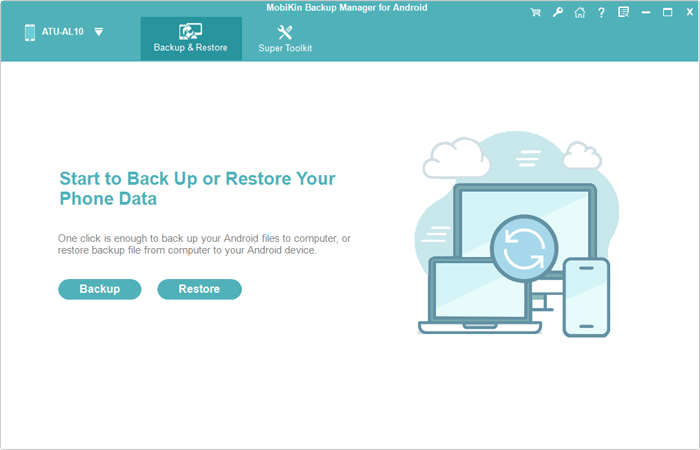
Step 2. Choose the music tracks to sync
Click "Backup" from the main screen. Then, all the processible files will be on the next interface. Please now choose the "Music" checkbox.
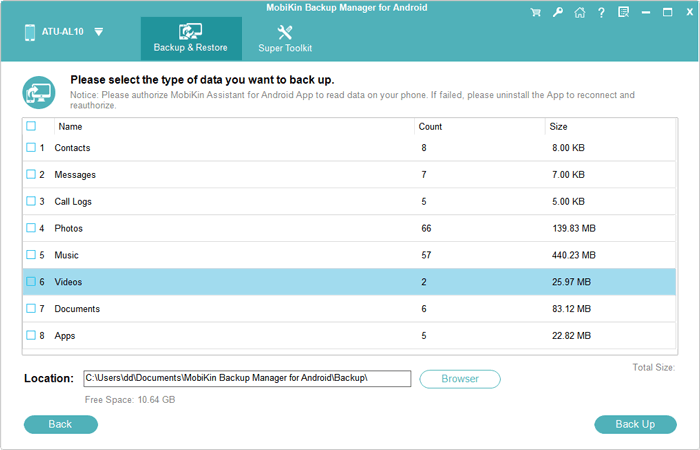
Step 3. Sync music from Android to computer
This tool gives you the ability to click "Browser" to specify a location for your Android music on this computer. Finally, tap on "Back Up" to begin music sync from Android to PC/Mac.
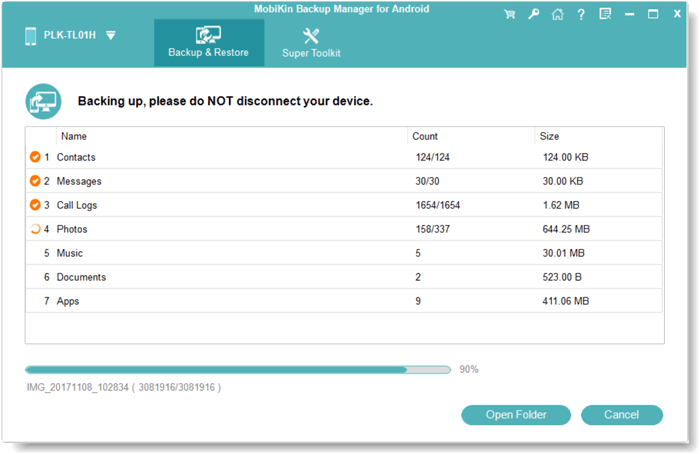
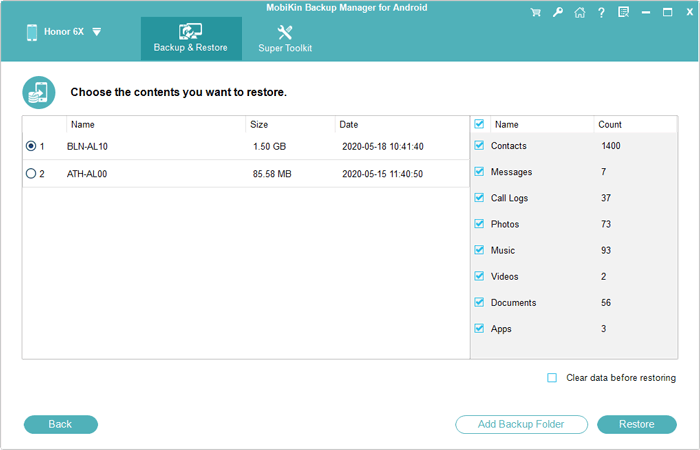
To sync music from computer to Android, just go for "Restore" from the program interface. Then choose the backup file and mark the "Music" box before clicking "Restore" again.
Click to Know:
- How to Transfer Music from iPhone to Android? 6 Great Options 2026
- How to Recover Deleted Music on Android Like a Pro? Top 5 Methods
Option 2: Sync Android Music to Computer via File Explorer
File Explorer lets you sync songs, photos, and videos between PC and Android as long as you have the original USB cable that came with your Android phone. And please safely eject your device from your computer when the transfer is over.
How to sync Android music to/from a computer with File Explorer?
- Connect Android to your Windows PC through your USB cable.
- When your phone asks what kind of connection to open, just choose "Transfer Files (MTP)".
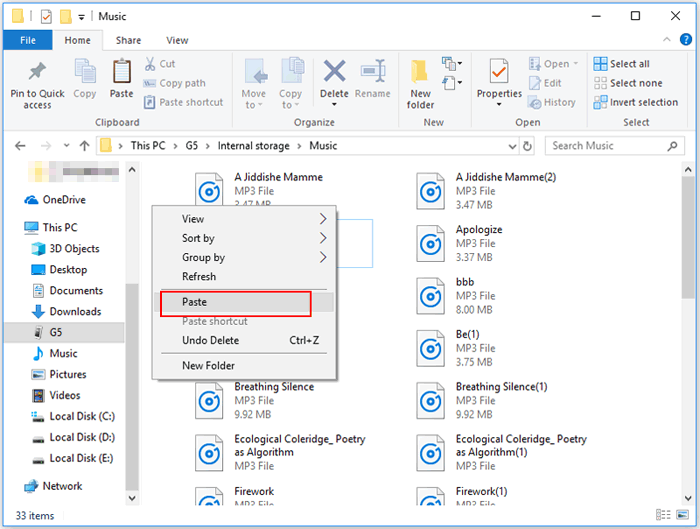
- Go to the Windows File Explorer from this computer by clicking "This PC" > [your phone's name].
- Browse and choose the music files to transfer.
- Right-click the items > "Copy"/"Copy To..." > paste the files to the destination folder.
See More:
Option 3: Sync Music to Android Wirelessly Using Cloud Accounts
Cloud storage like Dropbox is also a decent choice for music transfer. Before that, please make sure you have an account, for you'll need to enter the same account into your phone and computer, respectively. Also, be sure to have a stable and fast Wi-Fi network. If there's not enough storage on this cloud, please get more free Dropbox space in advance.
How to sync music from PC to Android phone via Dropbox?
- Go to dropbox.com from your computer's browser.
- Sign in to your Dropbox account.
- Select "Files" from the left corner of the page.
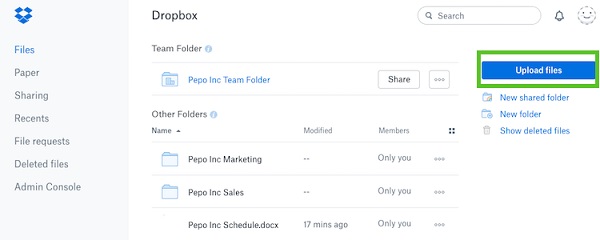
- Next, click "Upload files" to choose your desired songs to the Dropbox storage from this PC.
- After that, please open Dropbox on Android.
- Get into the cloud to download the uploaded items to this phone. (Dropbox doesn't work on Android?)
To transfer music from Android to PC with Dropbox, you can:
- Log in to "Dropbox" on your Android phone.
- Tap the "+" icon from the bottom-right corner of the screen.
- Click "Upload files" and select your wanted music files.
- After the selection, click the "Upload" button.
- Next, open Dropbox on your computer and sign in to the same account.
- Go to the "Files" option on the left side.
- Choose your required songs to download onto your computer.
Option 4: Sync Music Between PC and Android via Music Streaming Services
Well, there are some music streaming services such as Apple Music for Android, Google Play Music, Pandora, Amazon Music carrying out Android music sync. Since they are quite easy to use concerning music transfer between PC and Android, let's illustrate some key features of them, taking YouTube Music and Apple Music for Android as examples:
1. YouTube Music
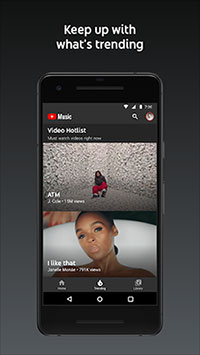
It provides its users with a space of 50,000 files for free. You can use it to listen to planned genre broadcasts and find new tracks to enjoy. If you want to listen to music with ads, you can subscribe to YouTube Music, through which you can access more than 70 million songs.
Plus, the service scans its users' collections and matches the files to tracks from Google's catalog. You're allowed to stream or download songs in up to 320 kbit/s quality.
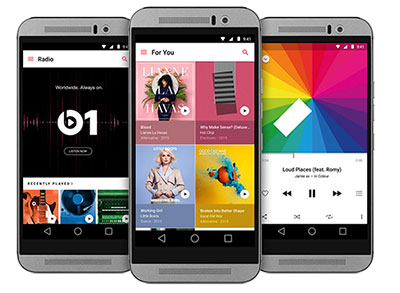
2. Apple Music for Android
This service offers a range of features, promising a unique streaming journey. It has over 30 million individual music tracks with various genres and artists. Working as a strong competitor to services such as YouTube Music, it currently delivers a 3-month free trial to all subscribers. Besides, it lets you know more about your favorite songs and artists via a variety of media, including videos and pictures, with the connect feature.
Option 5: Sync Music to/from Android with Music Sync Apps
1. Rave
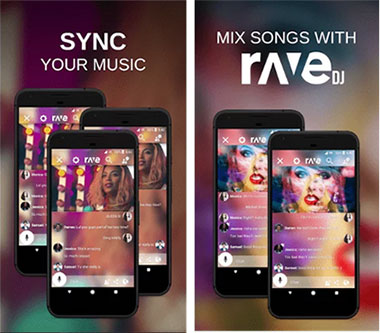
As a cross-platform app to enjoy music and chat with your friends in real-time, Rave gives you multiple options, including Android music sync, to let you enjoy your life. This app works with media streaming web properties and cloud storage services.
With this app, you're also enabled to share music files, watch TV series, and even mix tracks before others can enjoy your sound anytime.
2. doubleTwist
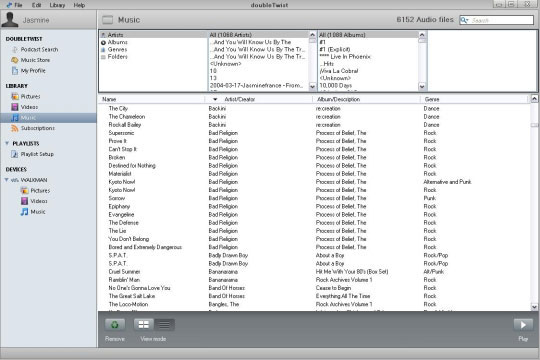
Dubbed as a great music player and mobile manager, doubleTwist lets its users can sync media files between computers and mobile devices wirelessly, including Android phones, photo cameras, and even MP3 players.
As an all-rounder, this app makes it easy for you to AirPlay music from an Android device with the optional AirSync feature. Also, it adds additional functions on its screen, covering premium themes, sleep timer, and gapless playback.
3. MediaMonkey
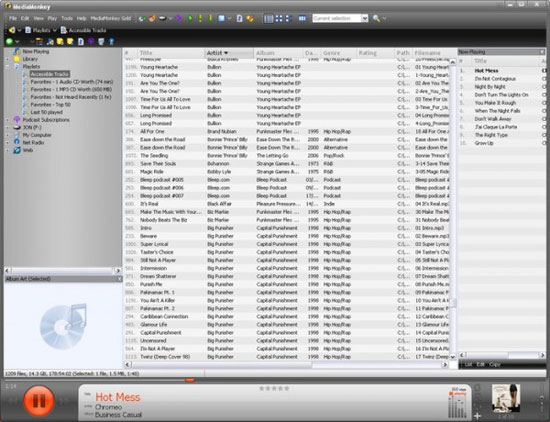
MediaMonkey is a music management program that helps organize large music libraries on a computer. It can sync music, playlists, and metadata between a PC and an Android device through USB or Wi-Fi. With its synchronization feature, users can easily keep their Android music collection updated with the songs stored on their computer.
Final Thoughts
In the aforementioned methods, MobiKin Backup Manager for Android can make the transfer for Android music and other phone data with one click; File Explorer is applied to media files only; Dropbox can be used if you have an account and ensure a stable Wi-Fi connection.
Plus, we discussed some services and apps, which are mainly used to manage Android music in addition to the data sync, but please note that most of them require you to pay a subscription.
If you only need to sync music between PC and Android, you can choose any of the first three methods based on your needs. Feel free to leave a comment if you have any questions - we're here to help.
Related Articles:
6 Best Methods to Transfer Music from Android to Android Quickly
How to Transfer Music from Android to iPhone In Minutes? Top 6 Options
6 Creative Ways to Remove Duplicate Music Files from Android Phone
