
3 Means to Hard Reset TCL Phone? [Applicable to Various Situations]
Many TCL users may encounter situations where the device becomes slow, unresponsive, or difficult to access. For instance, when a TCL phone becomes unstable after a software update, a factory reset can help restore normal operation and clear problematic system data. To make the process easier to follow, this guide introduces how to hard reset TCL phones in 3 easy ways that are tailored to different situations.
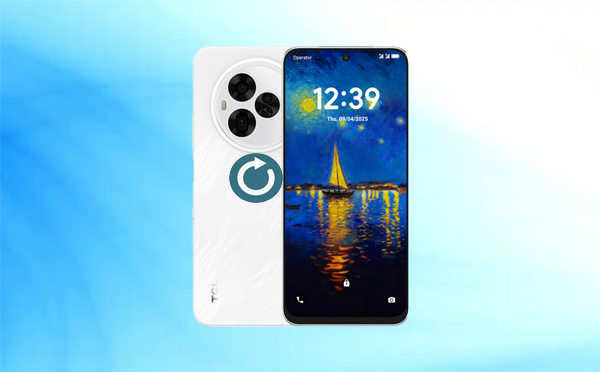
Part 1: How to Hard Reset TCL Phone via MobiKin Eraser for Android [Worry-free]
Designed for permanent data removal, MobiKin Eraser for Android (Windows/Mac) offers a one-click solution to wipe all content from a TCL phone. Unlike a standard factory reset, which leaves data recoverable, this tool overwrites existing information to prevent restoration. For a TCL device, simply connect it, select the "Low-Level" erase option, and the software will perform a hard reset that completely sanitizes the internal storage.
|
MobiKin Eraser for Android - Feature Category
|
Specific Feature
|
Short Description
|
|
Core Function
|
Permanent Erasure |
Permanently deletes contacts, messages, photos, apps, accounts, etc. |
|
Security Method
|
Overwrite Technology |
Overwrites data to prevent recovery (not just deletion). |
|
Erasing Levels
|
3 Levels |
Low (1x overwrite), Medium, High (3x, military-grade). |
|
Supported Data
|
All User Data |
Personal files, private data (passwords, history), app data. |
|
Ease of Use
|
One-Click Simple |
3-step process: Connect > Select Level > Erase. |
|
Compatibility
|
Android & TCL |
Supports Android 6.0 and up, including 8,000+ devices, covering TCL 70 Pro, TCL 60 series, TCL 50 series, TCL 40 NXTPAPER, TCL Note A1, and TCL C-series/QM-series TVs. |
|
Connection
|
USB or Wi-Fi |
Connects to PC via cable or wireless. |
|
Extra Function
|
Erase Deleted Files |
Permanently removes already-deleted files lingering on the device. |
|
vs. Common Factory Reset
|
Secure Wipe |
Factory reset hides data; MobiKin overwrites it for full destruction. |
How can I hard reset a TCL phone via MobiKin Eraser for Android? Follow these steps:
- Download and install MobiKin Eraser for Android on your computer.
- Launch the program and connect your TCL phone to the PC using a USB cable. If prompted, enable USB debugging.
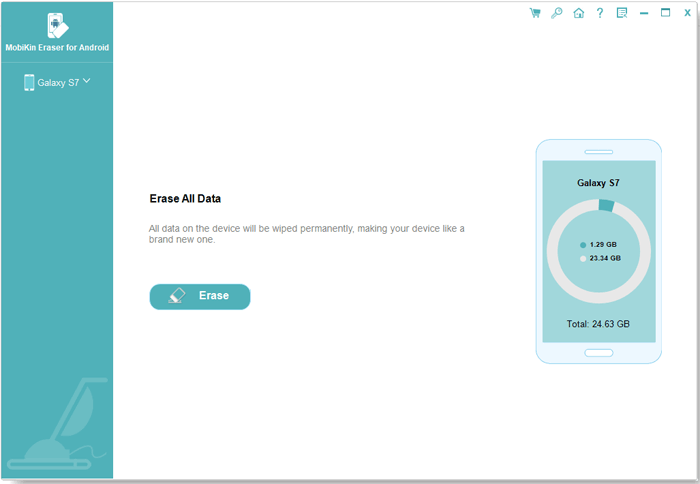
- Once the program recognizes your phone, click the "Erase" button.
- Select your preferred security level and confirm by entering "delete" in the designated field.
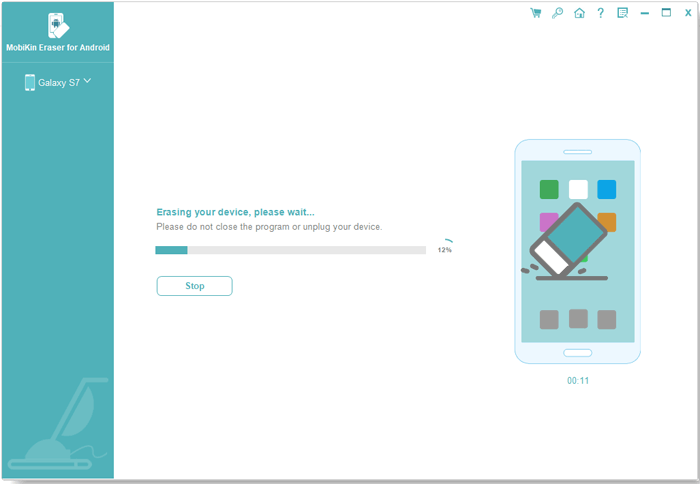
- Click "Erase" to initiate the deletion of all data from your TCL phone.
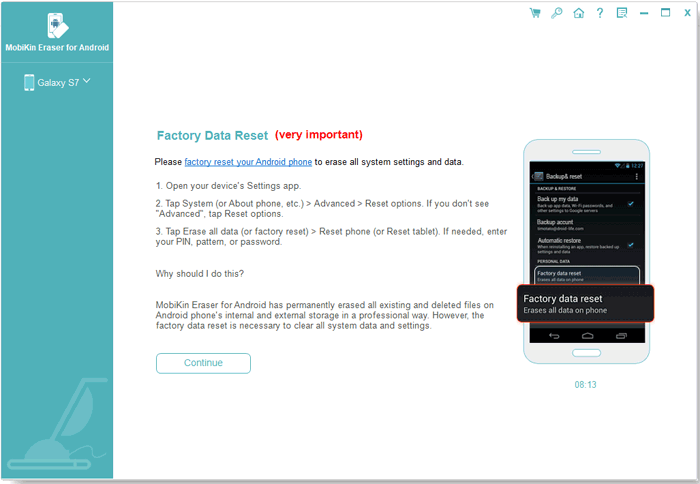
- Once done, conduct a factory reset on your TCL phone to eliminate all system data and settings.
- Follow the instructions, and after the reset is completed, click "Continue" to permanently remove all data from the device.


Video Directions:
Part 2: How to Hard Reset a TCL Phone from Settings
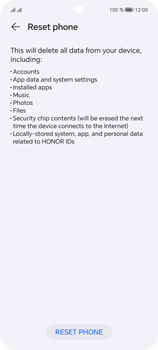
On a TCL phone, the Settings menu provides access to various system options, including device management and reset features. Within Settings, users can select Factory data reset to hard reset a TCL phone and restore it to its original factory state without using hardware buttons. Below is how to factory reset a TCL phone from its Setings:
- Open Settings on your TCL phone.
- Tap System and select Reset.
- Tap Factory data reset to begin the reset process.
- Tap RESET PHONE in the confirmation window.
- Tap RESET PHONE again to confirm and start the factory reset.
Part 3: How to Hard Reset TCL in Recovery Mode [5 Cases]
When a TCL phone becomes locked, unresponsive, or inaccessible through the normal interface, performing a hard reset with hardware buttons can restore the device to its factory state. Different TCL models may use slightly different key combinations to enter Recovery Mode, which is where the reset process begins.
The following summary introduces five commonly used TCL hard-reset button combinations that can help initiate a factory reset when the phone cannot be reset from the Settings menu.
Case 1: Power + Volume Up
This is the most common TCL hard-reset method shown in several tutorials.
- Turn off the TCL phone completely.
- Press and hold Power + Volume Up at the same time.
- Release the buttons when the TCL logo appears.
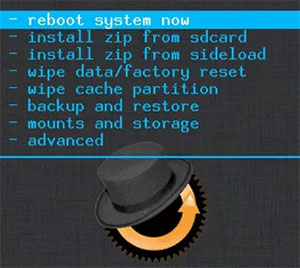
- In Android Recovery Mode, use Volume buttons to choose wipe data/factory reset.
- Press the Power button to confirm > select Factory data reset > choose Reboot system now.
Case 2: Power + Volume Up > "No Command" Screen > Enter Recovery
When some TCL devices show "No command" first before Recovery:
- Turn the phone OFF.
- Hold Power + Volume Up until the logo appears.
- When the "No command" screen appears:
- Hold Power, then press Volume Up once.
- The Recovery menu opens.
- Select wipe data/factory reset > confirm > Reboot system now.
Case 3: Power + Volume Down (Alternative Recovery Entry)
For some budget TCL models:
- Turn the phone OFF.
- Hold Power + Volume Down together.
- When the Android logo appears, release the buttons.
- Navigate with volume buttons to wipe data/factory reset.
- Confirm with Power and reboot.
Case 4: Power + Volume Up > Select Recovery from Boot Mode
When the TCL phone shows the Boot Mode selection screen:
- Power off the device.
- Hold Power + Volume Up until the Boot Mode menu appears.
- Use Volume Up to highlight Recovery Mode.
- Press Volume Down or Power to confirm.
- Choose wipe data/factory reset.
- Confirm and reboot.
Case 5: Volume Up + Volume Down + Power (Triple-Key Method)
For certain TCL 10 series models:
- Turn off the phone.
- Press and hold Power + Volume Up + Volume Down.
- Release when Recovery Mode appears.
- Select wipe data/factory reset.
- Confirm deletion and reboot.
FAQs about Hard Resetting TCL Phone
Q1: What happens when I hard reset a TCL phone?
A hard reset restores the TCL device to its original factory settings. All personal data, installed apps, and customized settings will be erased from the phone.
Q2: Will a hard reset remove the screen lock on a TCL phone?
Yes, a hard reset can remove most screen locks such as PINs, patterns, or passwords. However, if the device had a Google account previously signed in, Factory Reset Protection (FRP) may require the original account credentials after the reset.
Q3: Is a hard reset the same as a factory reset?
Generally, both terms refer to restoring the device to factory settings. A factory reset is often performed through the Settings menu, while a hard reset usually involves hardware buttons when the phone cannot be accessed normally.
Q4: How long does it take to hard reset a TCL phone?
The reset process usually takes 3-10 minutes, depending on the phone model and the amount of system data that needs to be cleared.
Q5: Why is my TCL phone asking for a Google account after the reset?
This is caused by Factory Reset Protection (FRP), a security feature in Android that prevents unauthorized access after a reset. You must sign in with the previously synced Google account to complete the setup.
Q6: Can a hard reset fix software problems on a TCL phone?
Yes. A hard reset can resolve issues such as system crashes, slow performance, app errors, or boot loops by clearing corrupted data and restoring the original system configuration.
In a Nutshell
Performing a hard reset on a TCL phone can often resolve persistent system problems, remove forgotten screen locks, and return the device to a clean factory state. With the proper steps, the reset process becomes straightforward and reliable for most TCL models.
Before performing a hard reset, try to back up important files such as contacts, photos, and documents whenever possible, because the reset process permanently deletes all stored data on the device.
Related Articles:
How to Recover Data after Factory Reset Android? 5 Ingenious Ways
How to Reset iPhone without Losing Data? [iOS 26/18/17 Supported]
How to Unlock Android Phone without Password? 7 Latest Approaches
